What’s actually slowing this PC down?
Pick the symptom - the matching free tool is one click away.
Yes—Injustice 2 is officially available for Windows PC through Steam. The PC edition launched on November 30, 2017, and is developed by NetherRealm Studios and QLOC, with WB Games as publisher. Use the official Steam listing to buy and install it; avoid APK pages, torrents, cracked builds, repacks, and unofficial “free download” sites.
The historical requirements list 64-bit Windows 7 and Windows 10, but Windows 10 or Windows 11 is the practical target because the current Steam client supports Windows 10 and later. Windows 11 compatibility should not be treated as a direct WB Games certification.
| # | Preview | Product | Price | |
|---|---|---|---|---|
| 1 |

|
Warner Bros Games Injustice 2 | $128.70 | Buy on Amazon |
| 2 |

|
INJUSTICE GODS AMONG US - ULTIMATE EDITION | $24.94 | Buy on Amazon |
| 3 |

|
Poetic Injustice Magnetic Word Game - Make Bad Poetry for Laughs - Ages 17+ | $22.99 | Buy on Amazon |
| 4 |
|
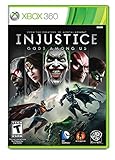
Injustice: Gods Among Us - Xbox 360 | $12.79 | Buy on Amazon |
| 5 |

|
Injustice 2: Every Battle Defines You Brainiac Tank Top | $24.99 | Buy on Amazon |
How to download Injustice 2 on Windows
- Install the official Steam client from Valve.
- Sign in or create a Steam account.
- Open the Injustice 2 Steam page.
- Purchase the base game or a suitable bundle, then select Add to Library or proceed to checkout.
- Open Library, select Injustice 2, and click Install.
- Choose an installation drive with sufficient free space and confirm.
- After installation, select Play.
Steam is the verified official Windows distribution identified by the available sources. A non-Steam shortcut may launch an already installed copy, but it is not an alternative distribution method. Do not download replacement DLL files or “unlockers” from random websites.
Is Injustice 2 free on PC?
No. The legitimate Windows version is sold through Steam. Sale prices, regional pricing, and bundle contents change, so check the live store page before purchasing. The game also lists in-app purchases and separate downloadable content.
#1 Best Overall
- The battle is you: in every fight, you have the chance to get new equipment, customize and evolve your DC superhero or super villain
Injustice 2 PC system requirements
The following specifications come from the official WB/DC Games requirements page and are historical requirements rather than a guarantee of a particular frame rate or image quality.
| Component | Minimum | Recommended |
|---|---|---|
| Operating system | 64-bit Windows 7 / Windows 10 listed | 64-bit Windows 7 / Windows 10 listed |
| Processor | Intel Core i5-750 2.66 GHz; AMD Phenom II X4 965 3.4 GHz; or AMD Ryzen 3 1200 3.1 GHz | Intel Core i3-2100 3.10 GHz; AMD FX-6300 3.5 GHz; or AMD Ryzen 5 1400 3.2 GHz |
| Memory | 4 GB RAM | 8 GB RAM |
| Graphics | NVIDIA GTX 670 or GTX 1050; AMD Radeon HD 7950 or R9 270 | NVIDIA GTX 780 or GTX 1060 6 GB; AMD Radeon R9 290 or RX 570 |
| DirectX | Version 11 | Version 11 |
| Storage | 52 GB available | 60 GB available |
| Network | Broadband internet connection | Broadband internet connection |
Use a 64-bit installation and leave more free space than the published 52–60 GB figure for updates, shader or cache files, and normal Windows overhead. A modern PC with an SSD, current graphics driver, and at least 8 GB of RAM is a more practical starting point than the dated table alone. Exceeding the recommended specifications still does not guarantee flawless performance on every Windows 10 or Windows 11 configuration.
What is included in the PC version?
The Steam listing identifies these features:
- Single-player content
- Online player-versus-player modes
- Shared or split-screen PvP
- Steam Achievements and Trading Cards
- Steam Cloud
- Remote Play on phone, tablet, and TV
- Remote Play Together
- HDR support
- Family Sharing
- In-app purchases
- Denuvo Anti-tamper
- A required third-party EULA
Shared/split-screen PvP means local two-player play on the same compatible PC setup. Remote Play Together is a Steam feature that may let a friend join supported local multiplayer modes remotely; it is not the same as native online matchmaking. Steam Cloud can synchronize supported save data, but it should not replace a manual backup. HDR also depends on a compatible display, Windows configuration, and graphics hardware. Denuvo is listed as present, which matters if third-party DRM affects your buying decision.
Which edition or DLC should you buy?
- Base game: The sensible low-risk choice for new or budget-conscious players.
- Individual characters: Useful if you specifically want characters such as Black Manta, Raiden, The Atom, Hellboy, or Enchantress.
- Fighter Packs: Compare the contents and live bundle price with individual characters before buying.
- Ultimate Pack: Potentially appropriate for players who already know they want a wider roster, but verify exactly what is included in your region.
- TMNT and Infinite Transforms: Optional add-ons; neither is essential for learning the game.
When checked on August 18, 2026, Steam displayed price signals of $5.99 for several individual characters, $19.99 for each Fighter Pack, $39.99 for the Ultimate Pack, and $9.99 for TMNT and Infinite Transforms. These prices and bundle contents are volatile, and some entries were shown as “N/A,” so verify the live Steam page. Existing owners should check how Steam adjusts bundle pricing for owned content.
Quick wins for a faster PC:
Clear out junk files and repair common Windows errorsFree Scan →Scan for outdated or missing drivers - takes under a minuteDriver Scan →DLC characters can matter to players who want to play or practice against the complete roster, but the base game is enough to learn the fundamentals. Do not assume that every “Ultimate” label contains identical content across platforms.
Beginner tips for starting on PC
- Complete the tutorial and basic training exercises.
- Choose one main character instead of trying to learn the entire roster immediately.
- Practice movement, blocking, basic attacks, specials, meter use, and dependable combos.
- Test range, punish windows, safe attacks, wake-up options, and defensive choices in practice mode.
- Learn how stage interactables work.
- Play story or other single-player content before entering ranked PvP.
- Treat gear as customization and progression, not as a substitute for fundamentals.
- After a loss, identify one repeatable mistake before changing characters.
- Use a controller if keyboard controls make directional inputs uncomfortable; keyboard play is not automatically impossible.
- Do not spend premium currency until you understand the relevant customization or progression item.
This is practical editorial guidance, not a system-specific performance test.
Rank #3
- How to Play - gather your silliest friends and family, draw random magnetic word tiles, create awful poems in response to a prompt (ONLY accessible online), vote on your favorite poems, and the person with the most votes after 10 poems is the winner!
- Endlessly Replayable - contains over 1200 magnetic words and 500+ prompts so you can play again and again always finding new words and ways to be irreverent, grammatically incoherent, and clever. You can get high variety and tons of opportunities for silliness without paying a king's ransom.
- For 3-6 players Age 17+. Comes with 6 metal boards and 60 voting tokens. Easily make Poetic Injustice a family friendly game by removing the sheet of inappropriate word tiles and selecting the option online for no Adult prompts.
- Online Prompts - This product DOES NOT contain any paper cards with prompts on them. All of the game prompts are online and easily found by following the game instructions. Online prompts mean less paper waste, an option to avoid repeated prompts, more prompts, updated/new prompts, and the ability to download the prompts to play offline.
- Tons of Fun - Exercising your wit and wordsmithing skills with a limited word bank in response to ridiculous prompts leads to some beautiful abominations of poetry. Making and sharing poems so bad they're good never felt better.
Online play: what to expect
The Steam page confirms online PvP and a broadband requirement, but it does not establish a current server population, matchmaking speed, latency standard, or long-term service guarantee. The game can be played offline in single-player modes. Online PvP requires Steam connectivity and network access; local multiplayer and Remote Play Together are alternatives to matchmaking, with their own limitations. No authoritative evidence here establishes PC-console cross-play.
If Steam itself cannot connect, treat the problem as a platform or network issue. If Steam works but Injustice 2 does not, investigate the game, firewall, account, or service path. If only one friend cannot join, NAT, firewall, Remote Play, or local configuration may be responsible.
Fix crashes, black screens, and poor performance
WB/DC Games Support lists outdated or corrupted graphics and sound drivers, outdated DirectX components, overclocking or turbo instability, corrupted game files, demanding graphics settings, and application conflicts as common causes. Follow this least-destructive sequence:
Rank #4
- Injustice: Gods Among Us - Ultimate Edition (Xbox 360)
- The "Ultimated Edition" version of "Injustice: Gods Among Us" for Xbox 360 that includes OVER $60+ WORTH OF NEW BONUS CONTENT, including: Over 30 New Skins, 6 New Characters (Lobo, Batgirl, Scorpion, General Zod, Martian Manhunter and Zatanna), and 60 New S.T.A.R. Lab Missions.
- Key Game Features: *A unique addition to the fighting genre in which an intriguing storyline pits the heroes -- and villains -- of the DC universe against each other. *A powerful and diverse array of over 20 playable characters, including Superman, Batman, Wonder Woman, The Flash, Nightwing, Catwoman, Cyborg, Harley Quinn, Solomon Grundy, and others.
- A variety of play areas based in the mythologies of each character franchise. *An accessible attack system broken down into light, medium and heavy attack, with each character having their own specific attacks.
- "Wager battles" that allow the winner of the battle to collect a portion of an opponents metered power. *Deep multiplayer play options, including local and online play, as well as tournament support. *Great game for collectors.
- Restart Injustice 2 and Steam.
- Install pending Windows updates.
- Update graphics and audio drivers from the relevant hardware manufacturer.
- Temporarily disable overclocking, undervolting, or aggressive turbo profiles.
- Close overlays, capture tools, monitoring utilities, and unnecessary background applications.
- In Steam, open Library, right-click Injustice 2, and choose Properties.
- Open Installed Files. Older Steam layouts may call this Local Files.
- Select Verify Integrity of Game Files.
- Lower graphics settings if the game remains unstable or performs poorly.
- Reinstall only after the earlier steps fail.
Steam also recommends checking file permissions and ensuring secondary installers such as DirectX or Visual C++ components were not blocked during first launch. Running the game executable from its installation folder can be a diagnostic step, not a replacement for Steam. A clean boot may help isolate an application conflict; restore normal startup settings afterward. See the WB/DC troubleshooting guide and Steam’s launch troubleshooting.
Independent reader supportYour contribution helps us test, update, and keep practical guides available for everyone.Fix online connection problems
- Check Steam service status and network guidance.
- Restart or test the router.
- Try a wired connection if possible.
- Check whether Windows Firewall or security software is blocking Steam or the game.
- Temporarily test without interfering background applications.
- Consider restrictions on school, workplace, university, proxy, or ISP networks.
- If the problem occurs only at certain times, test again later.
Port forwarding is not a guaranteed fix and should not be the first step; it can introduce security and configuration complications. Reinstalling the game is usually unnecessary for a Steam-wide or router-related fault.
Fix controller detection problems
- Close the game.
- Disconnect extra controllers and input devices.
- Restart Steam and reconnect one controller.
- Test the game before adding other devices.
- Temporarily disable controller emulators, macro tools, overlays, and hardware utilities.
- Update or disable a problematic device driver.
- Try the game’s Steam Input settings if native detection remains unreliable.
Steam’s general controller documentation mentions possible conflicts involving utilities such as Razer Synapse, XInput emulators, capture software, MSI Afterburner, ASUS AI Suite, Skype-related processes, and ZoneAlarm. These are general Steam examples, not a definitive list of Injustice 2-specific incompatibilities. See Steam controller troubleshooting.
Free tools Windows power users keep installed
One-click scans. No signup required.
Best Value
- Injustice 2: Every Battle Defines You Brainiac is officially licensed merchandise! (INJ113)
- Injustice 2: Every Battle Defines You is a 2017 fighting video game based upon the DC Universe. Injustice 2's storyline centers around Batman and his insurgency's attempt to restore society after the fall of Superman's Regime
- Lightweight, Classic fit, Double-needle sleeve and bottom hem
Steam says the game is unavailable or will not launch
Restart Steam, update drivers, verify the game files, check file permissions, and confirm that required secondary installers were allowed to run. If the game is listed as unavailable, also check Steam’s game-specific support page: Steam support for Injustice 2. Do not download random DLL files; they can contain malware and damage system integrity.
Can you get a refund?
Steam generally allows refunds requested within 14 days of purchase when the game has been played for less than two hours. The rule includes online, offline, and shared-library playtime. Requests outside those limits may be reviewed but are not guaranteed. DLC and bundle purchases can have separate eligibility considerations.
- Visit Steam Help and sign in.
- Select Purchases.
- Choose the Injustice 2 purchase.
- Select the relevant problem.
- Choose I’d like to request a refund.
- Select Steam Wallet or the original payment method and submit.
If you are testing compatibility, avoid exceeding two hours of playtime before deciding whether to keep the game.
Is Injustice 2 worth downloading on PC?
Injustice 2 is a good fit for DC fans, newcomers to fighting games, local multiplayer players, and anyone interested in a substantial single-player progression experience. It is a less obvious fit if you require a newly supported release, no third-party DRM, guaranteed modern Windows compatibility, or guaranteed active online matchmaking.
For most readers, the best approach is to buy the base game through Steam, confirm that the PC meets the practical Windows 10/11 requirements, test launch and performance within Steam’s refund window, and add DLC only after comparing the live bundle contents and price.
Quick Recap
Product prices and availability are accurate as of the date/time indicated and are subject to change. Any price and availability information displayed on Amazon at the time of purchase will apply.



