What’s actually slowing this PC down?
Pick the symptom - the matching free tool is one click away.
War Thunder’s live status is not confirmed by the available official notices for October 8, 2026. Gaijin’s news page has recent updates, but it is not a real-time server monitor. Players have reported connection and freezing problems on the official forum, but individual reports do not confirm a game-wide outage. Check War Thunder’s official news and announcements for a service notice before changing your setup.
How to tell whether War Thunder is down
Look first for an official Gaijin notice. If one confirms maintenance or server trouble, follow its updates and wait for service to be restored. The official news index had items through October 7, 2026, but that does not establish whether the game was up or down on October 8.
The official technical support forum showed individual reports dated October 6–8 about freezing, a “Connecting to server” screen, and poor server connections. Those posts may help you recognize a similar symptom, but they are not a verified count of affected players or a live status feed. A connection error on one account or device is not enough to prove a global outage.
Gaijin has acknowledged server trouble in the past. In its August 11, 2026 notice, “Unplanned Technical Maintenance,” it said, “The game may not be available at the moment as we are experiencing some technical issues on our servers.” The same notice later said, “Problem should be solved now.” That is an example of an earlier incident, not evidence of a current one.
#1 Best Overall

- The entire database of aircraft War Thunder games at your fingertips. All models of aircraft and their description are available to you regardless of location and without the need for interneta.Entsiklopediya War Thunder, it's not just a simple description of all the trees of the art in the game, but also a strong argument for the various differences and any matters of engineering models for players who are away from your computer.
What to try when War Thunder is not working
1. Check the exact error and restart the game
For “The operation failed,” Gaijin says the error concerns a connection problem with game services. A temporary service issue or maintenance is one possible cause; a problem with your own connection is another. Close and restart the game, then check whether the error persists and whether Gaijin has posted a service notice.
2. Check your connection and network path
Gaijin recommends checking connection stability, restarting your router, and trying another network. You can also test without a VPN, proxy, Private DNS, or traffic-filtering app. If War Thunder works on a different network, that points toward your usual network path rather than confirming a game-wide problem.
Rank #2
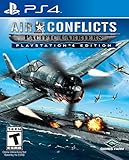
- Experience the story of a carrier - Witness the adventures of Admiral Lucas Stark and Hideaki Hashimoto, the captains of aircraft carriers in the Pacific ocean in WWII.
- Protect your carrier - Take control of the ship's cannon turrets in Survive Mode.
- Enter the watchtower - Look out for enemies and discover new missions.
- Control whole squadrons - Instead of controlling just one airplane, you can control all aircrafts in your squadron in the respective mission.
- Challenging gameplay - Every plane can only be equipped with a limited amount of ammunition, requiring you to strategically switch between the different planes of a squadron.
On a console, Gaijin’s network guide recommends restarting both the console and router and testing a direct internet-cable connection. On PC, a direct wired connection can help distinguish a Wi-Fi or router-path problem from other causes. An Ethernet cable is useful here as a diagnostic check; it cannot fix a server-side incident.
3. Follow platform-specific steps before changing security settings
Gaijin’s network troubleshooting guide lists additional PC checks: close programs using bandwidth, check for firewall interference, verify game ports, test without the router, flush DNS, and collect process and connection information. These are diagnostic steps, not a reason to leave security protections disabled. Follow Gaijin’s instructions carefully and restore protections after any temporary test.
Do these 3 things before closing this tab:
1Repair Windows errors before they cause bigger problems2Scan for outdated or missing drivers - takes under a minute3Clear out junk files and repair common Windows errorsRank #3

- Innovation in the Sky: Breathtaking clouds coupled with highly detailed aircraft and photorealistic scenery makes this the most engaging Ace Combat to date.
- Return to Strangereal: The alternative Ace Combat universe composed of real-world current and near-future weapons, but with a history steeped in Ace Combat lore.
- All new arsenal of ultra-modern super weapons and formidable enemies.
4. Use the error-code guidance if you see 8002233A
For error 8002233A, Gaijin directs players to its network troubleshooting, War Thunder ports, and Windows clean boot guidance. A clean boot and firewall or port checks are more involved than restarting the game or router; use Gaijin’s instructions rather than making broad system changes. If the error remains, submit a support request.
When to wait, troubleshoot, or contact support
| What you observe | What it suggests | Next step |
|---|---|---|
| Gaijin posts a current maintenance or server notice | An acknowledged service issue is the clearest reason to wait. | Follow the official notice for updates. |
| Only one device or account is affected | The problem may be local, though that alone does not identify the cause. | Restart the game and device, then follow the relevant network checks. |
| The game works on another network | Your usual connection or network path may be involved. | Use Gaijin’s network guide and compare the results. |
| Forum posts describe similar symptoms, but there is no official notice | Other players are reporting problems, but the scope is not confirmed. | Keep checking official announcements and try basic connection checks. |
| The error persists after the relevant checks | More detail may be needed to identify the cause. | Contact Gaijin Support with the exact error and requested information. |
What to include in a support request
For “The operation failed,” Gaijin asks players to provide their Player ID, platform, game version, and a screenshot. Include the exact wording or code, where it appears, and whether the game works on another network. For persistent 8002233A errors, follow the linked support guidance and submit a request if the issue remains.
Quick Recap
Best Value

- 49 varied missions taking place across 7 unique campaigns, each based on real resistance movements in WWII
- 20+ locations allow the player to fly through environments that immerse them in the era
- Pilot more than 20 individual aircraft, in both WWI and WWII settings
- Online Multiplayer - with 5 different modes and up to 8 players: Deathmatch, Everyone against Everyone, Team Deathmatch, Capture the Flag, Destroy & Protect
- Fly in both World War I & II - the only game that allows you to fly in both the great wars of the twentieth century with innovative 'Flashback Missions'
Rank #4

- Realsitic Pack of AirStrikers
- Easy to control
- HD Graphics
- Play worldwide
- Use On Screen controls
Product prices and availability are accurate as of the date/time indicated and are subject to change. Any price and availability information displayed on Amazon at the time of purchase will apply.



