As of August 18, 2026, World War Z is not confirmed as a current Epic Games Store giveaway. Epic’s Free Games page does not list it among the active weekly giveaways or free-to-play games. The headline appears to refer to an earlier promotion: the original game in 2020 or World War Z: Aftermath in 2025. Check Epic’s live page before acting; a past giveaway does not make the game claimable now.
Which World War Z giveaway is the headline about?
There have been two reported Epic promotions, and they involved different products. The historical dates below come from community and video references, rather than a currently accessible Epic announcement, so treat them as archive evidence—not as current offers.
| # | Preview | Product | Price | |
|---|---|---|---|---|
| 1 |

|
World War Z: Aftermath | $22.01 | Buy on Amazon |
| 2 |
|
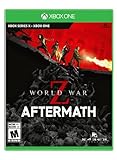
World War Z: Aftermath - Xbox One | $18.50 | Buy on Amazon |
| 3 |
|
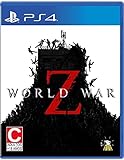
World War Z - PlayStation 4 | $30.50 | Buy on Amazon |
| 4 |

|
World War Z PS4 (PS4) | $17.99 | Buy on Amazon |
- World War Z: Community archive posts report that the original game was free from March 26 through April 2, 2020. See the archived community post.
- World War Z: Aftermath: Community and video coverage report a giveaway from February 20 through February 27, 2025. See the video reference.
Neither date is an active claim window as of August 18, 2026. A product page remaining online, or a headline repeating an old deal, is not evidence that an offer is live.
How to tell whether World War Z is actually free
Epic’s free-games page includes both temporary giveaways and games that are permanently free to play. A temporary giveaway normally makes a paid game available for $0 during a limited window; after a successful claim, Epic says it stays in your library. Free-to-play means the game can be downloaded without buying it, while a free trial or free weekend only grants temporary access. A discount is still a purchase.
Do these 3 things before closing this tab:
1Scan for outdated or missing drivers - takes under a minute2Clear out junk files and repair common Windows errors3Fix the driver behind crashes, sound loss and screen glitches#1 Best Overall
Use Epic’s official Free Games page and the game’s Epic checkout screen. Do not treat a third-party headline, thumbnail, or a price cut as confirmation. If the checkout total is not $0.00, stop: that is not a free claim.
How to claim it if a giveaway is active
- Open Epic’s Free Games page in a browser.
- Sign in to the Epic account you want to keep the game on. Enable two-factor authentication in the account’s password and security settings if it is not already enabled; Epic requires 2FA for weekly free-game claims.
- Select the World War Z or World War Z: Aftermath tile only if Epic visibly identifies it as a free giveaway.
- Select Get or the equivalent purchase button, then check the checkout total. Confirm only if the total is $0.00.
- Complete the order. Sign in to the Epic Games Launcher using the same account, open Library, find the game, and install it.
Epic says a successfully claimed weekly free game stays in the account library even if it is not downloaded during the offer period. That applies to a completed claim, not simply visiting the product page. Epic’s weekly free-game support page describes the claim rules.
Rank #2
- Play as both new and returning characters as you take the fight to the undead with a brutal new melee system, decimating zekes with unique moves, perks and dual Wield weapon options like the sickle and cleaver. Fend off new undead monstrosities.
- The Next generation of the zombie Swarm: play in glorious 4k|60 FPS. Endure endless waves of increasingly difficult zombies in the new horde mode XL game mode, featuring hundreds more zombies on screen than ever before possible.
- Deep progression and a new perspective: experience a heart-pounding new perspective with aftermath's immersive new first-person mode option.
- Level up eight unique classes: the gunslinger, hellraiser, Slasher, medic, fixer, exterminator, dronemaster, and all-new Vanguard class; each with their own perks and play styles.
- Customize your weapons to survive any challenge, and conquer new daily missions with special modifiers for bonus rewards.
World War Z and Aftermath are not interchangeable
| Product | What it means |
|---|---|
| World War Z | The original cooperative third-person zombie shooter. Its Epic product page is listed separately. |
| World War Z: Aftermath | The expanded edition. Epic says it includes content from the original Game of the Year Edition, and lists additional locations and features such as first-person mode, melee content, and Horde Mode XL-related content. See the Aftermath product page. |
| Aftermath Upgrade | A separate add-on for eligible owners; it is not a guarantee that every original-game owner already has all Aftermath content. Check the live DLC page for current eligibility and price. |
Epic’s support article warns that Aftermath DLC may not appear as a separate game in the library. Look for the base game rather than expecting a distinct Aftermath DLC tile. Epic’s library guidance also addresses account and entitlement issues.
If a claimed game is missing from your library
- Check that the launcher and browser are signed in to the same Epic account used to complete checkout. If you have multiple accounts, check each one.
- Look in your Epic transaction or order history for the completed $0 order.
- Search for the base game, and check that the library is not filtered to installed games only.
- Sign out and back in, then restart the launcher. Also check hidden games and any parental controls or account restrictions.
- If the order is present but the entitlement is still missing, follow Epic’s World War Z support guidance. It points users with a particular library issue to Amazon Prime Gaming support, which may apply to older entitlements distributed through that service.
What the PC version includes—and what it does not
Epic’s Aftermath listing describes co-op for up to three friends, or solo play with AI teammates, and story episodes in locations including Rome/Vatican City and Kamchatka. It lists cross-play, cloud saves, controller support, multiplayer, and single-player functionality. Cross-play lets players on supported platforms play together; it does not mean an Epic purchase also grants a PlayStation or Xbox license.
What’s actually slowing this PC down?
Pick the symptom - the matching free tool is one click away.
Rank #3
- Battle swarms of hundreds of zombies - the Swarm Engine seamlessly renders hordes of zombies in incredible firefights. Advanced gore systems offer gruesomely satisfying action.
- Coop story-driven campaigns - survive around the world, as unique groups tell their stories of perseverance.
- Fight other players for survival - several intense Player vs Player vs Zombies game modes complement the coop campaigns.
- Grow stronger - unlock powerful weapon upgrades and level 6 character classes to take on greater challenges.
The same Epic listing gives these PC requirements: 45 GB of storage, 8 GB RAM minimum and 16 GB recommended. Minimum graphics listed are Radeon HD 5870, GeForce GTX 650 Ti, or Intel 630; recommended graphics are Radeon R9 280 or GeForce GTX 960. Check the live product listing before installing, since store requirements can change. The Epic listing for the game rates it Mature 17+ for blood and gore, intense violence, and strong language.
Independent reader supportYour contribution helps us test, update, and keep practical guides available for everyone.If the giveaway has expired: legitimate ways to get it
Use Epic’s official Aftermath purchase page or its DLC page to see the current options for your region. Prices, taxes, discounts, and upgrade eligibility can change; an indexed Deluxe Edition sale ended July 30, 2026, so that price is not current confirmation. The standard Aftermath edition is the straightforward option for a new player seeking the expanded game. An eligible owner of the original may find the Aftermath Upgrade more suitable, while Deluxe is only relevant if its listed bonus weapons and cosmetic content matter to you. Check the live listing and checkout rather than relying on an old price or assuming an upgrade applies to every account.
Rank #4
- Battle swarms of hundreds of zombies in gruesomely spectacular firefights
- Coop story-driven campaigns
- Fight other survivors in Player vs Player vs Zombies modes
- Level 6 character classes and weapon upgrades to take on greater challenges
An Epic claim is a PC entitlement attached to the Epic account. It does not normally transfer ownership to console stores, even when the game supports cross-play. Store availability and pricing can also differ by country.
Quick Recap
Product prices and availability are accurate as of the date/time indicated and are subject to change. Any price and availability information displayed on Amazon at the time of purchase will apply.



