Free tools Windows power users keep installed
One-click scans. No signup required.
If kbdcz1.dll is missing, corrupted, or cannot be loaded, repair Windows rather than downloading a replacement DLL. kbdcz1.dll is a genuine Microsoft Windows keyboard-layout component, and the safest fix is Windows Update followed by DISM and SFC.
What this file actually does
kbdcz1.dll is the Czech_101 Keyboard Layout module supplied with Microsoft Windows. Its current layout name is generally Czech (QWERTY), and Windows loads it when the corresponding keyboard layout is installed and selected.
This is not a Visual C++ runtime, DirectX component, .NET library, game file, or ordinary application plug-in. A game or application may display the error while starting, but that does not prove the program owns or installs the file.
Windows normally keeps keyboard-layout DLLs in:
%windir%System32
The exact files present can vary with the Windows edition, architecture, language features, and installed keyboard layouts. Do not choose a replacement based only on the filename or file size.
#1 Best Overall

- The Best GIFT for any occasion
- High-quality stickers for different keyboards Desktop, Laptop and Notebook
- The Czech Alphabet is spread onto transparent - matt sticker, with blue color lettering
- Stickers are made of high-quality transparent - matt vinyl, thickness - 80mkn, typographical method
- Applying stickers on you keyboard properly once, and you can be aware that letters will stay for ever
The filename is legitimate, but location matters. A copy in the normal Windows system location can be genuine. A copy with the same name in a temporary folder, a program directory, a downloads folder, or an unfamiliar location should be treated cautiously and scanned.
Diagnose the error before repairing it
Common reported messages include:
| Message | What it may indicate |
|---|---|
| “The program can’t start because kbdcz1.dll is missing from your computer” | Windows cannot find the component or the application is reporting a dependent loading failure |
| “The code execution cannot proceed because kbdcz1.dll was not found” | The file may be missing, inaccessible, or incorrectly registered as a keyboard layout |
| “There was a problem starting kbdcz1.dll” | Windows failed to load the layout module |
| “Error loading kbdcz1.dll. The specified module could not be found” | The named file or a dependency may be unavailable |
| “kbdcz1.dll is either not designed to run on Windows or it contains an error” | The file may be damaged, mismatched, or altered |
| “kbdcz1.dll is corrupted” | Windows integrity or disk damage is possible |
These are common error variants reported by DLL-indexing pages, not a Microsoft-maintained list specific to this file. The message alone does not establish that kbdcz1.dll itself is the only problem.
The timing provides a useful clue:
- Error after an update or failed repair: suspect Windows component servicing.
- Error after a cleanup utility: suspect removal or damage to protected Windows files.
- Error only when switching keyboards: inspect language and keyboard-layout settings.
- Error during startup or across multiple applications: check Windows integrity and malware protection.
- Error from one program only: the program may be reporting a dependent module or damaged Windows configuration.
Fix 1: Install Windows updates, then restart
Microsoft distributes this component through Windows servicing rather than as a separate kbdcz1.dll download. Start with pending updates.
Windows 11
- Open Start.
- Select Settings.
- Select Windows Update.
- Select Check for updates.
- Install available updates.
- Restart the computer, even if Windows does not immediately require it.
- Test the application or switch keyboard layouts again.
Windows 10
- Open Start.
- Select Settings.
- Select Update & Security.
- Select Windows Update.
- Select Check for updates.
- Install available updates.
- Restart Windows.
- Test the original operation again.
If Windows Update fails, records an error, or repeatedly asks for the same update, continue with DISM and SFC rather than repeatedly downloading DLL files.
Fix 2: Repair Windows with DISM and SFC
This is the most important repair when the file is missing, damaged, or absent from the Windows system directory. DISM repairs the Windows component store, and SFC checks protected system files against that repaired source.
Run DISM
- Open Start.
- Type
Command Prompt. - Right-click Command Prompt.
- Select Run as administrator.
- Approve the User Account Control prompt.
- Enter this command:
DISM.exe /Online /Cleanup-Image /RestoreHealth
- Press Enter.
- Wait for the operation to finish. Do not close the window if progress appears to pause.
- After DISM completes, leave the elevated window open.
DISM may use Windows Update as its repair source, so an internet connection can help. A successful completion indicates that the component store was repaired or verified. If DISM reports that it cannot find source files, do not substitute a random DLL. Use a matching Windows installation source with the repair-source procedure documented by Microsoft, or proceed to the recovery options below.
Run SFC after DISM
In the same administrator Command Prompt, enter:
sfc /scannow
Press Enter and wait until verification reaches 100 percent. Then restart Windows.
SFC may report that it found no integrity violations, repaired damaged files, found corrupt files it could not repair, or could not perform the requested operation. If it repaired files, restarting and testing again is the next step. If it could not repair everything, run DISM again, review the CBS log if necessary, and consider a matching repair source or an in-place Windows repair.
Do these 3 things before closing this tab:
1Clear out junk files and repair common Windows errors2Scan for outdated or missing drivers - takes under a minute3Repair Windows errors before they cause bigger problemsRank #2
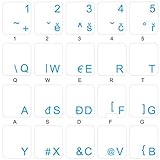
- The Best GIFT for any occasion
- High-quality stickers for different keyboards Desktop, Laptop and Notebook
- The Czech Alphabet is spread onto transparent - matt sticker, with blue color lettering
- Stickers are made of high-quality transparent - matt vinyl, thickness - 80mkn, typographical method. Clear transparent background makes stickers invisible, and allows existing characters to show through.
- Applying possess doesn't take more than 10-15min. English letters located underneath each sticker - will accurately indicate buttons on with you will apply corresponding stickers.
Manually repeating SFC without checking what changed is often frustrating. Outbyte PC Repair can provide a scan that shows the Windows issues it identifies, while repair actions are handled by the full version; it is optional, and Microsoft’s DISM and SFC remain the primary repair path.
Fix 3: Confirm whether the Czech keyboard layout is installed
The DLL may be intact while Windows has a damaged, stale, or incomplete keyboard-layout configuration.
Windows 11
- Open Start > Settings.
- Select Time & language.
- Select Language & region.
- Find the relevant language.
- Select the three-dot menu beside it.
- Select Language options.
- Inspect the Keyboards section.
A keyboard layout may appear under the current display language or under the language associated with that layout. If you need Czech QWERTY, select Add a keyboard and choose the appropriate Czech layout.
If the layout is already listed, remove it and add it again:
The Tool Desk
Outbyte PC Repair FREERepair Windows errors before they cause bigger problemsFix Now →Outbyte Driver Updater FREEFix the driver behind crashes, sound loss and screen glitchesFind Drivers →- Select the keyboard layout.
- Select Remove.
- Restart Windows if prompted.
- Return to Language options.
- Select Add a keyboard.
- Add the Czech layout again.
- Test the keyboard switcher.
If Remove is disabled, add another keyboard layout first. Windows may require at least one keyboard layout to remain under that language.
Windows 10
- Open Start > Settings.
- Select Time & Language.
- Select Language.
- Select the language that contains the keyboard.
- Select Options.
- Review the Keyboards section.
- Select Add a keyboard to add Czech, or select an existing layout and choose Remove.
- Restart Windows and test again.
If the error occurs only when changing layouts, this step is more relevant than reinstalling the application that displayed the message.
Fix 4: Check Windows Security quarantine
Antivirus software can quarantine a legitimate system file after a false detection. Malware can also modify or remove system components. Treat these possibilities differently.
- Open Start.
- Type Windows Security.
- Open the application.
- Select Virus & threat protection.
- Select Protection history.
- Review recent detections.
- Look for an entry identifying
kbdcz1.dll. - Expand the entry and inspect its path, threat name, and action.
Do not restore a file merely because its name is correct. Restore it only when the detection clearly points to the genuine Windows copy, the system is otherwise trusted, and you understand the security warning. Allowing a malicious file can expose the computer.
If kbdcz1.dll is repeatedly quarantined:
- Do not keep restoring it.
- Update Windows Security.
- Run a Full scan.
- If the problem continues, run Microsoft Defender Offline scan.
- After the scan, run DISM and SFC again.
- Test whether the file is recreated or remains intact.
Repeated detection, an unexpected file location, or other signs of compromise should be handled as a security problem rather than a simple missing-DLL problem.
Rank #3

- 【Large Print Keyboard】This large print keyboard has fonts 4 times larger than standard keyboards, making it easy to see and type. Perfect for elderly, the visually impaired, schools, special needs departments and libraries, as well as companies. The large font design offers excellent comfort.
- 【Adjustable 7 Color Backlight Lighting】 The wired keyboard has a colorful backlit design. You can choose your own brightness and lighting kind with its 3 brightness levels and 7 color options, depending on your preferences. You can choose from blue, green, red, cyan, purple, yellow, and white. Choosing your favorite keyboard setting and take your desk setup to the next level.
- 【Plug and Play & Wide Compatibility】 - This USB keyboard takes away the hassle of power charging or swapping out batteries and is easy to setup, no driver required. Compatible with Windows 2000/XP/7/8/10/11, Vista,Raspberry Pi 3/4, Mac OS(Note: Multimedia keys may not fully compatible with Mac, OS System). Works with your PC, laptop.
- 【Full Size & Ergonomics Design】- Unfold the feet at back of the keyboard to reduce hand fatigue and enjoy long hours of playing. Full QWERTY English (US) 104 key keyboard layout with numeric keypad, Large Print keys provides superior comfort without forcing you to relearn how to type.
- 【Spill-proof】- This durable keyboard features a spill-resistant design. So you don't have to worry about spilling coffee and water. Enjoy Keys life of more than 5000W times.
Fix 5: Repair the application only if its installation is damaged
Reinstalling a game or application is usually not the first fix because kbdcz1.dll belongs to Windows. However, the application may be damaged, may have stored an incorrect keyboard-layout reference, or may be displaying a generic startup error.
Before reinstalling:
- Repair Windows with DISM and SFC.
- Check the installed keyboard layouts.
- Test another application that uses normal Windows input.
- Confirm whether the error occurs only in the original program.
If the error affects only one application:
- Open Settings.
- Select Apps.
- Select Installed apps in Windows 11, or Apps & features in Windows 10.
- Select the affected application.
- Choose Advanced options if available.
- Select Repair.
- Test the application.
- If Repair does not help, use Reset only if you understand that it can remove application settings.
- For traditional desktop software, uninstall it from Installed apps or Control Panel, restart, and install it again from the vendor’s official installer.
Do not copy kbdcz1.dll into the application’s installation folder. That can create version conflicts and bypass Windows servicing.
Fix 6: Do not use regsvr32 for this file
regsvr32 is not a universal DLL repair command. It is intended for DLLs that expose a registration entry point such as DllRegisterServer. Keyboard-layout DLLs are loaded by the Windows input system, not routinely repaired by registering them like an ActiveX component.
Running commands such as these is therefore not a normal solution:
regsvr32 kbdcz1.dll
or:
regsvr32 %windir%System32kbdcz1.dll
If the command reports that the entry point is missing, that does not prove the file needs replacement. It usually means the command is inappropriate for this component. Use Windows Update, DISM, SFC, and language settings instead.
Fix 7: Check architecture without guessing
Windows 10 and Windows 11 installations may be 64-bit, while some applications are 32-bit. That does not mean you should download a 32-bit or 64-bit DLL manually.
System32 naming and Windows file-system redirection can be confusing. A folder name alone is not a reliable way to determine the architecture of a particular DLL. The safe approach is to let Windows servicing supply the correct component for that installation.
Recommended Free Tools
To check the operating system type:
- Open Settings.
- Select System.
- Select About.
- Review System type under device or Windows specifications.
Do not replace a file because an online listing claims to have a newer version. Windows-build compatibility, signing, architecture, and servicing state all matter.
Rank #4

- 4 Extra Hotkeys, Full-Size 108-Key Anti-Ghosting - Dedicated shortcut keys default to mute, calculator, screen lock and desktop, while 104 keys register accurately even during rapid multi-key combos.
- Swap Switches Without Soldering, Smooth and Quiet - The upgraded socket accepts almost any 3-pin or 5-pin switch, and stock Red linear switches keep clicks discreet for shared spaces.
- Vibrant RGB for a True eSports Vibe - Up to 19 preset lighting modes with adjustable brightness and flow speed, including a music-sync mode that lights up in time with your desktop audio.
- Ergonomic 2-Stage Feet, 2 Sets of Mixed Color Keycaps - Adjustable feet relax your wrists during long sessions, and two included keycap sets let you swap looks whenever you want a fresh vibe.
- Pro Software for Even Deeper Customization - Reassign the 4 hotkeys to your own shortcuts, design custom lighting effects, and program macros with your own keybindings.
Fix 8: Use System Restore after a recent system change
If the error began immediately after a major update, cleanup operation, driver installation, or other system modification, System Restore may help when a suitable restore point exists.
- Open Start.
- Type
Create a restore point. - Open the matching result.
- Select System Restore.
- Choose a restore point created before the problem began.
- Select Scan for affected programs if available.
- Review the changes.
- Start the restore and allow Windows to restart.
System Restore rolls system state back to an earlier point. It may remove later applications, settings, or updates, so review the affected-program list before confirming.
If no suitable restore point exists, continue with Windows recovery rather than attempting random file replacement.
Fix 9: Repair Windows in place if DISM and SFC cannot finish
An in-place repair installation can refresh Windows while preserving personal files and, in many cases, installed applications. Use official Microsoft installation media that matches the installed Windows edition and language, and follow Microsoft’s current repair-installation instructions.
This is appropriate when:
- DISM cannot repair the component store.
- SFC repeatedly cannot repair protected files.
- Windows Update is damaged.
- Several Windows components are failing.
- The issue began after serious system corruption.
Back up important files first. If the repair cannot preserve applications or the device has broader hardware or malware problems, professional support may be safer than continuing with manual changes.
Avoid third-party DLL downloads
Do not download kbdcz1.dll from a random DLL website. That approach can provide:
- Malware or a tampered file.
- The wrong Windows version.
- The wrong architecture.
- An unsigned or improperly sourced component.
- A file that does not match the Windows component store.
- A temporary workaround that leaves the underlying corruption unresolved.
There is no separate Microsoft kbdcz1.dll redistributable intended for general download. The safe official sources are Windows Update, Windows component servicing, Microsoft recovery media, and the keyboard-layout configuration already supplied by Windows.
PC Slower Than It Used to Be?
A free scan shows the junk files, broken settings and background clutter dragging Windows down - then fixes them in one click.Free scan · Windows 10 & 11Outdated Drivers Are Slowing You Down
One free scan finds every outdated or missing driver and matches the right update for your exact hardware.Free scan · exact hardware matchFrequently asked questions
Is kbdcz1.dll safe?
The filename identifies a legitimate Microsoft Windows keyboard-layout component. Safety still depends on the file’s location, signature, integrity, and how it appeared. A copy in an unexpected folder should be scanned and investigated.
Best Value

- The Best GIFT for any occasion
- High-quality stickers for different keyboards Desktop, Laptop and Notebook
- The Czech Alphabet is spread onto transparent - matt sticker, with yellow color lettering
- Stickers are made of high-quality transparent - matt vinyl, thickness - 80mkn, typographical method
- Applying stickers on you keyboard properly once, and you can be aware that letters will stay for ever
Do I need this file if I never type in Czech?
Not necessarily. The file is associated with the Czech QWERTY keyboard layout. If you do not use that layout, inspect Language & region and remove the unused keyboard layout if Windows allows it. Do not delete system files manually.
Is this a Visual C++ or DirectX problem?
No. kbdcz1.dll is a Windows keyboard-layout module, not a normal application runtime. Installing Visual C++, DirectX, or .NET is not the appropriate first repair.
Why does a game mention the file?
The game may start a Windows input component, depend on a Windows configuration, or report a generic module-loading failure. The error does not prove that the game ships with kbdcz1.dll.
What’s actually slowing this PC down?
Pick the symptom - the matching free tool is one click away.
Should I reinstall the game first?
Usually not. Run Windows Update, DISM, and SFC first, then inspect keyboard layouts. Reinstall the application only when the issue is limited to that application and its own repair fails.
Does regsvr32 fix kbdcz1.dll?
Normally no. Keyboard-layout DLLs are not routinely repaired through regsvr32. Use Windows servicing and language settings.
Will the same steps work on Windows 10 and Windows 11?
Yes. The commands are the same, although the Settings paths differ slightly. Use the Windows Update and language-setting paths for your version.
What if SFC says it repaired files but the error remains?
Restart Windows, test again, and confirm the layout configuration. If the error persists, run DISM again, inspect the CBS log, check Protection history, and consider a matching repair source or in-place Windows repair.
Quick wins for a faster PC:
Clear out junk files and repair common Windows errorsFree Scan →Fix the driver behind crashes, sound loss and screen glitchesFind Drivers →Repair Windows errors before they cause bigger problemsFix Now →What if the file exists but Windows still says it is missing?
The message may refer to a dependent module, a damaged keyboard-layout entry, permissions, malware interference, or a corrupted Windows component store. Do not assume that copying another DLL will help. Follow the repair sequence and test the language configuration.
Quick Recap
Drivers are the other quiet cause. Instead of checking dozens of devices one by one in Device Manager, let Outbyte Driver Updater scan the machine for free and show which drivers are outdated or damaged; the full version installs the correct versions for you.
Product prices and availability are accurate as of the date/time indicated and are subject to change. Any price and availability information displayed on Amazon at the time of purchase will apply.




