Free tools Windows power users keep installed
One-click scans. No signup required.
If Killer Instinct keeps crashing on your Windows PC, work through these eight checks in order. A crash at startup, after the logos, during a match, or while connecting online can point to different problems; no official source establishes one universal cause or a guaranteed game-specific fix. Start with quick checks, then follow the instructions for your install platform.
1. Restart Windows and relaunch the game
Close Killer Instinct, restart Windows, and try launching the game once more. This is a basic troubleshooting check, not a documented Killer Instinct-specific cure. Note when the crash happens—before the game opens, after a logo, during play, or when connecting online—because that detail will help if you need support.
| # | Preview | Product | Price | |
|---|---|---|---|---|
| 1 |

|
Killer Instinct: Definitive Edition – Xbox One | $194.79 | Buy on Amazon |
| 2 |
|
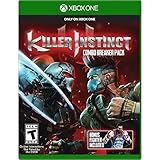
Killer Instinct Combo Breaker Pack - Xbox One | $49.99 | Buy on Amazon |
| 3 |

|
Killer Instinct Combo Breaker Pack - Xbox One (Renewed) | $33.99 | Buy on Amazon |
| 4 |

|
The Walking Dead: Survival Instinct - Xbox 360 | $27.48 | Buy on Amazon |
| 5 |

|
Killer Instinct Pin Ultimate Edition | $299.99 | Buy on Amazon |
2. Compare your PC with the published requirements
Steam lists the following PC requirements. They are the store’s published baseline, not a guarantee that the game will run without crashes on every current Windows and driver combination.
| Specification | Minimum | Recommended |
|---|---|---|
| Windows | Windows 10 | Windows 11 |
| DirectX | Version 11 | Not stated on the Steam listing |
| Memory | 4 GB RAM | 8 GB RAM |
| Processor | Intel Core i5-750 or AMD Phenom II X4 965 | Intel Core i5-4670K or AMD FX-4300 |
| Graphics | NVIDIA GeForce GTX 480 or AMD Radeon HD 5850 | NVIDIA GeForce GTX 670 or AMD Radeon HD 7950 |
| Storage | 48 GB | Not stated on the Steam listing |
Check the Steam listing and compare its requirements with your PC’s CPU, graphics card, memory, Windows version, DirectX support, and free storage. Falling below the listed minimum means your system does not meet the published baseline; meeting it is a compatibility prerequisite, not a promise that crashes will stop.
#1 Best Overall
- Play with all 26 characters, including special edition Shadow Jago
- All 20 stages featuring intense destruction
- Killer Instinct Classic 1 & 2 for Xbox One
- A bonus Original Soundtrack
- Exclusive character skin, Gold Gargos
3. Update the game and its platform client
Install any available update for Killer Instinct and the store or launcher you use. If you installed through Microsoft Store, open the Store, sign in, select Library, then choose Get updates. Microsoft also recommends keeping Windows and Store apps up to date when troubleshooting Store apps. The exact steps for checking game updates can differ between the Microsoft Store/Xbox app and Steam.
Microsoft’s Store app troubleshooting guide covers updates and other Store checks.
Rank #2
- Includes all eight Season 1 fighters
- A download code for a bonus fighter from Season 2 - TJ Combo
4. Install Windows updates and check your graphics driver
Open Windows Update and install available updates, then restart if prompted. Microsoft recommends checking for driver updates through Windows Update for older-app compatibility problems. You can also check your graphics card manufacturer’s official driver channel—NVIDIA or AMD, depending on your GPU—for an applicable update. Avoid third-party driver-updater utilities, and do not assume a particular driver version is required: the available official guidance does not identify one for this game’s crashes.
Microsoft notes that Windows 10 support ended on October 14, 2025. The Steam listing still gives Windows 10 as its minimum and Windows 11 as its recommended operating system; those published requirements do not change Windows’ separate support status.
The Tool Desk
Outbyte PC Repair FREEClear out junk files and repair common Windows errorsFree Scan →Outbyte Driver Updater FREEFix the driver behind crashes, sound loss and screen glitchesFind Drivers →Rank #3
- Includes all eight Season 1 fighters
- A download code for a bonus fighter from Season 2 - TJ Combo
Microsoft’s Store troubleshooting guidance includes checking Windows and app updates, while its older-app compatibility guidance recommends updating drivers through Windows Update.
5. If you use Steam, verify the installed game files
In Steam, open your Library and use Killer Instinct‘s installed-game file integrity check from the game’s properties. This lets Steam check the installation for damaged or missing files. It is a platform-level diagnostic, not a confirmed fix for a specific Killer Instinct crash.
Rank #4
If the check does not resolve the problem, Steam’s Killer Instinct technical support page provides a game-specific support route.
6. If you use Microsoft Store or the Xbox app, try Repair before Reset
Windows exposes Repair and Reset options for some apps; their availability varies. If you see them for Killer Instinct, try Repair first. Reset may clear app data or settings, so use it only if Repair does not help and you are prepared for that possibility.
Best Value
- This limited-run edition comes in a premium case that doubles as a display for collectible Pinny Arcade pins.
- The game also features all the Killer Instinct Ultra Edition content, which includes:
- All Season 1 characters (8)
- Season pass for all costumers (8) and accessory packs (16)
- Early access to all Season 1 content AND Original Killer Instinct Classic Arcade game
- Open Settings > Apps > Installed apps (called Apps & features on some Windows versions).
- Find Killer Instinct, open its menu, and choose Advanced options if that option is shown.
- Select Repair. If the game still crashes and Reset is available, consider Reset next.
- If Repair and, where available, Reset do not help, reinstall the game.
Microsoft’s app repair guidance explains that these options are not available for every app. Its Store troubleshooting guide covers reinstalling when other steps fail.
Independent reader supportYour contribution helps us test, update, and keep practical guides available for everyone.7. Test Windows in a clean boot
A clean boot starts Windows with only essential drivers and startup programs, which can help identify whether a background app or service is conflicting with the game. Treat it as a diagnostic test, not a guaranteed permanent fix.
- Follow Microsoft’s clean boot instructions to configure Windows and restart.
- Launch Killer Instinct and check whether the same crash occurs.
- If the game works, re-enable disabled startup items and services methodically, testing between changes to identify a possible conflict.
- After the test, use Microsoft’s instructions to restore normal startup.
8. Run compatibility troubleshooting and contact support if needed
If the crashes began after a Windows change, run the Program Compatibility Troubleshooter using Microsoft’s older-app compatibility guide. It is a general Windows tool; the available guidance does not say it resolves a particular Killer Instinct crash.
If the game still crashes, use the support route for the platform where you installed it. Include details that can narrow down the failure:
Quick wins for a faster PC:
Clear out junk files and repair common Windows errorsFree Scan →Fix the driver behind crashes, sound loss and screen glitchesFind Drivers →Repair Windows errors before they cause bigger problemsFix Now →- Whether the install is from Steam or Microsoft Store/Xbox app.
- Your Windows version, CPU, graphics card, and RAM.
- Any displayed error text or code.
- When the crash occurs: at launch, after logos, during a match, or while connecting online.
- Which checks you tried and whether any changed the behavior.
For Steam, use the Killer Instinct technical support route. For Microsoft Store or Xbox app installs, start with the relevant Microsoft Store troubleshooting guidance.
Quick Recap
Product prices and availability are accurate as of the date/time indicated and are subject to change. Any price and availability information displayed on Amazon at the time of purchase will apply.



