Start with these checks
kousd.dll is a Microsoft Windows file associated with legacy scanner and camera support. Before replacing anything, identify what is requesting it and when the error appears.
- Which program shows the message: note the exact application, game, scanner utility, photo importer, or launcher.
- When it appears: record whether it happens during startup, when opening Explorer or Paint, while importing images, during scanning, or only when launching an old program.
- Where the file was found: a file in the normal Windows directory is different from one in a temporary folder, user profile, or application directory.
- Which Windows version is affected: Windows 10 and Windows 11 may be running an application designed for Windows XP.
- Which architecture is involved: a 32-bit legacy application can request 32-bit imaging components even on 64-bit Windows.
- What changed recently: consider malware removal, antivirus quarantine, disk cleanup, system repair, a failed update, driver migration, or incomplete application removal.
Do not begin by downloading kousd.dll from a DLL archive. The filename alone does not identify the correct build, architecture, dependency set, or source.
What kousd.dll is
The file description is Still Image Devices DLL. It is part of the Microsoft Windows operating system and belongs to the older Still Image Technology, or STI, imaging architecture.
Microsoft describes STI as a foundation for Windows Image Acquisition, or WIA. This technology supports devices such as scanners and digital cameras, while manufacturers provide device-specific drivers and minidrivers. You can read Microsoft’s STI and WIA overview and still-image driver documentation.
What’s actually slowing this PC down?
Pick the symptom - the matching free tool is one click away.
#1 Best Overall

- High-Resolution, Low Consumption: Start with 256x192 thermal imaging and enhance to 512x384 resolution with TISR technology for greater details, this device TOPDON TC001 delivers crisp thermal images of your target with unmatched clarity. Confirm our customer service if your Android phone supports TISR before purchase. Connect effortlessly to your smartphone or tablet, where your electronic devices become the powerhouse for the TC001, consuming a mere 0.35W. Enjoy extended operational hours of 4-7 hours when paired with phones ranging from 3000-5000mAh. Note: While the TC001 is not compatible with iPhone 15, it seamlessly integrates with a wide range of Android devices
- Precise Temperature Detection: With an enhanced testing range of -4℉ to 1022℉ (-20℃ to 550℃), this infrared camera can perform temperature readings accurate within 3.6℉ (2℃) or 2% of the object’s actual temperature, and measure the temperature to 0.1℃ accuracy. The TC001 can take continuous measurements of a scene and generate a waveform graph with the high, low, and average temperatures of objects
- Dimensions and 9 Color Palettes: User can manually select 3 dimensions to check temperature in the TC001 App: Point, Line (Highest and Lowest) and Surface (Highest and Lowest) detection. With up to 3 areas for each dimension, the TC can read temperatures in 9 areas simultaneously. 9 color palettes allow users to read the temperature differences in a scene with the gradient colors of their choice
- Image Enhancement Technology: TOPDON’s image enhancement technology makes the field of view clearer and more detailed by adjusting image sharpness and contrast. Image rotation function allows users to view the temperature in different angles without rotating your phones. With the image fusion function, the infrared imager can combine the IR image and visible image taken by a mobile camera
- Compact and Adaptable: Measuring 2.8x1.65x0.55 inches and weighing one ounce (or 30 grams), the thermal imager is portable, and easily pairs with android phones that support OTG functions, allowing you to monitor temperature whenever and wherever. A 19.7 inch cable offers extended length with a USB converter to bring more flexibility to temperature reading. Anti-dust EVA bag and wiping cloth provide protection and cleaning
That makes kousd.dll an operating-system imaging component, not a general-purpose runtime such as Visual C++, DirectX, or .NET. The filename does not prove which scanner, camera, or application is responsible for the message.
Public Windows XP inventories historically identify the file as a Microsoft system file, commonly associated with a 32-bit XP build and the %WINDIR%System32 directory. Some inventories also associate it with the XP DLL cache. Those are historical references, not a universal specification for every Windows release or service-pack build.
There is no identified modern Microsoft redistributable named kousd.dll. Microsoft’s supported repair methods are Windows servicing, installation media, Windows Update, System Restore, or reinstalling the affected application and driver.
What the error actually means
You may see wording such as:
- “Kousd.dll not found.”
- “The file Kousd.dll is missing.”
- “This application failed to start because Kousd.dll was not found.”
- “The program can’t start because kousd.dll is missing from your computer.”
- “Error loading kousd.dll. The specified module could not be found.”
- “The file kousd.dll is missing or corrupted.”
The wording is not enough to identify the cause. “The specified module could not be found” can mean that kousd.dll is absent, but it can also mean that a dependency needed by that DLL is missing or incompatible.
PC Slower Than It Used to Be?
A free scan shows the junk files, broken settings and background clutter dragging Windows down - then fixes them in one click.Free scan · Windows 10 & 11Outdated Drivers Are Slowing You Down
One free scan finds every outdated or missing driver and matches the right update for your exact hardware.Free scan · exact hardware matchSimilarly, “not designed to run on Windows” or error 0xc000007b can indicate a 32-bit and 64-bit mismatch, a damaged binary, or another dependency problem. Do not assume that copying a file with the same name will resolve it.
Fix 1: Check Windows Security quarantine
Antivirus software may have quarantined a file. This is more plausible if the file was outside the normal Windows directory or if the problem started immediately after malware removal.
- Open Start.
- Type Windows Security and open it.
- Select Virus & threat protection.
- Under Current threats, select Protection history.
- Review recent detections involving
kousd.dll. - Expand a detection to inspect its path, detection name, and action.
- Do not restore the file merely because an application says it is missing.
Restore a quarantined file only when you have verified that the detection is a false positive, the file is in an expected location, and its signature and provenance are trustworthy. Microsoft explains the risks and controls in its Protection History documentation.
If the file was detected as malicious, leave it quarantined, run a full scan, and repair Windows or reinstall the owning application instead. A counterfeit kousd.dll placed in an application directory is not evidence of a legitimate Windows installation.
Recommended Free Tools
Fix 2: Repair the application that produces the message
If the error appears only when opening one scanner utility, camera program, image importer, or old application, repair that program before altering Windows.
Use the Windows repair option
- Press Windows + I to open Settings.
- Select Apps.
- Select Installed apps on Windows 11, or Apps & features on Windows 10.
- Find the program named in the error.
- Select the three-dot menu on Windows 11, or select the program on Windows 10.
- Choose Advanced options if available.
- Select Repair.
- Restart the program and test the same operation.
If Repair is unavailable or does not help, return to the program’s entry and choose Uninstall. Restart Windows, then reinstall the complete application from the software publisher or device manufacturer.
Rank #2
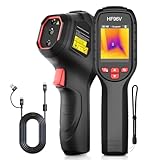
- 【Dual Cameras】Built-in 96x96 IR camera and 640x480 visible camera, the HF96V thermal imager offers 3 image modes (Fusion/Thermal/Visual) for enhanced detail and scene image contrast, helping locate anomalies more effectively. 7 selected color palettes allow you to flexibly choose the most appropriate color palette for different detection scenarios and purposes.
- 【Intelligent Scene Recognition with IntellFault】Featuring HSFTOOLS' unique IntellFault technology for automated scene detection. Powered by deep learning, it swiftly identifies water leaks and insulation gaps, which makes thermal inspections simpler, faster and more reliable. Download latest firmware on HSFTOOLS Website to upgrade and select "Scene" in the setting to experience it.
- 【User-Friendly 3-in-1 Tool】 (1)The HF96V combines a thermometer, thermal camera & laser pointer in one device, maintaining your temp reading habit while adding real-time heatmap visualization. (2) User-friendly button control: power on, menu navigation, image capturing,video recording, and palette switching. (3)The package includes a manual, wrist strap, 2-in-1 USB-C to USB-A/C cable help to conduct infrared home inspection.
- 【Fast Anomaly Recognition】The HF96V thermal image camera features a 50° field of view providing a wide coverage during scanning. it automatically tracks and displays hot spot (electrical fault) , cold spot (moisture leak) and center spot with zero guesswork. Additionally, you can set custom high/low alarms, and manually adjust level & span to isolate anomalies in critical temperature zones.
- 【Easy to Use】(1)Capture visual and thermal images simultaneously with a single pull of the trigger, increasing your productivity. (2) Integrated laser pointer helps you locate the inspected object in low-light conditions or confined spaces. (3) 7 preset color palettes flexibly suit your diverse inspection scenarios and requirements.(4)Powerful Windows PC software HSF Studio with image analysis, screen projection, real-time monitoring, 3D plotting, and more. (5) Designed with a standard tripod hole, HF96 thermographic camera supports using a tripod to assist inspection works.
Do not install only a DLL when the application itself may have installed the wrong STI, WIA, TWAIN, or camera components. Reinstalling the complete package restores the application files, configuration, device entries, and dependencies together.
Check the application’s own repair feature
Some older programs include a maintenance utility.
- Open Control Panel.
- Select Programs.
- Select Programs and Features.
- Select the affected application.
- Look for Change, Repair, or Modify.
- Complete the wizard, then restart Windows.
If the problem began after migrating the program from an older computer, obtain a current version from the publisher instead of transplanting the old installation. If the application was designed for Windows XP and has no supported Windows 10 or 11 release, compatibility may be the real problem.
Fix 3: Repair Windows system files with DISM and SFC
Use this repair when the message appears during Windows startup, when several programs fail, or when system files may have been damaged by disk errors, malware cleanup, a system cleaner, or an incomplete repair.
On supported Windows 10 and Windows 11 installations, run DISM first and SFC second.
- Open Start.
- Type Terminal.
- Right-click Windows Terminal and select Run as administrator. On some systems, search for Command Prompt instead and choose Run as administrator.
- Approve the User Account Control prompt.
- Run:
DISM /Online /Cleanup-Image /RestoreHealth
- Wait for DISM to finish. It may pause for a while.
- Then run:
sfc /scannow
- Wait until the scan reaches 100 percent.
- Restart Windows.
- Repeat the action that produced the
kousd.dllerror.
Microsoft documents DISM repair for a Windows image and the System File Checker.
A successful result may say that SFC found no integrity violations, or that it found corrupt files and repaired them. If SFC repaired files, restart before testing. If DISM reports that the source files could not be found, run Windows Update, restart, and try the commands again. Persistent servicing errors may require matching Windows installation media or an in-place repair.
Free tools Windows power users keep installed
One-click scans. No signup required.
Repeating SFC without checking what it reported will not identify an obsolete application dependency. If SFC finds no problem, continue with the application, driver, architecture, and compatibility checks below.
When manually working through DISM and SFC feels like guesswork, Outbyte PC Repair can scan for system issues and show what needs attention; its free scan identifies problems, while repair is performed by the full version. It is optional, and Windows servicing or reinstalling the specific application remains the correct fix when that program owns the failure.
Fix 4: Reinstall the scanner or camera driver package
Use this fix when the error appears during scanning, camera import, device detection, or image transfer. A device package may have been partially removed, migrated incorrectly, or left behind an old reference.
Remove the old device
- Disconnect the scanner or camera if it is connected by USB.
- Press Windows + X.
- Select Device Manager.
- Expand Imaging devices, Cameras, Printers, or Universal Serial Bus controllers, depending on how the device appears.
- Right-click the affected device.
- Select Uninstall device.
- If Windows offers a checkbox to remove the driver package, select it only when you intend to reinstall the manufacturer’s complete package.
- Select Uninstall.
- Restart Windows.
For a network scanner, also remove the manufacturer’s software from Settings → Apps → Installed apps before restarting.
Quick wins for a faster PC:
Scan for outdated or missing drivers - takes under a minuteDriver Scan →Clear out junk files and repair common Windows errorsFree Scan →Install the supported package
- Go to the scanner or camera manufacturer’s official support page.
- Search for the exact model.
- Select a driver and application package that explicitly supports your Windows release and system architecture.
- Download the complete package, not an isolated DLL.
- Run the installer as an administrator if the manufacturer instructs you to do so.
- Restart Windows.
- Reconnect or power on the device.
- Test the manufacturer’s scanning or import application and then test any third-party program.
Microsoft explains that still-image drivers contain vendor-specific components and installation information in its documentation on STI components and INF files for still-image devices.
Rank #3

- 🥈【VGA Video Capture Card】 Video Capture Card supports VGA input, Audio input. VGA Capture support VGA Loop-out. Video up to 720P 30fps with no delay. A great external capture device for Laptop, PC, set-top box, blue-ray, etc
- 🥈【720P VGA capture card】 This VGA capture card offers VGA video to USB 3.0 output capture card with VGA Loop out, Enjoy recording videos from VGA Camera, Medical examination equipment, broadcast, live artwork etc. Also VGA video capture device for you to connect with laptop or tablet to share content in conference rooms or online meetings.
- 🥈【Plug and Play】 VGA capture card does not need to install a driver, work with most video software and cameras on Windows, Mac, Linux, Android and other operation systems. Also Compatible with a variety of USB 3.0 chipsets (Intel, Renesas, ASMedia, Fresco Logic), UVC and UAC standard. This capture card switch won't use up too much CPU.
- 🥈【Portable and Lightweight】Size:3.15inx2.56inx0.79in, VGA game video capture device is stylish and compact. Small size capture card for you to carry, no problem for outdoor and indoor live streaming, an ideal capture device for video recording.
- 🥈【Worry Free Warranty】 VGA capture card x1, USB 3.0 cable x1, VGA cable(male to male) x1, Mic cable(male to male) x1. We support free lifetime technical support and 1 Year Free Replacement Warranty. Please feel free contact us if you need any help.
If Device Manager shows a warning icon after installation, right-click the device, select Properties, and review the General tab for the device status. A driver installation that completes without an error does not prove that the device supports the current Windows release.
Finding the correct scanner or camera driver can involve comparing model numbers, regional packages, and 32-bit versus 64-bit installers. Outbyte Driver Updater can show outdated driver entries through its free scan, while driver installation is handled by the full version; it is optional, and the manufacturer’s complete package remains the definitive choice for a specific scanner or camera.
Fix 5: Check 32-bit and 64-bit compatibility
A 32-bit legacy application can run on 64-bit Windows, but its supporting files must be compatible with the application and its dependencies. A file copied from another Windows installation may have the wrong architecture even when the filename matches.
To check the affected program:
- Press Ctrl + Shift + Esc to open Task Manager.
- Select Details.
- Start the affected application if it opens far enough to appear.
- Right-click a column heading and select Select columns.
- Enable Platform if that option is available.
- Check whether the process is 32-bit or 64-bit.
On some Windows versions, a 32-bit process is shown with a suffix such as (32 bit). You can also right-click the application’s shortcut, select Open file location, right-click the executable, select Properties, and inspect the Details tab.
Do not place manually downloaded copies in both C:WindowsSystem32 and C:WindowsSysWOW64. On 64-bit Windows, those directories have different roles, and Windows may redirect 32-bit file access. The correct installation directory is determined by the component’s installer and architecture.
If an old XP application fails only on Windows 10 or 11, install a supported current release or a vendor-provided compatibility update. If the software is genuinely XP-only, use an appropriately isolated legacy environment rather than transplanting system DLLs into the modern operating system.
Fix 6: Identify the program that is calling kousd.dll
The filename does not tell you whether the caller is Windows, a scanner utility, a photo application, or an old program. Identifying the caller prevents you from repairing the wrong component.
Do these 3 things before closing this tab:
1Scan for outdated or missing drivers - takes under a minute2Clear out junk files and repair common Windows errors3Fix the driver behind crashes, sound loss and screen glitchesCheck the event logs
- Press Windows + R.
- Type
eventvwr.msc. - Press Enter.
- Expand Windows Logs.
- Select Application.
- Select Filter Current Log in the right pane.
- Filter for Error and Warning events around the time the message appeared.
- Open events mentioning application crashes, SideBySide, Windows Error Reporting, or the executable name.
- Record the application path and any listed faulting module or dependent module.
Also check Applications and Services Logs for a log created by the scanner, camera, or application vendor. A launcher log may identify the program before it starts.
If the message appears immediately after signing in, open Task Manager → Startup apps and temporarily disable only the suspected legacy imaging utility. Restart and test. Re-enable it if it is unrelated.
Check the file itself
If a file named kousd.dll exists:
- Right-click it.
- Select Properties.
- Check the General tab for its location.
- Check the Digital Signatures tab if present.
- Select a signature and choose Details.
- Confirm that Windows reports a valid signature and that the signer and location make sense.
A file in a temporary directory, a user profile, or an unrelated application folder deserves additional scrutiny. Run a security scan rather than trusting its name.
Fix 7: Use System Restore when the timing is clear
System Restore can help when kousd.dll disappeared after a recent driver installation, system repair, or application change and a restore point predates the failure.
The Tool Desk
Outbyte PC Repair FREEClear out junk files and repair common Windows errorsFree Scan →Outbyte Driver Updater FREEFix the driver behind crashes, sound loss and screen glitchesFind Drivers →Rank #4

- Suitable for iOS and Android: This digital microscope has the lighting and type-C plug. Can work with the IOS and Android smart phone and tablet. NOTE: Your Android device must have the OTG function and use the tpye-C interface.
- NOT for PC: This scope is not suitable for any PC device.
- Easy to Operate: Just install the app, then use it plug and play. No need to charge in advance (Without built-in battery). Get power directly from your phone after connecting to it. NOTE: To maintain stable data transmission, please ensure that your phone's power level is above 20%.
- HD Microscope Camera: Our microscope uses the updated HD camera lens. It supports 1920x1440P image quality. You can use this scope to take the photo and video. Equipped with 8pcs adjustable LED lights, can be used even in dark environments.
- Wide Application: Our usb Microscope is a great science tool for educational purpose, personal interests and research. Suitable for kids, students, engineers, inventors, collectors to magnify the plants, insects, coins, circuit boards, jewelers, skin, hairs and more.
- Open Start.
- Type Create a restore point and open it.
- Select System Restore.
- Select Next.
- Choose a restore point created before the error began.
- Select Scan for affected programs if available.
- Review the changes.
- Select Next, then Finish.
- Allow Windows to restart and complete the restoration.
System Restore does not replace malware removal, restore personal documents, or make an unsupported XP application compatible with Windows 11. If the error remains, undoing the system change was not sufficient and the owning application or Windows component still needs repair.
Independent reader supportYour contribution helps us test, update, and keep practical guides available for everyone.Do not use regsvr32 as a routine fix
regsvr32 registers DLLs that expose registration entry points such as DllRegisterServer. It is not a general command for repairing every missing DLL.
There is no reliable evidence that kousd.dll is a self-registering COM server. Running this command:
regsvr32 kousd.dll
may produce an error saying that DllRegisterServer was not found. It will not restore a missing file, repair a damaged Windows component, install a scanner driver, or supply a missing dependency. Microsoft’s regsvr32 documentation explains its intended use.
Only register a DLL when the application or hardware vendor specifically documents that procedure for its own component.
Do not download a replacement DLL
Random DLL download sites create several problems:
- The file may contain malware or be counterfeit.
- It may be from Windows XP when the application needs another build.
- It may be the wrong 32-bit or 64-bit architecture.
- It may require additional missing dependencies.
- Copying it may hide the real problem, such as a damaged driver installation.
- An unsigned file in a system directory can create a new security and maintenance problem.
There is no identified official Microsoft standalone download page for kousd.dll. Use Windows Update, DISM, SFC, legitimate matching installation media, System Restore, or the original scanner, camera, and application installer instead.
Windows Features are not a replacement for the file
You can inspect optional Windows components, but do not enable random features hoping that one will install kousd.dll.
- Press Windows + R.
- Type
optionalfeatures. - Press Enter.
- Review the available Windows features.
- Close the dialog without changing anything unless a specific application’s documentation requires a feature.
Windows Features does not provide a known modern standalone installation route for this legacy DLL. If the error comes from an old program, use the program’s compatibility guidance or reinstall a supported release.
Windows XP-specific repair
Historical inventories associate kousd.dll with Windows XP. If the affected computer is actually running XP, modern DISM instructions do not apply in the same way.
On XP, run SFC only with legitimate matching installation media or access to the correct i386 installation source:
Best Value

- 0 degree manually focus
- HD 1080P 200M Pixels
- With Easy Mount Base
- Insert the original Windows XP installation disc if required.
- Open Start → Run.
- Type:
sfc /scannow
- Press Enter.
- Provide the matching source when Windows requests it.
- Restart after the process finishes.
Use installation media that matches the system’s service-pack level where possible. Do not mix an early release file with a later service-pack installation without verification. A repair installation may be appropriate when system files are broadly damaged, but back up important data first.
For Windows 10 or Windows 11, an XP-era copy is not automatically a valid replacement. Repair the current operating system and reinstall the legacy application instead.
If the error remains
Work through these final checks:
- Confirm the exact executable named in the error or Event Viewer.
- Repair or reinstall that application.
- Reinstall the complete scanner or camera package if the error involves imaging hardware.
- Run a malware scan and inspect suspicious copies of the file.
- Confirm the application’s architecture and Windows compatibility.
- Run DISM followed by SFC if Windows corruption is still suspected.
- Use the application’s built-in Repair or Verify integrity feature if it is a game or launcher.
- Review the application’s logs for a different missing dependency.
- Contact the application or device manufacturer if its installer fails or the model is unsupported.
If kousd.dll exists but will not load, the problem may be its signature, architecture, corruption, or a dependent module. If SFC and DISM report no problems, stop treating this as a missing Windows file and focus on the program that requested it.
FAQ
Is kousd.dll a legitimate Windows file?
Yes. Its description is Still Image Devices DLL, and it is associated with Microsoft’s legacy STI imaging architecture. A file with that name in an unexpected directory is not automatically genuine, so check its location and signature.
Is kousd.dll used by scanners and cameras?
It is associated with the legacy still-image stack used by scanners, digital cameras, and related imaging software. The filename alone cannot identify a particular device or application.
Where should kousd.dll be located?
Historical Windows XP references associate it with %WINDIR%System32 and the XP DLL cache. Do not assume that location, version, or architecture applies to every Windows 10 or Windows 11 installation.
Should I copy kousd.dll into System32?
No. Manual copying is not the normal consumer repair and can introduce the wrong build, architecture, or a malicious file. Use SFC/DISM or reinstall the owning application or device package.
Should I run regsvr32 kousd.dll?
Not as a routine fix. There is no reliable evidence that this file exposes the registration entry point required by regsvr32.
Why does Windows say the specified module could not be found when the file exists?
A dependency of kousd.dll may be missing or incompatible. Check the calling application, its architecture, its driver package, and its installation rather than replacing the visible filename.
Could an old XP program cause this on Windows 11?
Yes. An XP-era program may expect legacy imaging components that are not present or compatible on a newer Windows release. A current application version or vendor-supported compatibility update is safer than transplanting XP system files.
Outdated Drivers Are Slowing You Down
One free scan finds every outdated or missing driver and matches the right update for your exact hardware.Free scan · exact hardware matchWindows Errors? Fix Them Before They Spread
Repair common Windows errors and clear accumulated junk for a smoother, more stable PC - no reinstall needed.Free scan · no reinstallWhat is the safest first fix?
If multiple programs or Windows itself show the error, run DISM followed by SFC. If only one scanner, camera, or legacy application fails, repair or reinstall that complete application and its manufacturer-provided driver package first.
Quick Recap
Product prices and availability are accurate as of the date/time indicated and are subject to change. Any price and availability information displayed on Amazon at the time of purchase will apply.




