Outdated Drivers Are Slowing You Down
One free scan finds every outdated or missing driver and matches the right update for your exact hardware.Free scan · exact hardware matchWindows Errors? Fix Them Before They Spread
Repair common Windows errors and clear accumulated junk for a smoother, more stable PC - no reinstall needed.Free scan · no reinstallIf your Lenovo Legion Go is not charging, start with the outlet, USB-C connections, and a known-compatible charger. Then check for heat, an intentional charge limit, and updates. If the battery drops during demanding play while plugged in, that is a different symptom: Lenovo documents a high-load charging setting for the original Legion Go. The original model and Legion Go Gen 2 do not share every specification or menu label, so confirm your generation before changing settings.
First, identify what “not charging” means
A battery that never recognizes power needs a different check from one that charges slowly, stops at a ceiling, or loses charge during a demanding game. If the battery is declining only under heavy load while plugged in, go to the high-load setting below. Otherwise, work through the checks in order.
Lenovo’s official guides cover the original Legion Go and Legion Go Gen 2 separately. Both list two multi-purpose USB Type-C connectors, but generation-specific specifications and labels should not be assumed to match. See the original Legion Go user guide and the Legion Go Gen 2 user guide.
1. Check the outlet, cable, and connections
- Try a wall outlet you know works.
- Disconnect and firmly reconnect the USB-C cable at both the Legion Go and the power adapter.
- Look over the cable and connector for visible damage. Do not insert tools into the port or assume that an undamaged-looking connector is functioning correctly.
This is a basic external check, not a diagnosis of the USB-C port or charging circuitry.
Quick wins for a faster PC:
Clear out junk files and repair common Windows errorsFree Scan →Fix the driver behind crashes, sound loss and screen glitchesFind Drivers →Repair Windows errors before they cause bigger problemsFix Now →#1 Best Overall

- 【Wide Compatibility】FSJTD 65W USB C compatible with ROG Ally charger, for ROG Xbox Ally X, ROG Xbox Ally, ROG Ally X, ROG Ally, Nintendo Switch 1/2, Switch OLED, Switch Lite, Steam Deck, Legion Go, MSI Claw, GPD Win Mini/4, GPD Pocket 3, Ayaneo, Onexplayer, MacBook Pro/Air, iphone and more
- 【Flawless TV Mode for Switch】Compatible with the Nintendo Switch charger, this power supply delivers rock-solid, stable power to ensure a perfect, flicker-free display when using Nintendo Switch TV Mode for a seamless big-screen gaming experience
- 【Smart & Safe Charging】Advanced multi-protection technology safeguards against overcharging, overheating, and short circuits. It intelligently delivers stable, optimized power through a premium cable, ensuring fast, safe charging for your devices and complete peace of mind
- 【Ultra-Portable Design】Our unique foldable metal prongs make this steam deck charger incredibly compact and safe to toss in your bag. Say goodbye to scratches on your gear and hello to the ultimate portable power solution for your home, office, and travels
- 【Type C Charger Specifications】Input: 100-240V, 50-60Hz Output: 5V-3A, 9V-3A, 12V-3A, 15V-3A, 20V-3.25A ; Power: 45W/65W; Connector: USB-C/Type C
2. Test with an appropriate USB-C charger
If available, test with the charger supplied for your device or a known-compatible USB-C Power Delivery (PD) adapter. Lenovo specifies a 65 W USB-C PD 3.0 adapter for the Legion Go Gen 2; adapter bundles vary by country or region. That specification is for Gen 2 and should not be treated as the confirmed requirement for the original Legion Go. Check Lenovo’s Legion Go Gen 2 specifications for the model details.
A charger’s plug fitting the port does not establish that it is suitable. If you test another adapter, confirm its USB-C PD support and output rating for your exact generation, and use an undamaged cable.
Rank #2

- COMPATIBILITY: This 100W laptop charger delivers 20V 5A through a usb-c charging port, providing a secure connection and steady power for work and gaming with lenovo model, including Lenovo Slim 7 Pro, Yoga Pro 7 14, Yoga Slim 7 14 15 16, Yoga 9 7 14, IdeaPad Pro 5 14 15, ThinkBook 14 16 14p, ThinkPad P16s computer, Legion go s Handheld Gaming etc model
- FAST CHARGING PERFORMANCE: The portable 100 Watt power supply provides the output a compatible notebook needs to keep gaining charge instead of falling behind when an underpowered unit cannot keep pace. Each computer controls the power it accepts, so actual charging speed varies with battery condition and active workload. Consistent delivery helps reduce interruptions through longer daily sessions and keeps the device ready when you need it.
- 10FT CORD & FLEXIBLE REACH: A 1.8m adapter cable plus a 1.2m detachable AC power cord provides about 8.86ft of total reach. The extra length makes it easier to position the device comfortably when the outlet sits behind a desk or farther from your seat, while the removable input cord is easier to route and pack. The setup gives a home desk or office workstation more flexibility and coils neatly for travel, helping keep tension away from the charging cable and connector.
- QUALITY, RELIABILITY & HEAT CONTROL: The intelligent internal chipset monitors power delivery and temperature during use. Built-in safeguards help guard against overcharging, overcurrent, short circuits and overheating, while flame-retardant, heat-resistant materials support housing durability. Consistent output helps limit avoidable electrical stress on the connected device, and normal airflow around the adapter supports dependable performance through repeated charging cycles.
- PACKAGE VALUE & FIT CHECK: The box includes 1 AC adapter and 1 detachable power cable, with sealed packaging that helps protect both items during shipping. Keep it as a replacement at one regular charging spot or carry a spare in a business bag, so the same setup does not need to move every day. Before ordering, find the required wattage on the bottom label or original adapter, then compare the USB-C/Type-C plug and complete model.
3. Try the other USB-C port
Both the original Legion Go and Gen 2 have two multi-purpose USB Type-C connectors, according to their respective user guides. Disconnect the charger and try the other port. If charging works on one but not the other, that points to a possible port-specific issue, but it does not by itself establish the cause.
4. Let a hot Legion Go cool before retrying
Lenovo’s general battery troubleshooting guidance says an overheated battery may not charge and advises letting the system cool to room temperature before trying again. This is general Lenovo PC guidance, not a Legion Go-specific temperature threshold. Let the device cool naturally; do not put it in a refrigerator or apply external heat. See Lenovo’s battery troubleshooting guidance.
Rank #3

- Specifications&Ultimate Device Protection: Output Max: 100W 20V 5A Also Compatible 90W 65W 45W Devices; Plug Type: USB C Type C Port; Condition: 100% New. This 100W USB-C Charger.Equipped with upgraded safety technology that continuously monitors temperature, voltage, and current to prevent overheating, over-voltage, over-current, and short circuits—ensuring your laptop stays safe while charging at full 100W speed
- COWOOGMZ 100W USB C TYPE C Interface Laptop Charger Compatible with 100W &90W &65W & 45W, USB C connector, Compatible with ThinkPad, IdeaPad, Chromebook, Yoga, Flex, Thinkbook laptops with USB C power connector
- COWOOGMZ 100W USB C Laptop Charger Compatible with Legion Go S 8APU1 8ARP1 Yoga 9 7 6 IdeaPad Pro 5-14 6-16 IdeaPad Slim 5 7 9 ideapad 5-14 5-15 Yoga Book 9-13 IdeaPad Flex 5-15 5-14 7-14 IdeaPad Yoga Duet 5-12 7-13 IdeaPad Yoga S540 720S 910 920 720-13 C930 730 730S S730 C740 C940 S940 C630 Yoga Slim 7 Pro-14/16, Yoga Pro 7-14 9-16, Yoga Slim 7 Carbon-14/13 Yoga Slim 6-14 7-15 7-14 7-13 9-14, Slim 7 ProX 14, Slim 7-14 7-16 Series Notebook
- COWOOGMZ 100W USB C Computer Charger Compatible with ThinkBook 16 14 15 14p 14s 13s 13x G7+ G6+ G4+ G7 G6 G5 G4 G3 G2 Plus ThinkPad P16s T16 T15 T14 T14s X13 X13s X12 P15s P14s E14 E15 E16 L13 L14 L15 L16 Z13 11e P53s P52s X380 X390 X395 T495 T495s T570 T580 T590 L490 L580 L590 E585 E590 E595 A285 A475 A485 X1 Carbon/Fold/Nano/Yoga/Tablet Compatible with Chromebook 100e 300e 500e 300w 500w C330 C340 S330 S340 S345 14W 13w 14e Gen 1 2 3 4 Series Notebook
- Compatible with Part Numbers: ADL100YLC3A ADL100YDC3A 100YAC3A ADL100YCC3A GX21J75543,SA11J62105 SA11D52396 5A11D52398 ADLX95YCC3A ADLX95YLC3A ADLX95YCC2A ADLX95YLC2A SA10R16878 O2DL132 14ACH5 14IHU5,GX20M33579 4X20E75131 ADLX65YLC3A SA10M13945 01FR024 PA-1650-46 4X20M26268 ADLX65YCC3D ADLX65YLC3D ADLX65YDC3D GX20P92530 5A11J62105
5. Check whether charging is limited rather than broken
Some Lenovo PCs can stop charging below 100% when conservation mode or a charge threshold is enabled. Lenovo documents those behaviors for other model families, so do not assume the same option or menu exists on every Legion Go. Check your model’s available battery or power settings for an applicable charge limit before treating a consistent stopping point as a charging failure. Lenovo’s general guidance is available at Battery may not charge when system is hot.
6. Check for drivers and BIOS updates in Legion Space
Lenovo’s manuals provide a Legion Space route for checking model-supported driver and BIOS updates. Menu wording differs by generation:
Rank #4

- Unmatched charging: Harness a full 65 watts of charging power—matching your Legion Go’s stock adapter. That means rapid recharging, so you’re back in the fight faster than your opponents can blink.
- Locked and loaded: Magnetically snap the power bank onto the rear of your Legion Go using the in-box iron plate, charging through the integrated USB-C cable. Clean, compact, and battle-ready—no cable clutter holding you back.
- Superior control: Instantly create a stand that props your Legion Go at the perfect angle for intense battles. Play without limits, stay focused, and own every moment.
- What’s in the Box: Lenovo Legion Go 65W 12800 Power Bank 1.5 m USB-C to USB-C Cable Iron Plate Quick-Start Guide Warranty
- Original Legion Go: Legion Space > Settings > Disks and Drives > Check for Updates.
- Legion Go Gen 2: use the corresponding “Disks and Drivers” label in Legion Space.
Install offered updates according to the on-screen instructions. Keep the device connected to power during a BIOS update and do not interrupt it. Use the guide for your generation: original Legion Go or Legion Go Gen 2.
Independent reader supportYour contribution helps us test, update, and keep practical guides available for everyone.7. If the battery drops during demanding games, change the original Legion Go high-load setting
This step is for the original Legion Go when its battery declines during demanding gameplay despite being plugged in. It is not a fix for a device that fails to recognize power, and Lenovo’s documented setting should not be assumed to exist under the same name on Gen 2.
Best Value
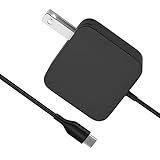
- [Compatibility]; This 65W charger is designed to be fully compatible with major high-performance handhelds and laptops, including ASUS ROG Ally X / Z1 Extreme, MSI Claw A1M, Steam Deck, and Lenovo Legion Go. It intelligently supports 65W, 45W, and lower power devices with a USB-C (Type-C) connector. If your model requires a 20V/3.25A or lower output with a USB-C port, this is your perfect match for devices like Nintendo Switch OLED, GPD Win 4, and AYANEO series.
- [Portable Design]; Whether you are heading on a business trip or a family vacation, this lightweight power adapter (only 298.3g) is your ideal travel companion. With a wide input range of 100-240V and a compact size, it works seamlessly in any country. The slim profile slides easily into carry-on luggage, while the 1.8m (6ft) total reach ensures you can stay powered even when the wall outlet is far from your desk, airport seat, or gaming setup.
- [Safety with Overheat Protection] Safety is our priority. Unlike standard chargers, this unit features a built-in LBS (Load Break Switch) and smart chip that provides multi-layer protection against overcharging, overcurrent, and short circuits. The flame-retardant, high-temperature resistant materials prevent overheating up to 50°C during intense use. The intelligent heat management system automatically regulates power based on battery status, keeping your home and family secure while extending your device's battery life.
- [Smart Fast Charging Efficiency]; Experience rapid power delivery that mirrors original performance. This charger can power your device from 0% to 100% in just 0.6 to 1.2 hours (based on standard battery capacities). The intelligent internal chip detects your device’s temperature and battery health to optimize charging speed, ensuring less heat generation and more efficient energy transfer. It’s the smart way to keep your workflow and gaming uninterrupted at home, in the office, or at a coffee shop.
- [Full Package & 12-Month Peace of Mind]; Your purchase includes 1x 65W AC Adapter and 1x Power Cable, all backed by a professional 12-month warranty and a 30-day easy return policy. We focus on providing high-quality power solutions and responsive customer support. If you have any questions about compatibility or specifications for your handheld console or laptop, our team is here to help, ensuring a worry-free shopping experience from day one.
- Enter BIOS Setup.
- Open More Settings > Configuration.
- Set “Charging Speed Selection under high loading” to Medium or Fast.
- Save the change and exit BIOS.
Follow the original Legion Go guide for the BIOS procedure and menu context: Lenovo Legion Go user guide.
8. Contact Lenovo if the external checks do not help
If the device still will not charge after testing a working outlet, a known-compatible adapter, both ports, cooling, applicable charge settings, and available updates, contact Lenovo support. A battery, port, or charging-circuit fault cannot be identified from the symptom alone. Lenovo’s general troubleshooting recommends support when the battery remains unable to charge: Lenovo battery troubleshooting. Avoid opening the device or attempting battery replacement based on an unverified procedure.
Generation-specific facts to keep straight
| Model | Charging-related details established by Lenovo |
|---|---|
| Original Legion Go | Two multi-purpose USB Type-C connectors; Legion Space update route labeled “Disks and Drives”; BIOS setting “Charging Speed Selection under high loading.” See the user guide. |
| Legion Go Gen 2 (8ASP2) | Two multi-purpose USB Type-C connectors; Legion Space update route labeled “Disks and Drivers”; Lenovo PSREF lists a 65 W USB-C PD 3.0 adapter. The user guide lists a 74 Wh rechargeable Li-ion battery. Adapter bundles vary by region. See the user guide and PSREF. |
Lenovo notes that battery capacity declines with time and use; the 74 Wh figure above is specifically for Gen 2, not every Legion Go generation.
Quick Recap
Product prices and availability are accurate as of the date/time indicated and are subject to change. Any price and availability information displayed on Amazon at the time of purchase will apply.




