Crashes, No Sound, or Screen Glitches?
Random freezes, missing sound and display glitches usually trace back to one bad driver. Find and replace yours safely.Free scan · under a minutePC Slower Than It Used to Be?
A free scan shows the junk files, broken settings and background clutter dragging Windows down - then fixes them in one click.Free scan · Windows 10 & 11Marvel vs. Capcom Infinite & Beyond is a fan-made overhaul mod for the Steam version of Marvel vs. Capcom: Infinite—not a new game announced by Capcom or Marvel Games. The project explicitly says it is not official work from either company, and Nexus Mods credits Team Beyond as its creator. The launch trailer is a way to discover the mod; it is not an official game announcement. MVCI Beyond · Nexus Mods
Where can I watch the launch trailer?
The trailer is embedded in DSOGaming’s December 25, 2024 coverage and linked from Prima Games’ December 21, 2024 installation guide. Those pages establish where the trailer was covered, not its exact upload date. The available source pages do not provide a dependable transcript or complete scene-by-scene description, so specific footage, characters, and runtime should not be inferred from them.


What is Marvel vs. Capcom Infinite & Beyond?
It is a community overhaul of the existing fighting game, rather than a standalone release. The project describes a broad set of changes: updated graphics, gameplay adjustments, new multiplayer modes, and rearranged music. Nexus Mods names Alex Moukala, Little V, and Vincent Moretto in connection with the rearrangements. Nexus Mods listing
The Team Beyond listing says nearly 40 fans worked on the mod over eight months. That is the project’s account of its production, not an independently audited count or timeline. Nexus Mods
Do these 3 things before closing this tab:
1Scan for outdated or missing drivers - takes under a minute2Clear out junk files and repair common Windows errors3Fix the driver behind crashes, sound loss and screen glitches#1 Best Overall
What modes and gameplay changes does it add?
Cross Frenzy and local multiplayer
The official FAQ describes Cross Frenzy as simultaneous 2v2. It supports offline four-player versus or two-player co-op. Single Cross Frenzy Offline lets one player control two characters; Single Cross Frenzy Online is intended for online private lobbies. The FAQ also describes Cross Fever as local play where each character is controlled by a different player. MVCI Beyond FAQ
Controller configuration can affect these modes: the project warns that controller-select settings may break them, and that players 3 and 4 have limited default controller inputs. Check the project’s current setup guidance if a mode does not behave as expected.
Rank #2
Online compatibility and Story Mode
The project says visual changes do not affect online play. Balance changes, however, require the other players to use the same balance changes, while the new tag-team modes are not compatible with online play. Story Mode has not been fully visually optimized, so character models or cutscenes may look different from what the mod intends elsewhere. MVCI Beyond FAQ
Which version is current, and what does it require?
The official site’s surfaced notice says patch 1.1 and patch 1.1b are both needed for full Cross Frenzy functionality after a Steam update. The Nexus listing labels the mod version 1.1 and records July 25, 2025 as its last update. Because mod files and compatibility instructions can change, check both listings for the latest download and requirements before installing. MVCI Beyond · Nexus Mods
Rank #3
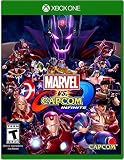
- Reborn Rivalries: Universes collide in this all-new crossover, where players select their favorite Marvel and Capcom characters and engage in accessible and free-form 2v2 team battles
- Infinite Power: Choose one of the six powerful Infinity Stones. Each Infinity Stone will customize characters with unique abilities and powerful game-changing effects
- Iconic Heroes: Select from a diverse roster of fan favorite characters pulled from the Marvel and Capcom Universes. Playable characters will be revealed in the future.
- Accessible Single Player Content: Players can hone their skills in a variety of accessible single player modes, including Training, Mission, and Arcade modes.
- Vast Multiplayer Features: Robust online modes and content including ranked and casual matches, global leaderboards, and online lobbies with spectator mode deepen the overall experience.
The official project site says the mod works only with the Steam version of Marvel vs. Capcom: Infinite and requires purchase of the base game. It does not establish compatibility with other editions or platforms. MVCI Beyond
Independent reader supportYour contribution helps us test, update, and keep practical guides available for everyone.How do I install the Infinite & Beyond mod?
These are the project’s manual installation instructions; they have not been independently tested here. The official page requests at least 8 GB of free computer space for extraction. MVCI Beyond installation instructions
Rank #4
- Adventure horror game from Capcom
- Playstation 4
- Marvel Vs Capcom Infinite (PS4)
- Download the mod archive from the project’s official download page and extract it without rearranging the included files.
- In Steam, open the game’s local files and locate the Marvel vs. Capcom: Infinite installation directory.
- Copy the extracted
MVCIfolder into that game installation directory, following the project’s folder layout. - If upgrading from version 1.0 to 1.1, remove the older mod files specified in the project’s instructions before copying in the new files. Do not assume that copying the new archive over an old installation is sufficient.
If you are starting fresh, follow the current page’s full instructions rather than applying the upgrade cleanup steps intended for an existing 1.0 installation.
Quick Recap
Product prices and availability are accurate as of the date/time indicated and are subject to change. Any price and availability information displayed on Amazon at the time of purchase will apply.




