Do these 3 things before closing this tab:
1Fix the driver behind crashes, sound loss and screen glitches2Repair Windows errors before they cause bigger problems3Scan for outdated or missing drivers - takes under a minutemidiio.dll is a legacy 32-bit device and MIDI support library associated with Analog Devices SoundMAX audio software. If midiio.dll is missing, Windows usually cannot start an older audio utility or MIDI application because the original program or driver package is incomplete.
The safest fix is to identify the executable requesting the file, then repair or reinstall that application or the exact OEM audio package that supplied it. Do not download a loose copy and place it in System32.
What midiio.dll belongs to
The legacy Analog Devices file is identified as Device IO Library and is part of the MidiIO Dynamic Link Library. Historical SoundMAX packages included it with integrated-audio or wavetable-synthesizer components.
It was commonly installed beside SoundMAX files in a path similar to:
Windows Errors? Fix Them Before They Spread
Repair common Windows errors and clear accumulated junk for a smoother, more stable PC - no reinstall needed.Free scan · no reinstallCrashes, No Sound, or Screen Glitches?
Random freezes, missing sound and display glitches usually trace back to one bad driver. Find and replace yours safely.Free scan · under a minute#1 Best Overall

- FORE 1 MIDI in / 1 MIDI out MIDI interface, 16 MIDI input & output channels. Connecting keyboard, MIDI keyboard, synthesizer, electric drum and any device with input & output to computer/laptop for recording and editing your track.
- Plug & Play, with a Built-in driver and Intelligent LED Indicator. No extra difficult driver installation. Easy set up, truly plug and play. MIDI converter shows different light indicators & status. Red is Power, Blue is signal transfer & connections. Watch the video to get more details about how to use.
- No delay MIDI Input and Output. High-performance FTP processing chip, stable and fast speed MIDI data transmission. GarageBand, FL studio12, FL studio20, DirectMusic, CoreMIDI, Cubase, Sonar, MIDI Connections, etc. Supported.
- Conveniently integrated USB and cables. High quality wire with multi-layer protection. Technology of resistance to electromagnetic interference, ensuring the audio transmission rapidly and safely without damage. USB bus-powered, 6.5Ft.
- Designed & Produced by FORE. Compatible with iOS & Android, Windows / Mac OS. You can use the USB A-C Adapter to connect to Type-A or Type-C port. || Attention: "USB A-C Adapter" is not included in the package. ||
C:Program FilesAnalog DevicesSoundMAXMidiIO.dll
Older driver packages also placed it under a SoundMAX synthesizer folder. This points to a third-party audio component, not a normal Windows system file.
There is an important qualification: another application can use the same filename. Some MIDI software has its own MIDIIO.dll, unrelated to Analog Devices and SoundMAX. The application named in the error dialog matters more than the filename alone.
Fix 1: Identify the program that needs the file
Time needed: 5–10 minutes
Before repairing Windows, find out which program is calling midiio.dll.
- Read the complete error message.
- Note the application name in the title bar or message body.
- If the error appears during startup, check whether it is connected to:
- An old audio control panel
- A MIDI editor or sequencer
- A music or synthesizer program
- A recently restored legacy application
- Open Settings with Windows key + I.
- Select Apps, then Installed apps.
- Search for:
- SoundMAX
- Analog Devices audio software
- The application named in the error
- On Windows 10, use Apps > Apps & features instead.
- For older installations, open Control Panel > Programs > Programs and Features.
Also check these folders in File Explorer:
C:Program FilesAnalog DevicesSoundMAX
and the installation directory of the application that fails.
If midiio.dll is present in the affected program’s folder but the program still cannot load it, the problem may be a missing dependency, an architecture mismatch, or a damaged companion file. Do not assume that replacing the visible DLL will solve the problem.
Fix 2: Repair or reinstall the affected application
Time needed: 10–20 minutes
If only one old application reports the error, repair that application first.
- Open Settings > Apps > Installed apps.
- Locate the application.
- Select the three-dot menu beside it.
- Choose Advanced options, if available.
- Select Repair.
- Start the application again.
If there is no Repair option:
- Return to the application’s entry in Installed apps.
- Choose Uninstall.
- Restart Windows.
- Reinstall the application from its original installer or the application developer’s official distribution.
- Right-click the installer and select Run as administrator if setup cannot write to its installation folder.
- Start the application and test the operation that previously failed.
For an older MIDI application, use the copy of MIDIIO.dll supplied by that application. Do not install the Analog Devices version simply because the names look similar.
If the installer is designed for an older Windows release, right-click it, select Properties > Compatibility, enable compatibility mode for the Windows version documented by the application, and run the installer again. Compatibility mode cannot create a missing dependency, but it can help a legacy installer complete.
Quick wins for a faster PC:
Scan for outdated or missing drivers - takes under a minuteDriver Scan →Clear out junk files and repair common Windows errorsFree Scan →Fix 3: Reinstall the correct OEM audio driver
Time needed: 15–30 minutes
This is the most likely repair when the error points to SoundMAX or appears after an audio-driver change.
Rank #2

- [Premium] Developed by CME with 30+ years of experience and contributing board member of the MIDI Association, providing trusted, human-centric 24/7 support via cme-pro(dot)com/support, lifetime updates, and hassle-free replacement.
- [Computers] Explore 2025 tech with advanced MIDI features: filter, mapping, routing. USB MIDI cable (1-in-1-out), 16 channels. Plug & play on macOS, iOS, Windows, Android, Linux, ChromeOS—no drivers needed!
- [Instruments] Handy colored MIDI plugs. Smart LED indicators. Works with all MIDI instruments including digital drum, digital piano, portable keyboard, MIDI controller, synthesizer, EWI and groovebox.
- [Performance] Ultra-fast 32-bit processor for extreme accuracy, high-speed optocoupler for error-free transmission, close to zero latency and jitter. High quality 6.5ft (2m) cable with all technology integrated into USB connector to reduce cable clutter
- [MIDI] Supports all MIDI channels and messages, including notes, controllers, clock, sysex, MTC & MPE. Free UxMIDI Tools software (Mac/Win) for MIDI filtering (per channel) and MIDI routing (merge/split).
Use the support page for the exact computer or motherboard model. Do not choose a driver solely because it contains the words Analog Devices or SoundMAX. OEM audio packages are often tied to a particular chipset and system configuration.
- Press Windows key + R.
- Type:
text

   msinfo32
- Press Enter.
- Record the System Manufacturer and System Model.
- Visit that manufacturer’s official support page manually.
- Enter the exact model.
- Open the Drivers or Downloads section.
- Select the audio category.
- Prefer the driver intended for the original Windows version supported by that machine.
- Download the complete installer rather than searching for an individual DLL.
- Close music, MIDI, and audio-control applications.
- Run the installer as administrator.
- Restart Windows when setup finishes.
After restarting, open Device Manager:
- Right-click Start.
- Select Device Manager.
- Expand Sound, video and game controllers.
- Confirm that the expected audio device is present without a yellow warning icon.
- Open Software components if that category exists and check for an audio component with an error.
- Start the application that previously reported
midiio.dll.
If the manufacturer supplies several audio packages, install the one matching the computer’s exact model and chipset. A generic audio driver may restore basic sound while omitting the old SoundMAX MIDI component.
Manually hunting through legacy driver versions can be difficult, especially when the manufacturer lists multiple revisions for similar hardware. Outbyte Driver Updater can perform a free scan to show which drivers are stale or mismatched; the repair or driver installation is handled by the full version, and reinstalling the owning application remains the definitive fix when the DLL belongs to that application.
What’s actually slowing this PC down?
Pick the symptom - the matching free tool is one click away.
Fix 4: Check Windows Security quarantine
Time needed: 5–10 minutes
A sudden disappearance can result from antivirus quarantine or security cleanup.
- Open Windows Security from the Start menu.
- Select Virus & threat protection.
- Choose Protection history.
- Expand recent detections.
- Look for an entry involving
midiio.dllor the parent application. - Check the detected file path and detection details.
Restore the file only when all of the following are true:
- It came from the signed OEM installer or a verified backup.
- The path belongs to the expected application or SoundMAX directory.
- You are confident the detection is a false positive.
If any detail is uncertain, do not restore it. Reinstall the application or OEM driver from its official support package instead. Do not disable Windows Security merely to obtain a loose DLL.
After reinstalling, run a Windows Security scan and test the application again.
Free tools Windows power users keep installed
One-click scans. No signup required.
Fix 5: Check 32-bit and 64-bit compatibility
Time needed: 5–15 minutes
The historical Analog Devices version is associated with 32-bit software. A 32-bit application on 64-bit Windows generally needs its 32-bit dependency in the application’s own installation directory or in the location expected by its installer.
Check the failing executable:
- Open Settings > Apps > Installed apps and locate the program.
- Select its menu and choose Advanced options, if available.
- Use File Explorer to open the program’s installation folder.
- Look for the executable and its companion files.
- Compare the installation architecture with the driver or application package you are using.
Do not copy a 64-bit file into a 32-bit program folder, or a random 32-bit file into a Windows system folder. A file that exists but cannot load may have a missing dependent DLL or may be incompatible with the application.
If the old installer refuses to run on Windows 10 or Windows 11, it may support only an earlier Windows release. Look for a newer compatible audio driver from the computer manufacturer. If none exists, the legacy SoundMAX control panel or MIDI feature may no longer be supported on that computer.
Rank #3

- High-Performance MIDI Interface: One-in/one-out MIDI interface with high-performance FPT processing for low latency and tighter clock timing
- Wide Compatibility: Compatible with Mac and Windows operating systems, and now with iOS on the iPad via the Apple iPad Camera Connection Kit
- Visual Data Indicators: Data indicators for both MIDI input and output to monitor signal flow
- Integrated Cable Design: Conveniently integrated USB and MIDI cables for streamlined connectivity without additional adapters
- USB Bus-Powered Operation: No external power supply needed as the device operates via USB bus power
Fix 6: Use Device Manager to remove a damaged audio installation
Time needed: 10–20 minutes
Use this step when Device Manager shows a warning icon or the audio driver was recently replaced.
- Right-click Start.
- Select Device Manager.
- Expand Sound, video and game controllers.
- Right-click the affected audio device.
- Select Uninstall device.
- If offered, select Attempt to remove the driver for this device.
- Select Uninstall.
- Restart Windows.
- Install the exact OEM audio package downloaded for the computer model.
- Restart again.
Do not uninstall an audio device without first confirming that you can obtain the correct replacement driver. Windows may install a generic driver after reboot, but that generic package may not contain the legacy MIDI or SoundMAX components.
If the device reappears with an error, open Properties and read the device status code. A hardware or chipset problem may need a separate repair and will not be fixed by copying midiio.dll.
Fix 7: Run DISM and System File Checker for broader corruption
Time needed: 15–30 minutes
DISM and SFC repair Windows components and protected Windows files. They do not normally restore a third-party SoundMAX DLL, so use them when other Windows features are also failing, not as the primary source for midiio.dll.
- Open Start.
- Type Command Prompt.
- Right-click Command Prompt.
- Select Run as administrator.
- Approve the User Account Control prompt.
- Run:
text

   DISM /Online /Cleanup-Image /RestoreHealth
- Wait for it to finish.
- Then run:
text

   sfc /scannow
- Wait until verification reaches 100 percent.
- Restart Windows.
- Test the affected application.
Microsoft documents the order of running DISM before SFC in its System File Checker guidance and Windows image repair documentation.
The Tool Desk
Outbyte Driver Updater FREEScan for outdated or missing drivers - takes under a minuteDriver Scan →Outbyte PC Repair FREERepair Windows errors before they cause bigger problemsFix Now →A successful SFC result means Windows repaired or found no protected system-file problem. It does not prove that midiio.dll has been restored. If the error remains, return to the application or OEM driver repair.
Repeating SFC and DISM without knowing what changed can waste time while leaving the third-party file untouched. Outbyte PC Repair can provide a free scan showing detected system issues; the repair is performed by the full version, and reinstalling the affected program remains the correct fix when it owns midiio.dll.
Fix 8: Use System Restore only when appropriate
Time needed: 20–45 minutes
System Restore is useful when the application worked recently and a restore point predates the file’s removal.
- Press Windows key + R.
- Type:
text

   rstrui.exe
- Press Enter.
- Select Next.
- Choose a restore point created before the error began.
- Select Scan for affected programs if available.
- Review the drivers and applications that may be removed or rolled back.
- Select Next, then Finish.
- Allow Windows to restart.
- Test the application.
System Restore can remove recently installed drivers or applications. It is a rollback option, not the normal first-line repair for a legacy DLL.
Do not use regsvr32 as a generic fix
Time needed: not applicable
regsvr32 is intended for self-registering COM and ActiveX files that expose a registration entry point such as DllRegisterServer. midiio.dll is documented as a device and MIDI support library, not as an OCX or COM registration component.
Rank #4
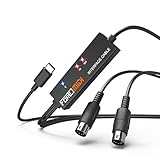
- FORE 1 MIDI in / 1 MIDI out MIDI interface, 16 MIDI input & output channels. Connecting keyboard, MIDI keyboard, synthesizer, electric drum and any device with input & output to iOS Phone/Pad, computer/laptop for recording and editing your track.
- Plug & Play, with a Built-in driver and Intelligent LED Indicator. No extra difficult driver installation. Easy set up, truly plug and play. MIDI converter shows different light indicators & status. Blue is Power, Red is signal transfer & connections.
- No delay MIDI Input and Output. High-performance FTP processing chip, stable and fast speed MIDI data transmission. GarageBand, FL studio12, FL studio20, DirectMusic, CoreMIDI, Cubase, Sonar, MIDI Connections, etc. Supported.
- Conveniently integrated USB and cables. High quality wire with multi-layer protection. Technology of resistance to electromagnetic interference, ensuring the audio transmission rapidly and safely without damage. USB bus-powered, 6.5Ft.
- Designed & Produced by FORE. Compatible with iOS & Android, Windows / Mac OS. You can use the USB A-C Adapter to connect to Type-A or Type-C port. || Attention: "USB A-C Adapter" is not included in the package. ||
Running this command is therefore not a verified repair:
regsvr32 midiio.dll
It may produce an error stating that the module loaded but the DllRegisterServer entry point was not found. That message does not mean the file is missing or that Windows needs a different copy. It means registration is not the appropriate operation.
Use regsvr32 only when the application’s official documentation specifically identifies a self-registering DLL or OCX and provides the correct registration procedure. Microsoft explains the command’s limitations in its Regsvr32 troubleshooting guidance.
Do not copy midiio.dll into System32
Random DLL downloads can contain malware, the wrong product version, or the wrong architecture. Even a clean file may not match the application’s companion files and often will not fix the underlying incomplete installation.
Do not place an arbitrary copy in:
C:WindowsSystem32
or:
C:WindowsSysWOW64
Those folders are not interchangeable repair locations. Install the complete application or OEM driver package instead. There is no verified need to install both 32-bit and 64-bit copies.
Installing Visual C++ or DirectX automatically is also not justified by this filename. Use those runtimes only if the application separately reports a missing Microsoft runtime. They are not identified as the source package for the legacy Analog Devices midiio.dll.
Windows Features are not normally involved either. Enabling optional features such as legacy components will not recreate a third-party SoundMAX library.
Common causes and the right response
| Likely cause | What to do |
|---|---|
| SoundMAX or Analog Devices package was removed | Reinstall the exact OEM audio package |
| Audio driver was replaced with a generic package | Install the manufacturer’s model-specific driver |
| Application installation is incomplete | Repair or reinstall that application |
| Antivirus quarantined the file | Review Protection history and reinstall from a trusted package |
| File exists but cannot load | Check dependencies, architecture, and companion files |
| Error names an unrelated MIDI program | Use that program’s own installer and files |
| Windows has broader corruption | Run DISM, then SFC |
| Legacy installer is unsupported | Find a compatible OEM package or accept that the old component may not run |
What the error messages mean
You may see wording such as:
- “Midiio.dll not found.”
- “The file Midiio.dll is missing.”
- “Cannot find Midiio.dll.”
- “This application failed to start because Midiio.dll was not found.”
- “Midiio.dll access violation.”
- “Cannot register Midiio.dll.”
These messages describe different symptoms, but they do not identify the correct source package by themselves. A missing-file message usually means the application cannot find the dependency. A load or access error can instead indicate a damaged dependency, incompatible architecture, or an unrelated file with the same name.
FAQ
Is midiio.dll a Windows system file?
The legacy Analog Devices version should not be treated as a normal Windows component. It is associated with older SoundMAX and MIDI software rather than the Windows component store.
Best Value

- Easy to turn your PC into a music studio. Start by connecting an electronic musical instrument to your computer with the provided USB MIDI cable. Within minutes you'll be able to play songs while they are being recorded on your PC. With appropriate software, you can overdub additional instruments, then edit, mix and even print sheet music of your final compositions.
- Easy to install adapter features MIDI in and out cables along with USB PC interface plug | Please Note: Some setups will require both MIDI plugs to be plugged in for use
- MIDI adapter cable supports up to sixteen channels in and sixteen channels out | Adapter features LED power, in and out indicator lights
- Wide Compatibility. Work with Windows XP/Vista/7/8.1/10 and Mac OS. Cable length: 2M (6.5ft). Note: Turn off the keyboard & any other musical instrument. Close the Audio software. Not support Hot-swapping.
- Package Contents: 1x USB to Midi Interface Cable, 1x Instruction Sheet. Attention: For using on iOS devices, Original authentic Camera Connection Kit is needed or it may not work.
Is midiio.dll malware?
The filename alone does not prove that a file is safe or malicious. Check its path, publisher information, and source. A copy inside the expected application or SoundMAX directory is more plausible than one appearing in a temporary or unexpected system folder. Scan suspicious files and reinstall the parent package from a trusted source.
Why does the file exist but Windows still say it cannot load?
The application may need another missing dependency, or the file may be the wrong architecture or product version. Keep the DLL supplied with the application and reinstall the complete package instead of replacing only the visible file.
Recommended Free Tools
Should I install Visual C++ Redistributable?
Not specifically for midiio.dll. Install a Microsoft runtime only when the application separately reports that runtime as missing. It is not the identified source of the Analog Devices library.
Should I enable a Windows Feature?
Usually no. Windows optional features do not normally provide this third-party SoundMAX file.
What if my computer has no SoundMAX hardware?
Treat the Analog Devices identification as unconfirmed. Find the exact executable named in the error and repair the application that installed it. Another MIDI product can use the same filename.
What if reinstalling the audio driver does nothing?
Check whether the error is raised by a single legacy application or startup entry. If so, repair that application. If the file exists but cannot load, investigate dependencies and architecture rather than repeating the driver installation.
Can System File Checker restore midiio.dll?
Normally no. SFC repairs protected Windows files. It is useful for broader Windows corruption, but the correct source for a third-party midiio.dll is the owning application or OEM driver package.
What is the safest overall repair?
Identify the requesting program, uninstall or repair it, and reinstall the exact official package for that application or the computer’s audio hardware. Keep the file in the folder chosen by its installer and avoid system-folder copying.
Quick Recap
Product prices and availability are accurate as of the date/time indicated and are subject to change. Any price and availability information displayed on Amazon at the time of purchase will apply.



