To start Miitopia over on Nintendo Switch, delete its save file through System Settings → Data Management → Delete Save Data. You can remove the save for one user or all users. Nintendo warns that deleted save data cannot be recovered, so check the selected user before confirming.
How to restart Miitopia on Nintendo Switch
- Close Miitopia.
- From the HOME Menu, open System Settings.
- Select Data Management, then Delete Save Data.
- Choose Miitopia.
- Select the user whose save you want to erase, or select the option to delete save data for all users only if that is what you intend.
- Select Delete Save Data and confirm.
The selected save is removed, allowing you to begin a fresh game for that user. Nintendo says Switch save data is stored in the console’s internal memory and cannot be moved to a microSD card. See Nintendo’s save-data deletion instructions.
| # | Preview | Product | Price | |
|---|---|---|---|---|
| 1 |
|
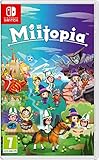
Nintendo, Miitopia (Nintendo Switch) (European Version) | $58.99 | Buy on Amazon |
| 2 |

|
NONAME MIItopia | $69.99 | Buy on Amazon |
| 3 |
![Miitopia Standard - Switch [Digital Code]](https://m.media-amazon.com/images/I/51LK9bSSliL._SL160_.jpg)
|
Miitopia Standard - Switch [Digital Code] | $49.94 | Buy on Amazon |
| 4 |

|
Miitopia - Nintendo Switch | $83.77 | Buy on Amazon |
What deleting the save does—and does not do
Nintendo states, “Once deleted, save data cannot be recovered.” Treat the confirmation as permanent. Deleting or archiving the game software is a separate action: removing the software does not delete its save data, so reinstalling Miitopia alone will not reset your progress.
Deleting the save removes the game’s progress associated with the selected user. Do not assume that Mii designs, makeup, wigs, or other creations will remain available afterward unless you have separately backed them up.
Recommended Free Tools
#1 Best Overall
- Head out on a hilariously quirky quest with your favourite Mii characters in Miitopia for Nintendo Switch!
- Everyone in Miitopia is a Mii! Whether it’s the fearless hero, the beautiful Princess or even the nefarious Dark Lord, you decide who stars in this story. You could have your best mates join you in battle, dress Grandad up like a king, or turn Mum into the big baddie. The choice is yours!
- In the world of Miitopia, relationships are key, so consider spending some quality time with your allies to strengthen bonds. This can give you an advantage during battle – but if your relationships sour, things might take a turn for the worse!
- The Nintendo Switch version contains new features too, such as makeup and wigs to glam your Mii up and make them even more fabulous. You can even have a horse as an ally. Care for it and it’ll lend a hoof in battles!
Options if you want to keep your current progress
| What you want | Option | Important detail |
|---|---|---|
| Start over while keeping the existing save | Use another Switch user profile, if appropriate | Profile behavior can vary by title and console setup. Check on your device before relying on this approach. |
| Start over on the same user | Delete Miitopia save data in Data Management | Deletion is permanent according to Nintendo. |
| Recover progress before deleting | Check Save Data Cloud, if supported | A cloud copy helps only if the title and account support the feature and a backup already exists. Verify its status before deleting local data. |
In-game deletion and autosaves
The Miitopia manual documents an in-game option: on the title screen, select Options, then Delete save data. It also explains that quitting without choosing Save and quit returns you to the last autosave point. These manual instructions apply to the release documented there; if the in-game deletion option is unavailable in your Switch version, use the Switch Data Management steps above.
Quick Recap
Rank #4
- Foster friendship between your hand-picked Mii characters. Pair up your Mii characters at inns to build their relationships and see some personality-packed interactions.
- Bring your friends into battle. Engage in turn-based combat against outlandish baddies like the gyrating twerky to gain experience and level up characters.
- Need a Boost. Food is used to recover health and magic to keep your party in fighting shape
Rank #3
- Bring your friends into battle Engage in turn-based combat against outlandish baddies like the gyrating Twerky to gain experience and level up characters.
- Tailor your strategy by assigning Mii characters jobs like mage, warrior, and pop star that will determine their approach to battle. Need a boost? Food is used to recover health and magic to keep your party in fighting shape.
Rank #2
- 0045496427641
Product prices and availability are accurate as of the date/time indicated and are subject to change. Any price and availability information displayed on Amazon at the time of purchase will apply.



