
Quick wins for a faster PC:
Repair Windows errors before they cause bigger problemsFix Now →Fix the driver behind crashes, sound loss and screen glitchesFind Drivers →Clear out junk files and repair common Windows errorsFree Scan →Yes—most cosmetics you unlocked in Modern Warfare II (2022) carry into Modern Warfare III (2023). Operator skins, weapon camos, charms, stickers, emblems and loading screens are covered by Activision’s Carry Forward policy. The important exceptions are unsupported item types, such as Wartracks, and time-limited rewards you never unlocked while they were available.
What “carry forward” means
In this article, “MW3” means Call of Duty: Modern Warfare III (2023), while “MW2” means Call of Duty: Modern Warfare II (2022). Carry Forward is Activision’s cross-game policy for moving eligible MW2 content into MW3. It is separate from cross-progression, which controls whether your MW3 progress and content appear on different consoles or PC through one linked Activision account.
| # | Preview | Product | Price | |
|---|---|---|---|---|
| 1 |

|
Call of Duty: Infinite Warfare - PS4 Legacy Edition | $24.49 | Buy on Amazon |
| 2 |
|
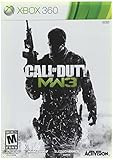
Call of Duty: Modern Warfare 3 - Xbox 360 | $29.99 | Buy on Amazon |
| 3 |

|
Call of Duty: Modern Warfare 3 - Playstation 3 | $27.50 | Buy on Amazon |
| 4 |

|
Call of Duty: Modern Warfare 3 - PC | $8.49 | Buy on Amazon |
| 5 |

|
Call of Duty: Modern Warfare - PlayStation 4 | $18.96 | Buy on Amazon |
As an Amazon Associate I earn from qualifying purchases.
Carry Forward applies to content you already unlocked or owned. It does not reopen every old battle pass, event or store offer, and it does not make an item usable when MW3 has no compatible gameplay object for it. In other words, the policy preserves qualifying ownership; it is not a second way to earn old rewards.
MW2 cosmetics that carry into MW3
Activision’s official Carry Forward Q&A identifies these categories as transferring when supported:
#1 Best Overall
- Legacy Edition Includes: Infinite Warfare and Modern Warfare Remastered*;Entertainment Software Rating Board (ESRB) Content Description: Blood and gore, drug reference, intense violence, strong language, suggestive themes
- Infinity Ward reaches new heights with Call of Duty: Infinite Warfare, which returns to the roots of the franchise with large-scale war, epic battles, and cinematic, immersive military storytelling and takes players on a journey from Earth to beyond our atmosphere.
- Call of Duty: Infinite Warfare delivers something for every Call of Duty fan with three unique game modes: Campaign, Multiplayer, and Zombies.
- Call of Duty 4: Modern Warfare is back, remastered in true high-definition featuring improved textures, physically based rendering, high-dynamic range lighting and much more to bring a new generation experience to fans.
- Team up with your friends with 10 of the iconic multiplayer maps from the online multiplayer mode that redefined Call of Duty introducing killstreaks, XP, Prestige and more in customizable, classic multiplayer modes.
| Cosmetic category | MW2-to-MW3 status | Important qualification |
|---|---|---|
| Operators | Carry forward | Operators you unlocked are included. |
| Operator skins | Carry forward | The skin must have been unlocked or purchased while available. |
| Weapon camos | Carry forward | Activision states that all MW2 weapon camos carry forward. |
| Limited-time event camos | Carry forward if earned | You must have unlocked the camo during the MW2 event. |
| Weapon charms | Carry forward | Usability still depends on the item being supported in MW3. |
| Weapon stickers | Carry forward | These are included among the supported MW2 customization items. |
| Emblems | Carry forward | Previously unlocked emblems remain associated with your account. |
| Loading screens | Carry forward | Supported MW2 loading screens can be used in MW3. |
The wording matters. “All Weapon Camos” refers to MW2 camos in the covered game ecosystem, not to every cosmetic-looking item ever shown in an advertisement. A camo you actually unlocked is treated differently from one that was visible in a menu but never earned.
Some eligible content was earned through the MW2-era Warzone ecosystem. That content can carry into MW3 where Activision lists it as supported; the game in which you originally earned an item does not by itself disqualify it. The decisive questions are whether the item was obtained, whether its category is covered and whether MW3 has a compatible place to use it.
What does not transfer, or may not be usable
Wartracks
Wartracks are specifically excluded from Carry Forward. Owning a Wartrack in MW2 does not add it to the MW3 collection. This is a category exclusion, not an account-linking problem, so changing consoles or reinstalling the game will not make that item appear.
What’s actually slowing this PC down?
Pick the symptom - the matching free tool is one click away.
Skins for removed vehicles or equipment
Activision also explains that a skin cannot be used when MW3 does not contain the vehicle or equipment for which it was designed. The cosmetic may remain part of your MW2 history, but there is no compatible object in MW3 on which to equip it. A correct account therefore cannot overcome a missing gameplay object: the item has nowhere to display.
Content you missed
Carry Forward is not a catch-up system. If an Operator, skin or event reward was available for a limited period and you did not unlock or buy it before the offer ended, starting MW3 does not grant it retroactively. The same rule applies to event camos: only players who unlocked them during the MW2 event receive the carry-forward version.
This distinction also applies to old store rotations. Seeing a bundle in MW2, seeing another player use it or remembering that it was once listed does not establish ownership. The relevant record is an actual unlock or purchase completed while the offer was available.
Previously owned versus newly available content
The practical test is ownership at the end of the MW2 availability window. An item that was in your account because you earned or purchased it can be eligible. An item that appeared in a trailer, event track or store rotation but was never claimed is not treated as owned.
Crashes, No Sound, or Screen Glitches?
Random freezes, missing sound and display glitches usually trace back to one bad driver. Find and replace yours safely.Free scan · under a minuteWindows Errors? Fix Them Before They Spread
Repair common Windows errors and clear accumulated junk for a smoother, more stable PC - no reinstall needed.Free scan · no reinstall- Unlocked before the deadline: eligible content can appear in MW3.
- Purchased while offered: the cosmetic is generally treated as owned, subject to platform and item-support rules.
- Seen but never claimed: it does not transfer.
- Unsupported in MW3: ownership does not create a compatible equip slot.
For example, an Operator skin earned during an MW2 event can be available in MW3 even after that event has ended. An event skin that you never claimed cannot be recovered merely because MW3 launched. Likewise, an earned weapon camo can carry forward, while a Wartrack you bought remains outside the policy.
Carry Forward and cross-platform progression are different
Moving an MW2 cosmetic into MW3 is a cross-game decision. Seeing your MW3 cosmetics and progression on another platform is a cross-platform account decision. Activision’s crossplay and cross-progression guidance, updated July 15, 2026, says progression and unlocked camos or customization items are available on platforms linked to the same Activision account.
For example, if you played MW3 on PlayStation and later install it on Xbox or PC, you need to use the same Activision account that holds the original progression. Signing in with a different Activision account can make the game look as if the cosmetics are missing even though the items were never deleted. The account link is the bridge; simply owning both versions of the game is not.
Rank #3
- New point streak system that rewards players both for landing kills and completing objectives
- Weapons proficiency system that allows you to customize your favorite weapons, making them more effiecent in any map or mode
- Online/offline 2 player co op special ops survival mode that earns you experience through 16 frantic objective based missions
- New play modes, including: Kill confirmed mode, team defender mode and user generated match modes
- Integration with 'call of duty: Elite,' an online multiplayer oriented service launched simultaneously with call of duty: Modern warfare 3
Account checklist before changing platforms
- Identify the Activision account currently used for MW2 and MW3.
- Sign in to that account and verify that your intended PlayStation, Xbox or PC account is linked to it.
- Launch MW3 on the new platform using that same Activision login.
- Allow the game to finish synchronizing profile data before judging whether an item is absent.
- Open the relevant Operator, weapon or profile customization menu rather than relying only on a general inventory count.
- If the inventory still differs, check account linking and platform purchase rules before contacting support.
Do not create a new Activision account just because the first launch on a new device looks empty. First confirm which email and linked platform profile held the original MW2 unlocks. A different login creates a separate progression record.
COD Points and cosmetic purchases have their own rules
Cosmetic ownership and COD Point balances are not interchangeable. Activision’s COD Points support article says points are spendable on the platform where they were purchased or earned. Your balance can therefore differ between platforms even when the cosmetic bought with those points is usable on both.
| Transaction or balance | What to expect across linked platforms |
|---|---|
| COD Points purchased or earned | Spendable on the platform where they were purchased or earned. |
| Cosmetic bought with COD Points | Generally usable on linked platforms when the content itself supports cross-platform use. |
| Content bought directly with real money | Platform-restricted under Activision’s stated rules, with an Xbox/Microsoft Store exception documented by Activision. |
This means a missing COD Point balance does not prove that a purchased skin failed to transfer. Check the platform on which the points were acquired, then check whether the item itself is supported in MW3. Conversely, seeing a skin on one linked platform does not mean unused points will be added to the wallet on every other platform.
These purchase rules are separate from the MW2-to-MW3 category list. An item can be an eligible cosmetic and still be affected by the platform on which a transaction was completed.
Why a transferred cosmetic may not appear immediately
Most apparent transfer problems fall into a small number of account or compatibility cases:
Rank #4
- New Pointstreak system that rewards players both for landing kills and completing objectives
- Weapons proficiency system that allows you to customize your favorite weapons, making them more effiecent in any map or mode
- Online/offline 2-player co-op Special Ops Survival mode that earns you experience through 16 frantic objective-based missions
- New play modes, including: Kill Confirmed mode, Team Defender mode and user generated match modes
- Integration with 'Call of Duty: Elite,' an online multiplayer oriented service launched simultaneously with Call of Duty: Modern Warfare 3
- Wrong Activision account: the new platform is signed into a different account from the one used in MW2.
- Unlinked platform profile: the console or PC account has not been linked to the Activision account holding the progression.
- Unsupported category: the item is a Wartrack or belongs to a vehicle or equipment type absent from MW3.
- Missed limited-time reward: the item was available in MW2 but was never unlocked during its event or offer.
- Platform purchase restriction: the item was bought with real money and is subject to platform-specific ownership rules.
- Profile synchronization delay: the game has not yet refreshed account data after a platform change.
A practical troubleshooting order
- Write down the exact cosmetic name and category. This prevents confusing a camo, blueprint, Operator skin or Wartrack with another item.
- Confirm that the item was actually unlocked or purchased in MW2, rather than merely displayed in an event or store.
- Check whether it belongs to a supported category in the Carry Forward policy.
- Verify that the current platform is linked to the same Activision account used for the original unlock.
- Restart MW3 after the account and platform checks, then inspect the appropriate customization menu.
- If the item is eligible, owned and linked correctly but still absent, use Activision Support with the account and platform details rather than buying the item again.
Support will need the account and platform context because a missing item can result from ownership, compatibility or linking. Buying a second copy before checking those conditions can leave you paying for something that was already eligible.
Independent reader supportYour contribution helps us test, update, and keep practical guides available for everyone.Does owning MW3 itself preserve MW2 cosmetics?
No. Buying or installing MW3 does not independently preserve, recreate or unlock MW2 cosmetics. Eligibility comes from the original MW2 ownership record, the Carry Forward category and the account used to access it. A physical MW3 edition is not required to make an already eligible cosmetic transfer; the game and account simply need to meet those conditions.
Activision documents physical PlayStation and Xbox editions, but an edition purchase is not a cosmetic-preservation service. Do not buy a console copy solely to protect an existing skin or camo. First verify the account, ownership and category rules.
Common examples
- Earned MW2 Operator skin: it is an eligible carry-forward item when associated with the correct Activision account.
- MW2 weapon camo earned during an event: it carries if you completed the unlock during the event.
- Event camo never unlocked: it does not become available in MW3 later.
- MW2 Wartrack: it is excluded even if you owned it.
- Vehicle skin for an object absent from MW3: there is no compatible MW3 use.
- MW3 on a second console: use the same linked Activision account to share eligible progression and customization items.
- COD Points bought on the first console: spend them under the platform rules; do not assume the balance itself will appear everywhere.
The shortest accurate answer
Most MW2 cosmetics do transfer to MW3: unlocked Operators and Operator skins, weapon camos, charms, stickers, emblems and loading screens are the main categories. Limited-time items transfer only when you earned them during the available period. Wartracks and skins tied to vehicles or equipment missing from MW3 are exceptions. If you are changing platforms, use the same linked Activision account, and remember that COD Point balances and some real-money purchases remain platform-specific.
Frequently Asked Questions
Do MW2 skins carry over to MW3?
Yes, unlocked MW2 Operator skins generally carry into MW3 when the skin is supported and was actually earned or purchased while available.
Best Value
- In the visceral and dramatic single-player story campaign, the stakes have never been higher as players take on the role of lethal tier one operators in a heart-racing saga that will affect the global balance of power.
- Experience the ultimate online playground with classic multiplayer.
- Squad-up and play cooperatively in a collection of elite operations accessible to all skill levels.
Do MW2 camos transfer to MW3?
Yes. Activision says MW2 weapon camos carry forward. A limited-time event camo must have been unlocked during its MW2 event.
Do missed MW2 battle-pass or event rewards appear in MW3?
No. Carry Forward preserves qualifying rewards you already unlocked; it does not grant limited-time items you never claimed.
Why is my cosmetic missing on a new console?
Check that the console account is linked to the same Activision account used for the original unlock. Also check whether the item is a supported category and whether a platform purchase restriction applies.
Free tools Windows power users keep installed
One-click scans. No signup required.
Do Wartracks transfer from MW2 to MW3?
No. Wartracks are specifically excluded from the Carry Forward policy.
Can I use MW2 cosmetics on PlayStation, Xbox and PC?
Eligible progression and customization items can be available on linked platforms when you use the same Activision account. COD Point balances and some real-money purchases follow separate platform rules.
Do I need to buy a physical copy of MW3 to keep my MW2 cosmetics?
No. Buying an MW3 edition does not itself preserve or unlock cosmetics. Account ownership, item support and linking determine eligibility.
The Bottom Line
Bottom line: unlocked MW2 Operators, Operator skins, weapon camos, charms, stickers, emblems and loading screens generally carry into MW3. Missed timed rewards, Wartracks and skins for absent vehicles or equipment do not. For another platform, use the same linked Activision account and treat COD Points and real-money purchases as separate platform-specific cases.
Quick Recap
Product prices and availability are accurate as of the date/time indicated and are subject to change. Any price and availability information displayed on Amazon at the time of purchase will apply.

