What’s actually slowing this PC down?
Pick the symptom - the matching free tool is one click away.
“mystery.dll was not found,” “The file mystery.dll is missing or corrupted,” and “Cannot find mystery.dll” are typical versions of this error. mystery.dll is an old 32-bit component of Microsoft Plus. for Windows 95, not a normal Windows 10 or Windows 11 system file.
The 60-second answer
Do not download mystery.dll from a random DLL website or copy it into System32.
The file belongs to the old Mystery Screen Saver supplied with Microsoft Plus. for Windows 95. The safest repair is to identify the program requesting it and then either:
- Restore or reinstall the complete original Plus 95 software from legitimate media or a verified backup.
- Restore the file from quarantine if Windows Security removed it from trusted original media.
- Run the old software in a suitable compatibility environment.
- Uninstall the obsolete screen saver if you no longer need it.
A single DLL may not be enough. The screen saver can also depend on its executable and companion files, including Mystery.scr, WILDLB32.dll, and WL32DLL.dll.
#1 Best Overall

- Easy Installation: Just cover and pull, the screen protector automatically aligns and takes away the dust. Installation can be easily completed in just 20-30 seconds
- Compatible with Samsung Galaxy S26 Plus: Only for Samsung Galaxy S26 Plus. Please make sure your phone model before purchasing
- Instant Fingerprint Unlock: Ultra-thin 0.25mm design and ultrasonic AB adhesive, enabling an ultra-fast unlock. Note: Please re-enter your fingerprint after installation
- Ultra-Clear: 95% light transmittance, this screen protector preserves the original vividness and sharpness of your phone’s display, letting you enjoy every detail of photos, videos, and games
- Scratch Resistance: 9H tempered glass screen protector can effectively resist scratches, such as keys, pen nibs, or small hard objects in your pocket, providing reliable protection for your phone
There is no verified current Microsoft download page for mystery.dll or Microsoft Plus for Windows 95.
What is mystery.dll?
mystery.dll is described as Mystery Screen Saver and is associated with Microsoft Plus. for Windows 95. Available file metadata identifies it as a 32-bit DLL published by Microsoft Corporation, but the reported version and size are third-party metadata rather than current Microsoft specifications.
It is not:
- A standard Windows 10 or Windows 11 DLL
- A Visual C++ redistributable file
- A DirectX component
- A .NET runtime file
- A printer, graphics, or motherboard driver
- A general-purpose Windows library
The application loader reports a missing DLL when the program cannot locate a required file or one of its dependencies. That message does not prove that the file belongs in a Windows system directory.
First identify the program producing the error
Before repairing Windows, find out what is actually requesting the file.
If the error appears when choosing a screen saver
Open:
- Press
Win+I. - Select Personalization.
- Select Lock screen.
- Select Screen saver.
- Note the selected screen saver.
- Select None, then select Apply.
On some Windows versions, you can also press Win+R, enter:
control desk.cpl,,@screensaver
If the error stops after selecting None, the old screen saver is the source.
If the error appears when Windows starts
Check the startup entries:
- Right-click Start and select Task Manager.
- Select Startup apps.
- Look for an old screen saver, Plus-related entry, or unfamiliar program.
- Select the entry and choose Disable.
- Restart Windows.
Disabling a startup entry does not remove the program. It only helps confirm which application is producing the message.
If the error appears after opening a particular program
Write down the program name and its installation folder. A copied screen saver or old utility may be looking for mystery.dll in its own folder rather than in a Windows folder.
If you are unsure, right-click the error window’s title bar or use Task Manager to identify the process that remains open when the message appears.
Fix 1: Restore the complete original Plus package
This is the most likely fix when the error appears while launching the Mystery screen saver.
Rank #2

- 1-Step Tray Installation: This innovative S26 Plus screen protector comes with an alignment tray for easy one-step setup. The dedicated tray blocks floating dust during application and ensures a fully bubble-free finish. It eliminates the hassle of repeated pasting and messy work, letting you complete installation effortlessly at home or on the go
- Full Edge-to-Edge Coverage: Precisely cut for the Samsung Galaxy S26 Plus, this screen protector fits edge to edge perfectly with no exposed gaps. It effectively blocks dust, lint and minor impacts in daily use, solving the common issue of incomplete protection and gap dirt buildup. Whether you put the phone in your pocket or bag, the entire screen gets reliable all-round protection
- Military-Grade Protection: Premium 9H tempered glass effectively fends off scratches from keys, coins and other sharp everyday items. Built with military-grade shatterproof performance, it absorbs strong impacts from accidental drops and bumps. It safeguards your screen from damage and saves you from expensive replacement costs during daily carrying and outdoor activities
- Ultra HD High Clarity: Made of high-transmission glass material, this Galaxy S26 Plus screen protector perfectly preserves the original screen color and brightness without haze or distortion. It restores true-to-life visual effects, bringing you a clear viewing experience. You can enjoy vivid images when browsing content, watching videos or playing mobile games all day long
- Ultra Sensitive Smooth Touch: This Galaxy S26 Plus screen protector boasts outstanding touch sensitivity thanks to its well-crafted thin structure. It maintains the original touch experience of the phone screen, with no touch lag or unresponsive taps. You can type smoothly, scroll freely and operate games sensitively, just like using the bare phone
Do not restore only mystery.dll. Restore the original application package so that the screen saver, DLLs, and supporting files come from the same source.
From original installation media or a verified backup
- Locate the original Microsoft Plus 95 CD, installation files, or verified backup.
- Scan the media or backup with Windows Security before opening files.
- Run the original installer if it is available.
- Install the screen-saver component rather than copying only a
.scrfile. - Restart Windows.
- Open the screen-saver settings and test the restored entry.
If the installer does not run on modern Windows, right-click its setup file, select Properties, open Compatibility, select Run this program in compatibility mode, and choose an older Windows version. Select Apply, then run the installer again.
Outdated Drivers Are Slowing You Down
One free scan finds every outdated or missing driver and matches the right update for your exact hardware.Free scan · exact hardware matchWindows Errors? Fix Them Before They Spread
Repair common Windows errors and clear accumulated junk for a smoother, more stable PC - no reinstall needed.Free scan · no reinstallCompatibility mode is not guaranteed to make Windows 95 software work. If setup still fails, use the original software inside a suitable legacy virtual machine instead of scattering individual files through modern Windows folders.
If you copied the screen saver manually
Copying only Mystery.scr from an old computer is a common reason for a missing dependency. Remove that incomplete copy or restore the entire screen-saver folder from the original installation.
The application folder is the appropriate location for application-specific files when the original installer places them there. It is not automatically correct to copy them into System32 or SysWOW64.
How to tell whether this worked
The repair worked if:
- The screen saver opens without a missing-file message.
- The program that previously failed starts normally.
- Windows no longer displays the error at sign-in or startup.
If mystery.dll is present but the error remains, the program may also need companion DLLs, may be searching a different folder, or may be incompatible with modern Windows.
Free tools Windows power users keep installed
One-click scans. No signup required.
Fix 2: Check whether Windows Security quarantined the file
An antivirus action can remove an old DLL even when the original program is legitimate. Do not restore a quarantined file merely because its name matches the error. Verify that it came from original Microsoft media or a trusted backup first.
- Open Windows Security from the Start menu.
- Select Virus & threat protection.
- Select Protection history.
- Review recent actions.
- Open an item related to the old screen saver.
- Check the detected file path and threat details.
- Restore it only if you have verified the file’s origin and believe the detection is incorrect.
Microsoft warns that Defender may detect the file again after restoration. If the file is restored and immediately quarantined again, do not keep forcing it back onto the system. Obtain the complete original package, scan it, and consider running the software in a contained legacy environment.
If the file came from an unknown download site, delete it rather than restoring it.
Fix 3: Repair or reinstall the parent application
If another old program installed or uses the screen saver, repair that program instead of treating mystery.dll as a standalone Windows component.
Rank #3

- Dark Color: Make your phone stand out with dark. The stronger light indoor or outdoor, the brighter private screen protector color will present. Fully embellishing your phone to showcase your personality!
- 28° Privacy Screen: Use the most appropriate color depth for the 28° anti-peep coating, it is only visible to persons directly in front of screen, while satisfying privacy and visual comfort. Protecting your privacy and sensitive information well in malls, buses, metro, restaurant or other public area.
- Anti Blue Light Protection: The protective privacy glass is combined with EVA multi-coating technology and filter technology, but still allows non-harmful light through the screen, prevent sleep disorders and eye strain.
- 9H Hardness: The screen saver is made from 9H multiple tempered glass layer which provide shatterproof protection from high impact drop and preventing your iphone from any scratch. The screen protector will self-expel air bubble when automatically bonding with the screen.
- Package Include: Inside the package, it comes with 3 x iPhone 13 ProMax/14 Plus privacy screen protector glass.
Try Windows app repair
- Press
Win+I. - Select Apps.
- Select Installed apps.
- Find the program that produces the error.
- Select the three-dot menu beside it.
- Select Advanced options.
- Select Repair if available.
- Restart the program and test it.
For older desktop software:
- Press
Win+R. - Enter:
appwiz.cpl
- Select the affected program.
- Choose Repair or Change if offered.
- Follow the installer prompts.
- Restart Windows.
If repair is unavailable, uninstall the program and reinstall it from legitimate original media. Back up any settings or saved data first.
If you no longer need the software
Uninstalling the obsolete screen saver is often the cleanest solution:
- Open Settings.
- Select Apps.
- Select Installed apps.
- Find the old Plus-related program.
- Select its three-dot menu.
- Select Uninstall.
- Restart Windows.
- Set the screen saver to None or choose a current screen saver.
Fix 4: Use compatibility troubleshooting
A correct DLL does not make a Windows 95 program fully compatible with Windows 10 or Windows 11. The old application may rely on obsolete graphics behavior, companion libraries, or assumptions that modern Windows no longer supports.
Run Microsoft’s compatibility troubleshooter:
- Open Settings.
- Select System.
- Select Troubleshoot.
- Select Other troubleshooters.
- Find Program Compatibility Troubleshooter.
- Select Run.
- Choose the affected program.
- Follow the recommended test.
- Select Yes, save these settings only if the program works correctly.
You can also test manually:
- Right-click the program’s executable or screen-saver file.
- Select Properties.
- Open Compatibility.
- Select Run this program in compatibility mode.
- Choose an older Windows version.
- Select Apply, then OK.
- Test the program again.
If the program still fails with the correct files, the problem is probably compatibility rather than a missing mystery.dll. A supported legacy virtual machine may be more practical than changing modern system folders.
Fix 5: Check the correct 32-bit context
Available metadata identifies mystery.dll as a 32-bit file. A 32-bit application needs a compatible 32-bit library. Substituting a 64-bit DLL will not repair it.
On 64-bit Windows:
System32conventionally contains 64-bit Windows system binaries.SysWOW64conventionally contains 32-bit Windows system binaries.
Those folder names are confusing, but neither folder is a general-purpose storage location for this legacy application DLL. Do not copy mystery.dll into either one simply because Windows reports that it is missing.
If the original installer is designed for 32-bit Windows, let the installer choose the application folder. If it cannot run, use compatibility troubleshooting or a legacy environment.
Fix 6: Do not use regsvr32 as a guess
regsvr32 is used for DLLs that provide registration entry points such as DllRegisterServer. There is no reliable evidence that mystery.dll is a self-registering COM or ActiveX DLL.
Do these 3 things before closing this tab:
1Clear out junk files and repair common Windows errors2Fix the driver behind crashes, sound loss and screen glitches3Repair Windows errors before they cause bigger problemsTherefore, this is usually not an appropriate command:
regsvr32 mystery.dll
Registering an unrelated application DLL can produce another error without fixing the original problem. Messages about an entry point, an invalid image, or a program not being designed for Windows indicate a compatibility or dependency issue, not necessarily a registration issue.
Rank #4
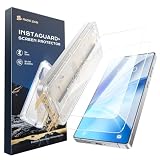
- One-Pull Installation: No tech skills needed. Just pull the dust removal strip—this auto-align screen protector installs perfectly in 15 seconds
- Precisely Cut for Samsung Galaxy S26 Plus: It aligns perfectly with the screen, no weird gaps or blocked. Please confirm your phone model before pruchasing
- Smooth Touch Feeling: Oleophobic-coated surface ensures smooth touch response, no lag when typing, gaming, swiping
- Premium Tempered Glass: 9H hardness tempered glass, this screen protector shields your phone from daily scratches, keys, and drops
- HD Clear: This glass protector maintains high transparency (95% light transmittance) for vivid display quality
Use regsvr32 only when the software’s own documentation specifically requires registration and identifies the correct file and architecture.
Fix 7: Repair Windows components only when Windows itself is damaged
SFC and DISM repair protected Windows components. They do not restore an obsolete Plus 95 application DLL.
Quick wins for a faster PC:
Clear out junk files and repair common Windows errorsFree Scan →Fix the driver behind crashes, sound loss and screen glitchesFind Drivers →Repair Windows errors before they cause bigger problemsFix Now →Use them when Windows has broader symptoms, such as damaged built-in applications, unexplained system errors, or multiple protected Windows files failing.
Run DISM first
- Open Start.
- Type
Command Prompt. - Select Run as administrator.
- Select Yes at the User Account Control prompt.
- Enter:
DISM.exe /Online /Cleanup-image /Restorehealth
- Wait for the command to finish.
- Restart Windows if requested.
Run SFC second
Open an elevated Command Prompt again and enter:
sfc /scannow
Wait until verification reaches 100 percent, then restart Windows.
If Windows component repair is repetitive and you want a clearer inventory of outdated or damaged system items rather than manually hunting through results, Outbyte PC Repair can scan and show what it identifies; repair actions are handled by the full version. It is optional, and reinstalling the original Plus software remains the definitive fix for this application-specific DLL.
Interpret the result
- Windows Resource Protection did not find any integrity violations: Windows protected files were not the cause.
- Windows Resource Protection found and repaired corrupt files: restart and test the original application again.
- Windows Resource Protection could not perform the requested operation: restart into Safe Mode and run SFC again, or repair Windows through its recovery options.
Do not expect SFC or DISM to create mystery.dll.
Fix 8: Install Windows updates, but do not expect a Plus DLL
Install pending Windows updates when the computer has general stability problems:
Recommended Free Tools
- Open Settings.
- Select Windows Update.
- Select Check for updates.
- Install available updates.
- Restart when prompted.
- Check again until no further updates are offered.
Updates can repair current Windows components and compatibility behavior. They will not normally add the historical Plus 95 screen saver.
Fix 9: Consider drivers only if the error identifies a driver
mystery.dll is not identified as a graphics, sound, chipset, or printer driver. Do not open Device Manager as a first response to this particular file.
If the complete error also names a display driver or the screen saver causes graphical failures:
- Right-click Start.
- Select Device Manager.
- Expand Display adapters.
- Right-click the relevant adapter.
- Select Update driver.
- Select Search automatically for drivers.
- Restart Windows if a driver is installed.
For a cleaner inventory than checking each device manually and guessing which of many drivers is stale, Outbyte Driver Updater can scan for driver issues; driver installation is handled by the full version. It is optional, and a driver update will not replace the original Plus 95 software.
The Tool Desk
Outbyte PC Repair FREEClear out junk files and repair common Windows errorsFree Scan →Outbyte Driver Updater FREEScan for outdated or missing drivers - takes under a minuteDriver Scan →Fix 10: Use System Restore after a recent change
System Restore is appropriate if the error began immediately after uninstalling software, applying a driver change, cleaning the disk, or restoring an old backup.
- Press
Win+R. - Enter:
rstrui.exe
- Select OK.
- Choose a restore point from before the error began.
- Select Next.
- Review the affected programs.
- Select Finish.
- Allow Windows to restart.
System Restore can reverse system and application changes without normally removing personal files. It will not recover a file that never belonged to the selected restore point, and it cannot guarantee compatibility for a Windows 95 program.
Best Value

- 1-Step Tray Installation: This innovative iPhone 14 Plus screen protector comes with an alignment tray for easy one-step setup. The dedicated tray blocks floating dust during application and ensures a fully bubble-free finish. It eliminates the hassle of repeated pasting and messy work, letting you complete installation effortlessly at home or on the go
- Full Edge-to-Edge Coverage: Precisely cut for the iPhone 14 Plus, this screen protector fits edge to edge perfectly with no exposed gaps. It effectively blocks dust, lint and minor impacts in daily use, solving the common issue of incomplete protection and gap dirt buildup. Whether you put the phone in your pocket or bag, the entire screen gets reliable all-round protection
- Military-Grade Protection: Premium 9H tempered glass effectively fends off scratches from keys, coins and other sharp everyday items. Built with military-grade shatterproof performance, it absorbs strong impacts from accidental drops and bumps. It safeguards your screen from damage and saves you from expensive replacement costs during daily carrying and outdoor activities
- Ultra HD High Clarity: Made of high-transmission glass material, this 14 Plus screen protector perfectly preserves the original screen color and brightness without haze or distortion. It restores true-to-life visual effects, bringing you a clear viewing experience. You can enjoy vivid images when browsing content, watching videos or playing mobile games all day long
- Ultra Sensitive Smooth Touch: This iPhone 14 Plus screen protector boasts outstanding touch sensitivity thanks to its well-crafted thin structure. It maintains the original touch experience of the phone screen, with no touch lag or unresponsive taps. You can type smoothly, scroll freely and operate games sensitively, just like using the bare phone
Why downloading mystery.dll is unsafe
Random DLL download sites can provide:
- Malware disguised as a familiar filename
- A mismatched build
- The wrong architecture
- A damaged or modified file
- A DLL that requires other missing files
- A file that fails because the parent application is incompatible
Even a clean copy may not solve the problem if the program also needs Mystery.scr, WILDLB32.dll, WL32DLL.dll, or other files from the same installation.
The safe sources are the original Microsoft Plus 95 media, a verified backup of that software, or a properly restored installation. There is no verified current Microsoft redistributable for this file.
FAQ
Is mystery.dll part of Windows?
No. It is associated with the historical Mystery Screen Saver from Microsoft Plus for Windows 95. It should not be treated as a normal Windows 10 or Windows 11 system file.
Is mystery.dll malware?
The legitimate historical file is not automatically malware. However, any file named mystery.dll obtained from an unknown source may be unsafe. Verify its origin, scan the original media, and do not trust the filename alone.
Should I put it in System32 or SysWOW64?
No. Let the original installer place it in the application’s folder. The reported file is 32-bit, but that does not make SysWOW64 the correct destination.
Should I install Visual C++, DirectX, or .NET?
Not for this filename alone. Those packages are relevant only when the actual error names a missing runtime file from one of them.
Do these 3 things before closing this tab:
1Repair Windows errors before they cause bigger problems2Fix the driver behind crashes, sound loss and screen glitches3Clear out junk files and repair common Windows errorsWhy does Windows still say it is missing when the file exists?
The program may be searching another folder, may need companion files, may be failing on a dependency of mystery.dll, or may be incompatible with modern Windows. Repeatedly copying the same DLL usually does not address those causes.
Will SFC or DISM restore it?
No. SFC and DISM repair protected Windows components. They are useful for broader Windows corruption, not for restoring an old Plus 95 application file.
Can I register it with regsvr32?
Usually not. There is no reliable evidence that this DLL is a self-registering component. Use registration only when the original software specifically requires it.
What should I do if I only want the error to stop?
Disable the old screen saver, remove its startup entry, or uninstall the obsolete Plus component. If the program is essential, restore the complete original package and test it in a compatible legacy environment.
Quick wins for a faster PC:
Repair Windows errors before they cause bigger problemsFix Now →Fix the driver behind crashes, sound loss and screen glitchesFind Drivers →Clear out junk files and repair common Windows errorsFree Scan →Quick Recap
Product prices and availability are accurate as of the date/time indicated and are subject to change. Any price and availability information displayed on Amazon at the time of purchase will apply.



