Nintendo’s May 14, 2024 update added Alleyway, Baseball and Super Mario Land to the Game Boy library in Nintendo Switch Online. The games are included with a standard membership; you do not need Expansion Pack. This is a retrospective on the 2024 Game Boy update, not the separate Virtual Boy update from May 2026.
Which games were added in May 2024?
Nintendo announced three additions to its Game Boy–Nintendo Switch Online library on May 14, 2024. The official Nintendo announcement and its May 2024 update video identify the lineup:
- Alleyway — Nintendo’s 1989 Game Boy take on paddle-and-ball play: move a platform to bounce a ball through blocks.
- Baseball — the 1989 Game Boy baseball game, with batters, fielders and innings adapted to the handheld.
- Super Mario Land — Mario’s 1989 Game Boy platform game, set in Sarasaland rather than the Mushroom Kingdom.
These are Game Boy releases, not Game Boy Advance additions. Nintendo’s Game Boy app also includes compatible Game Boy Color-era games, while Game Boy Advance games are in a separate library.
Is this the May 2026 update?
No. The dates refer to different systems and different updates. Nintendo’s May 2024 announcement covers Game Boy games. In May 2026, five Virtual Boy games were reported as additions to that separate library: Jack Bros., Space Invaders: Virtual Collection, V-Tetris, Vertical Force and Virtual Bowling. That Virtual Boy library requires Expansion Pack, unlike the May 2024 Game Boy games. Nintendo Life’s coverage of the May 2026 Virtual Boy update lists those titles.
Free tools Windows power users keep installed
One-click scans. No signup required.
#1 Best Overall
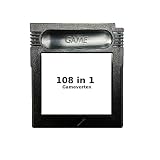
- New and high quality.
- Compatible for both US/EU/JAP versions console.
- RPG games can be saved by the battery inside,but Action games have no saving function.
- 108 in 1
- GBC games can't play on the GB game console
The 2024 additions are also not the newest Game Boy titles as of 2026. A later July 2026 update added more Game Boy and Game Boy Advance games, including Wario Land: Super Mario Land 3. Nintendo Life’s July 2026 coverage describes that update.
Which Nintendo Switch Online membership do you need?
An active standard Nintendo Switch Online membership includes the NES, Super NES and Game Boy Nintendo Classics libraries. The May 2024 games do not require Nintendo Switch Online + Expansion Pack. Expansion Pack adds higher-tier libraries including Nintendo 64, Game Boy Advance and Virtual Boy. Nintendo explains the library access and membership requirements in its Nintendo Classics support FAQ.
Rank #2

- New and high quality.
- Compatible for both US/EU/JAP versions console.
- RPG games can be saved by the battery inside,but Action games have no saving function.
- 30 in 1
- GBC games can't play on the GB game console
“Included” means access through the subscription, not a separate purchase or permanent ownership of the games. Nintendo’s FAQ says it has no plans to offer these classic games outside the Nintendo Switch Online service. The same support page explains that access to the classic-game apps requires an active membership; if it expires, save data remains on the console and becomes available again if membership is renewed.
How to download and open the Game Boy library
Nintendo supports the Game Boy library on Nintendo Switch 2, Nintendo Switch, Nintendo Switch Lite and Nintendo Switch OLED Model. The download route differs between Switch 2 and the original Switch-family systems; Nintendo’s access guide provides the console-specific instructions.
Rank #3

- New and high quality
- Compatible for both US/EU/JAP versions console.
- RPG games can be saved by the battery inside,but Action games have no saving function.
- 61 in 1
- GBC games can't play on the GB game console
On Nintendo Switch 2
- Open Nintendo Switch Online from the HOME Menu.
- Select Nintendo Classics, then choose the Game Boy library from the options at the top.
- Select the library icon, then choose Free Download to open its Nintendo eShop listing.
- Select Free Download again, then launch the Game Boy application from the HOME Menu.
On Nintendo Switch, Switch Lite or Switch OLED Model
- Open Nintendo eShop and choose the user profile with an active Nintendo Switch Online membership.
- Select Nintendo Switch Online in the eShop’s left-hand menu.
- Find the Game Boy library under Special Offers or the relevant Nintendo Switch Online section.
- Select Free Download twice, then open the downloaded Game Boy application from the HOME Menu.
If the app or library is missing, check that you selected the profile with the membership and that you downloaded the Game Boy app rather than another Nintendo Classics app. The standard membership is sufficient for this library; an Expansion Pack upgrade is not needed.
Can you play offline?
Yes. Nintendo allows classic games to be played offline, but the console must connect to the internet periodically to verify membership. Nintendo specifies a verification check every seven days. An active membership is still required, so offline play is not a way to retain access after a subscription ends. See Nintendo’s membership and classic-game FAQ for the verification and access conditions.
Rank #4

- New and high quality.
- Compatible for both US/EU/JAP versions console.
- RPG games can be saved by the battery inside,but Action games have no saving function.
- 16 in 1
- GBC games can't play on the GB game console
What does the Switch app add?
The Switch versions run through Nintendo Classics rather than being sold as individual Virtual Console purchases. Depending on the game and supported features, the app can provide save states, rewind, display options and online play for games with multiplayer functionality. Some titles also have special versions with changed starting conditions, extra power-ups or unlocked modes. These are emulator conveniences, not a promise that every game has every feature or has been remade.
Online play likewise depends on the title: Nintendo describes competitive or cooperative play, turn-taking and passing the controller as possibilities for supported games, not universal features of the Game Boy catalog.
Do these 3 things before closing this tab:
1Clear out junk files and repair common Windows errors2Fix the driver behind crashes, sound loss and screen glitches3Repair Windows errors before they cause bigger problemsQuick Recap
Best Value

- 🎮 Designed specifically for Gameboy, offering seamless plug-and-play functionality.
- 🎮 Features an extensive library of 1000 classic games in one convenient cartridge for endless retro gaming entertainment.
- 🎮 Includes Retrotech printed instructions for a classic feel.
- 🎮 Single cartridge solution eliminates the need to swap games, making it perfect for retro gaming enthusiasts.
Product prices and availability are accurate as of the date/time indicated and are subject to change. Any price and availability information displayed on Amazon at the time of purchase will apply.



