Short answer: TU106-400A and TU106-400 are not different GPU architectures or RTX performance tiers. Both are full-TU106 versions of the original GeForce RTX 2070, with 2,304 CUDA cores, 36 SMs, 288 Tensor Cores, and 36 RT Cores. The important distinction is that TU106-400A is generally understood to be higher-binned silicon, usually found in premium or factory-overclocked cards with stronger coolers, power delivery, and BIOS settings.
That can mean higher sustained boost clocks and better overclocking odds—but the “A” suffix alone does not guarantee a particular performance level.
As an Amazon Associate I earn from qualifying purchases.
What TU106-400 and TU106-400A mean
NVIDIA’s naming breaks down roughly as follows:
- TU106 identifies the Turing GPU die family used by the original RTX 2070.
- 400 identifies the RTX 2070-class configuration.
- A identifies the variant commonly associated with higher-binned silicon.
- A1 is part of the package or revision marking commonly visible in a full chip designation.
Typical markings include TU106-400-A1 and TU106-400A-A1. TechPowerUp classifies the former as “Normal Chips” and the latter as “Binned Chips” in its GPU database. That classification, along with period testing, supports the view that the A variant was selected for stronger frequency and voltage behavior. However, NVIDIA has not publicly documented the exact test thresholds or allocation rules behind every TU106-400A unit.
The “400A” label does not mean extra CUDA cores, a larger memory bus, or a secret RTX 2080-class GPU.
#1 Best Overall

- Chipset: NVIDIA GeForce RTX 2070 Super
- Boost Clock: 1770 MHz
- Video Memory: 8GB GDDR6
- Memory Interface: 256-bit
- Output: DisplayPort x 3 (v1. 4) / HDMI 2. 0b x 1
The hardware is mostly the same on paper
NVIDIA’s Turing architecture documentation describes the full TU106 implementation with:
- 2,304 CUDA cores
- 36 streaming multiprocessors
- 288 Tensor Cores
- 36 RT Cores
The official RTX 2070 specifications list a reference 1,410 MHz base clock, a 1,620 MHz boost clock, 8 GB of GDDR6 memory, a 256-bit memory interface, and 448 GB/s of memory bandwidth. NVIDIA listed the Founders Edition with a factory-overclocked 1,710 MHz boost clock.
These are card-level specifications, not guaranteed sustained frequencies for every A-die or non-A-die board. Actual performance also depends on the card’s BIOS, power limit, cooler, fan profile, VRM, case airflow, and the quality of the individual chip.
Free tools Windows power users keep installed
One-click scans. No signup required.
| Characteristic | TU106-400 | TU106-400A |
|---|---|---|
| Architecture | Turing | |
| GPU family | TU106 | |
| RTX 2070 core configuration | 2,304 CUDA cores, 36 SMs, 288 Tensor Cores, 36 RT Cores | |
| Memory configuration | 8 GB GDDR6, 256-bit bus, reference 14 Gbps memory | |
| Practical distinction | Normal-bin silicon | Higher-binned silicon, generally |
What speed binning actually changes
GPU dies naturally vary during manufacturing. Some operate at a given frequency with less voltage, leak less power, remain cooler, or tolerate higher frequencies more reliably. Others meet the same product specification but reach their stability or thermal limits sooner.
In a typical binning process, dies are tested and sorted. Better-performing samples can be assigned to premium products, higher factory clocks, or BIOS configurations with more generous power targets. The result is not a different architecture; it is a difference in expected operating margin.
Rank #2
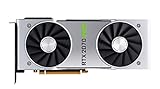
- NVIDIA GeForce RTX 2070 Super Founders Edition Graphics Card
- RTX 2070
- Founders Edition Graphics Card
- item package weight: 2.018 kilograms
For TU106-400A, “higher-binned” should be treated as a supported industry interpretation rather than a complete public description of NVIDIA’s internal process. The exact sorting criteria are not publicly established, and binning does not make every A die identical.
What the benchmark evidence shows
The clearest contemporary comparison came from GamersNexus’ testing of two EVGA RTX 2070 cards:
- EVGA RTX 2070 Black: TU106-400-A1
- EVGA RTX 2070 XC Ultra: TU106-400A-A1
In a long FireStrike Extreme loop, the XC Ultra averaged approximately 1,935 MHz. The Black declined from roughly 1,815 MHz to around 1,785 MHz and generally averaged about 1,785–1,800 MHz.
The stock gaming results were higher for the XC Ultra in the cited tests:
- Far Cry 5 at 1440p: 90 FPS versus 84 FPS—about a 6.7% advantage.
- Far Cry 5 at 1080p: 126 FPS versus 118 FPS—about a 6% advantage.
Those numbers demonstrate the potential benefit, not a universal RTX 2070 rule. The cards were not identical apart from their GPU packages. The XC Ultra also had a stronger cooler, a higher power target, a different board and VRM design, a different factory clock, and different fan behavior. GamersNexus connected its higher sustained frequency to the combination of silicon quality, cooling, and power limits.
Rank #3
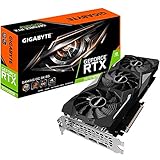
- Powered by GeForce RTX 2070 Super
- NVidia Turing architecture & Real time Ray Tracing
- Wind force 3x cooling system with alternate spinning fans
- Intuitive controls with AORUS engine
- Core Clock 1815 MHertz
After overclocking, the gap narrowed substantially in the comparison, sometimes to only a few frames per second. That is important: the A die may provide better odds of reaching and holding higher clocks, but the final result depends on the whole card and the individual sample.
What’s actually slowing this PC down?
Pick the symptom - the matching free tool is one click away.
How to identify the chip in your RTX 2070
Best method: read the physical package marking
The definitive method is to remove the cooler and inspect the marking on the GPU package for either TU106-400-A1 or TU106-400A-A1. This is invasive, can damage the card, and may affect warranty coverage. It is not worth doing merely to satisfy curiosity on a working graphics card.
Practical method: use GPU-Z
TechPowerUp GPU-Z can report the GPU, revision, BIOS, clocks, subvendor, and board information. It may not expose the complete 400A suffix clearly in every version or driver environment, so a partial “TU106” result is not proof of either bin.
- Run GPU-Z and record the GPU name, revision, BIOS version, subvendor, board model, and default clocks.
- Use the arrow beside BIOS Version and choose Save to file to preserve the original VBIOS. NVIDIA documents this procedure in its video BIOS extraction instructions.
- Compare the exact card model and BIOS details with the manufacturer’s specifications and a reputable VBIOS database.
- Treat software identification as indicative unless the physical package marking is visible.
A factory-overclocked model is not automatic proof of an A die, and a non-OC model is not automatic proof of a non-A die. Board partners can use different BIOS settings and product segmentation, and internal components may change across production runs.
Can a TU106-400 be overclocked?
Yes. Non-A does not mean locked, defective, or incapable of overclocking. TechPowerUp’s database notes manual overclocking support for both TU106-400-A1 and TU106-400A-A1.
The Tool Desk
Outbyte Driver Updater FREEScan for outdated or missing drivers - takes under a minuteDriver Scan →Outbyte PC Repair FREERepair Windows errors before they cause bigger problemsFix Now →Rank #4

- Product Type -Video Card
- Package Quantity-1
- Package Dimension-14.1338582533 inchesL X 8.4645669205 inchesW X 4.8031496014 inchesH
- Package Weight -3.6155810968 Lbs
The likely difference is headroom. A non-A sample may reach its voltage, power, thermal, or stability ceiling sooner, while an A-die sample may have better odds of sustaining a higher clock. Neither outcome is guaranteed. Memory overclocking is a separate matter: a better GPU core does not automatically mean better GDDR6 overclocking.
For a safe, repeatable tuning process:
- Record stock performance, temperatures, and stability.
- Raise the power limit only within the card’s supported range.
- Increase core frequency in small increments.
- Test with a demanding game and a repeatable benchmark.
- Watch for artifacts, crashes, driver resets, temperature increases, and clock fluctuations.
- Tune memory separately.
- Consider an undervolt and clock-curve adjustment if lower noise or power matters more than maximum frequency.
Can BIOS flashing turn a non-A card into an A card?
No. A BIOS can change firmware behavior, but it cannot change the physical silicon bin.
A compatible BIOS may alter power limits, voltage tables, fan behavior, default clock targets, or device configuration. It cannot turn TU106-400 into TU106-400A. Cross-flashing can also cause no display, unstable operation, lost fan control, VRM or memory incompatibility, or a bricked card.
If a BIOS flash is genuinely necessary, first save the original BIOS and verify that the replacement matches the exact board, memory configuration, VRM, display outputs, and fan controller. The TechPowerUp VGA BIOS database is a useful reference, not a guarantee of compatibility. Do not flash a BIOS simply to chase A-die performance.
Recommended Free Tools
Does the A die use more power?
Not because it has a different architecture. Higher power use generally comes from allowing higher clocks and power targets on the card.
Best Value

- Real Boost Clock: 1800 MHz; Memory Detail: 8192 MB GDDR6.
- Real-time ray tracing in games for cutting-edge, hyper-realistic graphics.
- Dual HDB fans offer higher performance cooling and much quieter acoustic noise.
- All-metal back plate & adjustable RGB
- 3 year & EVGA's top notch technical support.
GamersNexus reported approximately 320 W peak total-system draw for both stock cards in one Ashes of the Singularity test. The overclocked XC Ultra system reached approximately 400 W peak. These are wall or whole-system figures, not GPU-only consumption, so they should not be interpreted as an inherent A-die power rating.
Keep these factors separate:
- ASIC quality
- BIOS power limit
- Board and VRM capacity
- Cooler capability
- Actual GPU or system power consumption
Should you pay more for an A-die RTX 2070?
For a used RTX 2070, the exact chip is only one buying factor—and rarely the most important one.
An A-die premium can make sense when:
- The price difference is small.
- You want higher out-of-box clocks.
- You plan to overclock and value better odds of sustained frequency.
- The card also has a strong cooler, capable VRM, and permissive power limit.
- You value lower noise at a given performance level because the premium model has better cooling.
It is usually not worth prioritizing when:
- The card is used and its temperature, stability, or maintenance history is uncertain.
- The seller is charging a large premium solely for an unverified suffix.
- You plan to undervolt or run reference-level performance.
- Your games are CPU-limited.
- A newer GPU offers better efficiency, ray tracing, media features, or longer remaining support.
RTX 2070 prices reported for the EVGA Black and XC Ultra in November 2018—approximately $499.99 and $569.99—are historical launch-era figures, not current 2026 market prices. The RTX 2070 is discontinued, and no current price judgment should be based on those numbers.
When evaluating a used listing, prioritize the exact model, physical condition, return policy, tested temperatures, BIOS status, warranty, and evidence of stable operation. A well-maintained non-A card can be a better purchase than an A-die card with a failing cooler or modified firmware.
Do not confuse this with the RTX 2070 Super
The original RTX 2070 and RTX 2070 Super are different product configurations. The original RTX 2070 uses the TU106 implementation discussed here; the 2070 Super is a later product. The TU106-400A versus TU106-400 conclusions should not be casually applied to every RTX 20-series GPU.
Final verdict
TU106-400A is best understood as a higher-binned version of the same TU106-400-class silicon used in the original RTX 2070. It can deliver higher sustained boost clocks and better overclocking potential, but the observed advantage is inseparable from the premium cards that typically pair the die with better cooling, power limits, and board designs.
Choose the complete graphics card—not the suffix alone. For enthusiasts paying a small premium, an A-die model can be attractive. For most buyers, condition, cooler performance, BIOS configuration, price, and the availability of a newer GPU matter more than whether the package says 400A.
Do these 3 things before closing this tab:
1Fix the driver behind crashes, sound loss and screen glitches2Clear out junk files and repair common Windows errors3Scan for outdated or missing drivers - takes under a minuteQuick Recap
Product prices and availability are accurate as of the date/time indicated and are subject to change. Any price and availability information displayed on Amazon at the time of purchase will apply.




