In October 2019, some users could install NVIDIA’s unreleased GeForce NOW Android app by sideloading an APK. Droid Life reported that the build had appeared for South Korean users and that at least one beta user could sign in, view a library and play with a controller. That was an anecdotal early-access result—not a guarantee for every phone or account. In 2026, Android is an officially supported platform, so new users should install GeForce NOW through NVIDIA rather than use the old APK.
What happened on October 14, 2019?
Droid Life’s October 14, 2019 report described an Android build that had reportedly gone live for users in South Korea before a broad release elsewhere. People outside that initial rollout could try the app by downloading its APK from APKMirror and installing it manually.
The story was aimed primarily at existing GeForce NOW beta users who did not want to wait. It described NVIDIA-account sign-in, access to a game library and controller-based play, while also noting that some people were having trouble signing in.
What the early sideload actually proved
The report supports a limited conclusion: the early build installed and worked for at least one tester after sideloading. It did not establish universal compatibility, performance, latency or long-term support.
Quick wins for a faster PC:
Clear out junk files and repair common Windows errorsFree Scan →Fix the driver behind crashes, sound loss and screen glitchesFind Drivers →Repair Windows errors before they cause bigger problemsFix Now →#1 Best Overall

- The Google TV Streamer (4K) delivers your favorite entertainment quickly, easily, and personalized to you[1,2]
- HDMI 2.1 cable required (sold separately)
- See movies and TV shows from all your services right from your home screen[2]; and find new things to watch with tailored recommendations for everyone in your home based on their interests and viewing habits
- Watch live TV and access over 800 free channels from Pluto TV, Tubi, and more[3]; if you find an interesting show or movie on your TV, mobile app, or Google search, you can easily add it to your watchlist, so it’s ready when you are[2]
- Up to 4K HDR with Dolby Vision delivers captivating, true-to-life detail[4]; and you can connect speakers that support Dolby Atmos for more immersive 3D sound
- No device-by-device compatibility survey was provided.
- No Android-version requirement, APK version, hash or benchmark was documented.
- Regional rollout and apparent beta eligibility could affect authentication.
- The third-party APK was evidence of the 2019 workaround, not an NVIDIA-maintained download.
“Works just fine” is therefore best understood as the writer’s experience, not a promise that the app worked on every Android phone.
How GeForce NOW works
GeForce NOW runs supported PC games on NVIDIA or partner servers and streams the interactive video to your device. Installing the app does not give you an unlimited free game catalog. You generally connect stores or subscriptions such as Steam, Epic Games Store, GOG, PC Game Pass or Ubisoft Connect, then launch games that NVIDIA supports for your account, region and edition. NVIDIA describes the current service at its GeForce NOW overview.
Owning a game, linking the correct store account and having that particular game supported are separate conditions. A title in your Steam or Epic library can still be unavailable on GeForce NOW because of catalog, edition, regional or technical restrictions.
What users needed in 2019
- An Android device able to install the APK.
- Android permission to install an application from the selected outside source.
- An NVIDIA account.
- Apparently, access to the GeForce NOW beta for many users during that period.
- A compatible gamepad for practical gameplay.
The article did not establish an exact Android release, device whitelist, installation menu path or recovery procedure. Those details should not be retroactively inferred from the short report.
Rank #2
Should you install that old APK today?
No—not as a normal 2026 installation method. The old APK may be obsolete, fail modern authentication, lack updates or be incompatible with current Android releases. Its original APKMirror link is useful historical documentation, but it does not verify present-day authenticity, safety or functionality.
Use NVIDIA’s official download page instead. It identifies Android under Mobile and Tablet; do not rely on an archived filename or assume an old package is equivalent to the current application.
How to start on Android now
- Open NVIDIA’s official download page and choose the current Android/mobile route.
- Check the published requirements before troubleshooting the phone.
- Sign in with an NVIDIA account.
- Connect the store accounts or subscriptions containing your supported games.
- Pair a physical controller before launching an action game.
- Test a supported, already-owned title and check the connection before blaming the device.
Current Android requirements
NVIDIA’s current requirements page lists these Android phone and tablet targets:
| Requirement | Published guidance |
|---|---|
| Operating system | Android 7.0 or later |
| Available memory | At least 1 GB available memory |
| Graphics | OpenGL ES 2.0 or higher |
| Latency | Recommended below 80 ms to an NVIDIA data center |
| HD streaming | 15 Mbps for up to 60 FPS |
| Full HD streaming | 25 Mbps at 60 FPS |
| QHD streaming | 35 Mbps at 120 FPS; Android 1440p and 120 FPS require Ultimate |
| Network | Wired Ethernet where practical, otherwise 5 GHz Wi-Fi is recommended |
These are NVIDIA’s published figures, not a guarantee of image quality. Distance to the data center, packet loss, congestion, phone heat and display latency can still determine whether play feels responsive. See NVIDIA’s current system requirements for updates.
PC Slower Than It Used to Be?
A free scan shows the junk files, broken settings and background clutter dragging Windows down - then fixes them in one click.Free scan · Windows 10 & 11Crashes, No Sound, or Screen Glitches?
Random freezes, missing sound and display glitches usually trace back to one bad driver. Find and replace yours safely.Free scan · under a minuteRank #3

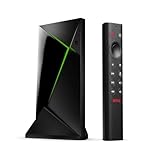
- Works with SHIELD TV 2015/2017/2019 models. Requires upgrade to the latest SHIELD Experience.
- Easy to use in the most darkly lit room. Pick up the remote and the buttons will instantly light up.
- Press the microphone button to access the powerful Google Assistant on your Android TV. Search for new movies, TV shows, or YouTube videos, look up stock prices, or check your commute time, all on your SHIELD TV.
- Customize your menu button with more than 25 choices. Launch your favorite app, enable AI upscaling, or mute your sound, or more! Different options can be applied to up to 3 actions: single press, double press, long press.
- Control your home entertainment center with SHIELD Remote’s built in IR blaster. Control volume, power, or input source.
Controller support and touch controls
The 2019 report strongly favored a gamepad, and that remains the sensible default. NVIDIA lists Xbox controllers and Sony DualSense and DualShock 4 controllers among supported Android gamepads, alongside other compatible models. A phone-mounted USB-C controller such as a Backbone, Razer Kishi or GameSir-style device is convenient for travel; a traditional Bluetooth controller is more versatile across phones, tablets, PCs and TVs. Check the manufacturer’s Android, USB-C, case-clearance and passthrough-charging specifications before buying.
The app includes an on-screen virtual gamepad, but NVIDIA does not recommend it for long-term gameplay. It is useful for testing or menus, not generally a substitute for physical controls in fast action games. NVIDIA also recommends a clip if you want to attach a conventional controller to your phone.
Independent reader supportYour contribution helps us test, update, and keep practical guides available for everyone.Troubleshooting common problems
Installed, but sign-in fails
- Stop using the archived build and install the current official app.
- Update Android and Google Play services, then clear the app’s storage and retry.
- Test another network and verify the device date and time.
- Check GeForce NOW service status.
In 2019, regional availability and apparent beta access could affect login. Today, an obsolete package or changed service-side authentication is a more likely reason an old APK no longer works.
Gameplay feels delayed
Download speed alone is not enough. Interference on 2.4 GHz Wi-Fi, household upload traffic, cellular congestion, distance to the serving data center, Bluetooth delay and the phone’s own display response can all add latency. Move to 5 GHz Wi-Fi or Ethernet where possible, reduce competing traffic and compare the result on another network.
Recommended Free Tools
Rank #4

- 4K Ultra HD Resolution: Enjoy your TV in stunning resolution Ultra HD ers four times the resolution of Full HD for greater clarity and detail
- Android TV: With the Android TV operating system you will have access to the best content, download the infinity of applications available through the Google Play Store!
- Voice remote control: Just press the Google Assistant button and ask it to find, play and control content
- Chromecast Built-in: Easily cast movies, shows, and photos from your Android or iOS device to your Android TV
- Easy Setup: Access your Google account and configure the device, language and Wi-Fi network
A library game is unavailable
Confirm the correct store account is linked, then check GeForce NOW’s supported catalog. Ownership does not override NVIDIA’s game, edition, region or anti-cheat compatibility rules.
The phone meets the minimums but still performs poorly
Minimum specifications are an entry threshold, not a performance promise. Check measured latency and packet loss, Wi-Fi signal quality, thermal throttling, controller firmware, screen mode and whether your membership supports the resolution or frame rate you selected.
Who is GeForce NOW on Android for?
- Players who own supported PC games but lack a capable gaming PC.
- Travelers and handheld-style players with reliable broadband and a controller.
- Owners of phones or tablets that can meet NVIDIA’s current requirements.
It is a poor fit for people with strict data caps, unstable or high-latency connections, no supported games in their libraries or a need for the lowest possible local input latency. A premium membership can change queue access, session and streaming features, but it cannot fix a weak Wi-Fi link or the physical distance to a data center. NVIDIA’s current membership information is at the official memberships page; verify live plan names, prices and availability before subscribing.
The bottom line on the 2019 headline
The headline was accurate as a snapshot of October 2019: an early GeForce NOW Android app could be sideloaded, and Droid Life reported that it worked for some users. It was never proof of universal compatibility. The historical workaround has since been superseded by NVIDIA’s official Android distribution, so use the current app and requirements rather than an APK preserved from that rollout.
Do these 3 things before closing this tab:
1Fix the driver behind crashes, sound loss and screen glitches2Clear out junk files and repair common Windows errors3Scan for outdated or missing drivers - takes under a minuteQuick Recap
Product prices and availability are accurate as of the date/time indicated and are subject to change. Any price and availability information displayed on Amazon at the time of purchase will apply.




