Quick wins for a faster PC:
Fix the driver behind crashes, sound loss and screen glitchesFind Drivers →Repair Windows errors before they cause bigger problemsFix Now →Scan for outdated or missing drivers - takes under a minuteDriver Scan →Yes—but only if you stream it. The Elder Scrolls IV: Oblivion Remastered can be played without installing its roughly 125 GB console package on your device through Xbox Cloud Gaming. GeForce NOW is another option for supported PC editions, although NVIDIA may install the game in cloud storage and documents a Steam save-synchronization issue.
This availability check was made on August 18, 2026. Cloud catalogs, subscriptions, regions, and supported devices can change, so confirm the live listing before paying for access.
As an Amazon Associate I earn from qualifying purchases.
Streaming avoids the large local installation
Bethesda describes the Xbox and PlayStation installation as approximately 125 GB at launch, with the final requirement subject to variation. Updates, platform differences, language data, and reserved storage can change the number. Do not treat 125 GB as an immutable figure—and do not automatically apply it to the PC version without checking the current PC store listing.
A local installation still occupies that space whether it is on an internal drive or an external SSD. The way to avoid using the game’s local storage is to run it remotely:
#1 Best Overall
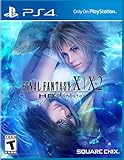
- Brand New to PS4 - Take advantage of the PS4’s native features to share your journey across Spira like never before; Transfer your save and continue your progress across your PlayStation4, PlayStation3, and PlayStationVITA systems
- New 30 Minute Audio Drama – Intact from the PS3 version, players can listen to the events that occur after FINAL FANTASY X-2, narrated by their favorite characters and accessible from the title screen at any time
- Gorgeous High-Definition Graphics – In addition to the visual upgrades that the main character models, textures, and backgrounds received for the PS3 version, more NPCs and monsters join their carefully reworked counterparts
- High-Definition Audio - Play FINAL FANTASY X with the beautifully remastered soundtrack or, new to the PS4 version, switch back to the original classic tracks
- Xbox Cloud Gaming: Microsoft runs the Xbox version on its servers and streams the result to your device.
- GeForce NOW: NVIDIA runs a supported PC edition remotely. The game may still be downloaded into NVIDIA’s cloud environment.
- Remote Play: Your own Xbox runs the game and streams it to another device. This is different from Xbox Cloud Gaming and still requires the game to be installed on your console.
In other words, “without taking up space” means without installing the roughly 125 GB game locally. Your device will still use some storage for its operating system, the Xbox app or browser, caches, screenshots, recordings, and other files.
Bethesda’s storage guidance is the source for the approximate console size.
The simplest route: Xbox Cloud Gaming
Xbox Cloud Gaming currently lists TES IV: Oblivion Remastered as playable with a “Play with Game Pass” option. The Xbox store listing also identifies the game as cloud playable.
Recommended Free Tools
Rank #2

- The original FINAL FANTASY X and X-2 PlayStation2 titles, fully remastered in gorgeous High Definition
- Based on the International Versions of the games that were never before released in North America
Microsoft’s current plan comparison lists cloud gaming with Game Pass Premium and Game Pass Ultimate. The game’s store page separately indicates that Game Pass Essential users must purchase the game to stream it. Entitlements can vary by region and change over time, so check the current Game Pass comparison and the live Oblivion store page before subscribing or buying.
Supported devices
Xbox lists cloud gaming support for Xbox consoles, Windows PCs, Apple and Android phones and tablets, selected Samsung and LG smart TVs, Amazon Fire TV devices, selected Meta Quest headsets, and supported web browsers. Support depends on the exact model, region, platform, and game; not every device in each category is guaranteed to work.
Requirements
- An eligible Game Pass subscription and the required game entitlement in a supported region.
- A supported device and, where required, a supported browser.
- A compatible controller connected through Bluetooth or USB. Some games support touch controls, but do not assume touch input is available on every device.
- At least 10 Mbps download speed. Xbox says some devices may need 20 Mbps for the best quality.
Speed is only part of the experience. Latency, Wi-Fi congestion, routing, distance from the cloud region, household traffic, and data caps can matter more than the headline download number. Cloud gaming also requires a continuous connection: an interruption can cause lag, a disconnect, or progress that has not synchronized yet.
Rank #3

- Showcased in 1080p for the PlayStation 4 and stunning 4K for PlayStation 4 Pro.
- Includes the complete original game and all additional downloadable content plus new collectibles and detective suits to unlock, each with unique special abilities.
- Features an array of technical and graphical enhancements for a more realistic Los Angeles.
How to start
- Open Xbox Cloud Gaming or the supported Xbox app.
- Sign in with the Microsoft account that owns the required entitlement or Game Pass plan.
- Search for TES IV: Oblivion Remastered.
- Select the title and choose Play, or the equivalent cloud-play button.
- Pair a compatible controller if necessary.
- Wait for the cloud session to connect. The game should begin streaming rather than downloading the large local package.
If there is no Play button, check the Game Pass tier, account, region, device, browser, and store region. Sign out and back in if you recently changed plans. Do not purchase the game a second time until the store page clearly explains what the purchase provides.
Can PC players use GeForce NOW?
Yes, provided you have a supported PC edition or entitlement. NVIDIA’s official support listing includes Oblivion Remastered for GeForce NOW. The relevant route may use Steam or the Xbox PC Game Pass edition, depending on your account, region, and the storefront integration currently supported.
A Steam purchase is not automatically an Xbox entitlement, and buying the Xbox console version does not automatically grant every PC storefront version. In GeForce NOW, search for the game, select the storefront edition you own or are entitled to use, and connect the corresponding store account.
Rank #4

- Universally updated 2D pixel graphics, including the iconic FINAL FANTASY character designs created by Kazuko Shibuya, the original artist and current collaborator
- Beautifully rearranged soundtrack in a faithful FINAL FANTASY style, overseen by original composer Nobuo Uematsu
- Improved gameplay, including modernized UI, auto-battle options, and more!
- Dive into the world of the game with supplemental extras like the bestiary, illustration gallery, and music player
GeForce NOW setup
- Open the GeForce NOW app or a supported browser.
- Sign in to or create an NVIDIA account.
- Connect the relevant Steam, Xbox, Epic, or other supported store account.
- Search for The Elder Scrolls IV: Oblivion Remastered.
- Select the correct edition and launch it.
- If NVIDIA asks to install the game, remember that the download is occurring in NVIDIA’s cloud environment—not on your laptop or other local device.
NVIDIA distinguishes between Ready-to-Play games, which are prepared on its servers, and Install-to-Play games, which are downloaded into cloud storage. Performance and Ultimate memberships include 100 GB of single-session cloud storage for Install-to-Play titles; separate persistent-storage options are offered in 200 GB, 500 GB, and 1 TB capacities. These limits and plan rules can change, so consult NVIDIA’s current GeForce NOW guide.
Important GeForce NOW caveats
- NVIDIA says Performance users may see a CPU-core warning at launch. Its current support note says the warning can be ignored to launch the game.
- The Steam edition has a documented Steam Cloud save-sync problem between GeForce NOW and a local gaming PC. Do not assume a save made in one environment will immediately appear in the other.
- The Xbox PC Game Pass edition cannot use the in-game option to upgrade to the Deluxe version through GeForce NOW; NVIDIA says that upgrade must be purchased through Xbox.com.
- Cloud storage can affect startup time and whether an Install-to-Play title remains available between sessions.
Before beginning a long playthrough on Steam, create a small test save, end the session, and verify synchronization before launching locally. If saves are missing, avoid overwriting or deleting files while investigating. Check NVIDIA’s current Oblivion support notice first.
What cloud play does not provide
Streaming is a practical way around a full drive, but it is not feature-identical to a local installation.
Best Value
- Final Fantasy X 2 available as download only; Voucher Included; Internet Connection Required
- No offline play: The session needs a sustained internet connection.
- Variable image quality: Compression, latency, and network instability can make the picture softer or controls less responsive than local play.
- Possible queues or outages: Access depends on the service and its regional availability.
- Limited file access: Cloud services generally do not provide the same access to folders, configuration files, executable files, or script extenders as a local PC installation.
- Save limitations: Xbox warns that streamed games may have limited game-save storage and cloud-save-only functionality. GeForce NOW’s Steam-specific issue is an additional concern.
- Entitlement restrictions: A subscription, purchase, storefront account, region, and platform may all affect access.
Players who want mods, dependable local save management, offline access, or the lowest possible input latency should install the game locally. Players with limited storage and a reliable connection will generally find Xbox Cloud Gaming the least complicated solution.
PlayStation, Xbox One, and other edge cases
The available evidence confirms the approximate PS5 installation size, but it does not establish a current official PlayStation cloud-streaming route for Oblivion Remastered. PlayStation users should not assume the PS5 version can be streamed through PlayStation Plus or another service unless the current catalog specifically confirms it.
Cloud availability may also make the game playable on supported older hardware or devices that cannot run the native remaster, but do not expect identical performance to an Xbox Series X|S installation. Check the live Xbox cloud listing for your region and device.
Free tools Windows power users keep installed
One-click scans. No signup required.
Finally, cloud gaming is not the same as streaming from your own Xbox. With Cloud Gaming, Microsoft supplies the remote game instance. With Remote Play, your console supplies it—and therefore must already have the game installed.
Quick Recap
Troubleshooting
| Problem | Likely cause | What to do |
|---|---|---|
| No Xbox Play button | Wrong plan, region, account, device, or browser | Check the live listing, Game Pass tier, region, supported-device list, and sign-in account. |
| The game asks to install locally | You opened a local launcher or selected the wrong route | Return to Xbox Cloud Gaming, or follow the supported GeForce NOW flow. |
| Steam saves are missing locally | NVIDIA-documented Steam Cloud synchronization issue | Check NVIDIA’s current notice and do not overwrite or delete existing saves while troubleshooting. |
| GeForce NOW cloud storage is full | Install-to-Play data is using available cloud space | Review NVIDIA’s storage instructions and remove unneeded cloud data; see NVIDIA’s storage guidance. |
| Blurry image or input lag | Congestion, latency, weak Wi-Fi, or routing problems | Use wired or 5 GHz Wi-Fi, reduce other network traffic, and test closer to the router. |
| Controller is not detected | Unsupported, unpaired, or incorrectly connected controller | Pair it over Bluetooth or connect it by USB, then restart the cloud session. |
| CPU warning on GeForce NOW Performance | Known compatibility notice | Follow NVIDIA’s current instruction; its listed guidance says the warning can currently be ignored to launch. |
Which option should you choose?
- Xbox Series S storage is tight: Xbox Cloud Gaming is the cleanest fit.
- Your Windows laptop lacks gaming hardware: Xbox Cloud Gaming or GeForce NOW can stream the rendering.
- You already own the Steam edition: GeForce NOW may avoid another purchase, but test saves before switching between cloud and local play.
- You want the simplest setup: Xbox Cloud Gaming has the game directly in Microsoft’s cloud catalog.
- You want mods or reliable local files: Install locally.
- Your internet is unreliable or capped: Install locally.
- You want to move between cloud and local play: The Xbox ecosystem may be simpler; Steam users should account for NVIDIA’s documented sync problem.
Product prices and availability are accurate as of the date/time indicated and are subject to change. Any price and availability information displayed on Amazon at the time of purchase will apply.




