The Tool Desk
Outbyte PC Repair FREERepair Windows errors before they cause bigger problemsFix Now →Outbyte Driver Updater FREEFix the driver behind crashes, sound loss and screen glitchesFind Drivers →Yes. OGX360 is an active adapter that translates USB/XInput controller input for the original Xbox. It supports wired Xbox 360 controllers and wireless Xbox 360 controllers paired with a separate compatible receiver. It can also work with some other controllers, but compatibility depends on the device and connection method. Choose OGX360 if you want to reuse controllers or experiment with different inputs; a dedicated original-Xbox controller is simpler to set up.
What OGX360 does
The original Xbox does not use a standard USB controller connection. An Xbox 360 controller uses a different interface, so plugging one directly into an unmodified original Xbox will not work. OGX360 is an open-source hardware and firmware project by Ryzee119 that translates supported modern controller input into signals the console can use. It is a protocol converter, not a passive cable. See the OGX360 project repository for project details and current documentation.

In a typical external setup, the adapter connects to an original Xbox controller port and accepts a controller or receiver over USB. External units avoid opening the console; internal installations are also possible, but may involve soldering and changes to the console’s controller-port wiring.
Which controllers can work with OGX360?
| Controller or connection | What is established | What to check |
|---|---|---|
| Wired Xbox 360 controller | Listed as supported by the project. | Use a data-capable USB cable and confirm the controller is a wired USB model, not a wireless controller connected only for charging. |
| Wireless Xbox 360 controller | Supported when connected through a compatible Xbox 360 wireless receiver. The project lists four-player support with supported receiver arrangements. | The receiver is a separate component; confirm its compatibility and pair the controller to that receiver. |
| Wired Xbox One controller | The project lists genuine and PDP wired Xbox One controllers, as well as the Hyperkin Duke Xbox One controller. | Support for these wired devices does not establish support for every Xbox One or Xbox Series wireless connection. |
| Bluetooth controller through an 8BitDo USB adapter | The project lists 8BitDo wireless Bluetooth adapters as a route to supported controllers. 8BitDo lists Xbox Series, Xbox One Bluetooth, PlayStation 3/4/5, Switch Pro, Joy-Con, Wii remotes and 8BitDo Bluetooth controllers for its USB Wireless Adapter 2. | That 8BitDo compatibility list applies to its adapter, not automatically to every OGX360 revision. Verify the exact combination. The adapter supports one controller at a time, according to 8BitDo’s FAQ. |
| Other XInput devices | The project describes support for most or all XInput-compatible controllers, with uncertainty in that wording. | Check the controller’s USB mode, receiver, firmware and hardware revision. A proprietary 2.4-GHz dongle is not necessarily compatible just because it is wireless. |
| Steel Battalion emulation | The project includes a Steel Battalion controller-emulation mode. | Its documented setup requires an Xbox 360 wireless controller and Chatpad; emulation does not physically reproduce every original controller feature. |
Compatibility is not a blanket promise for every modern controller. A device may need to present a USB/XInput interface that the particular OGX360 firmware recognizes. Bluetooth support also depends on the separate adapter’s own compatibility.
Rank #2
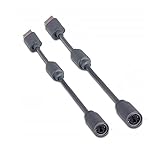
- Protects the Xbox unit from "trip & smash" accidents
- Connects your Xbox 360 controller to a computer
- Works with any PC game that supports joystick or game pad controls
- Compatible with with Rock Band and Guitar Hero wired guitar and drums, Dance Pads & any other gaming devices that utilize breakaway connections
- Please Note: This item is not made by Microsoft.
What you need for each setup
Wired Xbox 360 controller
- An original Xbox and an OGX360 board or assembled adapter.
- A cable that connects the OGX360 to an original Xbox controller port. Whether this is included depends on the kit or seller.
- A wired Xbox 360 controller and a suitable USB data cable.
Wireless Xbox 360 controller
- An original Xbox and OGX360 adapter.
- A compatible Xbox 360 wireless receiver, plus the wireless controller.
- The appropriate USB cable or hub for the adapter’s enclosure and power needs.
The receiver handles the wireless link between controller and receiver; the controller does not pair directly with the original Xbox. An Xbox 360 receiver should not be confused with an Xbox One or Xbox Series wireless adapter.
Bluetooth controller
- An OGX360 setup with a USB host connection.
- A compatible Bluetooth-to-USB adapter, such as an 8BitDo USB Wireless Adapter 2, and a controller supported by that adapter.
- One adapter per controller when using the 8BitDo USB Wireless Adapter 2, according to 8BitDo’s FAQ.
8BitDo’s official store listed Adapter 2 at $19.99 USD when retrieved; price and availability can change. It is an optional Bluetooth bridge to use with OGX360, not a replacement for the console-side translation adapter. See the 8BitDo adapter store.
How to connect and test it
Wired Xbox 360 setup
- Connect OGX360 to an original Xbox controller port using the cable supplied or specified for your unit.
- Connect the wired Xbox 360 controller to OGX360’s USB input with a data-capable cable.
- Turn on the console and test the D-pad, face buttons, triggers, thumbsticks, Start and Back in a game.
- If the game supports rumble, test vibration separately; rumble support can depend on the controller, firmware and game.
Wireless Xbox 360 setup
- Connect OGX360 to the console, then connect a compatible Xbox 360 wireless receiver to OGX360.
- Pair the controller with the receiver using that receiver’s pairing procedure.
- Check that the receiver indicates a connection and that the console responds to input.
- Once one controller works, add other supported receivers or devices as needed.
Receiver pairing procedures vary. A receiver’s Xbox 360 label alone does not guarantee compatibility with a particular OGX360 unit.
Rank #3
![Brook Wingman XB 2 Converter with Keychain - Wireless Controller Adapter for XB 360, XB Original Consoles and PC, Supports Remap and Adjustable Turbo [Exclusive Version]](https://m.media-amazon.com/images/I/411E+pIwMmL._SL160_.jpg)
- 【Wingman XB 2】: Break through our first-generation limits, THE LEGEND OF WIRELESS CONNECTIVITY FOR The XB SERIES IS BACK!!!
- 【Note: The XB Series X/S and XB One gaming consoles are no longer supported for Wingman XB 2. 】 【Controller Compatibility】: Support Wirelessly: XB Series X/S/One/Elite 2, PS5/PS4/PS3, Switch Pro; Support USB Wired: XB Series X/S/One/Elite1&2 on XB 360, XB Original and PC Consoles. Noted: Please check the diagram in our product photos. As for Xb Original, an original controller to a female USB cable is needed.
- 【Adjustable Turbo Levels】: 5, 10, 15, 20, 25 Click/Sec., to remap the buttons in your way.
- 【Lag-Free】: Wingman XB 2 improves wireless connectivity on Switch pro.
- 【First-time Setup】: Please ensure your wingman XB 2 firmware is updated via the Brook website. Then connect your device via its USB and your gaming console. Then it's registered! Each wingman XB 2 Converter can pair one device at the same time.
Bluetooth setup
- Confirm that the OGX360 hardware and enclosure provide the USB host connection your adapter requires.
- Connect the Bluetooth USB adapter and put the controller into pairing mode.
- Pair it according to the adapter maker’s instructions, then confirm that it presents a mode OGX360 understands.
- Test input before adding more controllers or adapters.
Features, player count and installation choices
Four players and USB power
The OGX360 project describes four-player support using supported Xbox 360 wireless receiver arrangements. A multi-controller setup may need additional receivers, adapters or a USB hub; for multiple bus-powered USB devices, the project recommends a USB 2.0 hub and prefers an externally powered one. Bluetooth setups using 8BitDo Adapter 2 need one adapter per controller, so plan the ports and power accordingly. A four-player claim does not mean every combination of four devices will work without extra hardware.
What’s actually slowing this PC down?
Pick the symptom - the matching free tool is one click away.
Rumble, latency and firmware
The project lists rumble support and claims input latency below 4 ms relative to an original controller. That latency figure is a project claim, not an independent measurement; it does not guarantee immunity from wireless interference or dropouts. Actual vibration depends on the controller, receiver, game and firmware.
The project says firmware can be updated over USB without dedicated programming hardware. The current firmware version and a universal flashing procedure are not established here, so follow the instructions for your exact hardware revision in the official repository. Before updating, identify the revision, use firmware and instructions from the project or verified seller documentation, keep any available original firmware or configuration, and do not interrupt power during flashing.
Rank #4

- Perfect compatibility: Designed specifically for Xbox 360 controllers, this cable ensures seamless connectivity for uninterrupted gameplay. Say goodbye to compatibility issues with other gaming devices.
- Keep your console safe: Protects your Microsoft Xbox 360 from trips and falls when you use a wired controller, and a disconnectable cable keeps your console safe when the controller cable is suddenly torn.
- Easy plug & play operation: Simply plug the USB breakaway cable into your Xbox 360 controller dongle and PC USB port for quick and hassle-free setup. No complicated configurations needed, just plug in and play your favorite games.
- High-quality and durable materials: Crafted from premium materials, this USB breakaway cable is built to withstand long gaming sessions and frequent use. Enjoy reliable performance and durability that lasts.
- Support for various gaming devices: Apart from Xbox 360 controllers, this cable is also compatible with Rocksmith Real Tone Cable, Rock Band and Guitar Hero wired guitar and drums, Dance Pads & any other gaming devices that utilize breakaway connections. Expand your gaming options with this versatile and reliable USB breakaway cable. Upgrade your gaming setup today with the chaseroad USB Breakaway Cable for Xbox 360.
Steel Battalion mode and axis inversion
For Steel Battalion emulation, the project documents using an Xbox 360 wireless controller with a Chatpad. Its README describes switching the emulated controller type while in a game—for example, booting with a Duke profile and then switching to the Steel Battalion profile. This is a specialized input mode, not a claim that a standard gamepad reproduces every physical control of the original Steel Battalion setup.
The project also documents a right-stick axis-inversion function activated with the stick and corresponding D-pad direction. This can help when a game lacks an inversion setting, but it is not arbitrary button remapping; behavior may vary with controller and firmware.
Do these 3 things before closing this tab:
1Repair Windows errors before they cause bigger problems2Scan for outdated or missing drivers - takes under a minute3Clear out junk files and repair common Windows errorsExternal or internal installation
- External: Reversible, avoids console disassembly and is easier to replace or troubleshoot, but adds cables and hardware at the controller port.
- Internal: Can make a permanent build tidier and may use relays for switching between front ports and the internal adapter. It requires opening the console, may require soldering, and can alter or disable original ports depending on wiring.
A GoTeamScotch demonstration shows an internal relay-based installation. Treat it as an example of one build, not a universal installation procedure.
Best Value

- Perfect Fit: Our USB breakaway dongle is well constructed; the fit is snug and stable during use, allowing you to enjoy an uninterrupted gaming experience.
- Plug and Play: Simply connect the cable to your controller and PC. Its breakaway design cleanly disconnects under tension.
- Size: The total length is approximately 25 cm. Material: The controller connecter cable is made of high-quality PVC and copper, flexible and durable.
- Wide Application: Compatible with Logitech steering wheels, Thrustmaster steering wheels, Xbox 360 Rock Band drums, Xbox 360 Guitar Hero controllers, and more. Tip: Please confirm the slot shape before purchasing.
- Packaging: 2 PCS Replacement USB Breakaway Cables. Please Note: This product is not made by Microsoft.
Common problems and what to check
Controller powers on but there is no input
- Try a known data-capable USB cable; a charging-only cable will not carry controller data.
- Confirm the controller is actually a USB/XInput model and, if wireless, is paired to the connected receiver.
- Connect directly rather than through a hub to rule out hub or power issues.
- Try a different known-compatible controller or receiver and check whether the firmware matches the OGX360 hardware revision.
- For an unlisted controller, check its USB mode and compatibility rather than assuming that every wireless receiver exposes XInput.
One controller works, but several do not
- Add a USB 2.0 hub for multiple devices; use external power if the setup is unstable.
- Check that each receiver or Bluetooth adapter is supported and that every connected controller is presenting a compatible interface.
- Test each device alone before rebuilding the multi-player setup.
Wireless dropouts or inconsistent behavior
Check receiver placement, nearby interference, battery condition, USB cable and power stability, and whether the receiver is compatible and paired to the intended controller. Low added input latency, as claimed by the project, is not the same as reliable radio reception.
Works in one place but not in a game
OGX360 support does not establish that every retail game, homebrew title, emulator or development build has been tested. USB handling can vary by software; GamesRadar’s coverage notes that some games may be more difficult because of how their USB stack is implemented. Test the specific game you intend to play rather than treating dashboard input as proof of universal compatibility.
OGX360 versus simpler alternatives
| Option | Best fit | Trade-off |
|---|---|---|
| OGX360 | Owners who already have Xbox 360 controllers, want to reuse several controller types, or value customization. | Requires a compatible unit, the right cables and, for wireless Xbox 360, a receiver; seller revisions and included parts can differ. |
| Retro Fighters Hunter | Someone who wants a dedicated wireless controller for the original Xbox with less configuration. | Does not provide OGX360’s range of controller options. Retro Fighters listed it at $49.99 USD when retrieved; price and availability may change. See the Hunter product page. |
| Retro Fighters Hunter 360 | Xbox 360 and PC owners—not original Xbox owners. | Despite the similar name, it is not the original-Xbox Hunter. See the Hunter 360 product page. |
OGX360 is an open-source project, not a conventional standardized retail product line with an established official store or current universal price. Assembled units, kits, boards and installation services may come from different community builders. Before buying, confirm the exact hardware revision, firmware, case, console cable, USB leads, receiver requirements and seller support. An example third-party marketplace listing is for an original Xbox controller-port USB adapter; verify what that particular listing includes and whether it uses the OGX360 project.
Quick wins for a faster PC:
Repair Windows errors before they cause bigger problemsFix Now →Fix the driver behind crashes, sound loss and screen glitchesFind Drivers →Quick Recap
Who should choose OGX360?
- Choose it if you already own Xbox 360 controllers, want wireless Xbox 360 play through a compatible receiver, or want to experiment with supported USB/XInput controller options.
- Choose a dedicated original-Xbox controller such as Hunter if you want a simpler, more conventional setup and do not need to reuse a wider controller collection.
- Skip an internal installation if you want a reversible setup or are not comfortable opening and potentially soldering inside the console.
- Verify controller, receiver and adapter compatibility before buying; the project’s broad XInput language is not a guarantee for every device.
Product prices and availability are accurate as of the date/time indicated and are subject to change. Any price and availability information displayed on Amazon at the time of purchase will apply.