
Free tools Windows power users keep installed
One-click scans. No signup required.
For most players, buy the $24.99 base game. It contains the driving and exploration experience; the $9.99 Supporter Edition and $9.99 soundtrack are separate add-ons rather than alternative game editions. Steam currently shows an introductory $19.99 launch price for the base game through October 28, 2026, but storefront prices and deadlines can change. Choose the Supporter Edition only if you want its additional supporter content, and buy the soundtrack separately if you specifically want the music.
over the hill is a deliberately unhurried offroad exploration game from Funselektor and Strelka Games. It supports solo play and online co-op with up to three friends, full controller support, Steam Cloud, achievements, Family Sharing and Steam Deck Verified status. The Windows minimum is a 64-bit Windows 10 PC with 8 GB of RAM, a GTX 1070 or Radeon RX 5600-class GPU, DirectX 11, 4 GB of free storage and broadband internet.
As an Amazon Associate I earn from qualifying purchases.
What kind of game is over the hill?
Funselektor describes over the hill as “an offroad exploration game.” Steam’s description makes the design distinction explicit: “This is a driving game, not a racing game. Take your time, enjoy the drive, find your own route, and see where the road leads.” That means the central appeal is choosing a route, handling terrain and discovering scenery rather than beating a lap time.
Do these 3 things before closing this tab:
1Clear out junk files and repair common Windows errors2Scan for outdated or missing drivers - takes under a minute3Repair Windows errors before they cause bigger problemsThe game presents iconic four-wheel-drive vehicles associated with the 1960s through the 1980s. Its systems are built around a sightseeing loop: drive through changing landscapes, locate routes and portals, complete objectives and decide whether to continue exploring or return to a campfire. Dynamic weather, a day/night cycle and realistic terrain deformation make the same trail a changing driving problem. A built-in photo mode lets you stop and frame views without leaving the game.
#1 Best Overall

- Over 100 different Dogfights, Combat Missions, and Tours of Duty taken from historical missions (1943-1945), or design your own missions.
- Combat Missions include fighter sweeps, bomber escort interception, ground attack and more.
- Includes 22 aircraft types, from prop fighters, jets, and rocket interceptors to twin and four-engine bombers.
- Five levels of game difficulty: work your way from Lieutenant to General.
- Cross-platform compatible (Mac to PC & PC to Mac).
Progression is optional in spirit but meaningful in practice. Objectives unlock additional vehicles, upgrades, customizations and cosmetic items. Portals open new areas, so exploration gradually expands the places and equipment available to you. The result is closer to a scenic offroad expedition than to a conventional arcade racer.
Steam displayed the editorial line “Over the Hill just invented the cozy driving game and I’m in love.” — Polygon. That description captures the relaxed tone, but the terrain and route finding still give the driving a practical challenge.
Which edition should you buy?
| Option | Price shown by Steam | What it is | Best for |
|---|---|---|---|
| Base game | $24.99; $19.99 introductory launch price through October 28, 2026 | The core over the hill game | Anyone who wants to play |
| Supporter Edition | $9.99 | A separate add-on listed alongside the game | Players who want to support the project and obtain the add-on content described on the current store page |
| Soundtrack | $9.99 | A separate soundtrack add-on | Players who want the game’s music as an additional purchase |
These are storefront prices displayed for October 2026 and should be rechecked at checkout. The $19.99 base-game figure is an introductory launch price with a stated end date, not a permanent price. Regional taxes, currency conversion and later promotions can change the amount you see.
PC Slower Than It Used to Be?
A free scan shows the junk files, broken settings and background clutter dragging Windows down - then fixes them in one click.Free scan · Windows 10 & 11Crashes, No Sound, or Screen Glitches?
Random freezes, missing sound and display glitches usually trace back to one bad driver. Find and replace yours safely.Free scan · under a minuteBase game: the normal purchase
The base game is the required purchase for the driving, exploration, progression and multiplayer experience. If you are deciding whether the game itself suits you, start here. Nothing in the available listing indicates that the Supporter Edition or soundtrack replaces the base game.
Supporter Edition: an optional add-on
Steam lists over the hill – Supporter Edition as a $9.99 add-on. The available listing information identifies it as a separate purchase but does not specify a complete item-by-item content list. Do not assume it includes vehicles, areas or gameplay advantages unless the store page explicitly states those inclusions when you buy it. Treat it as optional supporter content, not as a different version of the main game.
Rank #2

- 【I'm Not Old I'm Classic Cake Topper】: This unique cake topper designed by us is perfect for Funny Birthday Party. Hope it add more gladness to your party.
- 【Size】: It's about 5.9" tall and roughly 4.7” wide. Great ideal size for 6-10 inch cakes.
- 【Material】: Our cake topper is made of High Quality glitter card stocks. It will not stain your cake.
- 【Easily Use】: There is a good Topper inserted in the package, which can be used directly after unpacking.
- 【Contact us】: If you find any problems when you receive the product, please contact us immediately. We will do our best to satisfy each customer.
Soundtrack: for listening outside the game
The over the hill Soundtrack is listed separately at $9.99. It is relevant if you want the music as an additional purchase; it is not needed to access the game’s driving systems. Buying it does not substitute for owning the base game.
A simple decision rule
- Buy only the base game if you want to explore and play co-op at the lowest current entry price.
- Add the Supporter Edition when you have read the current store description and value the listed supporter content.
- Add the soundtrack only when you specifically want a separate music purchase.
- Do not pay for either add-on expecting extra hardware support, Steam features or access to the game without the base license.
How solo and online co-op differ
| Mode | What you can do | When it fits |
|---|---|---|
| Single-player | Explore at your own pace, choose routes, complete objectives and use the photo mode without coordinating with anyone else. | Scenic drives, learning vehicle handling and stopping whenever you want. |
| Online co-op | Drive and solve route or terrain problems with up to three friends. Steam lists online co-op as a supported feature. | Shared expeditions, cooperative problem solving and showing discoveries to friends. |
The official description says you can go solo or collaborate with up to three friends. That is a player group consisting of you and as many as three additional people; the listing does not describe a larger lobby. Steam’s feature list identifies online co-op, but it does not promise local split-screen, cross-platform play or a dedicated competitive mode. Those should not be assumed.
Quick wins for a faster PC:
Repair Windows errors before they cause bigger problemsFix Now →Fix the driver behind crashes, sound loss and screen glitchesFind Drivers →Clear out junk files and repair common Windows errorsFree Scan →Co-op is not required to progress. The same broad progression vocabulary—objectives, vehicles, upgrades, customizations and cosmetics—appears in the game description without being restricted to multiplayer. If your priority is quiet exploration, single-player is the safer fit; if you enjoy coordinating around difficult terrain, online co-op adds that social layer.
Steam features you actually get
- Single-player and online co-op: Play alone or with up to three friends online.
- Steam Achievements: The store lists achievement support for tracking milestones.
- Steam Cloud: Cloud saves are listed, useful when moving between compatible installations.
- Stats: Steam lists statistics support.
- Family Sharing: The game is marked as supporting Steam Family Sharing, subject to Steam’s account and library rules.
- Full Controller Support: Steam specifically names Xbox and PlayStation controllers, and the developers recommend using a controller.
- Steam Deck Verified: Steam marks the game Verified for Steam Deck.
Feature badges describe platform support, not a guarantee that every feature behaves identically in every network or hardware setup. For example, Steam Cloud still depends on the client being able to synchronize, and online co-op still depends on a working broadband connection.
Controller, keyboard and mouse: what should you use?
A controller is the recommended input method. Steam lists full controller support and specifically names Xbox and PlayStation controllers, so a compatible gamepad is the least complicated way to follow the developer’s recommendation. If you are shopping for one, the relevant category is a PC game controller for Steam; check that your chosen model is recognized by Steam before launching.
Rank #3

- BUILD THE BEST MIDWAY - Spend your tickets wisely to draft attraction piles, collect the majority of each attraction, and score the most points before the fair closes.
- SIMPLE TO LEARN, FUN TO MASTER - Every decision matters. Choose the free pile or spend tickets for better cards while timing your moves to outscore your opponents.
- FAMILY FUN FOR EVERY GAME NIGHT - Designed for 2–5 players, ages 7+, with games lasting about 30 minutes. Perfect for family game night, vacations, classrooms, and travel.
- INTERACTIVE FROM START TO FINISH – Action cards, shifting majorities, pile drafting, and clever strategy keep every round exciting and make every game play differently.
- FROM GRANDPA BECK'S GAMES – Nearly 4 million games sold worldwide! Discover thoughtfully designed card games that bring families and friends together.
| Input method | Advantages | Considerations |
|---|---|---|
| Supported controller | Matches the developer recommendation; analog sticks and triggers suit gradual steering and throttle control. | Requires a compatible pad, charged wireless batteries or a cable, and correct Steam input detection. |
| Keyboard and mouse | Available as the traditional PC input option and needs no separate gamepad purchase. | Digital key presses can feel less gradual for steering and throttle than analog controls. |
Basic Steam controller setup
- Connect the Xbox or PlayStation controller to the PC by USB or pair it through your operating system’s Bluetooth settings.
- Open Steam and confirm that the controller appears in Steam’s controller settings before launching the game.
- On the game’s library page, open the controller configuration or per-game controller settings if you need to change the layout.
- Launch over the hill and test steering, throttle, braking and camera controls in a safe area before starting a longer expedition.
If the game does not respond, reconnect the controller, close other input-mapping software, restart Steam and test again. Steam’s full-support label does not make every third-party pad equivalent to the named Xbox and PlayStation devices.
What’s actually slowing this PC down?
Pick the symptom - the matching free tool is one click away.
Windows PC requirements
Steam lists one minimum configuration tested at FullHD resolution. It is a floor, not a separate performance guarantee for every graphics setting or scene.
| Component | Minimum listed requirement | What to check |
|---|---|---|
| Operating system | Windows 10 | The installation must be 64-bit. |
| Processor | Intel Core i5-7400 or AMD Ryzen 5 2600 | Check the exact CPU model, not just the brand or clock speed. |
| Memory | 8 GB RAM | Leave enough memory for Windows and background applications. |
| Graphics | Nvidia GTX 1070 or AMD Radeon RX 5600 | Verify the discrete GPU model and its current driver. |
| Graphics API | DirectX 11 | Windows must provide DirectX 11 support through the graphics driver. |
| Storage | 4 GB available space | Free space is required for the installation; updates may need additional temporary room. |
| Network | Broadband internet connection | Needed for online functions and practical Steam installation or synchronization. |
Steam’s Linux/SteamOS column repeats the same processor, memory, graphics, network and storage figures. It does not provide a distinct recommended tier. Therefore, there is no evidence-based “high-end” requirement to quote alongside the minimum; use the published figures as the available hardware reference.
How to check your PC before buying
- In Windows, open Settings > System > About and note the processor and installed RAM.
- Open Settings > System > Display > Advanced display, or use your graphics driver utility, to identify the active GPU.
- Confirm that Windows is 64-bit in the system information panel.
- Open File Explorer, right-click the drive where Steam installs games and choose Properties to verify at least 4 GB of free space. Keeping more free space than the stated requirement is sensible for updates.
- Compare each result with the table rather than judging the PC by one component alone.
Meeting the listed minimum does not establish a particular frame rate, graphics preset or resolution beyond Steam’s note that the specifications were tested at FullHD. The listing gives no separate recommended specification, so avoid treating the GTX 1070/RX 5600 line as a promise of a specific visual setting.
Steam Deck: what “Verified” means for a buyer
Steam marks over the hill as Verified for Steam Deck. That is the clearest platform signal available for handheld buyers: the game has passed Steam’s compatibility checks for the Deck category. You can install it from your Steam Library on a Deck in the same way as other purchased games.
Rank #4

- The Voting Game After Dark Edition is a group card game that uncovers the sometimes disturbing, sometime risqué, but always hilarious truths behind your friendships.
- Play again and again—gameplay varies dramatically based on the friends you play with.
- Get to know one another—personal stories are often shared after a revealing vote.
- Perfect idea for White Elephant and Secret Santa gift exchange! Our games make great Stocking Stuffers and funny Christmas gifts for men, teens, adults and friends!
- Ages: 15+ | Players: 4- 10 | Time: 30-90 minutes | 250 Cards | Warning: Not recommended for accountants and other people without a personality.
- Open the Steam Store or Library on the Deck and confirm that the game page carries the Verified badge.
- Install the base game to the Deck’s internal storage or a compatible microSD card with enough free capacity.
- Launch with the Deck’s built-in controls first; the store also lists full controller support if you prefer another compatible pad.
- For co-op, connect the Deck to a stable broadband network and use Steam’s online session controls.
Verified status is not a battery-life, frame-rate or display-resolution guarantee. The Windows requirements page also does not provide a distinct SteamOS recommended tier, so there is no published higher specification to use for predicting handheld performance. Treat the badge as a compatibility indicator, then rely on your own settings and network conditions for the final experience.
Independent reader supportYour contribution helps us test, update, and keep practical guides available for everyone.How the exploration and progression loop works
Portals expand the map
Portals open new areas. They provide a clear reason to investigate trails and landmarks instead of driving randomly forever. When a route leads to a portal, reaching it can make another part of the world available.
Objectives unlock equipment
Objectives unlock vehicles, upgrades, customizations and cosmetics. The listing does not state that every objective is mandatory, so approach them as the game’s progression framework while keeping the freedom to sightsee.
Terrain, weather and time change the drive
Dynamic weather and a day/night cycle alter the presentation of a route. Realistic terrain deformation means the surface can respond to driving rather than remaining a fixed track. These systems reinforce the game’s slower pace: route choice and careful positioning matter more than racing an opponent.
Campfires and photo mode support pauses
Campfires are part of the described world, while photo mode lets you capture scenery. Together they support a stop-and-look rhythm that is unusual in a conventional race-focused game.
Best Value
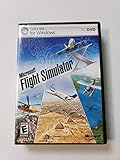
- Product Description Microsoft Flight Simulator X Deluxe Edition - complete package Category GamesSub
- License Type Complete package ESRB Rating Everyone (6+) - WARNING: The solder used in this product contains lead, a chemical known to the State of California to cause birth defects and other reproductive harm. Please wash hands after handling internal components and circuit boards and avoid inhalation of fumes if heating the solder.
- PEGI Rating 3+ License Qty 1 user License Pricing Standard Language(s) English
- Localization North America Platform Windows Distribution Media DVD-ROM Package Type Retail
- Compatibility PC - NOTE: THIS PRODUCT CANNOT BE SHIPPED TO MASSACHUSETTS OR DISTRICT OF COLUMBIA (WASHINGTON, D.C.)
Buying and installation checklist
- Choose the license: Start with the base game. Add the Supporter Edition or soundtrack only after deciding that their separate content is worth the additional $9.99 each at the current listing.
- Check the date on the price: The $19.99 introductory base-game price is shown through October 28, 2026. Confirm the live price, currency and taxes before payment.
- Match your hardware: Verify Windows 10 64-bit, the listed CPU class, 8 GB RAM, GTX 1070/RX 5600-class graphics, DirectX 11 and at least 4 GB free storage.
- Plan your input: A compatible Xbox or PlayStation controller follows the developer recommendation; keyboard and mouse remain the alternative PC input.
- Plan your connection: Broadband is listed as a requirement, particularly relevant to online co-op, Steam Cloud and downloading the game.
- Choose your platform: Windows has the published FullHD-tested specification; Steam Deck carries the Verified badge.
- Install and test: After Steam finishes downloading, launch once, confirm input and save behavior, then invite friends or begin a solo expedition.
Troubleshooting common buying and setup problems
The store price is not $19.99
The launch price is time-limited and explicitly displayed through October 28, 2026. If you are shopping after that date, or in a different region, the base-game amount may differ. Check the current Steam page rather than relying on an old screenshot or saved cart.
The game will not install
Check that the selected Steam library drive has more than the listed 4 GB available, not merely 4 GB total capacity. Free additional space can help Steam unpack updates. Confirm that your broadband connection is stable and that Steam is not paused or offline.
The controller is detected but controls do not work
Reconnect the pad, verify it appears in Steam’s controller settings, close competing remapping utilities and restart Steam. Begin with a named Xbox or PlayStation controller because those are the devices explicitly identified by the listing.
The Tool Desk
Outbyte Driver Updater FREEScan for outdated or missing drivers - takes under a minuteDriver Scan →Outbyte PC Repair FREEClear out junk files and repair common Windows errorsFree Scan →Online co-op will not connect
Confirm that every participant owns the base game, is online in Steam and has a stable broadband connection. If a session still fails, restart Steam and the game before changing other settings. The store confirms online co-op but does not publish a specific port-forwarding procedure, so do not apply unverified network changes as a first step.
You expected a separate recommended PC tier
Steam publishes minimum figures and notes FullHD testing, but its Linux/SteamOS column does not give a distinct recommended configuration. Use the listed minimum as the documented baseline and avoid interpreting the absence of a higher tier as a performance guarantee.
Quick Recap
Who should buy over the hill?
- Good fit: Players who prefer scenic offroad travel, route finding, vehicle handling, optional objectives, photography and cooperative exploration over competitive racing.
- Good fit: Steam users who want cloud saves, achievements, Family Sharing, full controller support or a Verified Steam Deck title.
- Think carefully: Buyers seeking a traditional lap-based racer, a published high-end graphics target, local split-screen or a large competitive multiplayer mode; the available listing does not promise those features.
- Edition choice: The base game is the practical starting point. The Supporter Edition and soundtrack are optional add-ons whose value depends on your interest in their listed extra content.
Product prices and availability are accurate as of the date/time indicated and are subject to change. Any price and availability information displayed on Amazon at the time of purchase will apply.

