PlayStation 3 error code 80710A06 usually means the console failed an HTTPS/SSL connection handshake, which can sign you out of PSN or show “page cannot be displayed.” Run the PS3 Internet Connection Test first, then check proxy, Wi-Fi, Media Server Connection, Ethernet, and service availability based on the failing stage.
The code is best treated as a secure-connection symptom, not a diagnosis of one faulty part. The exact-code interpretation comes from a community-maintained technical reference, while Sony’s official documentation supplies the most reliable troubleshooting sequence for determining whether the failure is local, network-related, or service-side.
| # | Preview | Product | Price | |
|---|---|---|---|---|
| 1 |

|
Sony Playstation 3 160GB System (Renewed) | $184.22 | Buy on Amazon |
| 2 |

|
Sony PlayStation 3 Slim 320 GB Charcoal Black Console (Renewed) | $235.33 | Buy on Amazon |
| 3 |

|
PlayStation 3 500 GB Super Slim System (Renewed) | $228.22 | Buy on Amazon |
| 4 |
|
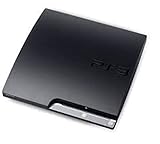
Sony Playstation 3 160GB CECH-3001A, Console Only (Renewed) | $176.22 | Buy on Amazon |
| 5 |

|
Sony PlayStation 3 - 80GB System (Renewed) | $217.22 | Buy on Amazon |
As an Amazon Associate I earn from qualifying purchases.
Key takeaways
- PlayStation 3 error code 80710A06 is most closely associated with an HTTPS/SSL connection-handshake failure, although the code alone does not identify one guaranteed cause.
- The PS3 Internet Connection Test shows whether the failure is at IP address acquisition, general internet access, or PlayStation Network access, and also reports UPnP and NAT details.
- Sony’s related PS3 troubleshooting guidance recommends checking proxy settings, 802.11b/g wireless compatibility, Wi-Fi credentials, network equipment, firmware, and Media Server Connection.
- An Ethernet test can show whether Wi-Fi is the failing layer, but Ethernet is not a guaranteed code-specific cure.
- The exact 80710A06 interpretation comes from a community-maintained technical reference; the Sony sources located for this topic cover related PS3 connection troubleshooting rather than a dedicated page for this exact code.
What does PS3 error 80710A06 mean?
PS3 error code 80710A06 usually means that the console could not complete a secure HTTPS/SSL connection. The failure can appear during PSN sign-in, account-management access, web content, or other online functions as a sign-out message or a “page cannot be displayed” error. The exact-code mapping is documented by PSDevWiki’s community-maintained PS3 error-code reference, not by a dedicated current Sony support page in the researched material.
Because 80710A06 identifies a connection symptom rather than a single failed component, the error does not prove that DNS, the router, PSN, the PS3 hardware, or the system clock is solely responsible. Start by finding which connection stage fails, then change only the settings that match that result.
#1 Best Overall
- Internet Ready With Built-in Wi-Fi with a Cell Broadband Engine Advanced Microprocessor
- When starting up the system for the first time, hold the power button until a "screen display" message shows up on screen. Select the desired output, and the system will startup normally.
- 160GB system
- Blu-ray player to give you pristine picture quality
- The best high-definition viewing experience available
How do you check which PS3 connection stage is failing?
The PS3 Internet Connection Test identifies whether the console fails while obtaining an IP address, reaching the internet, or connecting to PlayStation Network. On the console, open Settings > Network Settings > Internet Connection Test, run the test, and record each result.
The test can also report UPnP status, NAT type, download speed, and upload speed. Sony’s PS3 User’s Guide for the Internet Connection Test is the primary reference for these test stages and labels.
| Test result | What it suggests | Next focus |
|---|---|---|
| Obtain IP Address fails | The PS3 is not receiving a local network address. | Wi-Fi credentials, wireless compatibility, Ethernet connection, router, or modem/gateway. |
| Internet Connection fails | The PS3 reaches the local network but not the wider internet. | Router or modem/gateway, proxy configuration, network equipment, or service availability. |
| PlayStation Network fails | Basic internet access works, but PSN access or sign-in does not. | PSN availability, account access, secure-connection compatibility, console software, and network settings. |
| UPnP or NAT reports a problem | The console may have limited communication with the router or other network services. | Router behavior and firmware; use the result as diagnostic evidence rather than as proof of the exact 80710A06 cause. |
What should you do first?
Restart the PS3, router, and modem or gateway, then run the connection test again. Power-cycling can clear a temporary network state, but it is not a guaranteed fix for 80710A06.
If the same stage fails after the restart, continue with the matching checks below. Avoid jumping straight to a factory reset, firmware modification, certificate replacement, or repeated DNS changes: the dossier does not support any of those actions as a universal solution.
Rank #2
- New slimmer, lighter PS3 system, Wireless controller
- 320GB HDD for storing games, music, videos, and photos
- Streams thousands of movies and TV shows instantly from Netflix
- Built-in Blu-ray player with 3D capabilities. HDMI output for 1080p resolution.
How do you fix proxy, Wi-Fi, and media-server settings?
Sony’s related PS3 network guidance recommends checking several console and network settings that can interfere with online access. The guidance appears on Sony’s official page for related PS3 error code 80710016, so treat it as general PS3 troubleshooting rather than an exact-code diagnosis for 80710A06.
- Turn off the proxy server. If the PS3 is configured to connect through a proxy, disable the proxy and retest. A proxy can interfere with the secure connection path.
- Verify Wi-Fi compatibility and credentials. Sony says PS3 network equipment should support 802.11b or 802.11g wireless protocols. Re-enter the WEP or WPA password carefully and check that the console is joining the intended network.
- Disable Media Server Connection. Open Settings > Network Settings > Media Server Connection > Disable, then run the Internet Connection Test again. Sony identifies the Media Server Connection setting as a possible source of interference.
- Check the network equipment. Restart the router and modem or gateway, check relevant router behavior, and confirm that network-equipment firmware is current where the manufacturer supports updates. Sony’s related PS3 connection-error guidance covers proxy settings, wireless protocols, passwords, Media Server Connection, and network equipment.
Can an Ethernet cable fix 80710A06?
An Ethernet cable can help diagnose 80710A06 by separating a Wi-Fi problem from a broader PS3 or service problem, but a wired connection is not a guaranteed code-specific fix. Connect the PS3 directly to the router with Ethernet if practical, run the connection test, and compare the result with the Wi-Fi test.
| Comparison | Likely interpretation | What to do next |
|---|---|---|
| Ethernet works; Wi-Fi fails | The problem is more likely related to wireless signal, credentials, 802.11b/g compatibility, or router Wi-Fi behavior. | Focus on wireless configuration and router settings. |
| Ethernet and Wi-Fi both fail at IP acquisition | The issue is likely local-network configuration or network equipment. | Recheck credentials and equipment, then retest. |
| Ethernet and Wi-Fi reach the internet but PSN fails | The issue is less likely to be basic Wi-Fi connectivity. | Check service availability, account sign-in requirements, console software, and secure-connection compatibility. |
| Ethernet and Wi-Fi both show intermittent or service-related failures | A temporary outage or legacy secure-connection compatibility change is possible. | Check current PlayStation Support information and retest later. |
The wired-versus-wireless conclusions are an inference from Sony’s connection-test and network-troubleshooting framework, not a code-specific Sony guarantee.
Recommended Free Tools
Why can the PS3 connect to the internet but not PSN?
A PS3 can pass the general Internet Connection test while failing at the PlayStation Network stage because PSN access adds account and secure-connection requirements beyond basic internet reachability. When 80710A06 appears during sign-in but IP acquisition and internet access pass, local Wi-Fi is not the only plausible cause.
Rank #3
- Your Favorite Franchises Live Here: Dig into a huge catalog of exclusive games, including generation defining titles like The Last of Us and entries in popular franchises like LittleBigPlanet, God of War, Gran Turismo, and UNCHARTED.
- High-Definition Blu-ray player for the best movie experience. Plays DVDs and CDs
- 500GB HDD for storing games, music, videos, and photos
- Internet ready with built-in Wi-Fi
- Blu-ray player
Check whether PlayStation Network is experiencing an outage, whether the console’s system software and account sign-in requirements are current for the service, and whether the failure persists on both Ethernet and Wi-Fi. A service-side change affecting legacy secure connections can require action outside the console; repeated DNS changes cannot be assumed to solve that situation.
How do you handle the “page cannot be displayed” version of the error?
When 80710A06 appears with “page cannot be displayed,” treat the message as evidence of a failed online or secure web request, not as proof that the PS3 browser itself is defective. The secondary description in Windows Report’s 80710A06 troubleshooting coverage discusses page-display and web-access symptoms alongside possible connectivity, DNS, URL, memory, or service factors.
First run the PS3 Internet Connection Test. If the test fails before internet access, correct the local connection. If the test reaches the internet but browser or Store content still fails, check proxy and Media Server Connection settings, test Ethernet, and consider service-side or legacy secure-connection compatibility. The secondary source describes possible contributors; it does not establish a universal repair.
Does changing DNS fix PS3 error 80710A06?
Changing DNS may be relevant only when the evidence points to name-resolution trouble, but the supplied research does not support any particular public DNS server as a guaranteed fix for 80710A06. The code is most closely associated with the HTTPS/SSL handshake layer, so DNS changes should not be the default response when the PS3 connection test shows a different failure stage.
Rank #4
- Console only; does not come with the controller or cables
- Supported Media-BD-ROM, CD-ROM, DVD-ROM
- Internet Connectivity-Wireless
- Region Code-NTSC-North America
- Ram Technology-RDRAM (RAMBUS)
Record the original settings before testing a DNS change, make one controlled change at a time, and rerun the connection test. If the PS3 already obtains an IP address and reaches the internet, but PSN or HTTPS access continues to fail, investigate service availability, account requirements, console software, and secure-connection compatibility instead of cycling through DNS values.
Independent reader supportYour contribution helps us test, update, and keep practical guides available for everyone.When should you contact PlayStation Support?
Contact current PlayStation Support when the PS3 consistently passes local network checks but still fails at PSN or HTTPS access, when the error affects multiple connection methods, or when the timing suggests a service outage or change in legacy secure-connection compatibility. Include the exact code, the screen or function where it appears, the Internet Connection Test results, whether Ethernet was tested, and whether proxy and Media Server Connection were disabled.
The evidence standard matters: Sony’s available official material provides the diagnostic workflow and related PS3 network checks, while the exact 80710A06 interpretation is secondary. That distinction keeps troubleshooting grounded without promising a fix that the available sources do not establish.
The Tool Desk
Outbyte PC Repair FREEClear out junk files and repair common Windows errorsFree Scan →Outbyte Driver Updater FREEFix the driver behind crashes, sound loss and screen glitchesFind Drivers →Frequently Asked Questions
What does PS3 error 80710A06 mean?
PS3 error code 80710A06 is most closely associated with an HTTPS/SSL connection-handshake failure. The code can appear during PSN sign-in, account access, web content, or as a “page cannot be displayed” message, but the code alone does not prove one specific cause.
Best Value
- Built-in Wi-Fi access for easy connection to gaming services and the Internet
- Built-in Blu-ray player to give you the best high-definition viewing experience and pristine picture quality
- 80 GB of hard disk storage for all your games, music, videos, and photos
- This product is NOT backwards compatible
How do I fix PS3 error 80710A06?
Start with Settings > Network Settings > Internet Connection Test and identify whether IP address acquisition, internet access, or PlayStation Network access fails. Then check proxy settings, Wi-Fi compatibility and credentials, Media Server Connection, network equipment, and Ethernet-versus-Wi-Fi behavior.
Can an Ethernet cable fix 80710A06?
Ethernet can help isolate a Wi-Fi-specific problem, especially if Ethernet works while Wi-Fi fails. Ethernet is not a guaranteed cure for 80710A06 because the error can also involve PSN availability or legacy secure-connection compatibility.
Does changing DNS fix PS3 error 80710A06?
The supplied research does not establish a particular DNS server as a universal fix for 80710A06. Change DNS only when connection-test evidence points toward name resolution, and test one controlled change at a time.
PC Slower Than It Used to Be?
A free scan shows the junk files, broken settings and background clutter dragging Windows down - then fixes them in one click.Free scan · Windows 10 & 11Outdated Drivers Are Slowing You Down
One free scan finds every outdated or missing driver and matches the right update for your exact hardware.Free scan · exact hardware matchThe Bottom Line
For PS3 error 80710A06, run Settings > Network Settings > Internet Connection Test first. Then disable any proxy, verify 802.11b/g Wi-Fi compatibility and credentials, disable Media Server Connection, restart the network equipment, and compare Wi-Fi with Ethernet. If internet access passes but PSN or HTTPS access still fails, check service availability and current PlayStation Support; no universal DNS, reset, or certificate fix is established by the available evidence.
Quick Recap
Product prices and availability are accurate as of the date/time indicated and are subject to change. Any price and availability information displayed on Amazon at the time of purchase will apply.




