Outdated Drivers Are Slowing You Down
One free scan finds every outdated or missing driver and matches the right update for your exact hardware.Free scan · exact hardware matchWindows Errors? Fix Them Before They Spread
Repair common Windows errors and clear accumulated junk for a smoother, more stable PC - no reinstall needed.Free scan · no reinstallYou can get Grookey, Scorbunny, and Sobble in one Pokémon Sword or Pokémon Shield save without trading by using Pokémon HOME’s starter gifts. Transfer a Pokémon between the game and Pokémon HOME, claim the gifts in the HOME mobile app, then move them into your game. Alternatively, use Y-Comm’s Link Trade to exchange with another player.
Get all three starters with Pokémon HOME
Pokémon HOME’s gift route is the documented way to collect all three without arranging a trade. It provides Hidden Ability versions of Grookey, Scorbunny, and Sobble. The transfer trigger and claim steps are described by Pokémon Support.
- On the Nintendo Switch version of Pokémon HOME, transfer a Pokémon between HOME and Pokémon Sword or Pokémon Shield. That transfer triggers the gifts.
- Open Pokémon HOME on a mobile device. In the app, open Mystery Gifts, then Gift Box.
- Claim Grookey, Scorbunny, and Sobble from the Gift Box. They do not appear directly in your Pokémon Boxes before you claim them.
- In Pokémon HOME on Switch, move the claimed Pokémon into your Sword or Shield save. See Nintendo’s Pokémon HOME transfer instructions for the connection between HOME and the games.
Important limits on the gift set
The gift set is limited to one per Pokémon HOME account, even if you own multiple Pokémon Sword or Pokémon Shield games. Pokémon Support also says the gifts cannot be reissued if you release or trade them away. Keep the Pokémon in your HOME account or game if you want to retain them. See the account limit and the no-reissue policy.
Get the other starters through Link Trade
If you would rather exchange Pokémon with another player, use Y-Comm’s Link Trade. Nintendo says this option becomes available after you receive the Dynamax Band.
The Tool Desk
Outbyte PC Repair FREERepair Windows errors before they cause bigger problemsFix Now →Outbyte Driver Updater FREEScan for outdated or missing drivers - takes under a minuteDriver Scan →#1 Best Overall

- Catch, battle, and trade Pokémon on an all-new adventure in the Galar region
- Choose from three new partner Pokémon and encounter never-before-seen Pokémon
- Unravel the mystery behind the Legendary Pokémon Zacian and Zamazenta!
- Team up with other Trainers to participate in Max Raid Battles***!
- Battle wild Dynamax Pokémon in Max Raid Battles and try catching them***
- Press Y to open Y-Comm.
- Choose local or internet communication, depending on where the other player is.
- Select Link Trade, then choose whether to trade with a friend or anyone.
- Trade for the two starters missing from your save.
Nintendo’s full steps are in its guide to setting up local or online multiplayer in Pokémon Sword and Pokémon Shield.
Independent reader supportYour contribution helps us test, update, and keep practical guides available for everyone.Which method should you use?
| Method | What it requires | What you get |
|---|---|---|
| Pokémon HOME gifts | A transfer between Sword or Shield and Pokémon HOME, plus access to HOME’s mobile app and Switch app. | All three starters as Hidden Ability gifts; one set per HOME account. |
| Y-Comm Link Trade | The Dynamax Band and another player willing to trade locally or online. | The starter or starters you arrange to receive in the trade. |
Use HOME if you want the documented gift set and do not want to find a trade partner. Use Link Trade if HOME is unavailable or you prefer to exchange Pokémon. The game’s starter choices are Grookey, Scorbunny, and Sobble, as shown on The Pokémon Company’s official Sword and Shield page.
Quick Recap
Rank #4

- A new generation of Pokemon is coming to the Nintendo Switch system.
- Become a Pokemon Trainer and embark on a new journey in the new Galar region!
- Choose from one of three new partner Pokemon: Grookey, Scorbunny, or Sobble.
- In this all new adventure, you'll encounter new and familiar Pokemon as you catch, battle, and trade Pokemon while exploring new areas and uncovering an all-new story.
- Get ready for the next Pokemon adventure in the Pokemon Sword and Pokemon Shield games.
Rank #3
![Nintendo Pokémon Sword Expansion Pass or Pokémon Shield Expansion Pass (Retail Version) - [Switch Digital Code]](https://m.media-amazon.com/images/I/51l34qxMYhL._SL160_.jpg)
- Continue your Pokémon Sword or Pokémon Shield adventure in The Isle of Armor and The Crown Tundra, two new areas to explore that will be added to the Galar region as part of the Pokémon Shield Expansion Pass or Pokémon Sword Expansion Pass
- Redeem your download code in the Nintendo eShop for either the Pokémon Sword Expansion Pass or the Pokémon Shield Expansion Pass. Upon redeeming the code, you will be prompted to select one Expansion Pass. Only redeemable for one Expansion Pass.
- You'll also see some familiar Pokémon that didn't appear in the Galar region before, a total of over 200 Pokémon
- Part 1: The Isle of Armor is available now; Part 2: The Crown Tundra is scheduled for release during the fall of 2020
- If you purchase the Pokémon Sword Expansion Pass or the Pokémon Shield Expansion Pass, you'll receive two codes redeemable to get two special uniform sets of in-game apparel as a bonus
Rank #2
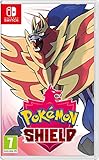
- New entries in the main series of Pokémon RPGs arrive on Nintendo Switch simultaneously in late 2019
- The Pokémon Sword and Pokémon Shield games take place in the newly discovered Galar Region
- Galar is an expansive region with diverse environments - an idyllic countryside, contemporary cities, thick forest and craggy, snow-covered mountains
- Fans will have the opportunity to visit Gyms in the Galar region in their quest to become Champion
- Newly discovered partner Pokémon join in this new iteration of the games - Grookey, Scorbunny and Sobble
Product prices and availability are accurate as of the date/time indicated and are subject to change. Any price and availability information displayed on Amazon at the time of purchase will apply.



