The PS3 Super Slim is a later, smaller and lighter redesign—not a more powerful PlayStation 3. Both play PS3 games, but the Super Slim swaps the Slim’s motorized front slot for a manual sliding top cover. For a used-console buyer, the choice mainly comes down to disc-drive preference, shelf space, storage and the condition of the individual unit.
PS3 Slim vs. Super Slim at a glance
“Slim” and “Super Slim” are common names for PlayStation 3 chassis revisions; Sony’s official product name remained PlayStation 3. The Slim family generally includes CECH-20xx, CECH-21xx, CECH-25xx and CECH-30xx models. The Super Slim is the CECH-40xx family, announced in 2012. The exact CECH number matters: storage and some internal details vary by model and region.
| Feature | PS3 Slim | PS3 Super Slim |
|---|---|---|
| Common model families | CECH-20xx, CECH-21xx, CECH-25xx, CECH-30xx | CECH-40xx |
| Disc drive | Motorized front slot-loading drive | Manual top-loading drive with sliding cover |
| Launch-model dimensions | Approx. 290 × 65 × 290 mm | Approx. 290 × 60 × 230 mm |
| Launch-model mass | Approx. 3.2 kg | Approx. 2.1 kg |
| Sony’s approximate launch power specification | Approx. 250 W | Approx. 190 W |
| Storage examples | 120 GB at launch; later 160 GB and 320 GB models, depending on model and region | 12 GB flash, 250 GB HDD and 500 GB HDD configurations, depending on region |
| PS2 disc compatibility | No for the CECH-2000 launch model; Slim models are not the early PS2-disc-compatible PS3s | No for the CECH-4000 family |
| Best fit | Buyers who prefer a conventional front slot drive | Buyers who want a lighter, shallower console and manual top-loading |
Dimensions, mass and power figures are Sony’s published launch specifications for the CECH-2000 Slim and CECH-4000 Super Slim, not guaranteed figures for every later revision. Sony notes regional variation in power specifications. See Sony’s Slim product outline and Sony’s Super Slim product outline.
Is the Super Slim faster for games?
No. Sony’s launch specifications list the same core platform for both: a Cell Broadband Engine CPU, RSX GPU, 256 MB XDR main RAM and 256 MB GDDR3 video RAM. Both are 1080p-capable and list the same optical-disc read speeds: 2× Blu-ray, 8× DVD and 24× CD. The Super Slim is a chassis and efficiency redesign, not a performance upgrade; do not expect better graphics or higher frame rates from it.
What’s actually slowing this PC down?
Pick the symptom - the matching free tool is one click away.
#1 Best Overall

- Your Favorite Franchises Live Here: Dig into a huge catalog of exclusive games, including generation defining titles like The Last of Us and entries in popular franchises like LittleBigPlanet, God of War, Gran Turismo, and UNCHARTED.
- High-Definition Blu-ray player for the best movie experience. Plays DVDs and CDs
- 500GB HDD for storing games, music, videos, and photos
- Internet ready with built-in Wi-Fi
- Blu-ray player
The launch specifications also list two USB 2.0 ports, Gigabit Ethernet, 802.11b/g Wi-Fi, Bluetooth 2.0, HDMI, AV Multi Out and optical digital audio on both versions. Neither adds modern features such as 4K output, HDR, USB 3.0 or newer wireless standards. The specifications are in Sony’s Slim and Super Slim product outlines.
How much smaller and lighter is the Super Slim?
In Sony’s launch figures, the Super Slim is about 1.1 kg lighter than the CECH-2000 Slim and roughly 60 mm less deep. Width is approximately the same, while the Super Slim is a little shorter. That reduced depth can make a real difference in a shallow entertainment cabinet.
Sony’s approximate launch power figures are 250 W for the CECH-2000 Slim and 190 W for the CECH-4000 Super Slim. These are published specifications, not a promise of constant draw during gameplay or a direct electricity-cost estimate. Actual consumption depends on model and use, and electricity cost depends on local rates. Sony described the Super Slim as 20% smaller by volume and 25% lighter than the previous model in its 2012 announcement.
Rank #2
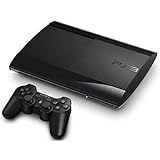
- Internet ready with built-in Wi-Fi . To reset the device insert a small pin to the reset button and hold own for 5 seconds.
- ncludes Wireless Controller (color of controller varies) and power source. To reset the console, Continue to hold the power button and you will hear a second beep, indicating the video reset.
- Keep holding the power button down until you hear a third beep. The console will power off afterwards. Activate the Safe Mode feature and select 'restore file system
- High-Definition Blu-ray player for the best movie experience. Plays DVDs and CDs
- 250GB HDD for storing games, music, videos, and photos
What changes with the disc drive?
PS3 Slim: motorized front slot
The Slim takes a disc through a front slot and loads and ejects it electronically. Buyers may prefer this familiar arrangement, and the disc remains inside the front of the console. The powered loading mechanism has more moving parts than a simple cover.
Outdated Drivers Are Slowing You Down
One free scan finds every outdated or missing driver and matches the right update for your exact hardware.Free scan · exact hardware matchWindows Errors? Fix Them Before They Spread
Repair common Windows errors and clear accumulated junk for a smoother, more stable PC - no reinstall needed.Free scan · no reinstallPS3 Super Slim: sliding top cover
The Super Slim’s cover slides open by hand so the disc can be placed directly in the drive area. It needs clearance above the console when used horizontally, so check the shelf height before buying. Sony described the sliding disc cover as part of the CECH-4000 redesign.
When inspecting either model, test with more than one disc if possible. On a Slim, confirm both reading and ejecting; on a Super Slim, make sure the cover moves smoothly and closes fully. A noisy disc alone does not prove the console is faulty: the disc, dust, drive mechanism or aging parts could be responsible.
Rank #3
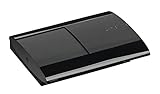
- High-Definition Blu-ray player for the best movie experience. Plays DVDs and CDs
- 250GB HDD for storing games, music, videos, and photos
- Internet ready with built-in Wi-Fi
- Console Only, does not include any cables or accessories
Storage: check the actual console, not just the shell
Sony’s first Slim CECH-2000A came with a 120 GB 2.5-inch Serial ATA hard drive. Later Slims were sold in other capacities, including 160 GB and 320 GB, depending on model and region. A Super Slim could be configured with 12 GB of internal flash or a 250 GB or 500 GB hard drive. Those are examples of factory configurations, not a reliable way to identify capacity by appearance.
The 12 GB Super Slim is usable, but it can be restrictive if you download games, updates or add-ons. Sony documented an expansion path using a dedicated 250 GB hard drive for the 12 GB model; the internal flash memory cannot be used as internal storage with that dedicated HDD installed. Confirm the exact model and whether the required mounting hardware is present before treating a loose drive as a ready-to-install upgrade. Sony’s configuration details appear in its CECH-4000 announcement and product outline.
Recommended Free Tools
For any used PS3, check the storage reported in the system menu rather than trusting the listing. A previous owner may have replaced the original drive, and storage capacity affects how much content fits—not game performance.
Rank #4

- Internet ready with built-in Wi-Fi . To reset the device insert a small pin to the reset button and hold own for 5 seconds.
- ncludes Wireless Controller (color of controller varies) and power source. To reset the console, Continue to hold the power button and you will hear a second beep, indicating the video reset. Keep holding the power button down until you hear a third beep. The console will power off afterwards. Activate the Safe Mode feature and select 'restore file system'.
- High-Definition Blu-ray player for the best movie experience. Plays DVDs and CDs
- 250GB HDD for storing games, music, videos, and photos
Can a PS3 Slim or Super Slim play PS2 discs?
No: do not buy a Slim or Super Slim on the assumption that it plays PS2 discs. Sony explicitly says the CECH-2000 Slim and CECH-4000 Super Slim are not compatible with PS2 games. PS2 disc compatibility applies to certain early “fat” PS3 models, identified by specific model numbers; Sony’s playable-disc guide lists those regional models.
PS2 discs, PS2 Classics available through the PS3 ecosystem, PS1 games and PS3 games are separate compatibility questions. If PS2 disc playback is essential, check the exact CECH number and investigate an early fat PS3 rather than relying on the Slim name.
Independent reader supportYour contribution helps us test, update, and keep practical guides available for everyone.Heat, noise and reliability depend on the unit
Sony said the Slim’s internal design, power supply and cooling mechanism were redesigned, and that lower power consumption helped reduce fan noise. The Super Slim’s lower published power figure makes it reasonable to call it the more efficient revision, but it does not establish that every Super Slim runs cooler, quieter or lasts longer than every Slim. Age, dust, thermal condition, drive health and repair history matter more than the badge.
The Tool Desk
Outbyte Driver Updater FREEFix the driver behind crashes, sound loss and screen glitchesFind Drivers →Outbyte PC Repair FREERepair Windows errors before they cause bigger problemsFix Now →Best Value

- Internet Ready With Built-in Wi-Fi with a Cell Broadband Engine Advanced Microprocessor
- When starting up the system for the first time, hold the power button until a "screen display" message shows up on screen. Select the desired output, and the system will startup normally.
- 160GB system
- Blu-ray player to give you pristine picture quality
- The best high-definition viewing experience available
Ask whether the seller has opened, repaired or modified the console. When possible, test it long enough to check fan behavior, and watch for sudden shutdowns, freezing or graphical corruption. Avoid treating a brief startup as proof that a used system is healthy.
How to choose a used PS3
Start with the exact model and the console’s condition, then compare the drive style and storage with your needs. A better-kept console is usually a stronger choice than a particular chassis revision in unknown condition.
- Verify the model: Request a clear photo of the CECH label. Slim generally means CECH-20xx through CECH-30xx; Super Slim means CECH-40xx.
- Confirm what is included: Ask whether the hard drive, correct mounting hardware, controller and power cable are present. Check the advertised storage in the system menu.
- Test video and sound: Confirm HDMI output and audio, and check that the console boots without storage errors.
- Test connectivity and controls: Pair the controller and check Wi-Fi and Ethernet if available.
- Test the optical drive: Try multiple discs. Check reading and ejecting on a Slim, or the sliding cover’s movement and closure on a Super Slim.
- Check operation under load: Play for 20–30 minutes if the seller permits. Listen for abnormal fan or drive behavior and watch for freezing, shutdowns or visual artifacts.
- Compare the whole deal: Consider condition, included accessories, storage and price together. Do not pay extra for an assumed performance advantage or PS2 compatibility.
If an online listing omits the CECH number or drive status, request photos of the model label and a video showing startup, disc reading, controller pairing and the system-storage screen. Do not assume a generic “PS3 Slim” listing identifies the precise revision.
Keeping a used PS3 ready to play
Sony’s PS3 support page provides system-software update instructions and warns that Blu-ray playback requires a renewed Blu-ray-player encryption key. After purchase, update the console and test Blu-ray playback rather than assuming the stored software and keys are current. The documented path is Settings > System Update > Update via Internet; follow the on-screen prompts. See official PS3 support.
Which one should you buy?
Choose the Super Slim if
- You want the lighter, shallower chassis and value the lower published power specification.
- You prefer manual top-loading and have room above the console for its cover.
- You find a well-tested 250 GB or 500 GB configuration, or have a clear plan for expanding a 12 GB model.
Choose the Slim if
- You prefer a motorized front slot-loading drive.
- You find a well-maintained unit with the storage and accessories you need.
- You have a model-specific repair or modification requirement and have verified that exact CECH model rather than relying on a broad Slim-versus-Super-Slim rule.
For ordinary PS3 gaming, neither has a meaningful performance edge. Choose by condition, storage, disc mechanism and fit in your setup. If PS2 disc compatibility is the deciding factor, look beyond both Slim families to the specific early PS3 models that support it.
Quick Recap
Product prices and availability are accurate as of the date/time indicated and are subject to change. Any price and availability information displayed on Amazon at the time of purchase will apply.




