Do these 3 things before closing this tab:
1Repair Windows errors before they cause bigger problems2Fix the driver behind crashes, sound loss and screen glitches3Clear out junk files and repair common Windows errorsPS4 error code SU-30625-6 means the console’s system software update failed. Retry the update from Settings first; if it fails again, use Safe Mode’s Update System Software option. For an update over the Internet, PlayStation also recommends powering off your router for at least five minutes before trying again. The code alone does not identify a more specific cause or prove a hardware fault.
What does SU-30625-6 mean?
PlayStation defines SU-30625-6 as a failed PS4 system software update. Its error-code support page recommends retrying the update and, if necessary, updating through Safe Mode. The page does not identify a specific underlying cause, so the code by itself is not evidence that the update file is corrupt or that the hard drive or another component needs replacement.
Try the recommended fixes in order
1. Retry from Settings
- On the PS4, open Settings > System Software Update.
- Follow the prompts to try the update again.
This is PlayStation’s first recommended step for SU-30625-6.
2. Restart the router if you are updating over the Internet
- Turn off the router.
- Wait at least five minutes, then turn it back on.
- Once the connection is available, retry the system software update.
PlayStation includes this router reset recommendation for an Internet update. It is not relevant to an update being installed from USB storage or disc.
#1 Best Overall

- 1TB Capacity, 9.5mm High, Rotation Speed of 5400RPM
- 8MB Buffer, SATA 3.0Gb/s Interface, 2.5inch Hard Drive
- Works for PS3 / PS4 Game Console HDD replacement / upgrade
- PS3 / PS4 Hard Drive installation & Playstation firmware download instruction included
- Backed by a 3-year warranty from Reseller
3. Try Update System Software in Safe Mode
- Turn the PS4 off completely.
- Press and hold the power button. Release it after the second beep, which sounds about seven seconds after the first.
- Connect the controller to the console with a USB cable and press the PS button.
- Select Update System Software in the Safe Mode menu and follow the prompts.
PlayStation’s Safe Mode guide describes three update routes: direct download, USB storage, and disc. Direct download still requires an Internet connection.
Update from a USB drive if needed
A USB update is an optional manual route if the online update does not work. It requires access to a computer, a USB drive formatted as FAT32 or exFAT, and the official update file placed in the required folders. Follow PlayStation’s manual update instructions for the current file and download steps.
Rank #2

- 2.5inch Notebook HDD, 7mm Height (Slim)
- 1TB Capacity, 5400RPM, 64MB Cache, SATA 6.0Gb/s
- Works for PlayStation gaming systems (PS3 / PS4 Original, PS4 Slim, PS4 Pro)
- Massive 1TB capacity can store up to 80 × 25GB games.
- 2 Years Warranty from Reseller
- Format the USB drive as FAT32 or exFAT.
- On the drive, create a folder named PS4, then create a folder named UPDATE inside it.
- Save the update file in the UPDATE folder with the exact filename PS4UPDATE.PUP.
- Start the PS4 in Safe Mode and choose Update System Software > Update from USB Storage Device.
Check the folder names, filename, and file location carefully if the console cannot find the update. A USB drive carries the update file; it is not a guaranteed fix for every cause of an update failure. Safe Mode also supports updating from a suitable disc, as described in PlayStation’s Safe Mode guide.
Independent reader supportYour contribution helps us test, update, and keep practical guides available for everyone.Do not confuse updating with reinstalling
In Safe Mode, choose Update System Software for an update attempt. Reinstalling system software is a separate procedure: PlayStation warns that it deletes all data on the PS4. Do not select a reinstall option as a routine troubleshooting step; use it only if you understand and accept the data loss and are following the applicable official instructions.
Free tools Windows power users keep installed
One-click scans. No signup required.
Quick Recap
Rank #4

- HDD hard drive bay door cover.
- Made of durable plastic material, providing well protection to your game console.
- Replacement for your broken, damaged or old part.
- Specially designed, perfect fit with your device.
Rank #3
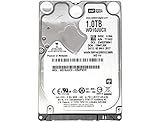
- 1TB Capacity, 9.5mm High, Rotation Speed of 5400RPM
- 16MB Buffer, SATA 6.0Gb/s Interface, 2.5inch Hard Drive
- Works for PS4 (Pro, Slim, Original) Game Console HDD replacement / upgrade (835GB available storage space on PS4, rest capacity is used for System)
- PS4 Hard Drive installation & Playstation firmware download instruction included
- Backed by a 3-year warranty from Reseller
Product prices and availability are accurate as of the date/time indicated and are subject to change. Any price and availability information displayed on Amazon at the time of purchase will apply.



