Do these 3 things before closing this tab:
1Repair Windows errors before they cause bigger problems2Fix the driver behind crashes, sound loss and screen glitches3Clear out junk files and repair common Windows errorsIf Rainbow Six Extraction is missing after you claimed it with Game Pass, first identify where you expected to see it: Ubisoft Connect on PC, the Xbox app on Windows, or an Xbox console library. The PC Game Pass route requires a separate claim through Ubisoft and an active subscription; the Ubisoft account you use must also be linked to the Xbox account with that subscription. Those PC steps do not necessarily apply to an Xbox console library, and they cannot confirm what happened to an individual account’s claim.
First, identify which library is missing the game
“Game Pass library” can mean different things. The PC Game Pass claim flow and Ubisoft Connect troubleshooting below are for PC access. If you mean the Xbox console library, do not assume that claiming the PC version or changing Ubisoft Connect will restore a console listing.


| Where you expected to find the game | Access route to check | What the available guidance establishes |
|---|---|---|
| Ubisoft Connect on PC | PC Game Pass claim and linked accounts | Ubisoft says its PC Game Pass games must be claimed, and access lasts while the subscription is active. Ubisoft PC Game Pass guidance |
| Xbox console library | Console access, not the PC Ubisoft Connect claim | The PC claim and Ubisoft Connect cache steps do not establish or restore a console entitlement. |
| PC access based on owning the digital Xbox console version | A separate Xbox-to-PC offer | A July 27, 2026 Xbox Wire article describes PC access through Ubisoft Connect for digital Xbox console-version owners. This is distinct from Game Pass subscription access. Xbox Wire offer details |
Check the PC Game Pass claim and subscription
For PC Game Pass, Ubisoft describes access to its games as a claim-based subscription benefit, not a permanent purchase: users must claim the games, and access is available while the subscription is active. Ubisoft PC Game Pass guidance
- Confirm that the Xbox account you used for the claim currently has an active PC Game Pass subscription.
- Confirm that you completed Ubisoft’s PC Game Pass claim flow for Rainbow Six Extraction. The game’s historical presence in Game Pass does not prove that your current claim completed or that your account still has access.
Ubisoft announced the game as a launch-day Xbox Game Pass and PC Game Pass title on January 20, 2022. That announcement is historical context, not confirmation of a current catalog listing or an individual entitlement. Ubisoft’s January 5, 2022 announcement
The Tool Desk
Outbyte Driver Updater FREEFix the driver behind crashes, sound loss and screen glitchesFind Drivers →Outbyte PC Repair FREEClear out junk files and repair common Windows errorsFree Scan →#1 Best Overall
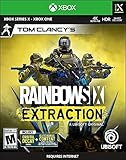
- Includes Buddy Pass: Invite 2 friends to play with you for FREE for 14 days.
- Play alone or with friends from any platform in this 1- to 3-player co-op PvE FPS.
- 69 guns, 25 gadgets, 18 operators with progression levels, 12 large dynamic maps, 13 mutating enemies, and free post-launch content.
- Test your skills with 4 adjustable difficulty levels and a thrilling Endgame ranked mode.
- Tom Clancy's Rainbow Six Siege Players: Get 4 EXCLUSIVE Epic gearsets across both games and instantly unlock all 18 Tom Clancy's Rainbow Six Extraction operators in Tom Clancy's Rainbow Six Siege.
Make sure the Xbox and Ubisoft accounts match
The Xbox account with the active subscription needs to be linked to the Ubisoft account you intend to use. If you are signed into a different Ubisoft account in the launcher, the game may not appear where you expect it.
- Check which Xbox account is linked to the Ubisoft account currently signed into Ubisoft Connect.
- If PC Game Pass activation shows the error covered by Ubisoft’s guide, follow its account-linking instructions: unlink the Xbox account and link the Ubisoft account you want to use for PC Game Pass access. Ubisoft PC Game Pass activation-error guidance
This is a relevant check when activation fails; it does not mean every missing-library report is caused by an account mismatch.
Rank #2
If the game is absent from Ubisoft Connect PC, refresh its library
Once you have checked the subscription, claim, and account link, Ubisoft’s general guidance for a game missing from Ubisoft Connect PC is to clear the client cache, restart Ubisoft Connect PC, and check the library again. Ubisoft Connect missing-game guidance
- Clear the Ubisoft Connect PC client cache using Ubisoft’s current support instructions.
- Restart Ubisoft Connect PC.
- Check the library again for Rainbow Six Extraction.
These are general launcher troubleshooting steps. They cannot verify that a Game Pass claim completed or repair a missing account entitlement.
Crashes, No Sound, or Screen Glitches?
Random freezes, missing sound and display glitches usually trace back to one bad driver. Find and replace yours safely.Free scan · under a minutePC Slower Than It Used to Be?
A free scan shows the junk files, broken settings and background clutter dragging Windows down - then fixes them in one click.Free scan · Windows 10 & 11Rank #3
Do not confuse subscription access, digital ownership, and saved progress
The separate Xbox-to-PC offer described by Xbox Wire on July 27, 2026 applies to owners of the digital Xbox console version and provides access to the PC version through Ubisoft Connect; the article also advises updating Ubisoft Connect. It is not a general method for restoring a Game Pass subscription claim. Xbox Wire offer details
Ubisoft says cross-progression is automatic and tells players switching platforms to use the same Ubisoft account. That guidance concerns progression; it does not establish that a game entitlement is present. Ubisoft Rainbow Six Extraction support
Rank #4

- Rainbow Six Extraction leverages the smart delivery technology - buy the game once and play it on either Xbox One or Xbox series X when both the console and that version of Rainbow Six Extraction are available
- The deluxe Edition includes: Copy of Rainbow Six Extraction game & digital content The React Strike Pack
- With a selection of 12 uniquely designed maps set in four regions across the US, featuring procedurally generated challenges, enemies, infestation, and increasing difficulty, the dangers are unpredictable and constantly evolving
- Play both Tom Clancy's Rainbow Six Siege and Tom Clancy's Rainbow Six Extraction to unlock the game's entire roster of 18 operators in Tom Clancy's Rainbow Six Siege, and players will get elite United Front cosmetic bundles in both games
When to contact support
If the checks above do not explain why the game is missing, the cause depends on account-specific information that public guidance cannot verify, such as claim history and entitlement status. Contact Ubisoft or Xbox account support and provide:
Quick Recap
Best Value

- Includes Buddy Pass: Invite 2 friends to play with you for FREE for 14 days.
- The platform and library where you expected the game to appear.
- The Xbox account and Ubisoft account involved, using the appropriate account-identification details requested by support.
- Your subscription status and whether you completed the PC Game Pass claim.
- Any activation error message you received.
- Whether the issue began after switching Ubisoft accounts or platforms.
Product prices and availability are accurate as of the date/time indicated and are subject to change. Any price and availability information displayed on Amazon at the time of purchase will apply.
Quick wins for a faster PC:
Scan for outdated or missing drivers - takes under a minuteDriver Scan →Clear out junk files and repair common Windows errorsFree Scan →Fix the driver behind crashes, sound loss and screen glitchesFind Drivers →



