Free tools Windows power users keep installed
One-click scans. No signup required.
res.dll missing, not found, or unable to load errors usually belong to a particular application, not to Windows itself. If the error identifies InCD RW UDF Tools, repair or reinstall the old Nero/InCD program rather than downloading a replacement DLL.
You may see one of these messages:
res.dll is missingres.dll was not foundCannot find res.dllFailed to load res.dllError loading res.dll. The specified module could not be found.The program can't start because res.dll is missing from your computer.The file res.dll is missing or corrupt.Cannot register res.dll
The 60-second answer
First, record the executable name shown in the error and the complete path of the program that is failing. Then search for res.dll on the computer and check which application folder contains it.
As an Amazon Associate I earn from qualifying purchases.
If it is in a historical InCD folder such as:
C:Program FilesAheadInCDres.dll
the file most likely belongs to Ahead/Nero InCD, an old UDF packet-writing utility for rewritable CDs and DVDs. Repair or reinstall the complete InCD/Nero installation from original media or a verified vendor installer.
Do these 3 things before closing this tab:
1Clear out junk files and repair common Windows errors2Fix the driver behind crashes, sound loss and screen glitches3Repair Windows errors before they cause bigger problemsDo not copy a downloaded res.dll into C:WindowsSystem32 or C:WindowsSysWOW64. The filename is not unique. Apache OpenOffice has also used a different res.dll, and unrelated programs can contain files with the same name.
#1 Best Overall

- 25 high-grade rewritable DVD plus RW discs with superior overwrite cyclability
- These discs allow you to rewrite data without errors up to 1,000 times
- Advanced Super-Eutectic Recording (Advanced SERL) technology, a Verbatim patented phase-change recording layer enhances archivability for superior durability and reliability at higher rewrite speeds
- Certified 4X-12X speed rewrite compatibility. Read compatible with multi-read CD & DVD drives
- Verbatim has been a leader in data storage technology since 1969, and guarantees this product with a limited lifetime warranty and technical support
Why res.dll is difficult to identify
The description InCD RW UDF Tools points toward historical Ahead/Nero InCD software. Older installations commonly used an Ahead/InCD directory under Program Files. InCD was distributed with older Nero products and was also available as a separate installer.
However, res.dll is a generic filename. The same name does not prove that two files are interchangeable. An OpenOffice installation, an old utility, or another application may contain its own private copy.
The file metadata sometimes reported for this InCD-associated file is 32-bit, version 1.0.0.14, and approximately 0.22 MB. Those details are not enough to identify a safe replacement, and they do not establish that every res.dll with those properties belongs to InCD.
Recommended Free Tools
The failing executable and full DLL path matter more than the filename.
Identify the program before repairing anything
Check the error window
Read the title bar and body of the message. Look for:
- The executable name, such as
incd.exeor another application name - The folder from which the program was launched
- Whether the message appeared during startup, shutdown, login, or when opening a document
- Whether the error began after removing Nero, cleaning old files, restoring a backup, or updating antivirus software
A startup error from an obsolete InCD component is different from an error when launching OpenOffice. They require different installers.
Find every copy of the file
In File Explorer:
- Open This PC.
- Click the search box in the upper-right corner.
- Search for:
text

   res.dll
- For each result, right-click the file and select Properties.
- Check the Location, Details, and Digital Signatures tabs if present.
An InCD-related location may resemble:
C:Program FilesAheadInCD
An OpenOffice-related location will be inside its own OpenOffice installation directory. A file sitting directly in C:Windows, a random Downloads folder, or an unfamiliar temporary folder deserves extra caution.
Do not replace a file merely because its name matches. Same-name DLLs from separate products are not substitutes.
Check the executable that loads it
If the message does not identify the program:
- Press Ctrl+Shift+Esc to open Task Manager.
- Select Details.
- Right-click a relevant process.
- Choose Open file location.
- Record the executable path.
If the program is no longer installed but Windows still tries to launch it, check startup entries:
- Open Settings.
- Select Apps.
- Select Startup.
- Turn off an entry only if you recognize it as the obsolete program.
- Restart Windows.
You can also open Task Manager, select Startup apps, and inspect the Startup impact and publisher information. An orphaned InCD entry may remain after the main program folder was removed.
The safest repair sequence
Work through these fixes in order. Stop once the application starts normally.
The Tool Desk
Outbyte Driver Updater FREEFix the driver behind crashes, sound loss and screen glitchesFind Drivers →Outbyte PC Repair FREEClear out junk files and repair common Windows errorsFree Scan →Rank #2
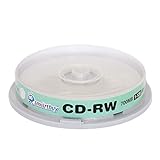
- Type: CD-RW (Rewritable upto 1000 times)
- High Speed: 1X - 12X
- Capacity: 700MB / 80Min
- Surface: Branded Logo (Silver)
- Quantity: 10 Pcs Total. Packing: CakeBox/Spindle
1. Check Windows Security quarantine
Antivirus software may have deleted or quarantined the file. That does not automatically mean the file was safe. A malicious replacement can use the same filename.
- Open Windows Security from the Start menu.
- Select Virus & threat protection.
- Select Protection history.
- Look for an action involving
res.dllor the application that owns it. - Expand the entry and record the detected path and reason.
- Do not select Allow on device until you have confirmed that the file came from the original application installer and belongs in that application’s folder.
Microsoft warns that restoring a quarantined file can cause Defender to detect it again. If the file is genuinely part of an old application, reinstalling that application is safer than forcing the quarantined copy back into place.
After checking Protection history, run a scan:
- Go to Virus & threat protection.
- Select Scan options.
- Choose Full scan.
- Select Scan now.
If you find an unfamiliar replacement in a Downloads or temporary folder, remove it instead of restoring it.
2. Repair the owning application
Windows can repair some installed applications without removing their settings.
For a modern packaged application:
- Open Settings.
- Select Apps.
- Select Installed apps.
- Find the application named in the error.
- Select the three-dot menu.
- Choose Advanced options.
- Select Repair.
- Start the application again.
For a classic desktop application:
- Press Windows+R.
- Type:
text

   appwiz.cpl
- Press Enter.
- Find Nero, InCD, OpenOffice, or the other identified application.
- Right-click it.
- Choose Repair or Change, if available.
- Follow the installer prompts.
- Restart Windows.
If the application has its own launcher, look for Verify files, Repair, or Scan and repair before changing individual files. A launcher can restore the correct file set and dependencies together.
A successful repair normally restores the DLL beside the application executable and allows the program to start without the same message. If repair reports that source files are missing, continue with a complete reinstall.
3. Reinstall InCD, OpenOffice, or the identified program
For an InCD-associated error, reinstall the complete Nero/InCD package rather than searching for the DLL separately.
Before reinstalling:
- Save documents and close all programs.
- Open Control Panel.
- Select Programs and Features.
- Uninstall the damaged or partial InCD/Nero installation.
- Restart Windows.
- Run the original installer as an administrator.
- If the installer offers a destination, use the expected application location unless you have a specific reason to change it.
- Restart again when installation completes.
The historical InCD instructions called for removing older InCD versions before installing a newer InCD release. Because InCD is obsolete, a current supported standalone installer may not be available. Do not obtain an installer from an unverified archive simply because it includes a file named res.dll.
If the failing application is Apache OpenOffice, download and reinstall the complete package from its official source. Do not copy an InCD file into the OpenOffice directory. The two products can use the same filename while requiring different contents.
After reinstalling, confirm that:
- The application folder exists.
- The executable and its nearby DLLs were restored together.
- The error no longer appears.
- Windows Security has not immediately quarantined the restored file.
- The program opens under the same Windows account that originally showed the problem.
If the software is no longer needed, uninstall it instead. Removing an obsolete program and its startup entry is preferable to keeping a broken legacy component active.
4. Check whether the file exists but cannot load
The specified module could not be found does not always mean that res.dll itself is absent. Windows may be unable to load a dependency required by that DLL.
Rank #3

- 700MB OR 80-MINUTE CAPACITY: Stores up to 700MB of data or 80 minutes of audio while allowing content to be erased and rewritten multiple times.
- 12X REWRITE SPEED: Certified for dependable 12X rewriting performance and ideal for drag-and-drop recording using packet writing software.
- SILVER INKJET PRINTABLE SURFACE: Supports full-color, high-resolution photo-quality printing with vibrant colors and crisp text reproduction.
- COMPATIBLE WITH MAJOR DISC PRINTERS: Designed for use with Primera, Epson, Microboards, and other CD/DVD inkjet printers and duplicators.
- 50-PACK SPINDLE: Includes 50 DataLifePlus silver inkjet printable CD-RW discs and is backed by a Verbatim Limited Lifetime Warranty.
Check the application directory first. If res.dll is present beside the executable but the error continues, do not overwrite it immediately. The problem may involve:
Quick wins for a faster PC:
Repair Windows errors before they cause bigger problemsFix Now →Scan for outdated or missing drivers - takes under a minuteDriver Scan →Clear out junk files and repair common Windows errorsFree Scan →- A missing supporting DLL
- An incompatible 32-bit or 64-bit dependency
- A damaged installation
- A blocked or quarantined companion file
- A program being launched from the wrong folder
- A missing runtime identified by the application vendor
Look for an application log, launcher diagnostic, or Event Viewer entry:
- Press Windows+R.
- Type:
text

   eventvwr.msc
- Press Enter.
- Expand Windows Logs.
- Select Application.
- Look for an error at the time of the failed launch.
- Open the entry and note the Faulting application name and Faulting module name.
Do not install Visual C++, DirectX, or .NET at random. A DLL error alone does not prove that one of those packages is missing. If the application identifies a required runtime, obtain the supported package from Microsoft or follow the application vendor’s documented prerequisite instructions.
Microsoft explains that the application vendor should identify the required Visual C++ Redistributable version. Installing a 64-bit runtime will not repair a 32-bit application that needs a 32-bit dependency.
5. Account for 32-bit software on 64-bit Windows
Historical InCD builds and Apache OpenOffice Windows builds were 32-bit applications. A 64-bit installation of Windows can run them through WOW64, but the application still needs its correct 32-bit DLLs and dependencies.
What’s actually slowing this PC down?
Pick the symptom - the matching free tool is one click away.
Do not install a 64-bit DLL with the same filename into a 32-bit application folder. It is not a compatible substitute.
To check the Windows architecture:
- Open Settings.
- Select System.
- Select About.
- Check System type.
To check an application, open its installation folder and inspect the executable’s properties where available, or use the vendor’s documentation. The important match is between the application and its private DLLs, not simply between Windows and the filename.
If the application is very old, it may not be supported on the current Windows release. Reinstalling can restore missing files but cannot guarantee that obsolete packet-writing software will function correctly with modern storage drivers, security controls, or optical hardware.
6. Test for a damaged Windows user profile
If the program works for another Windows account, the installation may be intact and the problem may be limited to one profile.
Windows Errors? Fix Them Before They Spread
Repair common Windows errors and clear accumulated junk for a smoother, more stable PC - no reinstall needed.Free scan · no reinstallOutdated Drivers Are Slowing You Down
One free scan finds every outdated or missing driver and matches the right update for your exact hardware.Free scan · exact hardware matchTest with another account:
- Open Settings.
- Select Accounts.
- Select Other users.
- Select Add account.
- Create or sign in with a test account.
- Install or launch the application as appropriate.
If it works there, do not copy random DLLs into system folders. Repair the affected profile’s application settings, clear the program’s per-user configuration according to its documentation, or migrate to a new profile if necessary.
If the error occurs for every account and multiple programs fail, investigate Windows component corruption or a broader system change.
Rank #4

- Storage capacity: 700MB
- Packing type: 10 pack
- Recording speed: 112x/ Max 80min
- Media Type: CD-RW media, large capacity is ideal for backing up the hard disk and recording high definition movies & videos. Also perfect for recording data, music, photos and so on
- This product has 12 months replacement warranty. We focus on providing quality power Products and excellent customer service.
7. Repair Windows components only when the evidence points to Windows
res.dll is normally an application-private file. Use system repair commands only when Windows files are also damaged, several unrelated applications fail, or the problem began after a system interruption.
First install pending Windows updates and restart:
- Open Settings.
- Select Windows Update.
- Select Check for updates.
- Install available updates.
- Restart the computer.
On Windows 11, you may also see:
- Open Settings.
- Select System.
- Select Recovery.
- Under Fix problems using Windows Update, select Reinstall now, if available.
- Follow the prompts.
This process is intended to repair the current Windows installation while preserving applications, files, and settings.
Then run DISM followed by System File Checker:
- Open Start.
- Type
Command Prompt. - Right-click Command Prompt.
- Select Run as administrator.
- Run:
text

   DISM.exe /Online /Cleanup-Image /RestoreHealth
- Wait for it to finish.
- Then run:
text

   sfc /scannow
- Restart Windows.
- Test the application again.
DISM repairs the Windows component store, and SFC checks protected Windows files. These commands do not reconstruct an application’s private InCD or OpenOffice installation. If they complete successfully but the same application still reports res.dll, repair or reinstall that application.
Repeating SFC and DISM without knowing what changed is a poor substitute for identifying the owning program. If you want help avoiding repeated manual scans and component hunting, Outbyte PC Repair can show what it finds in a free scan; repairs are performed by the full version, and reinstalling the affected application remains the definitive fix when res.dll belongs to that program.
8. Update drivers only when hardware or a driver is implicated
A driver is not the normal owner of an application resource DLL. Consider driver troubleshooting only if Event Viewer identifies a driver, the error appears when accessing an optical drive, or Device Manager reports a related hardware problem.
Check Device Manager:
- Right-click Start.
- Select Device Manager.
- Expand DVD/CD-ROM drives, Storage controllers, or the category named in the error.
- Right-click the relevant device.
- Select Properties.
- Review the Device status message under General.
- Open the Driver tab and note the provider and date.
- Use Update Driver only when a newer driver is available from the device or computer manufacturer.
- Restart Windows and test again.
Do not uninstall an optical-drive or storage driver merely because res.dll is missing. That can create a second problem without restoring the application file.
If you are manually checking several hardware vendors and cannot tell which driver is stale, Outbyte Driver Updater provides a free scan showing detected driver issues; driver installation is handled by the full version. Use the hardware manufacturer’s driver when possible, and remember that this remains secondary to reinstalling the program that owns res.dll.
Why regsvr32 usually does not fix this error
Do not run this command just because the file ends in .dll:
regsvr32 res.dll
regsvr32 is intended for DLLs that export the COM registration function DllRegisterServer, typically ActiveX or other COM components. An application resource or runtime library such as the InCD-associated res.dll normally does not need registration.
Recommended Free Tools
If you try to register a non-COM DLL, you may receive an error stating that the entry point was not found or that the module could not be loaded. That does not mean the file needs to be copied elsewhere.
Use registration only when the application’s official instructions specifically require it and identify the correct file and architecture.
Avoid these common failed fixes
Do not download a standalone DLL
Random DLL download sites websites can provide:
- Malware or tampered files
- The wrong product’s
res.dll - The wrong architecture
- An incompatible version
- A file with missing dependencies
- A replacement that hides the original installation problem
Even when the replacement removes one message, it may cause a crash later or introduce a security problem. The safe source is the original application installer, original installation media, or a verified installer from the identified software vendor.
Best Value

- Blank CDs: Ideal for storing digital images, music, and more, this blank CD set includes 50 high-grade non-rewritable blank CD-R discs
- Blazing Drive Speeds: Engineered with performance recording dye, our CD-R blank discs allow you to record a full disc in less than 2 minutes using a 52X CD drive
- 700MB Capacity: Our CD-R blank discs are ideal for storing up to 700MB of digital images, music (including mp3s), video, and more; Each CD disc stores up to 175 songs or 225 photos
- Spindle Storage: Our blank CDs for burning music, images, and video come packaged with a reusable spindle that enables long-term dust-free storage
- Verbatim has been a leader in data storage technology since 1969 and offers a Lifetime Quality Commitment with dedicated technical support
Do not copy it to System32 or SysWOW64
Windows applications normally search their own application directory for private DLLs. Copying an arbitrary file into a global Windows directory can cause version conflicts and may make future diagnosis harder.
What’s actually slowing this PC down?
Pick the symptom - the matching free tool is one click away.
The correct location is normally beside the executable that loads the DLL.
Do not assume Windows owns it
The error is not proof that res.dll is a Windows component. InCD and OpenOffice represent separate products that can use the same filename. Establish ownership from the executable and path before choosing a repair.
Quick diagnostic checklist
Before making changes, write down:
- The exact error text
- The executable name
- The complete executable path
- The complete
res.dllpath, if the file exists - Whether the error began after uninstalling or updating software
- Whether antivirus quarantined anything
- Whether the application is 32-bit
- Whether another Windows user can launch it
- Whether other unrelated applications also fail
- Whether the application has a repair or verify-files option
This information usually separates an incomplete application installation from a missing dependency, profile problem, quarantine event, or genuine Windows corruption.
FAQ
Is res.dll a Windows system file?
Not automatically. The filename is generic. The InCD-associated description points to old Ahead/Nero software, while Apache OpenOffice has also used a separate file with the same name.
Does InCD still have a current supported installer?
A historical Nero product index lists InCD 4.3.23.2, but that does not establish current Windows compatibility or prove that a supported standalone installer is available. Use original media or a verified vendor source, and consider uninstalling InCD if you no longer need it.
Can I restore res.dll from the Recycle Bin?
Only if you can confirm that it came from the correct application folder and has not been altered. Reinstalling the complete application is safer than restoring an isolated file.
Will installing Visual C++ fix it?
Only if the failing application identifies a missing Visual C++ dependency. The res.dll message alone is not enough evidence.
Should I run regsvr32?
Usually no. Registration applies to DLLs that provide DllRegisterServer, not ordinary application resource libraries.
Do these 3 things before closing this tab:
1Scan for outdated or missing drivers - takes under a minute2Repair Windows errors before they cause bigger problems3Fix the driver behind crashes, sound loss and screen glitchesWhy does Windows say the specified module could not be found when res.dll is present?
A dependency of res.dll may be missing, blocked, or incompatible. Repair the owning application and inspect the application error rather than replacing the visible file blindly.
What if the error appears during every Windows startup?
The original program may have been removed incompletely, leaving a startup entry behind. Identify the entry in Settings > Apps > Startup or Task Manager > Startup apps, then uninstall the obsolete application or disable its orphaned startup item.
What if every repair fails?
Check the exact executable and Event Viewer entry, confirm that the software supports the current Windows release, test another user profile, inspect disk health, and determine whether the application is simply too old for the system. For an obsolete InCD installation, removing it may be the safest final repair.
Quick Recap
Product prices and availability are accurate as of the date/time indicated and are subject to change. Any price and availability information displayed on Amazon at the time of purchase will apply.




