
The Tool Desk
Outbyte Driver Updater FREEScan for outdated or missing drivers - takes under a minuteDriver Scan →Outbyte PC Repair FREERepair Windows errors before they cause bigger problemsFix Now →Start by identifying the type of lag. Choppy camera movement usually means low FPS or device performance; players teleporting and delayed actions point to network lag; freezing, crashes, and low-memory warnings usually indicate RAM pressure or an app problem.
The safest fix order is: lower Roblox graphics, close demanding apps, restart your phone or tablet, update Roblox and the operating system, test another network and experience, reduce heat, then clear app data or reinstall only if necessary. Do not download unofficial FPS unlockers, modified Roblox clients, exploit tools, or miracle booster apps.
As an Amazon Associate I earn from qualifying purchases.
Quick fixes to try first
- Join a Roblox experience and open the in-experience menu.
- Open Settings and switch Graphics Quality from automatic to manual if that option is shown.
- Lower the graphics slider until movement becomes smoother, then test again.
- Close demanding apps such as other games, video editors, screen recorders, livestreaming apps, navigation apps, and active downloads.
- Restart the phone or tablet.
- Update Roblox through the official App Store or the official Google Play distribution route, then install available iOS, iPadOS, Android, or Fire OS updates.
- Try another Roblox experience and, if possible, another Wi-Fi or cellular connection.
- Let the device cool if it becomes hot or performance declines after several minutes.
First, determine what “lag” means
| What you notice | Most likely cause | First test |
|---|---|---|
| Players teleport, attacks register late, or doors and vehicles respond after a delay | Network latency or packet loss | Try another connection |
| The camera and animations look choppy locally | Low FPS or device performance | Lower Roblox graphics |
| Roblox freezes, closes, or shows a low-memory warning | RAM pressure or an app/device problem | Close apps, restart, and lower graphics |
| Performance is good initially but worsens as the device heats up | Thermal throttling | Cool the device and remove its case |
| Only one experience is slow | Experience or server optimization | Try another experience or server |
| Roblox cannot join and shows Error 279 | Connection failure or corrupted local app data | Test another network, then clear data or reinstall where appropriate |
| The entire phone or tablet feels slow | Heat, storage pressure, background activity, battery condition, or aging hardware | Check the device outside Roblox |
Roblox separates lag into network, graphics, and system-related causes. Lowering graphics can improve FPS, but it cannot repair high ping. Faster internet will not make an overheated or underpowered device render a demanding experience smoothly. Roblox’s own troubleshooting guidance explains these categories and the graphics-quality control at Roblox Support.
Fix Roblox FPS and graphics lag
1. Lower Graphics Quality manually
Inside an experience, open the Roblox menu, choose Settings, find Graphics Quality, disable Auto or select manual mode if available, and lower the slider. Menu names and layouts can vary by app version and device.
#1 Best Overall

- Seamless Connectivity with Dual SIM Flexibility** – This 4G unlocked smartphone is designed to work flawlessly with T-Mobile LTE and Wi-Fi Calling networks. It's also compatible with popular virtual carriers like Metro by T-Mobile, Mint Mobile, Ultra Mobile, Tello, Boost Mobile, and more. For detailed compatibility with your carrier's Bring Your Own Device program, it's best to consult with them directly. Please note, this device is not compatible with AT&T, Cricket, or CDMA networks such as Verizon and Sprint. Nano SIM cards are sold separately.
- Experience Luxury on a Bigger Screen** – The expansive 6.79” HD+ display delivers stunning visuals with deep contrasts and vibrant colors, transforming every video, game, or photo into a visually compelling experience. Perfect for those who demand more from their screens.
- Massive Storage for All Your Essentials** – With a generous 128GB of internal storage and support for an additional 512GB via MicroSD (sold separately), you have more than enough space to store everything that matters – from photos and videos to documents and apps. Say goodbye to the frustration of running out of storage.
- Blazing Fast Performance for All Your Needs** – Powered by 6GB of RAM and a powerful Octa-Core processor, experience seamless multitasking and lightning-fast responsiveness. Enjoy gaming, streaming, and browsing with zero lag and crystal-clear calls wherever you go.
- Unleash Your Inner Photographer** – The 50MP AI camera system is engineered to capture life's most beautiful moments with breathtaking clarity and detail. From perfect selfies to stunning landscapes, every photo will look like a work of art.
Start at a middle-low setting rather than assuming the lowest setting is always required. Re-test in the same crowded area or combat scene where the problem occurs. Lower settings reduce visual quality, lighting, textures, effects, and sometimes draw distance, but they reduce the work required from the device.
This will not fix server delays, high ping, CPU-heavy scripts, physics bottlenecks, or an experience that is poorly optimized. Some experiences remain slow even at minimum graphics because the limiting factor is not rendering.
2. Close apps that are actively using resources
Close another game, a video editor, screen recorder, livestreaming app, navigation app, browser session with demanding pages, or a large download. These can compete for memory, processor time, network capacity, or battery thermal headroom.
Do these 3 things before closing this tab:
1Clear out junk files and repair common Windows errors2Fix the driver behind crashes, sound loss and screen glitches3Repair Windows errors before they cause bigger problemsYou do not need to constantly swipe away every background app. Modern iOS, Android, and Fire OS manage suspended apps automatically. Close apps when they are actively consuming resources, generating heat, recording the screen, or downloading data.
3. Restart the device
A restart can clear temporary runtime problems and free working memory. It is especially worthwhile when Roblox became slow after an update, the device has been running for a long time, or several apps have recently crashed. Roblox includes rebooting among its standard Android and iOS troubleshooting steps.
4. Check for low-memory conditions
RAM and storage are different. A tablet can have plenty of free storage while still running out of working memory during a demanding experience.
Rank #2

- ⚡ FOSSIBOT F114 5000mAh long-lasting battery delivers up to 469hrs standby, 40hrs talk time, 9hrs video playback, and 9hrs of gaming. Tired of phones dying at critical moments? Power through demanding work calls, long commutes streaming shows, or weekend gaming sessions without searching for a charger. Engineered for reliable all-day performance, this powerhouse keeps you connected, entertained, and productive from morning till night. Never miss a call, message, or moment of fun again. Upgrade to FOSSIBOT and experience the true freedom of uninterrupted power wherever life takes you.lifestyle.
- 📀 FOSSIBOT F114 Unisoc Octa-core processing meets 16GB total RAM (4GB physical + 12GB extended) and 128GB internal storage, expandable up to a massive 2TB with a TF card. Power through demanding back-to-back video calls and creative multitasking with zero lag and zero crashes. Keep all essential apps, social feeds, and entertainment running seamlessly. Store high-res photos, 4K video projects, and work documents without worry. Whether you're a busy professional or content creator, this combination of octa-core strength, extended memory, and scalable space delivers reliable, responsive performance for your fast-moving lifestyle.
- ⚔️FOSSIBOT F114 Gemini AI Assistant: Your all-in-one AI companion for every task. Core features include Smart Q&A for instant factual answers and photo insights, AI Image Creation that generates custom visuals from text prompts, and an AI Coding Assistant supporting multiple languages to help write, debug, and optimize code efficiently. Whether you're a student researching, a creative brainstorming designs, or a developer streamlining work, this built-in helper is always ready. No separate apps or plugins required—just seamless integration. Experience AI-powered productivity and creativity in one place. Unlock endless possibilities today!
- ⚙ FOSSIBOT F114 First with Android 15, redefining your mobile experience. Enjoy smoother, more intuitive navigation—work emails, streaming shows, or graphics-intensive gaming all feel seamless and responsive. Advanced optimization adapts to your needs: smarter battery management extends your day, enhanced privacy safeguards your data, and fluid animations make multitasking effortless. Store high-res photos, 4K videos, and essential apps with confidence. Whether you're a busy professional, a content creator editing on the fly, or a gamer chasing immersion, FOSSIBOT with Android 15 keeps pace with your fast-moving lifestyle, delivering reliable innovation every time.
- 🛡️FOSSIBOT F114 IP68/IP69K and MIL-STD-810H certified for the harshest environments. Survives 1.5m immersion for 30 minutes, 360° dustproofing, and high-pressure wash resistance—ideal for dusty, wet, or hot job sites. Withstands 1.5m drops, shocks, vibrations, and extreme temperatures. Built tough for construction workers, outdoor adventurers, and first responders who demand reliable connectivity on the go. Your calls, messages, and data stay secure when it matters most. Durable performance where ordinary phones fail. Tackle any challenge with confidence—your rugged partner for every tough day ahead.
If Roblox repeatedly displays a low-memory warning, close unused apps, lower graphics, and try a less demanding experience. Roblox’s guidance for Error Code 292 also recommends using a device with more memory when the warning continues. More RAM may reduce crashes, but it does not guarantee higher FPS.
What’s actually slowing this PC down?
Pick the symptom - the matching free tool is one click away.
Fix Roblox network lag and high ping
Network lag is about delay and stability, not just download speed. Roblox lists approximately 4–8 Mbps as an internet requirement, but bandwidth alone does not guarantee low ping, low packet loss, or a stable connection. See the current Roblox mobile requirements for the stated baseline.
Test the connection
- Move closer to the Wi-Fi router or access point.
- Stop video streaming, cloud backups, downloads, and other large transfers on the network.
- Try another Wi-Fi network.
- If you are on unstable Wi-Fi, temporarily test cellular data. If you are on cellular, test reliable Wi-Fi.
- Restart the router if other devices are also slow or disconnecting.
Wi-Fi is not automatically better than cellular. A weak or congested router can perform worse than strong cellular data, so testing both is more useful than assuming one is superior.
Try another server or experience
Leave and rejoin the experience, or select another server if the experience provides that option. If other experiences work normally, the problem may be that particular experience, server, scripts, effects, or physics rather than your device or connection.
For Error 279, Roblox describes the issue as a failure to establish a network connection between the client and servers. Its recommended troubleshooting includes trying another internet source and, where appropriate, clearing app data or reinstalling the app. See the Error 279 support page.
Prevent overheating and performance drops
A phone or tablet may reduce processor performance when it becomes too hot. This commonly appears as smooth gameplay for the first few minutes followed by stuttering, slower input, or an increasingly hot case.
Rank #3

- WIDE SCREEN COMPATIBILITY — PHONE TO TABLET: X5 Lite is a versatile phone controller that stretches up to 213mm to fit iPhone 15/16, most Android phones, iPad mini 6/7, and compatible Android tablets. Secure Type-C connection keeps gameplay stable and responsive.
- MOBILE, CLOUD & REMOTE GAMING: Play supported mobile games like Zenless Zone Zero, or stream console and PC games through Xbox Game Pass, Steam Link, Moonlight, and remote play. Enjoy physical controls wherever you play.
- HALL EFFECT STICKS — PRECISE CONTROL: GameSir Hall Effect sensing sticks deliver smooth 360° control for accurate aiming, movement, and camera adjustments. Built for fast-paced mobile games and streamed console or PC titles.
- LIGHTWEIGHT & ERGONOMIC — 135.4G: At just 135.4g, X5 Lite stays lightweight during extended gaming. Ergonomic, laser-engraved textured grips provide a secure, comfortable hold at home or on the go.
- CUSHIONED MEMBRANE CONTROLS — COMFORTABLE & QUIETER: Cushioned membrane buttons and triggers provide comfortable feedback for repeated inputs while keeping operation quieter. Ideal for extended sessions or gaming in shared spaces.
- Remove a thick case temporarily.
- Play out of direct sunlight and never inside a hot car.
- Avoid playing while fast-charging if charging makes the device hot.
- Stop playing and let the device cool naturally when heat is excessive.
Do not put a hot device in a freezer or against an ice pack. Condensation and thermal shock can damage electronics. A cooling fan or stand may help with heat in some setups, but it cannot fix high ping, bad scripts, or unsupported hardware.
Check battery-saving and gaming modes
Battery Saver, Low Power Mode, or a manufacturer’s thermal mode may limit performance. Test Roblox with ordinary power-saving restrictions disabled, then compare the result. Disabling them increases battery drain and may increase heat.
Manufacturer “game booster” modes vary. Some may prioritize the game, while others mainly change notifications or display behavior. Do not root or jailbreak the device, install modified Roblox clients, or use unofficial performance tools.
Recommended Free Tools
Android-specific fixes
Android menus vary by manufacturer, but the usual sequence is:
- Open Settings → Apps → Roblox.
- Choose Force stop, then reopen Roblox.
- Open Storage & cache and select Clear cache.
- Restart the device and test again.
Clearing cache removes temporary data and is comparatively low-risk. If the issue continues, Roblox’s Android troubleshooting sequence includes reinstalling Roblox and clearing its data. Android’s documented distinction is explained by Google Support.
Warning: Clear storage or Clear data removes local app data and usually signs you out. Confirm that you know your Roblox username, password, and account-recovery details first. Cloud-saved account content is not the same as local app data, but you should still be prepared to sign in again.
Rank #4
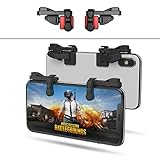
- SUPPORTED DEVICE - Compatible for iPhone and Android Phones(less than 11mm thickness mobile phone with 4.5-6.5 inch screen), the phone can be used with a screen protector and a phone case. SUPPORTED GAMES - Compatible with PUBG Mobile, Fortnitee Mobile, Knives Out, Call of Duty Mobile and the other shooting mobile games.
- GOOD GAME EXPERIENCE - Easy To Use, High Sensitive, Physical Button Feedback. Using our mobile game controller, you can move, angle adjust, aim and shoot at the same time with the thumbs and index fingers of the left and right hand.
- EXCELLENT DESIGN - Compared with similar products, our mobile gaming controller uses a unique clip design that provides long-lasting elasticity and protects the screen from scratches. High-quality ABS conductive plastics are durable, and the minimalist design reduces the use of the phone screen and avoids occlusion of the phone camera and the map in the game.
- 1mm Anti-misoperation Design - Avoid accidental pressing of the mobile phone's side buttons(such as volume buttons, power button and so on) in game, LOW SCREEN OCCUPANCY - Our mobile game controller has the lowest screen usage in the similar products, it can't affect the fluency of the game operation.
- HOW TO USE - Before playing game, customize your shoot and aim buttons(in button setting fo the game) under the touch pad of the our mobile gaming controller.
If necessary, uninstall Roblox, restart the device, reinstall it from the official store, and test before restoring other apps or overlays.
Quick wins for a faster PC:
Scan for outdated or missing drivers - takes under a minuteDriver Scan →Clear out junk files and repair common Windows errorsFree Scan →iPhone and iPad-specific fixes
iOS and iPadOS generally do not provide the same universal per-app Clear cache button found on Android. The reliable app reset is:
- Force-close Roblox.
- Restart the iPhone or iPad.
- Update Roblox and iOS or iPadOS.
- Delete Roblox.
- Reinstall it from the App Store.
- Sign in again and test the same experience.
Roblox also lists clearing Roblox cookies as a troubleshooting option, but browser cookies and the installed app are different. Clearing Safari data is not a guaranteed fix for in-app FPS problems. Use the official iOS troubleshooting steps when the issue involves login or app access.
Independent reader supportYour contribution helps us test, update, and keep practical guides available for everyone.Check whether the device is supported
Roblox’s mobile requirements page, accessed in August 2026, lists these baselines:
- iPhone and iPad: iOS or iPadOS 14 or later.
- Android: Android 8.0 or later with OpenGL ES 3.0 support.
- Amazon Fire: Roblox lists supported Fire tablet generations separately on its requirements page.
Roblox also identifies older Android hardware, including Tegra 2-era devices and processors older than ARMv7, as unable to run experiences properly or at all. Meeting the Android version requirement alone is not a performance guarantee because Android hardware, graphics drivers, memory, and thermal behavior vary substantially.
Crashes, No Sound, or Screen Glitches?
Random freezes, missing sound and display glitches usually trace back to one bad driver. Find and replace yours safely.Free scan · under a minuteWindows Errors? Fix Them Before They Spread
Repair common Windows errors and clear accumulated junk for a smoother, more stable PC - no reinstall needed.Free scan · no reinstallRoblox lists baseline examples such as iPhone 6s, iPhone SE, iPad Air 2, iPad mini 4, and iPad 5th generation. Treat these as compatibility baselines, not promises that every modern experience will run smoothly. A 120 Hz display also does not guarantee Roblox will render at 120 FPS; refresh rate and rendered FPS are separate.
Best Value

- ✅【Using Tips】These Mobile Game controllers are using the sensitive real mouse micro switch inside. So there are several phones which have the electromagnetic problems. This will cause the triggers touch the screen automatically. Please do not worry about this and you just need to turn off the screen for 10 seconds and turn on the screen again. This issue will solved right away.
- ✅【Perfect Compatibility】These Mobile Game controllers are compatible with iPhone, iPad and most Android Phones, without even remove your case.(The thickness of the compatible mobile phone should be not more than 13mm.) These 6-fingers-operation mobile game controllers are suitable for a variety of shooting games, including PUBG, Call of Duty, Fortnite, Knives Out, Rules of Survival, Survivor Royale, Critical Ops etc. As long as the game allows customizing and draging the keys.
- ✅【Small and Lightweight】The PUBG game triggers are portable and tiny for you to put them into your pocket, and have them for gaming when in office, school, trip, camping and play games anywhere and anytime. With the 6 trigger PUBG mobile controller, you can simultaneously move, turn, aim and shoot by using the index fingers to press the buttons, which can eliminate the trouble that use thumbs only to make all operations.
- ✅【Mechanical Touch】4 triggers PUBG mobile controller designed for longevity with greater durability and responsiveness, more than 2 million click. Fast mechanical keys with medium resistance, precise actuation, audible click sound, and tactile bump feedback. Easy To Use, High Sensitive, Physical Button Feedback. Using this PUBG mobile game controller, you can move, angle adjust, aim and shoot at the same time with the thumbs and index fingers of the left and right hand.
- ✅【Super Gaming Experience】This PUBG game triggers is made of ABS and alloy, durable and ergonomic. 6 trigger PUBG mobile controller electroplated alloy materials, mouse buttons, smooth touch, six-finger linkage, auxiliary pressure grab, one-second burst, dominate the game battlefield, and enjoy the ultimate gaming experience. Call of Duty mobile controller are sensitive to shoot and aim, no Power supply and driver needed, easy to use and high precision, increase your game score!
Measure FPS, ping, and memory
For a clearer diagnosis, use Roblox’s Performance Stats overlay if it is available in your app. Roblox documents Performance Stats and real-device testing in its Creator Hub hardware-testing guidance. The overlay can expose FPS, memory, and ping.
- Choose one repeatable experience and location.
- Record FPS, memory, and ping before changing anything.
- Change one setting at a time.
- Test for several minutes, including the area where the slowdown normally appears.
- Compare the same experience, graphics level, network, and device temperature.
Do not diagnose a defective device from one FPS number. Roblox experiences differ dramatically in visual complexity, scripts, physics, and server workload.
When the Roblox experience is the problem
Roblox is a platform containing user-created experiences, so performance can vary widely. If one experience stutters while several others are smooth, lowering graphics may help, but the experience itself may still be the bottleneck.
Free tools Windows power users keep installed
One-click scans. No signup required.
Compare several experiences using the same device, connection, graphics setting, and temperature. If only one server or one area causes trouble, rejoin or change servers. Reinstalling Roblox will not repair poorly optimized scripts or a server-side problem.
What not to install
Avoid third-party “FPS booster,” “lag fixer,” “graphics unlocker,” modified-client, exploit, and unofficial APK downloads. They are unnecessary for Roblox’s built-in graphics controls and may introduce malware, aggressive advertising, misleading FPS readings, account-security risks, or policy violations. A VPN is not a universal lag fix and can add latency; use one only for a separate, legitimate need.
When to consider buying something
Most players should buy nothing before completing the free steps above.
- Device upgrade: potentially justified when the device is below the requirements, repeatedly shows low-memory warnings, overheats in several demanding apps, or remains slow at minimum graphics across multiple experiences.
- Router or access point: potentially useful when other devices also have weak coverage, congestion, or packet loss. It will not fix low FPS or a poorly optimized experience.
- Cooling stand or fan: a situational heat-management accessory, not a cure for network lag or weak hardware.
- Bluetooth controller: an input and comfort upgrade for controller-friendly experiences, not an FPS or latency upgrade.
Final troubleshooting and support checklist
If the problem remains, record the following before contacting Roblox Support:
- Roblox username.
- Device model and operating system version.
- Roblox app version, if available.
- Experience name and whether other experiences work.
- Exact error code or message.
- Whether the issue occurs on Wi-Fi, cellular data, or both.
- Whether the device is hot when the slowdown begins.
- Whether restarting, lowering graphics, clearing Android cache/data, or reinstalling changed anything.
For Android, Roblox’s official recovery path includes force-stopping the app, rebooting, reinstalling, clearing Roblox data, and verifying date and time. For iPhone and iPad, it includes force-closing, rebooting, reinstalling, checking date and time, and clearing Roblox cookies when relevant. Support can use your device model, OS version, error message, and reproduction steps to distinguish an app issue from a device or network problem.
Quick Recap
Product prices and availability are accurate as of the date/time indicated and are subject to change. Any price and availability information displayed on Amazon at the time of purchase will apply.

