Free tools Windows power users keep installed
One-click scans. No signup required.
A Roblox script executor is generally unauthorized third-party software that attempts to run code in or alongside the Roblox client, usually to change gameplay or access features that the official client does not provide. It is not an official Roblox product, and using one can violate Roblox’s rules, expose your account and computer to attack, and result in account deletion.
If your goal is to create or test Roblox scripts, use Roblox Studio and its Luau Script Editor instead. Do not download an executor, enter your Roblox password into a “key system,” disable security software, or follow instructions claiming to make an exploit “undetected.”
As an Amazon Associate I earn from qualifying purchases.
What “Roblox script executor” means
“Roblox script executor” is a community term, not a supported Roblox feature or official software category. It usually describes a third-party program designed to inject, load, or execute code through a Roblox game client. The intended result is commonly to alter gameplay, automate actions, or access functions that the game creator and official client did not make available to the player.
The exact behavior varies between tools and versions, but that distinction matters: an executor is not the same thing as writing a script for a game you are developing. It is an attempt to modify or interfere with a live Roblox experience through an unauthorized client tool.
#1 Best Overall

- Exquisite LED arace game DIY MAME parts selection!
- 100% Zero Delay Encoder and USB work perfectly all Windows systems!
- 2 Player Arcade MAME DIY Style Perfect Accessory!
- Use the highest quality materials! Made of high temperature resistant plastic!
- Perfect LED Kit Arcade PC Games DIY Choice! Easy to install!
Is using a Roblox script executor allowed?
No. Roblox’s Cheating and Exploiting guidance says that exploiting or cheating violates Roblox’s Terms of Use and can lead to account deletion. Roblox also warns through its anti-cheat guidance that modified versions of the application, or software that changes how Roblox works, are against the rules and may result in action against the account.
The Roblox Terms of Use reserve the right to suspend or terminate accounts for violations of the Terms, including the Community Standards. In practical terms, that means there is no reliable “safe” or “undetected” executor category that makes this activity permitted.
Account action is not necessarily limited to the account used with the tool. Roblox can change its enforcement methods, and a tool that appears to work temporarily can still expose an account to later moderation or security review. Claims on download pages that a particular executor is “undetected,” “safe,” or “updated” are not official Roblox assurances.
Why executor downloads are especially dangerous
The risk is not only that an exploit may fail or trigger moderation. Roblox specifically warns that many exploit offers are scams. A download advertised as an executor may instead install malware, including a keylogger, or send the user to a phishing page designed to steal a Roblox password or other personal information.
Rank #2

- Customizable Controls for Sony Access Controller for PS5: High performance, durable buttons and triggers for the Sony Access controller to unlock the possibilities of play.
- Ultimate configurability and flexibility: Easily configurable to suit your gaming needs, including an assortment of button types and sizes to connect to your AccessTM Controller.
- 8 plug-and-play buttons and triggers: Arrange and attach as needed so you can game your way with a variety of pressure-sensitive trigger controls and precise actuation buttons.
- Hook-and-loop gaming board: Freely layout buttons and triggers to fit your unique needs or use ties for additional flexibility and stability.
- PS5 stick-on label system: Label your buttons and triggers with PS5 symbols for seamless gameplay.
Common risks include:
- Account deletion: exploiting or cheating can lead to the loss of the Roblox account.
- Password theft: fake key systems and login pages may capture Roblox credentials.
- Keyloggers: malicious software can record what is typed, potentially including passwords, payment details, and private messages.
- Phishing: an off-site page may imitate Roblox or ask for a password, cookie, verification code, or other sensitive information.
- Malware: an installer can contain spyware, credential stealers, ransomware, or other harmful code.
- Security-tool evasion: instructions to disable antivirus protection or add exclusions can leave the computer exposed.
- Privacy and account compromise: stolen credentials may be reused against email, social-media, or payment accounts.
It would be inaccurate to claim that every program marketed as an executor is definitely malware. The defensible warning is that many exploit downloads are scams and that the surrounding download ecosystem is high-risk. Roblox’s Terms also warn that third-party services may contain viruses, malware, or other harmful code and may not work as intended.
Do not trust “key systems” or executor verification pages
Many executor-related sites use a so-called key system: the user is sent through advertisements, surveys, browser notifications, downloads, or a page requesting a Roblox login. This does not make the software legitimate or approved. It can be a way to monetize traffic, collect personal information, deliver unwanted software, or steal credentials.
Never enter a Roblox password, two-step verification code, recovery code, browser cookie, or payment information into an executor site. Roblox advises users to report people who request passwords or personal information, share exploit links, or attempt to exploit.
Roblox script executor vs. legitimate Roblox scripting
| Question | Unauthorized executor | Roblox Studio scripting |
|---|---|---|
| Where does it run? | Through or alongside a live Roblox client using an unofficial tool. | Inside Roblox’s official development environment. |
| Who controls the experience? | Usually a player attempting to change someone else’s live experience. | The creator or development team working on an experience they are authorized to edit. |
| Is it supported by Roblox? | No; modified clients and cheating tools violate Roblox’s rules. | Yes; Studio is Roblox’s official creation and testing environment. |
| What is the purpose? | Often cheating, automation, or unauthorized access to game functionality. | Building and testing gameplay, systems, interfaces, NPCs, and other experience features. |
Roblox scripting uses Luau, Roblox’s language derived from Lua 5.1. In the official creator workflow, scripts can respond to player input and in-game events, save player data, create leaderboards, spawn enemies, and control NPC behavior. The purpose is to build an experience—not to alter another creator’s live game from a player client.
Rank #3
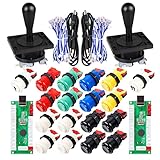
- Additional Color Options: Multiple color variations available for this arcade kit to match your cabinet design preferences
- Easy Installation: Designed for wood or metal control panels and mounts securely in standard 1-1/8 inch holes
- Durable Microswitches: High-quality microswitches included and tested to withstand 10,000,000 cycles for long-lasting performance
- Versatile Compatibility: Replace or build video arcade, emulator, and MAME cabinet controls with this comprehensive kit
- Zero Delay USB Interface: 100% Zero Delay USB Interface PCB with Auto-Fire Mode support for responsive 2-player arcade PC gaming
Safe alternative: use Roblox Studio
Roblox Studio is Roblox’s official, free development application for Windows and Mac. Its Script Editor includes tools such as syntax highlighting, autocomplete, navigation, search, and real-time code-quality feedback.
A legitimate starting path is:
- Install Roblox Studio from Roblox’s official creator site rather than a third-party download page.
- Open a place that you own or are authorized to edit.
- Use the Script Editor to write Luau code.
- Test changes in Studio’s supported play-testing modes.
- Read the official Luau documentation and Roblox scripting documentation when you need an API or language reference.
- Publish only when you understand the scripts, assets, permissions, and third-party code included in the experience.
Studio also supports documented command-line workflows for opening places, running scripts in Studio, writing output to a file, and exiting after execution. These are legitimate development and testing workflows within Studio. They are not an executor, and they do not provide a way to run unauthorized code in another creator’s live Roblox client.
Third-party assets can create a separate creator-side risk
Even creators working legitimately in Studio should inspect free models, plugins, and other third-party assets. Roblox’s security documentation warns that assets can contain malicious scripts called backdoors. A backdoor may provide unauthorized server-side access to an experience, manipulate game state, steal sensitive data, or disrupt players.
The Tool Desk
Outbyte PC Repair FREERepair Windows errors before they cause bigger problemsFix Now →Outbyte Driver Updater FREEFix the driver behind crashes, sound loss and screen glitchesFind Drivers →This is different from a client-side script executor, but the safety lesson is similar: do not paste or install code you do not understand. Review scripts and permissions, use trusted sources, test unfamiliar assets in an isolated copy of a place, and remove anything suspicious before publishing.
Rank #4

- New Style DIY Arcade Kit, LED arace game DIY MAME parts DIY Accessories.
- 100% Zero Delay Encoder and USB work perfectly all Windows systems.
- 2 Player Arcade MAME DIY Accessories, DIY Your Own Arcade Game Console.
- Use the highest quality materials! Made of high temperature resistant plastic.
- Perfect LED Kit Arcade PC Games DIY Choice! Easy to install!
If you already downloaded an executor
If you downloaded or ran a suspicious file, treat the computer and account as potentially exposed. Do not open the file again merely to test it, and do not disable antivirus protection to make it run.
- Disconnect or limit the computer’s internet access if you suspect active malware, especially before investigating unfamiliar processes.
- Run a security scan using reputable, up-to-date security software. Follow the software’s remediation instructions and allow it to quarantine or remove detected threats.
- Remove the suspicious program and any unfamiliar browser extensions, startup items, or recently installed applications. If the device shows serious signs of compromise, seek help from a qualified technician or the device manufacturer’s recovery guidance.
- Change your Roblox password from a clean device. If you reused that password elsewhere, change it on those services too.
- Secure the email account attached to Roblox and enable available two-step verification. An attacker who controls the email account may be able to reset the Roblox account.
- Review account activity and payment information. Report unauthorized changes or purchases through Roblox’s official support channels and contact the payment provider when appropriate.
- Report the exploit link, account request, or suspicious user to Roblox. Do not repost the link while reporting it.
Do not assume that deleting the visible executor restores security. Credential-stealing malware can leave behind browser extensions, scheduled tasks, startup entries, or stolen passwords. A scan and credential reset are more appropriate than simply uninstalling the advertised program.
Quick safety checklist
- Use Roblox’s official application and Roblox Studio.
- Do not download executors, injectors, “scripts,” or “undetected” tools from unofficial sites.
- Never enter a Roblox password, cookie, two-step code, or recovery code into a key system.
- Do not disable antivirus, firewall, or operating-system protections to run a download.
- Be suspicious of shortened links, forced surveys, browser-notification prompts, and password requests.
- Scan a computer after running a suspicious file and change exposed passwords from a clean device.
- Report exploit attempts, off-site links, and requests for personal information to Roblox.
- For development, learn Luau and test only in Roblox Studio and places you are authorized to edit.
What about executor reviews or “working” lists?
A list of currently working executors would be both unreliable and unsafe. Tool compatibility can change with Roblox updates, and a page claiming that a tool is safe or undetected is generally not an independent security guarantee. More importantly, publishing download links or bypass instructions would help readers violate Roblox’s rules and could direct them toward malware or phishing.
Do these 3 things before closing this tab:
1Repair Windows errors before they cause bigger problems2Scan for outdated or missing drivers - takes under a minute3Clear out junk files and repair common Windows errorsThe useful question is not which executor works today. It is whether the reader wants to create a Roblox experience, test code they own, or recover from a suspicious download. Roblox Studio addresses the first two legitimate needs; account-security and malware-remediation steps address the third.
Best Value
- Beautiful LED Arace Game DIY Parts for MAME JAMMA Project!
- 100% Zero Delay USB Encoders and Perfect work for all windows systems!
- Perfect Parts for 2 Player Arcade MAME DIY Project!
- Made with highest quality materials!Heat resistant plastic!
- Perfect LED Kit for Arcade PC Game DIY Project! Easy Install!
Frequently Asked Questions
Can a Roblox script executor get my account banned?
Yes. Roblox says exploiting and cheating violate its Terms of Use and can lead to account deletion. Modified clients and software that changes how Roblox works may also result in action against the account.
Are all Roblox executors malware?
It is too broad to say every executor is malware. However, Roblox warns that many exploit offers are scams that may install malware such as keyloggers or direct users to phishing pages. The download ecosystem is therefore high-risk even when a particular file’s contents are unknown.
Can I use Roblox Studio as an executor?
No. Roblox Studio is an official development and testing environment for experiences you own or are authorized to edit. It is not a method for running unauthorized scripts in another creator’s live game or Roblox client.
Recommended Free Tools
What should I do if I entered my Roblox password on an executor website?
Change the password immediately from a clean device, change it anywhere else you reused it, secure the associated email account, enable available two-step verification, review account activity, and report the suspicious site or account request to Roblox.
What language should I learn for legitimate Roblox scripting?
Learn Luau, Roblox’s scripting language derived from Lua 5.1. Roblox Studio’s Script Editor and the official Creator Hub documentation provide the appropriate tools and references.
The Bottom Line
Bottom line: A Roblox script executor is an unauthorized client-modification tool, not a legitimate Roblox feature. It can lead to account deletion and expose you to phishing, keyloggers, malware, and stolen credentials. Use Roblox Studio and Luau for development, and follow account-recovery and malware-remediation steps if you have already interacted with a suspicious download.
Quick Recap
Product prices and availability are accurate as of the date/time indicated and are subject to change. Any price and availability information displayed on Amazon at the time of purchase will apply.
Quick wins for a faster PC:
Repair Windows errors before they cause bigger problemsFix Now →Fix the driver behind crashes, sound loss and screen glitchesFind Drivers →Clear out junk files and repair common Windows errorsFree Scan →



