Do these 3 things before closing this tab:
1Clear out junk files and repair common Windows errors2Fix the driver behind crashes, sound loss and screen glitches3Repair Windows errors before they cause bigger problemsIf Silent Hunter 4: Wolves of the Pacific will not launch, goes black after the intro, or crashes during play, start by identifying exactly when it fails and test one reversible change at a time. The available player reports do not establish eight validated fixes or a universal solution—especially for Windows 10 or 11—so treat the community workarounds below as experiments, not guarantees.
First, pinpoint where Silent Hunter 4 fails
Before changing settings, record the Windows version, where you installed the game, and the last thing you see. Note whether SH4.exe appears in Task Manager, then classify the failure:
| # | Preview | Product | Price | |
|---|---|---|---|---|
| 1 |

|
Silent Hunter 4 : Wolves of the Pacific (PC-DVD) | $41.99 | Buy on Amazon |
| 2 |

|
Silent Hunter: Wolves Of The Pacific - Gold Edition | PC Code - Ubisoft Connect | $19.99 | Buy on Amazon |
| 3 |

|
Silent Hunter 4 Gold PC | $8.96 | Buy on Amazon |
| 4 |
|
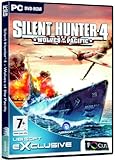
silent hunter 4 (PC) (UK) | $15.30 | Buy on Amazon |
| 5 |
![Silent Hunter 4 Wolves of the Pacific: Uboat add on [Download]](https://m.media-amazon.com/images/I/6171-MmcdmL._SL160_.jpg)
|
Silent Hunter 4 Wolves of the Pacific: Uboat add on [Download] | $9.99 | Buy on Amazon |
- Won’t launch: nothing appears, or the process closes before a window opens.
- Black screen after intro: the video plays, then the game display goes black.
- Fails at the menu or mission load: the game opens but stops at a later transition.
- Crashes during play: it runs for a while before closing or freezing.
Change one setting, retest the same point, and undo that change if it does not help. This makes it easier to identify what changed and avoid piling up unrelated modifications.
Black screen after the intro: try disabling fullscreen optimizations
For the specific black-screen-after-intro symptom, Steam Community players reported that disabling fullscreen optimizations for SH4.exe helped; one commenter said the change also worked on Windows 10. These are individual reports, not a guaranteed fix. To test it:
Quick wins for a faster PC:
Clear out junk files and repair common Windows errorsFree Scan →Scan for outdated or missing drivers - takes under a minuteDriver Scan →Repair Windows errors before they cause bigger problemsFix Now →#1 Best Overall
- Find SH4.exe in the game’s installation folder.
- Right-click it and select Properties, then open the Compatibility tab.
- Select Disable fullscreen optimizations, choose Apply, and close the dialog.
- Launch the game and check whether it gets past the intro. If it does not, clear the checkbox and apply the change to restore the previous setting.
Steam Community player reports about the intro black screen
Silent Hunter 4 won’t launch or crashes on Windows 10 or 11
Steam lists the game’s original operating-system support as Windows XP/Vista. Steam’s separate notice that its client supports Windows 10 and later from January 1, 2024 concerns the client, not SH4 compatibility. It does not certify that the game will run on those Windows versions.
Rank #2
- Epic naval engagements can be witnessed by players either firsthand or via radio messages and orders from high command.
- Earn upgrades and experience to guide the evolution path of crewmembers, making your men the most effective naval force in the Pacific theater.
- Selectable difficulty levels allow players to choose how challenging of a simulation to play.
- An upgraded and streamlined interface makes moving around the submarine and controlling it much easier than ever before.
- Join forces with up to 8 friends via LAN or 4 via internet in either cooperative or adversarial gameplay modes. Scripted and generated mission types allow for epic online battles and unlimited replayability.
Windows 11 community discussions include reports of games that fail to start or crash during play. Players describe trying compatibility settings, with inconsistent or temporary results. There is no substantiated universal Windows 11 fix in these reports.
Test compatibility settings one at a time
- Right-click SH4.exe, select Properties, and open Compatibility.
- Record the current settings before changing anything.
- If you test a compatibility option, change only that option and try launching the game again.
- If the result is unchanged or worse, restore the recorded setting before trying something else.
Do not assume Windows XP compatibility mode is a confirmed fix: the community reports include unsuccessful and temporary outcomes. Avoid stacking several compatibility changes at once, since that makes the result harder to interpret.
The Tool Desk
Outbyte PC Repair FREERepair Windows errors before they cause bigger problemsFix Now →Outbyte Driver Updater FREEScan for outdated or missing drivers - takes under a minuteDriver Scan →Rank #3
Steam Community reports on running SH4 on Windows 11
Check that the game is installed before troubleshooting further
The game manual states, “Silent Hunter: Wolves of the Pacific must be installed before you can run the game.” If the installation did not complete, or the files are not where you expect, confirm that the game is installed before testing launch settings. This is a basic prerequisite from the original manual—not evidence that reinstalling fixes modern Windows compatibility problems.
Rank #4
Silent Hunter: Wolves of the Pacific manual
Independent reader supportYour contribution helps us test, update, and keep practical guides available for everyone.Older Windows 7/8 note: a high-DPI setting is a targeted lead
An older Steam Community post focused on Windows 7 and 8 discusses a high-DPI scaling workaround. Its context does not support recommending the setting as a default fix for current Windows versions. If you are troubleshooting on Windows 7 or 8, you can consult the report and consider it as a separate experiment; note the original setting first and reverse it if it does not help.
Older Steam Community discussion about high-DPI scaling
Best Value
- • German Campaign in the Indian Ocean: The new campaign spans from July 1943 until the end of the war for Germany in May 1945. Operate from such far-off Japanese naval bases as Penang, Singapore, Jakarta and Surabaya.
- • Strategic Warfare: Rise in rank and experience, gaining access to new strategic resources, such as recon aircrafts that track down enemy shipping, and battle groups that can help wipe out superior enemy forces.
- • New Playable Submarines: Take to the seas in new German submarines, including the long-range Type IX-D2 U-boat and the revolutionary Walther propulsion type XVIII U-boat. Learn the strengths and weaknesses of these boats and how you can overcome
- • Heroes: Based on actual historical figures, these new crew members add a number of special abilities that can change the fate of battles and save the ship when the time is right, as well as adding historical color to the game.
- • Better Accessibility: New and improved features such as intelligence information, navigation maps and upgrade systems ensure that U-Boat Missions will give players the expansion they’ve been waiting for.
Changes to avoid treating as established fixes
The available sources do not establish reliable official instructions for executable patches, mods, DLL replacement, registry edits, or third-party “fix” utilities. Do not treat those as validated solutions on the strength of these reports. No published, attributable SH4 crash rate or workaround success rate is established either, so individual posts cannot tell you how likely a step is to work.
Steam identifies Silent Hunter: Wolves of the Pacific as a Ubisoft-published single-player simulation released March 24, 2008, with Windows XP/Vista and legacy hardware requirements on its listing. That historical listing does not provide a current Windows 10/11 troubleshooting sequence.
Steam listing for Silent Hunter: Wolves of the Pacific · Steam client support notice for Windows
Quick Recap
Product prices and availability are accurate as of the date/time indicated and are subject to change. Any price and availability information displayed on Amazon at the time of purchase will apply.




