The Tool Desk
Outbyte Driver Updater FREEScan for outdated or missing drivers - takes under a minuteDriver Scan →Outbyte PC Repair FREERepair Windows errors before they cause bigger problemsFix Now →Special offer. See more information about Outbyte and uninstall instructions. Please review EULA and Privacy policy.The program can’t start because smpsrd1.dll is missing from your computer.
smpsrd1.dll is a Samsung printer-rendering component, so this error usually points to a damaged, incomplete, or leftover Samsung printer driver. The safest repair is to remove the affected printer and reinstall its complete driver package, not to download the DLL by itself.
As an Amazon Associate I earn from qualifying purchases.
Which fix applies to you
Use this list to choose the right starting point:
- The error appears while printing, adding a printer, or opening printer software: remove and reinstall the Samsung printer.
- The problem began after Windows Update or a driver update: update or roll back the printer driver.
- The file was quarantined by antivirus: check Protection history and verify the original driver package.
- The message appears at Windows startup but no printer is installed: remove leftover Samsung printer software, startup entries, or driver packages.
- Several unrelated Windows files are also damaged: run DISM and SFC after checking for pending updates.
- You downloaded
smpsrd1.dllfrom an unofficial site: delete the replacement and reinstall the complete driver from the printer manufacturer’s official support route.
Common versions of the message include:
The program can't start because smpsrd1.dll is missing from your computer.
There was a problem starting smpsrd1.dll. The specified module could not be found.
Error loading smpsrd1.dll. The specified module could not be found.
The code execution cannot proceed because smpsrd1.dll was not found.
smpsrd1.dll is either not designed to run on Windows or it contains an error.
What smpsrd1.dll does
The file is identified as Samsung Rendering Plug-In DLL for Inbox Driver. It belongs to the printer-driver system used by Samsung printers and multifunction devices, particularly older packages designed for Windows’ built-in printer-driver framework.
Do these 3 things before closing this tab:
1Fix the driver behind crashes, sound loss and screen glitches2Clear out junk files and repair common Windows errors3Scan for outdated or missing drivers - takes under a minuteIt is not a general Windows application component. Reinstalling Visual C++, DirectX, or .NET is therefore not the logical first step.
#1 Best Overall
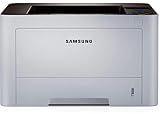
- AN OFFICE PRINTER WITH VERSATILE FEATURES - This single-function laser printer features superior print quality, high speed printing, mobile connectivity, two-sided printing, document security, print management tools and built-in Ethernet.
- SPEED & QUALITY FOR IMPROVED PRODUCTIVITY - Print up to 42 pages per minute; maximum paper input up to 820 pages; monthly volume up to 3,500 pages.
- EASY MOBILE PRINTING - Easily print from your iPhone with AirPrint, or send print jobs from your devices using Google Cloud Print.
- PRINT MANAGEMENT - Samsung solutions enable multi-device management and monitoring. Secure printing capability protects sensitive information and reduces waste prints.
- IDEAL FOR SMALL BUSINESSES: Print sharp text and clean images for your work group of up to 15 users.
Samsung’s printer business was transferred to HP, so support for older Samsung-branded printers may now be provided through HP or Windows Update. The exact printer models and driver packages containing this file are not reliably documented in a current public package manifest. Identify the printer model first rather than matching files by name.
The file may be stored inside a printer-driver package or Windows Driver Store location. Its exact normal directory is not reliably established, and you should never copy it manually into System32 or SysWOW64.
Fix 1: Remove and reinstall the Samsung printer
This is the most likely fix when the error appears during printing or printer setup.
Recommended Free Tools
Remove the printer
- Press Windows + I to open Settings.
- Select Bluetooth & devices.
- Select Printers & scanners.
- Choose the Samsung printer associated with the error.
- Select Remove.
- Confirm the removal.
- Restart Windows.
If the printer cannot be removed, open its model-specific uninstall program from Settings → Apps → Installed apps. Search for Samsung printer software, Samsung Universal Print Driver, or a similarly named package. Uninstall only the package belonging to the affected printer.
Add it again
- Open Settings → Bluetooth & devices → Printers & scanners.
- Select Add device.
- Wait while Windows searches for the printer.
- Select the printer when it appears.
- Allow Windows Update to obtain the driver.
- Print a test page.
If Windows cannot find the printer, obtain the driver for the exact model through HP’s official Samsung printer support channel or Samsung’s official software-download service. Choose the package intended for your Windows version and system architecture.
A complete package is important. It includes the driver installation information, catalog files, rendering components, and printer descriptions. Copying only smpsrd1.dll can leave the printer configuration broken.
You can consider Outbyte Driver Updater if manually checking every old printer and hardware driver is taking too long; its free scan shows which drivers need attention, while the full version performs the driver installation. It is optional, and the exact Samsung or HP package remains the correct source for this printer.
Confirm that the repair worked
The repair succeeded if:
- the printer appears without a warning icon;
- the printer utility opens normally;
- no
smpsrd1.dllmessage appears during startup or printing; and - a Windows test page prints successfully.
If the error returns immediately, continue with the driver cleanup and architecture checks below.
Fix 2: Update or roll back the printer driver
A failed update can leave Windows pointing to a file from an older package.
Rank #2

- The OfficeJet Pro 8125e is perfect for home offices printing professional-quality color documents like business documents, reports, presentations and flyers. Print speeds up to 10 ppm color, 20 ppm black
- PERFECTLY FORMATTED PRINTS WITH HP AI – Print web pages and emails with precision—no wasted pages or awkward layouts; HP AI easily removes unwanted content, so your prints are just the way you want
- UPGRADED FEATURES – Fast color printing, scan, copy, auto 2-sided printing, auto document feeder, and a 225-sheet input tra
- WIRELESS PRINTING – Stay connected with our most reliable dual-band Wi-Fi, which automatically detects and resolves connection issues
- 3 MONTHS OF INSTANT INK WITH HP+ ACTIVATION – Subscribe to Instant Ink delivery service to get ink delivered directly to your door before you run out. After 3 months, monthly fee applies unless cancelled.
Update through Device Manager
- Right-click Start.
- Select Device Manager.
- Expand Printers, Print queues, or Universal Serial Bus controllers, depending on how the printer is connected.
- Right-click the Samsung printer or related device.
- Select Update driver.
- Choose Search automatically for drivers.
- Restart Windows if a driver is installed.
For the most reliable result, use the exact model driver from the official manufacturer support route rather than mixing files from another Samsung printer.
Roll back a recent driver
If the error began immediately after an update:
- Open Device Manager.
- Right-click the affected printer.
- Select Properties.
- Open the Driver tab.
- Select Roll Back Driver if the button is available.
- Restart Windows.
- Test the printer.
If rollback is unavailable, remove the printer and reinstall the previous complete driver package intended for that model.
Quick wins for a faster PC:
Repair Windows errors before they cause bigger problemsFix Now →Scan for outdated or missing drivers - takes under a minuteDriver Scan →Check 32-bit and 64-bit compatibility
A 32-bit DLL cannot be substituted for a 64-bit driver component, and files from different printer packages are not interchangeable. Older Samsung drivers may also have been designed for Windows Vista or Windows 7 and may not work correctly on a modern Windows installation.
To check your system:
- Open Settings.
- Select System → About.
- Look at System type.
- Download a driver that supports that architecture and your Windows version.
Do not use a similarly named DLL from another Samsung printer.
Fix 3: Check antivirus quarantine
Security software may have removed the file from an otherwise legitimate driver package.
- Open Windows Security.
- Select Virus & threat protection.
- Select Protection history.
- Look for a detection involving
smpsrd1.dllor the Samsung printer driver. - Check the file path, publisher, and detection details.
Restore or allow the file only when it came from the legitimate signed printer-driver package and you have confirmed the detection is a false positive. If the DLL came from a random download site, do not restore it. Remove it, run a full security scan, and reinstall the printer driver from an official source.
Fix 4: Remove leftover printer software
A startup error with no installed Samsung printer often means an old utility or printer configuration still references the file.
Check installed apps
- Open Settings → Apps → Installed apps.
- Search for Samsung, printer, or the printer model.
- Uninstall obsolete Samsung printer utilities and driver packages.
- Restart Windows.
Check startup entries
- Press Ctrl + Shift + Esc.
- Select Startup apps.
- Look for Samsung printer utilities or unknown entries associated with the old printer.
- Select an unwanted entry.
- Choose Disable.
Do not disable unrelated Windows components solely because their names are unfamiliar. If the error continues, inspect Task Scheduler for a Samsung printer task and remove it only after confirming that no active printer depends on it.
Rank #3

- BEST FOR SMALL BUSINESSES – Engineered for extraordinary productivity, the Brother DCP-L2640DW Monochrome (Black & White) 3-in-1 combines laser printer, scanner, copier in one compact footprint and delivers high-quality black & white prints
- FAST PRINTER WITH EFFICIENT SCANNING – Produces documents quickly with print speeds up to 36 ppm(2) and scan speeds up to 23.6/7.9 ipm(3) (black/color). A 50-page auto document feeder(4) allows for convenient, time saving multi-page scanning and copying
- FLEXIBLE CONNECTION OPTIONS – Easily navigate the changing demands of your business with secure multi-device connectivity via built-in dual-band wireless (2.4GHz / 5GHz) and Ethernet. Or connect locally to a single computer via USB interface
- BROTHER MOBILE CONNECT APP – Print, scan, and manage your wireless printer anytime, from almost anywhere from your mobile device. Order Brother Genuine Supplies, track toner usage, and complete more work on-the-go(5)
- CHOOSE BROTHER GENUINE TONER – When it’s time to replace your toner, be sure to choose Brother Genuine TN830 or TN830XL replacement toner. And with Refresh EZ Print Subscription Service, you’ll never worry about running out of toner again and you’ll enjoy savings of up to 50%(6) on Brother Genuine Toner. Get started with Refresh today with a Free Trial(1)
Advanced administrators can inspect installed driver packages by opening Command Prompt as administrator and running:
pnputil /enum-drivers /files
Identify the correct OEM printer package before removing anything. Deleting the wrong package can break another printer or multifunction device.
Fix 5: Repair Windows components with DISM and SFC
Use this repair when several unrelated Windows files are missing, Windows features are failing, or system corruption began around the same time. These commands may repair Windows itself, but they will not necessarily restore an obsolete third-party printer package.
First install pending Windows updates and restart. Then:
- Right-click Start.
- Select Terminal (Admin) or Command Prompt (Admin).
- Run:
DISM /Online /Cleanup-Image /RestoreHealth
- Wait for it to finish.
- Run:
sfc /scannow
- Restart Windows.
- Reinstall the Samsung printer driver if
smpsrd1.dllis still missing.
Microsoft recommends running DISM before SFC. DISM repairs the Windows component store, while SFC checks protected Windows files. Neither command is a substitute for reinstalling a damaged Samsung printer package.
If manually interpreting repeated DISM and SFC results is becoming impractical, Outbyte PC Repair can provide a free scan showing reported system problems; the repair is performed by the full version, and using it is optional rather than required for this printer-specific issue.
Windows Errors? Fix Them Before They Spread
Repair common Windows errors and clear accumulated junk for a smoother, more stable PC - no reinstall needed.Free scan · no reinstallOutdated Drivers Are Slowing You Down
One free scan finds every outdated or missing driver and matches the right update for your exact hardware.Free scan · exact hardware matchWhat success looks like
SFC may report that it found and repaired corrupted files. After restarting, check whether Windows starts normally and whether the printer driver installs without the DLL error. If SFC reports that it could not fix some files, reinstall the printer package first and investigate broader Windows corruption separately.
Independent reader supportYour contribution helps us test, update, and keep practical guides available for everyone.Do not use regsvr32 for this file
Do not begin with:
regsvr32 smpsrd1.dll
regsvr32 is intended for DLLs that provide registration entry points such as DllRegisterServer. A printer-rendering DLL is not automatically a self-registering component. The command may produce an entry-point error and will not rebuild the printer’s INF, catalog, rendering, and configuration files.
Use the printer installer instead.
Avoid standalone DLL downloads
Downloading smpsrd1.dll from a random DLL website is risky because the file may be:
Rank #4

- GREAT VALUE FOR YOUR HOME OFFICE - This Samsung all-in-one laser printer features superior print quality, NFC + WiFi connectivity, monochrome laser printing, copy, scan, fax, fast print speed, USB port, auto document feeder, and built-in Ethernet.
- GET PRINT ON TAP - NFC enables your mobile device to connect and communicate with your printer. Simply tap your NFC-enabled phone or tablet to this monochrome laser printer and start the print, scan, copy or fax jobs (Android device only).
- EASY MOBILE PRINTING - Download the free Samsung Mobile Print app, use AirPrint or Google Cloud Print and print directly with your mobile device from this wireless laser printer.
- FAST SPEED PRINTING - Print up to 21 pages per minute. Recommended monthly volume of 100-1,500 pages.
- PROFESSIONAL IMAGE QUALITY – Get sharp, crisp images and text produced by Samsung's innovative imaging technology.
- modified to contain malware;
- the wrong version;
- built for the wrong architecture;
- taken from a different Samsung printer package; or
- missing the other files required by the driver.
It also leaves Windows referencing a driver installation that may still be incomplete. The safe sources are Windows Update and the official support channel for the exact Samsung printer model, now commonly handled through HP.
If the error still appears
If reinstalling the printer does not help:
- Confirm the exact printer model and connection type.
- Remove duplicate copies of the printer from Printers & scanners.
- Restart Windows.
- Check antivirus Protection history.
- Install the correct architecture-specific driver.
- Check Device Manager for a warning icon.
- Use PnPUtil only after identifying the correct driver package.
- Run DISM followed by SFC if other Windows components are also failing.
- Consider System Restore if the printer worked recently and a restore point predates the failure.
System Restore can revert drivers, applications, settings, and updates, but it is not a guaranteed DLL repair. After restoring, reinstall the correct printer driver if Windows still cannot print.
FAQ
Is smpsrd1.dll a Windows system file?
It is associated with Samsung printer drivers and Windows’ inbox printer-driver system. It should not be treated like a general Windows runtime DLL.
Which Samsung printer models use it?
The exact models cannot be confirmed reliably from a current official package manifest. Identify the printer already installed on the computer and use its exact driver package.
Should I put the file in System32?
No. Do not copy it into System32, SysWOW64, or a guessed printer-driver directory.
Do I need Visual C++, DirectX, or .NET?
There is no reliable evidence that those runtimes are the cause of this file’s errors. Reinstall the Samsung printer driver first.
Can I use a 32-bit copy on 64-bit Windows?
No. Use the driver and components intended for your Windows architecture. Files from different packages are not interchangeable.
What if no Samsung printer is installed?
Look for an old Samsung printer utility, startup entry, scheduled task, or leftover driver package. Remove the obsolete component, then restart Windows.
When should I run System Restore?
Use it when the printer worked recently and a restore point predates the failure. Treat it as a broader rollback, not as a guaranteed replacement for smpsrd1.dll.
What’s actually slowing this PC down?
Pick the symptom - the matching free tool is one click away.
Quick Recap
Product prices and availability are accurate as of the date/time indicated and are subject to change. Any price and availability information displayed on Amazon at the time of purchase will apply.




