The Tool Desk
Outbyte PC Repair FREEClear out junk files and repair common Windows errorsFree Scan →Outbyte Driver Updater FREEScan for outdated or missing drivers - takes under a minuteDriver Scan →The Nintendo Switch 2 works out of the box, so none of these upgrades is technically mandatory. But five purchases address the main problems new owners are likely to encounter: screen protection, storage, transport, handheld comfort, and docked-play control—or battery life when you travel.
Buy a Switch 2 screen protector first. Add a case before taking the console outside, a microSD Express card when your digital library needs it, and then choose between a grip, Pro Controller, or travel-power solution based on how you play.
As an Amazon Associate I earn from qualifying purchases.
The short version
| Upgrade | Who needs it? | Priority |
|---|---|---|
| Screen protector | Almost everyone | Buy immediately |
| microSD Express card | Digital buyers and large libraries | Buy when storage requires it |
| Carrying case | Anyone transporting the console | Buy before travel |
| Grip or ergonomic case | Frequent handheld players | Buy if Joy-Con 2 comfort is a problem |
| Pro Controller or power solution | Mostly-docked players or frequent travelers | Choose according to your habits |
For most owners, the sensible first purchase is a screen protector. Digital-heavy players should consider storage next, while commuters may get more value from a case, grip, and charger. A mostly-docked player may prefer a Pro Controller instead.
1. Screen protector: the safest day-one upgrade
Switch 2 is a portable touchscreen that is repeatedly inserted into and removed from a dock. A screen protector is inexpensive insurance against scratches and is cheaper to replace than a damaged display. A padded case helps, but it does not protect the screen during docking or from grit carried inside a bag.
#1 Best Overall

- Travel case
- Protection Library holds 12 game cards and offers full screen and analog stick protection
- microSD Card Case 2pcs, each holds 2 microSD Cards
- Comfortable carrying handle and soft cleaning cloth
Buy one designed specifically for Switch 2. Do not assume a protector made for the original Switch or Switch OLED has the correct dimensions, cutouts, or sensor clearance. Tempered glass is the straightforward choice for most people; film can be preferable if you want minimal thickness or easier case clearance.
Install it before your first trip and before repeatedly docking the console. Work in a clean, low-dust room, wash and dry your hands, use the supplied dust-removal sticker, and align the protector carefully before lowering it. If dust is trapped underneath, lift the affected edge with the supplied tab rather than pressing the particle deeper into the adhesive.
Nintendo also sells a Switch 2 carrying case bundled with a screen protector, which can be a convenient one-purchase solution.
2. microSD Express: essential only when you need more space
Do not automatically buy a memory card on day one. Switch 2 can be used without one, and physical-game owners with modest digital libraries may have plenty of internal storage for now.
Rank #2

- NINTENDO CASE - SWITCH 2 COMPATIBLE: Our premium Nintendo Switch case is custom fit for your Switch 2, shielding your console with anti scratch velvet lining and shock absorbing materials—perfect for daily storage, commutes, or long travel days
- TRAVEL READY DESIGN: This compact portable Nintendo Switch 2 carrying case fits easily in a backpack or carry-on or can simply be carried by itself with a wristlet handle for secure handling without risk of drops—great for on-the-go everyday players
- CONVENIENT GAME & AIRTAG STORAGE: Whether at school, traveling or on the go, you can organize up to 12 game cards in a dedicated slot system and track your Case for Nintendo Switch 2 accessories using a hidden AirTag compartment, so it's never lost
- DURABLE & STYLISH: Crafted with an abrasion- and water-resistant polyester exterior and brushed velvet interior lining, plus hidden, no-snag zippers, this Nintendo Switch 2 travel case protector resists wear and tear for lasting device protection
- SUSTAINABLY MADE + 2-YEAR COVERAGE: This durable Belkin Switch 2 Case comes in 100% plastic-free packaging. Plus, you can purchase the Nintendo Switch carrying case with peace of mind knowing that it comes with 2-year coverage
You should plan for one sooner if you download large games, buy digital editions, install frequent updates or DLC, record lots of video, or want to avoid deleting and redownloading software. Switch 2 accepts microSD Express cards for storing games, downloadable content, updates, screenshots, and videos. A conventional microSD or microSDXC card from an original Switch is not sufficient for Switch 2 game storage. Nintendo supports capacities up to 2TB; check the card’s markings carefully rather than relying on a familiar brand name.
Game saves are the important exception: they remain in system memory and cannot be copied to a microSD Express card. The card expands software storage; it is not a save-data backup.
How to install a microSD Express card
- Open the adjustable rear stand and locate the card slot.
- Insert the microSD Express card until it clicks into place.
- Connect the console to the internet and install any required system update.
- Check the card under System Settings → Data Management.
- With a card inserted, downloaded software uses it as the default storage location.
Nintendo recommends using one card with the console. If you upgrade later, copy the data to a larger card rather than expecting multiple cards to behave as one combined library. An original Switch card can be used to import screenshots and videos through the system’s data-management tools, but it cannot simply become Switch 2 game storage. See Nintendo’s microSD setup instructions and capacity guidance.
PC Slower Than It Used to Be?
A free scan shows the junk files, broken settings and background clutter dragging Windows down - then fixes them in one click.Free scan · Windows 10 & 11Crashes, No Sound, or Screen Glitches?
Random freezes, missing sound and display glitches usually trace back to one bad driver. Find and replace yours safely.Free scan · under a minute3. A carrying case: buy one before you travel
If the console will leave your home, a case is more useful than a decorative accessory. Choose among three basic types:
Rank #3

- Hard shell case protects & is compatible with Nintendo Switch 2, Nintendo Switch OLED, Nintendo Switch system
- Protection Library holds 12 game cards and offers full screen and analog stick protection
- MicroSD Card Case 2pcs, each holds 2 microSD Cards
- Comfortable carrying handle
- Slim sleeve: best for scratch protection with minimal bulk.
- Hard travel case: better for backpacks, luggage, game cards, cables, and the dock.
- Attached shell or ergonomic case: protects or reshapes the console during play, but may need to be removed before docking or travel.
Confirm that the case is specifically made for Switch 2, not merely advertised as Switch-compatible. Check clearance for a screen protector, Joy-Con 2 straps, the charger, game cards, and—if relevant—the dock. Avoid cases that press against analog sticks or buttons, or that place the screen directly against loose accessories. A padded divider is a worthwhile detail.
Nintendo’s official case is listed as carrying the console, dock, Joy-Con 2 controllers, cables, and up to six game cards. The officially licensed PowerA Protection Case is listed with space for nine game cards, two microSD Express cards, an accessory pocket, and a padded screen protector. Capacity and fit claims apply to the listed products; always check the current product page before buying.
4. A grip or ergonomic case: for handheld comfort
Joy-Con 2 is perfectly usable in handheld mode, but the flat shape will not suit every hand. A grip can add larger handles, palm support, and easier access to the triggers without requiring a full-size controller.
Prioritize a grip if you mostly play handheld, use the console for long sessions, or find the standard controls uncomfortable. Check whether it blocks the kickstand, vents, buttons, or card slot, and whether it fits inside your travel case. If you want to dock without removing it, confirm dock compatibility for the exact model—not just the grip’s general Switch 2 branding.
Rank #4

- Hard and High Quality: Designed to make your new Switch 2 Console even more portable & travel friendly. High quality hard shell case protects Switch from drops and scratches. Not for the switch 1st 2017 and switch oled model.
- Perfect carry case for keeping your Switch 2 securely stored when travelling or when not in use.
- Hard EVA shell keeps your device protected while the soft inner material keeps your device free from scratches.
- Large Storage: A mesh pocket provides secure storage room for some small accessories like charging cable, ear buds, and 2 extra JoyCons.
- Compatibe with Nintendo Switch 2 console with both its Joy-Con controllers attached to it, and the upper section features a separate inner pocket which can fit extra JoyCons, Cables, Games, and other smaller but essential accessories. (Please note this cannot accommodate larger items like the dock or pro-controllers)
Some ergonomic cases stay attached and add protection; split grips are usually easier to pack but may offer less protection. An original Switch grip may not fit Joy-Con 2, so verify the controller model before ordering.
5. Choose between the Switch 2 Pro Controller and a travel-power solution
The fifth upgrade should depend on where you play.
Choose the Switch 2 Pro Controller if you mostly play docked
The new Switch 2 Pro Controller is a conventional full-size gamepad for living-room play. It adds a C button for GameChat, remappable GL/GR rear buttons, and a headset jack. Those features matter most for shooters, racing games, fighting games, competitive play, and anyone who wants more control options.
Nintendo says the controller can charge from the Switch 2 dock or directly with the Switch 2 AC adapter and USB cable, with a full charge taking approximately three hours. It is not a universal requirement: handheld-only players, people satisfied with Joy-Con 2, and owners who already have a working original Switch Pro Controller may reasonably skip it. See Nintendo’s Switch 2 Pro Controller FAQ.
Recommended Free Tools
Choose a charger or power bank if you travel frequently
For commuters and long trips, a compatible USB-C charger or power bank may be more useful than either a grip or a Pro Controller. A power bank should support USB-C Power Delivery and provide output suitable for Switch 2; a USB-C connector alone proves nothing. Use a suitable cable, and check airline limits and the manufacturer’s specifications before traveling.
Best Value
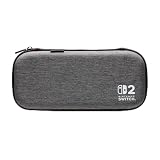
- Structured Protection: Molded interior with soft fabric lining
- Game Storage: Securely holds up to 10 game cards*
- Integrated Play Stand: unfold the convenient play stand and enjoy tabletop mode with ease
- Padded Screen Protector: The play stand doubles as a padded screen protector when the system is inside the case
- Compatibility: Compatible with Nintendo Switch 2
A power bank does not replace the dock or guarantee TV-mode operation. The original Switch AC adapter can charge Switch 2 directly, but it cannot power Switch 2 in TV mode because of different output requirements. Use the Switch 2 adapter and included HDMI cable for the console’s docked setup. Nintendo’s compatibility guide has the relevant limitations.
Independent reader supportYour contribution helps us test, update, and keep practical guides available for everyone.What original Switch accessories can you reuse?
| Original accessory | Switch 2 result |
|---|---|
| Original Switch Pro Controller | Pairs wirelessly with Switch 2 and can be charged through the Switch 2 dock. |
| Original Joy-Con | Can pair wirelessly, but cannot attach directly to the Switch 2 console. |
| Original Switch dock | Not compatible with Switch 2. |
| Original Switch AC adapter | Can charge Switch 2 directly, but cannot provide Switch 2 TV mode. |
| Original Switch HDMI cable | Nintendo says the standards differ; use the cable supplied with Switch 2 for maximum performance. |
| Original straps, wheels, grips, and charging accessories | Compatibility depends on whether they attach to original Joy-Con or Joy-Con 2. Check the accessory’s fit. |
Switch 2 Joy-Con 2 cannot be attached to original Switch hardware, and the Switch 2 Pro Controller does not work with the original Switch. Nintendo’s differences guide covers additional hardware distinctions.
What not to buy yet
- A regular microSD card: it cannot store Switch 2 games.
- An original Switch dock: it is not compatible with Switch 2.
- A Pro Controller by default: skip it if you play almost exclusively handheld or already own a suitable original Switch Pro Controller.
- A bulky protective shell without checking dock fit: attached protection can make docking inconvenient.
- A charger chosen only because it has USB-C: verify USB-C PD support and suitable output.
- Extra storage before checking Data Management: physical-game owners may not need it yet.
Your first-hour Switch 2 checklist
- Apply the screen protector.
- Install the latest system update.
- Sign in to the Nintendo Account associated with your digital library.
- Complete a system transfer if you are moving from an original Switch.
- Open System Settings → Data Management and check available storage.
- Pair existing compatible controllers before buying replacements.
- Test TV output with the included Switch 2 AC adapter and HDMI cable.
- Configure parental controls and GameChat settings if children will use the console.
- Use Nintendo Account tools, cloud features where applicable, and redownload options rather than treating a microSD card as save backup.
- Choose storage, a grip, a controller, or travel power only after you know how you actually play.
Nintendo Switch Online membership carries over for linked Switch 2 use, and virtual game cards can manage compatible digital games across linked Switch-family consoles. Those are services and software features, not accessories, so they should not be confused with hardware upgrades.
Do these 3 things before closing this tab:
1Repair Windows errors before they cause bigger problems2Scan for outdated or missing drivers - takes under a minute3Clear out junk files and repair common Windows errorsQuick Recap
Product prices and availability are accurate as of the date/time indicated and are subject to change. Any price and availability information displayed on Amazon at the time of purchase will apply.




