“The program can’t start because socialclub.dll is missing from your computer.” You may also see “socialclub.dll was not found,” “The specified module could not be found,” or “There was a problem starting socialclub.dll.”
The 60-second answer
socialclub.dll is a Rockstar Games Social Club component used by Rockstar PC games and related software. It is not a Windows system file and should not be copied into C:WindowsSystem32 or C:WindowsSysWOW64.
The safest repair is to verify the game files in its launcher. If verification does not restore the file, repair or reinstall the Rockstar Games Launcher and Social Club component from Rockstar’s official installer. Do not download a replacement DLL from a random website.
Why socialclub.dll is missing or cannot load
The most common causes are:
| Cause | What usually fixes it |
|---|---|
| Incomplete Rockstar or Social Club installation | Verify the game, then reinstall the launcher component |
| Damaged files after an update or move | Use the platform’s file verification tool |
| Antivirus quarantine | Review Protection History, then verify or reinstall |
| Wrong architecture or mixed files | Restore the matching files through verification |
| Mods or injected files | Remove modifications and restore original files |
| Missing dependency | Repair the game installation and investigate the reported dependency |
| Windows corruption | Run DISM and System File Checker as a fallback |
The file may normally appear under a Rockstar folder such as:
#1 Best Overall

- From the creators of Grand Theft Auto V and Red Dead Redemption
- The deepest and most complex world Rockstar Games has ever created. 4K Ultra HD not available on Xbox One or Xbox One S consoles
- Covers a huge range of 19th century American landscapes
- Play as Arthur Morgan, lead enforcer in the notorious Van der Linde gang
- Interact with every character in the world with more than just your gun
C:Program FilesRockstar GamesSocial Clubsocialclub.dll
It can also be inside a game’s installation directory or in cached Rockstar files used by FiveM. The exact location depends on the game, launcher and installation method.
Fix 1: Verify the game files first
Verification is the best first step because it replaces missing or damaged files with the correct files for your installation.
Rockstar Games Launcher
- Open Rockstar Games Launcher.
- Sign in.
- Select Settings.
- Under My installed games, select the affected game.
- Choose Verify Integrity.
- Wait for the scan and repair to finish.
- Restart the launcher and start the game again.
If the launcher reports repaired files and the game starts, the problem was a damaged or incomplete installation. If the error remains, continue with the launcher repair below.
Steam
- Open Steam.
- Select Library.
- Right-click the Rockstar game.
- Select Properties.
- Open Installed Files.
- Select Verify integrity of game files.
- Wait for Steam to complete the process.
- Launch the game from Steam again.
Steam may restore the game files while the Rockstar component still needs to sign in or update. Allow both launchers to complete their updates before testing.
The Tool Desk
Outbyte PC Repair FREERepair Windows errors before they cause bigger problemsFix Now →Outbyte Driver Updater FREEFix the driver behind crashes, sound loss and screen glitchesFind Drivers →Epic Games
- Open the Epic Games Launcher.
- Select Library.
- Find the affected game.
- Select the three dots beside it.
- Choose Manage.
- Select Verify.
- Wait for the verification to finish.
- Start the game again.
Xbox app for PC
- Open the Xbox app.
- Select My Library.
- Select the ellipsis beside the game.
- Choose Manage.
- Open Files.
- Select Verify and Repair.
- Confirm the repair and wait for it to finish.
- Test the game after the process completes.
If verification finds no problem but Windows still reports socialclub.dll, the separate Rockstar Games Launcher or Social Club installation may be damaged.
Fix 2: Repair or reinstall Rockstar Games Launcher
Use this step when verification fails, the launcher reports an incomplete installation, or socialclub.dll disappears from the Rockstar folder.
Before removing anything, close the game and every Rockstar process. Save any important game settings or saves before performing a full game clean install.
Rank #2

- Grand Theft Auto III: It all starts in Liberty City. With the revolutionary freedom to go anywhere and jack anyone, Grand Theft Auto III puts the center of the criminal underworld at your fingertips, if you have enough guts to take it.
- Grand Theft Auto: Vice City: Welcome to the 1980s. From the decade of big hair and pastel suits comes the story of one man's rise to the top of the criminal pile.
- Grand Theft Auto: San Andreas: Five years ago, Carl 'CJ' Johnson escaped the haze of Los Santos, San Andreas...a city tearing itself apart with gang trouble, drugs, and corruption.
- Open Settings with
Windows + I. - Select Apps.
- Open Installed apps.
- Find Rockstar Games Launcher.
- Select the three dots and choose Uninstall.
- If the uninstall process asks whether to keep game data, leave the game data option enabled.
- Restart Windows.
- Remove only the Rockstar launcher and Social Club folders documented by Rockstar:
C:Users[username]DocumentsRockstar GamesSocial Club
C:Users[username]DocumentsRockstar GamesLauncher
C:Program FilesRockstar GamesLauncher
C:Program FilesRockstar GamesSocial Club
C:Program Files (x86)Rockstar GamesSocial Club
Do not delete unrelated Rockstar game folders unless you are deliberately performing a complete game reinstall. Removing game-data folders can remove saves, settings or installed content.
- Download the current Rockstar Games Launcher from Rockstar’s official website.
- Install it, sign in and allow it to update.
- Run the game’s file verification again.
- Start the game.
A clean launcher reinstall may remove saved sign-in information, so keep your account credentials available. If the error returns immediately, check antivirus history before repeating the reinstall.
Fix 3: Check Windows Security quarantine
Security software can quarantine a legitimate game file after an update or change in detection rules.
- Open Windows Security from the Start menu.
- Select Virus & threat protection.
- Select Protection history.
- Look for an event involving
socialclub.dll, Rockstar Games Launcher or the affected game. - Review the file path and detection details.
- Restore the file only if it came from your legitimate Rockstar installation.
- Run the launcher’s file verification immediately afterward.
Do not restore a DLL that came from an unknown download, a modified game or an unofficial installer. If Windows Security repeatedly removes the file, update Windows Security, remove mods, verify the game and investigate the detection before adding an exclusion.
If an exclusion is necessary, keep it narrowly limited to the legitimate Rockstar launcher folder and remove it again when it is no longer needed. Rockstar’s launcher support documentation describes antivirus conflicts and launcher-folder exclusions.
Quick wins for a faster PC:
Scan for outdated or missing drivers - takes under a minuteDriver Scan →Clear out junk files and repair common Windows errorsFree Scan →Fix 4: Check architecture and dependencies
A visible DLL is not necessarily a usable DLL. Windows may reject it when it is corrupted, blocked, built for the wrong architecture or dependent on another missing module.
Do not mix socialclub.dll files between games, launchers or old installations. Public metadata lists both 32-bit and 64-bit builds, including older 32-bit releases, but these version and size listings are identification clues rather than official Rockstar download guidance. The correct file is the one restored by your launcher or game installer.
Rank #3
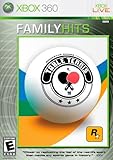
- No guns, no violence, just straight up ping pong from the studio that brought us such games as Midnight Club and Red Dead Revolver. Rockstar San Diego's game takes advantage of the Xbox 360's graphic power and technology to capture the intensity, speed and excitement of Table Tennis.
- Any of the J2Games.com Pre-Played items are perfect for play! These items might not include original box, manual or original pack in items. Cartridges, disc, and accessories have been professionally cleaned, resurfaced and tested to insure full functionality. Item will show some wear from previous play. DLC codes are not included or might have already been redeemed. All purchases are covered under our warranty to insure your satisfaction!
The message “The specified module could not be found” can also mean that a dependency required by socialclub.dll is missing. In that situation, seeing socialclub.dll in File Explorer does not prove that the installation is healthy.
If the game installer specifically reports a Microsoft runtime problem, repair the official Microsoft Visual C++ Redistributable for Visual Studio 2015–2022/v14. Microsoft provides separate vc_redist.x86.exe and vc_redist.x64.exe packages on its official Visual C++ downloads page.
Recommended Free Tools
Do not assume that socialclub.dll is itself a Visual C++ runtime file. It belongs to Rockstar’s Social Club software; a particular game may separately depend on Visual C++.
Fix 5: Remove mods and restore original files
Mods, injected DLLs and unofficial game builds can alter the files Rockstar expects.
- Close the game, Rockstar Games Launcher and any mod manager.
- Temporarily remove third-party modifications according to the mod’s removal instructions.
- Use the platform verification steps above.
- Restart Windows.
- Launch the unmodified game.
If the game starts without modifications, add them back one at a time. A mod that changes launcher, networking or game startup files may need an update or may no longer be compatible.
Fix 6: Repair Windows components only when other programs are affected
Windows repair commands are not the normal solution for a missing Rockstar DLL. Use them when several unrelated applications show file-loading errors, Windows itself is unstable, updates fail, or system files are suspected of corruption.
- Open Start.
- Type Command Prompt.
- Right-click Command Prompt.
- Select Run as administrator.
- Run this command first:
DISM /Online /Cleanup-Image /RestoreHealth
- Wait for it to finish.
- Run:
sfc /scannow
- Wait until System File Checker reaches 100 percent.
- Restart Windows.
- Verify the Rockstar game again.
Microsoft documents these commands in its System File Checker guidance.
Rank #4

- This product contains a download code inside the box — no disc is included. Customer shipments will begin arriving November 12 for pre-load; game is playable starting November 19.
- Pre-order to receive the Vintage Vice City Pack.
- Grand Theft Auto VI is a single-player experience.
Running these commands repeatedly without checking what changed is rarely useful. Outbyte PC Repair can scan for broader Windows issues and show what needs attention, while repair actions require the full version; for a file owned by Rockstar, repairing or reinstalling the Rockstar program remains the definitive fix.
Independent reader supportYour contribution helps us test, update, and keep practical guides available for everyone.Fix 7: Update drivers only for related symptoms
Graphics drivers do not normally restore socialclub.dll. Update or reinstall them only when the game also crashes with display errors, shows rendering problems or support specifically identifies a driver issue.
To check manually:
- Right-click Start.
- Select Device Manager.
- Expand Display adapters.
- Right-click your graphics adapter.
- Select Update driver.
- Choose Search automatically for drivers.
- Restart Windows after installation.
For a clean reinstall, download the correct driver from the graphics hardware manufacturer, or uninstall the device from Device Manager and install the manufacturer’s current package. Do not remove unrelated devices.
Do these 3 things before closing this tab:
1Clear out junk files and repair common Windows errors2Scan for outdated or missing drivers - takes under a minute3Repair Windows errors before they cause bigger problemsOutbyte Driver Updater can scan for outdated drivers and identify the exact versions instead of making you hunt through Device Manager; the driver installation is completed by the full version, and a Rockstar reinstall remains the correct repair for socialclub.dll.
Fix 8: FiveM reports the file
FiveM may report a missing Rockstar file from its cache even when the main game installation contains a valid copy.
- Repair or verify the legitimate GTA installation first.
- Start Rockstar Games Launcher and sign in.
- Launch the game normally once.
- Close FiveM and the Rockstar launcher.
- Let FiveM rebuild its cache when it starts again.
Do not download socialclub.dll to the FiveM folder. If the file keeps disappearing, inspect Windows Security Protection History, remove unofficial modifications and check the disk for errors.
Do not use regsvr32 for this error
regsvr32 is a registration tool for DLLs that expose a registration entry point such as DllRegisterServer. It is not a general missing-DLL repair command.
Outdated Drivers Are Slowing You Down
One free scan finds every outdated or missing driver and matches the right update for your exact hardware.Free scan · exact hardware matchWindows Errors? Fix Them Before They Spread
Repair common Windows errors and clear accumulated junk for a smoother, more stable PC - no reinstall needed.Free scan · no reinstallRunning commands such as these will not normally repair Social Club:
regsvr32 socialclub.dll
regsvr32 /u socialclub.dll
They can produce another error or create confusion about the real installation problem. Microsoft describes regsvr32 in its official command documentation.
Best Value
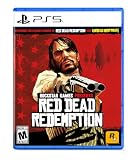
- When federal agents threaten his family, former outlaw John Marston is forced to hunt down the gang of criminals he once called friends.
- Experience Marston’s journey across the sprawling expanses of the American West and Mexico as he fights to bury his blood-stained past in the critically acclaimed predecessor to the 2018 blockbuster, Red Dead Redemption 2.
- Also included is Undead Nightmare, the iconic horror story that transforms the world of Red Dead Redemption into an apocalyptic fight for survival against a zombie horde.
Why random DLL downloads are unsafe
Do not download socialclub.dll from a DLL-index site, copy it into System32, or take it from another game installation. A replacement may contain malware, be corrupted, use the wrong architecture or belong to an incompatible Social Club release. It may also leave the missing dependency or damaged launcher untouched.
Use the official game launcher, the official Rockstar Games Launcher installer and Microsoft’s official runtime packages instead.
What’s actually slowing this PC down?
Pick the symptom - the matching free tool is one click away.
Frequently asked questions
Is socialclub.dll a Windows file?
No. It is associated with Rockstar Games Social Club and should not normally be stored in Windows system folders.
Which games use socialclub.dll?
It is associated with Rockstar PC games and Rockstar launcher components. Public reports include Grand Theft Auto V, Red Dead Redemption 2 and L.A. Noire. FiveM can also encounter cached Rockstar components.
Should I install Visual C++?
Only when the game installer or a separate dependency error indicates a Visual C++ runtime problem. socialclub.dll is not itself the Visual C++ runtime.
What if the file exists but still will not load?
The file may have a missing dependency, wrong architecture, incompatible version, quarantine block or corruption. Verify the game and reinstall the Rockstar component rather than copying another DLL over it.
What if the error returns after reinstalling?
Check Protection History, ransomware protection, disk health and unauthorized modifications. A security product repeatedly removing the file is more important to investigate than repeatedly copying it back.
Should I use System Restore?
Use System Restore only as a last resort when a known-good restore point predates the failure. First verify the game and repair the Rockstar launcher, because System Restore is not guaranteed to restore a compatible game installation.
Quick Recap
Product prices and availability are accurate as of the date/time indicated and are subject to change. Any price and availability information displayed on Amazon at the time of purchase will apply.



