What’s actually slowing this PC down?
Pick the symptom - the matching free tool is one click away.
Song of Horror crashes on PC for more than one reason, so there is no universal fix. If the game fails to launch on an Intel 10th-generation-or-newer processor, the publisher’s targeted workaround is to set the Windows environment variable OPENSSL_ia32cap to ~0x20000000 and restart. For other crashes, first identify when the failure occurs, then work through Steam’s general checks; older AMD-driver and ASUS Aura reports apply only to specific historical cases.
First identify when the crash happens
A crash before the title screen is different from one after reaching the menu or during play. The Intel and AMD reports described below concern launch failures; they do not establish a fix for every in-game crash. No source establishes one cause or a current crash rate for all PC players.


Before changing settings, record the exact error message, when the game closes, your Windows version, CPU and graphics card models, graphics-driver version, launcher, and any recent driver or software changes. These details help determine whether a documented compatibility case matches your PC.
Fix the documented Intel launch failure
In a pinned Steam Community post from May 2022, publisher Raiser Games associated a launch failure with Intel processors from the 10th generation or newer and recommended a Windows environment variable. Intel’s explanation says this setting disables the OpenSSL SHA-extension code check and selects a different code path that avoids the identified crash. It is a targeted workaround for that launch issue, not a general Windows optimization or a guaranteed fix for unrelated crashes. See Raiser Games’ Intel launch-failure post and Intel’s explanation of the OpenSSL SHA crash.
Free tools Windows power users keep installed
One-click scans. No signup required.
#1 Best Overall
Set the variable in Windows
- Open Windows search and type
environment variables. - Select Edit the system environment variables, then choose Environment Variables.
- Under System variables, select New. Enter
OPENSSL_ia32capas the variable name and~0x20000000as the value. - Confirm the dialogs and restart Windows before trying the game again.
Use this system-level change only when the Intel launch case fits. If you later want to remove it, return to Environment Variables, select OPENSSL_ia32cap under System variables, and choose Delete.
Optional per-game launch option shared by a community member
A Steam discussion participant later shared a launch option that applies the variable to the game process rather than adding a system variable. This is a community-contributed alternative, not the publisher’s original instruction:
Rank #2

- TWISTED TERROR: Challenge your friends on frightening facts with a trivia game that tests your knowledge on horror facts in every genre. Call a priest, gas up the chainsaw, and sharpen the machete…will you survive the night?
- HORROR FANS: Think you know all there is to know about creepy dolls, psycho killers, haunted places and legendary monsters? Try to answer trivia questions with your knowledge of scary movies, books and tv shows to win.
- QUICK PLAY TRIVIA GAME: Survive the night by answering multiple questions correctly to collect weapon cards. The first player or team to collect 3 different weapons cards wins. Each card has 2 ghoulish questions, play time: 20 mins.
- GAME NIGHT GORE: A variety of questions covers classic and modern horror. Easy questions for the horror novice and more challenging questions for die hard fans make the game fun for the whole group!
- THE GORY DETAILS: Horror Trivia is perfect for 2 or more players or teams and is an absolute "scream" at parties. Ideal for horror fans, adults and teens ages 13 years and older, game includes 150 cards with 300 questions and answers.
cmd /c "set OPENSSL_ia32cap=:~0x20000000 && %command%"
To try it in Steam, open the game’s Properties and enter the command in Launch Options. Use one method at a time rather than stacking both.
Rank #3
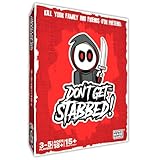
- ADULT CARD GAME FOR GAME NIGHT - Don’t Get Stabbed! is an adult party game where you get to kill your family and friends! ... for pretend of course. It’s inspired by horror movies of the 70’s, 80’s and 90’s, but is light-hearted enough for everyone to enjoy. The ultimate Halloween game!
- COMPETITIVE & EASY TO LEARN - This entertaining game is playable for 3 to 5 players. One person is elected as the killer (whoever is the most evil in your group) and the rest are victims. The killer wins by killing all the victims. The victims win by escaping.
- HILARIOUS & REPLAYABLE- The average player will love this game for its gameplay! The horror fan will love the art on many of these cards which features classic horror movie tropes. There is tons of fun in playing this game and in its artwork.
- ADULT PARTY GAME – It may look cute, but like most horror movies it has topics you probably don’t want your children knowing about. For ages 18+.
- WHAT’S IN THE BOX?! – Included in the box are 64 Main Deck Cards and 13 Car Deck Cards printed on premium glossy playing cards (2.5 x 3.5 inches), for a grand total of 77 cards. Also included is one instruction booklet.
Check historical AMD and ASUS Aura cases carefully
AMD driver versions from 2019–2020
Raiser Games’ notice dated December 19, 2019 linked some AMD-card launch crashes to driver versions 19.12.2 and 19.12.3. The post was updated on January 28, 2020 to say AMD 20.1.2 was compatible. These are historical driver versions, not current general recommendations. Check your present driver and whether your symptoms match the old launch issue; do not install archived software or copy a DLL from an old driver package as a blanket fix. See Raiser Games’ AMD launch-crash notice.
ASUS Aura compatibility
On March 10, 2022, the publisher said the Aura integration was causing issues and removed Aura compatibility from the default game branch. It also offered a separate Aura-enabled beta branch, warning that it could contain bugs and that issues on that branch would not receive support. When troubleshooting a crash, use the default branch rather than opting into the Aura-enabled beta. See the publisher’s Aura compatibility announcement.
Rank #4
Run Steam’s general launch checks
If the targeted cases do not fit, Steam recommends these baseline checks for Windows launch failures. They address common configuration problems, but cannot identify every game-specific cause.
- Restart Windows.
- Install available Windows updates and updates for your PC’s drivers.
- In Steam, verify the integrity of Song of Horror’s game files from the game’s Properties menu.
- Temporarily disable non-essential background software and try launching again.
- Compare your PC with the game’s listed requirements below.
Steam’s general troubleshooting article explains these steps and recommends contacting the developer if they do not resolve the launch failure: Games do not run after “Preparing to Launch”.
Best Value

- HORROR TRIVIA EXPANSION: Darkness Returns to Trivia! You’re gonna need a bigger deck! Answer questions to arm yourself against unspeakable horror. Includes 300 questions that cover classic and modern horror.
- TERROR TOPICS: 300 questions that cover classic and modern horror. Easy questions for the horror novice and more challenging questions for die hard fans make the game fun for the whole group!
- QUICK PLAY TRIVIA GAME: Survive the night by answering multiple questions correctly to collect weapon cards. The first player or team to collect 3 different weapons cards wins. Each card has 2 ghoulish questions, play time: 20 mins.
- GAME NIGHT GORE: A variety of questions covers classic and modern horror. Easy questions for the horror novice and more challenging questions for die hard fans make the game fun for the whole group!
- THE GORY DETAILS: Horror Trivia is perfect for 2 or more players or teams and is an absolute "scream" at parties. Ideal for horror fans, adults and teens ages 13 years and older, game includes 150 new cards with 300 questions and answers.
Compare your PC with the listed requirements
Steam lists the following requirements for Song of Horror Complete Edition. They are useful context when diagnosing a crash, but the listing does not establish that upgrading hardware fixes the reported launch problems.
| Component | Minimum | Recommended |
|---|---|---|
| Processor | Intel or AMD 64-bit, 2.6 GHz | Intel or AMD 64-bit, 3.0 GHz |
| Memory | 8 GB RAM | 12 GB RAM |
| Graphics | NVIDIA GeForce GTX 660, Radeon HD 7950, or similar | NVIDIA GeForce GTX 980, Radeon RX 580, or similar |
| DirectX | Version 11 | Version 11 |
| Storage | 25 GB available | 25 GB available |
| Operating system | 64-bit Windows 7, 8, or 10 | 64-bit Windows 10 |
Steam’s listing also notes that its client supports Windows 10 and later starting January 1, 2024. That is a Steam client note, distinct from the game’s listed operating-system requirements. See the Steam listing and system requirements.
Contact support if the crash continues
If the steps above do not help, use the game’s Steam support page or its community discussions. The support listing identifies Protocol Games as the developer. Include the exact error, the point at which the crash happens, your PC specifications, Windows and driver versions, and the checks you have already tried. This gives support a useful starting point without assuming that an Intel, AMD, or Aura report explains your case. See Steam support for Song of Horror.
Quick Recap
Product prices and availability are accurate as of the date/time indicated and are subject to change. Any price and availability information displayed on Amazon at the time of purchase will apply.




