Do these 3 things before closing this tab:
1Clear out junk files and repair common Windows errors2Fix the driver behind crashes, sound loss and screen glitches3Repair Windows errors before they cause bigger problemsspttseng.dll is a Microsoft SAPI 5 text-to-speech engine file. If Windows says spttseng.dll is missing, was not found, or could not be loaded, the safest solution is usually to repair the older application or speech component that is requesting it, not to download a replacement DLL.
The file is a legacy 32-bit component associated mainly with Windows XP-era SAPI 5 installations. A public indexed build is version 5.1.4111.0, with a listed size of about 0.74 MB. That information does not mean the same file belongs in every Windows 10 or Windows 11 installation.
What spttseng.dll does
SAPI is Microsoft’s Speech Application Programming Interface. It allows applications to use speech synthesis engines, voices, and related speech features through registered components. Microsoft describes the architecture in its SAPI documentation and text-to-speech engine documentation.
spttseng.dll is one part of that older speech system. It is not:
#1 Best Overall

- 360 Degree Position Adjustable Gooseneck Design --Plug and play USB microphone Pick up the sound from 360-degree with high sensitivity, in the best possible location for sound to your PC gaming, dragon voice dictation, and talk to Cortana
- Mute Button & LED Indicator --One-click to mute/unmute your microphone for pc, Build-in LED indicator tells you the working status at any time
- Intelligent Noise-Canceling Tech --Premium omnidirectional condenser microphone with noise-canceling technology can pick up your clear voice and reduce background noise and echo
- USB Plug&Play(1.8/6ft USB Cable) -- No driver required. Just need to plug & play for the microphone to start recording, well compatible with Windows(7, 8, 10 and 11) and macOS. (NOT compatible with Xbox/Raspberry Pi/Android)
- Solid Construction--Adopting premium metal pipe and heavy-duty ABS stand to make sure that you will be satisfied with our computer mic quality
- A Visual C++ runtime
- A DirectX component
- A device driver
- A general-purpose Windows runtime
- A modern replacement for
sapi.dll - The same thing as
sapisvr.exe - A third-party voice by itself
An older application, game, Microsoft Agent feature, accessibility program, or speech package may expect this engine even when the current Windows installation does not include that exact legacy binary.
A historical installation path is:
C:Program FilesCommon FilesSpeechEnginesMicrosoftTTS1033spttseng.dll
Treat that as a legacy example, not as a universal location. The correct path depends on the Windows version, language, speech package, and application that installed the file.
Before changing anything
Write down the information shown in the error dialog:
- The full error text
- The name of the program that fails
- Whether the error appears during startup or only when a speech feature is used
- Whether the problem began after an update, uninstall, antivirus detection, or disk problem
- Any file path shown in the message
If only one old program reports the error, repair that program first. If several Windows components fail, investigate Windows system corruption instead.
Do not begin by copying a downloaded DLL into System32 or SysWOW64. That can create an architecture mismatch, leave the original dependency problem unresolved, and introduce an untrusted binary into Windows.
Fix 1: Repair or reinstall the program that reports the error
Time needed: 5 to 20 minutes
This is the most likely fix when one application or game refuses to start. Windows searches an unpackaged application’s own directory early in the DLL search process, so the correct copy may need to be restored beside the application rather than placed in a Windows system folder. See Microsoft’s explanation of DLL search order.
Repair a Microsoft Store or packaged app
On Windows 11:
- Select Start.
- Open Settings.
- Select Apps.
- Select Installed apps.
- Find the affected application.
- Select the three-dot menu beside it.
- Choose Advanced options.
- Select Repair.
- Start the application again.
On Windows 10, the equivalent route is usually:
- Open Settings.
- Select Apps.
- Select Apps & features.
- Choose the affected application.
- Select Advanced options.
- Select Repair, if available.
Repair normally preserves the application’s data. If there is no Repair button, or Repair does not change the error, use the application’s official uninstall and reinstall process.
Repair a traditional desktop program
- Press Windows key + R.
- Type
appwiz.cpl. - Press Enter.
- Find the program in Programs and Features.
- Right-click it.
- Choose Repair or Change, if available.
- Follow the installer prompts.
- Restart Windows and test the program.
For a game, use the launcher’s own Verify, Repair, or Verify integrity command when available. If the program came from a store, reinstall it from that same store. If it came from a disc or an old installer, use the original vendor media rather than a DLL download page.
What’s actually slowing this PC down?
Pick the symptom - the matching free tool is one click away.
If repair fails
Uninstall the affected program, restart Windows, and reinstall it from its original source. Do not delete unrelated copies of spttseng.dll from Windows folders while troubleshooting.
Rank #2

- 【HIGH DEFINITION AUDIO 】 This microphone embeds a patented audio filter in order to record only your voice. Good for home studio, Chatting, Skype,Discord, Yahoo Recording, YouTube Recording, Google Voice Search and Steam.
- 【PLUG & PLAY 】 You just need to plug the microphone and it will work ! No software to install. A single button to turn it on or off. Compatible with every operating system - Mac OS X Windows Linux - and every PC brand.
- 【SMOOTH AND CLEAR】 Noise cancellation and isolates the main sound source, This USB Microphone is perfect for videoconferencing, Skype, dictation or voice recognition. The audio filter will give you a clear and confident voice. Anti-pop filter included !
- 【MUTE BUTTON & LED INDICATOR 】One click to mute/unmute your microphone,Build-in LED indicator tells you the working status at any time.Built with a mix of metal and heavy duty plastic, it's solid as a tank. It is very stable thanks to its weight.360 Degree Position Adjustable Gooseneck Design --Adopting the design of metal gooseneck pipe pickup the sound from 360-degree with high sensitivity
- 【SATISFACTORY SERIVCE】- 30 days unconditional return. TKGOU Customer service 2 years, We are committed to ensuring that you are 100% satisfied, If you have any questions, please contact us directly.We will provide you with a more friendly and satisfactory service.
If the reinstall itself fails because it cannot install a speech component, note the installer’s complete error message. That points to an installer compatibility problem rather than proof that a current Windows system file is missing.
Fix 2: Check whether a legacy speech component was removed
Time needed: 10 to 30 minutes
The error may come from an old SAPI installation, Microsoft Agent component, accessibility utility, or speech-enabled game. These components may have been installed separately from Windows and later removed by an uninstall, cleanup utility, or incomplete upgrade.
First, check the affected program’s installation media or setup options for entries named:
Quick wins for a faster PC:
Repair Windows errors before they cause bigger problemsFix Now →Scan for outdated or missing drivers - takes under a minuteDriver Scan →- Speech
- Text to speech
- Voice
- Microsoft Agent
- Accessibility
- SAPI
- Language support
Select the component only if it belongs to the program that is reporting the error.
Microsoft’s Speech SDK 5.1 download is not a guaranteed end-user replacement for spttseng.dll. Microsoft presents it as a development SDK for legacy SAPI development. It contains developer packages, language material, redistributable components, and documentation, but installing it blindly is not the same as repairing an application’s original speech engine.
Check optional Windows features
Some older speech-related features can be exposed through Windows optional features, although the presence and names of these features vary by Windows release.
- Press Windows key + R.
- Type:
text

   optionalfeatures
- Press Enter.
- Review the available entries under Media Features, Print and Document Services, or other relevant categories.
- Do not enable unrelated features simply because they contain the word speech.
- If the affected application documentation specifically requires an optional feature, enable it.
- Select OK.
- Restart Windows if prompted.
- Test the original program.
On Windows 11, you can also open Settings > Apps > Optional features and review installed or available features. A missing legacy SAPI engine will not necessarily appear as a separately removable feature, so the application’s own installer remains the preferred repair source.
PC Slower Than It Used to Be?
A free scan shows the junk files, broken settings and background clutter dragging Windows down - then fixes them in one click.Free scan · Windows 10 & 11Crashes, No Sound, or Screen Glitches?
Random freezes, missing sound and display glitches usually trace back to one bad driver. Find and replace yours safely.Free scan · under a minuteFix 3: Repair Windows with DISM and SFC
Time needed: 15 to 45 minutes
Use this step when more than one Windows component is failing, speech features broke after system damage, or Windows reports that protected files are corrupted. Microsoft recommends repairing the Windows component store with DISM and then running System File Checker.
- Select Start.
- Type
Command Prompt. - Right-click Command Prompt.
- Select Run as administrator.
- Select Yes at the User Account Control prompt.
- Run this command:
cmd

   DISM.exe /Online /Cleanup-Image /RestoreHealth
- Wait for DISM to finish. Do not close the window just because progress appears to pause.
- After DISM completes, run:
cmd

   sfc /scannow
- Wait until verification reaches 100 percent.
- Restart Windows.
- Open the affected application again.
Microsoft documents the process in Repair a Windows image and System File Checker.
Rank #3

- [Convenient Setup] Plug and play recording USB microphone for PC, with 5.9-Foot USB cable included for computer PC laptop, is connected directly to USB-A port for recording music, computer singing or podcast. The office condenser microphone for computer is easy to use and install. (NOT compatible with Xbox and Phones)
- [Durable Metal Design] Solid sturdy metal construction design, the computer microphone for Zoom meetings with stable tripod stand is convenient when you are doing voice overs or livestreams on YouTube. Durable material extends the service life of the voice-over microphone.
- [Mic Volume Knob] Gaming condenser USB mic compatible for PS4 with additional volume knob itself has a louder or quieter adjustment and is more sensitive. Your voice would be heard well enough through the zoom microphone USB when gaming, skyping or voice recording. Also, you can adjust your volume to zero and protect your privacy.
- [Widely Use] USB-powered design, the condenser microphone for recording no need the 48v Phantom power supply, works well with Cortana, Discord, voice chat and voice recognition. The podcast microphone for Mac, with USB-B to USB-A/C cable, is compatible with desktop, laptop or PS4/PS5, which meets most of your daily recording needs.
- [Clear Output Voice] Cardioid condenser microphone for PC captures your voice properly, producing clear smooth and crisp sound. Great computer recording mic for gamers/streamers/youtubers focus on the main source and reduces background noise. The streaming microphone does the job well for broadcast ,OBS and teamspeak.
Understand the SFC result
- Windows Resource Protection did not find any integrity violations: SFC found no damaged protected Windows files. Continue with application repair and dependency checks.
- Windows Resource Protection found corrupt files and successfully repaired them: Restart and test the program.
- Windows Resource Protection found corrupt files but was unable to fix some of them: Run DISM again if necessary, restart, and run SFC again. If it still cannot repair the files, review
%windir%LogsCBSCBS.logor move to the Windows repair reinstall step. - DISM reports that the source files could not be found: The component store may need a matching Windows installation source. Avoid downloading an isolated DLL as a substitute.
Repeating SFC without identifying what changed is unlikely to repair an application-owned legacy speech file.
When manually hunting through Windows repair steps and trying to determine whether the component store or protected files are responsible, Outbyte PC Repair can scan for issues and show what it finds; its repair action is performed by the full version. It is optional, and repairing or reinstalling the affected program remains the definitive fix when that program owns the missing speech component.
Fix 4: Check Windows Security quarantine
Time needed: 10 to 25 minutes
A legitimate legacy file may have been quarantined, or malware may have tampered with a speech component. Do not restore a quarantined item solely because its filename matches the error.
- Open Start.
- Type Windows Security.
- Open the application.
- Select Virus & threat protection.
- Select Protection history.
- Review detections related to the affected application or speech component.
- Read the detection name, file path, and action taken.
- Update Defender definitions if an update is offered.
- Run a Full scan.
- Restore a quarantined file only when you have confirmed that it came from a legitimate installer and the detection is a false positive.
Microsoft explains quarantine and restoration in Protection History in the Windows Security app.
If the file was in the application’s folder, reinstalling the application is safer than restoring an isolated copy. If the detection identifies malware, leave the item quarantined and complete the malware-removal process before attempting repair.
Free tools Windows power users keep installed
One-click scans. No signup required.
Fix 5: Check the 32-bit and 64-bit boundary
Time needed: 10 to 20 minutes
The publicly indexed spttseng.dll build is 32-bit. A 32-bit application running on 64-bit Windows may need a 32-bit speech engine and matching dependencies. A 64-bit Windows installation does not make a 32-bit DLL into a 64-bit component.
Do not solve this by copying the same file into both folders:
C:WindowsSystem32
C:WindowsSysWOW64
Despite the names, System32 is commonly used for 64-bit system components on 64-bit Windows, while SysWOW64 contains 32-bit system components. Copying a legacy file into either folder can cause conflicts and does not register the engine correctly.
Instead:
- Identify whether the failing program is 32-bit or 64-bit from its vendor documentation or installation folder.
- Check whether the program has a separate speech or voice installer.
- Repair or reinstall the program using the package matching its architecture.
- Confirm that any required voice or SAPI package has the same architecture.
- Test the program again.
If the message says “The specified module could not be found,” the named file may exist while one of its dependencies is missing. That is another reason a verified installer is preferable to manual copying.
Fix 6: Repair or reinstall the affected application after a system change
Time needed: 15 to 45 minutes
If the problem began directly after an update, driver installation, cleanup operation, or other system change, consider restoring the previous system state after protecting your current work.
Rank #4

- Microphone grille with optimized structure
- Integrated pop filter
- International products have separate terms, are sold from abroad and may differ from local products, including fit, age ratings, and language of product, labeling or instructions.
Use System Restore
- Press Windows key + R.
- Type:
text

   rstrui.exe
- Press Enter.
- Select Next.
- Choose a restore point created before the problem began.
- Review the affected programs and drivers.
- Select Next, then Finish.
- Allow Windows to restart.
- Test the affected application.
System Restore rolls back system files and settings without removing personal files, although applications or drivers installed after the selected restore point may be affected. Microsoft’s recovery options explain the available choices.
Use this only when the timing is clear and a suitable restore point exists. If the error is limited to one program, repairing or reinstalling that program is usually more direct.
Fix 7: Reinstall a related driver only when evidence points there
Time needed: 10 to 30 minutes
spttseng.dll is a speech engine component, not a device driver. A driver reinstall is not a normal fix for this error. Consider it only if the affected program also reports an audio-device problem, Windows cannot see the sound device, or the problem began with a documented audio-driver failure.
Recommended Free Tools
- Right-click Start.
- Select Device Manager.
- Expand Sound, video and game controllers.
- Identify the audio device involved.
- Right-click it and select Update driver.
- Choose Search automatically for drivers.
- Restart Windows if prompted.
- Test the application’s audio and speech features.
If Windows cannot find a suitable driver, obtain it from the computer or sound-device manufacturer’s official support channel. Do not replace spttseng.dll as though it were a driver.
When checking drivers manually, the difficult part is identifying which package is stale without replacing a working device driver. Outbyte Driver Updater can scan and identify driver issues; the actual driver installation is performed by the full version. It is optional, and it will not replace the need to reinstall an application that specifically requires a legacy SAPI engine.
Independent reader supportYour contribution helps us test, update, and keep practical guides available for everyone.Fix 8: Use Windows 11 repair reinstall as a last resort
Time needed: 30 minutes or longer
If Windows itself is damaged, DISM and SFC cannot repair it, and several built-in components are affected, Windows 11 may offer a supported repair reinstall.
- Open Start.
- Select Settings.
- Select System.
- Select Recovery.
- Find Fix problems using Windows Update.
- Select Reinstall now.
- Read the confirmation screen.
- Keep the option to preserve apps, files, and settings when it is offered.
- Start the reinstall.
- Restart and test the affected program.
The option is not available on every Windows 11 installation. Microsoft describes it in Fix issues by reinstalling the current version of Windows.
The Tool Desk
Outbyte PC Repair FREERepair Windows errors before they cause bigger problemsFix Now →Outbyte Driver Updater FREEFix the driver behind crashes, sound loss and screen glitchesFind Drivers →This repairs the current Windows installation. It does not guarantee that an old application’s private speech engine will be restored. If the same application still reports spttseng.dll, reinstall that application from its original source.
Why regsvr32 usually is not the answer
regsvr32 is not a general DLL repair command. It is intended for DLLs that expose the appropriate registration entry point, such as certain COM or ActiveX components. A missing speech engine or dependency should normally be restored by its installer.
Do not run commands such as these speculatively:
regsvr32 spttseng.dll
regsvr32 C:WindowsSystem32spttseng.dll
They may produce a registration error, or appear to succeed without fixing the application. SAPI engines use registered tokens and related configuration, so manually editing registry entries can damage speech configuration. Only use a vendor-provided registration command when the original installer documentation explicitly requires it.
Best Value
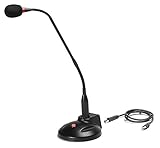
- The GN-USB-2 gooseneck is specially designed for professional voice communications. The GN-USB-2 is compatible for applications such as Hands-free dictation, PC recording software, voice recognition and internet chat.
- Features: Plug n Play, Noise cancelling, On/Off LED indicator, Detachable USB A~B cable, 16 inch adjustable neck, Weight base with non-skid rubber mounts
- Specifications: Element: fixed-charge back plate, permanently polarized condenser, Polar Pattern: Hypercardioid, Sensitivity: -40 +/- 2dB(0dB=1V/Pa at 1KHz), Frequency Response: 40Hz~16KHz, Output Impedance: 75-Ohm +/- 30% Max Input S.P.L.: 138dB, Signal/Noise Ratio: 65dB, Output Connector: USB A~B. Power Supply: Phantom Power 3V DC
- Operating Systems: Microsoft Windows 2000, Windows XP, Windows 7 and Windows 8 , Apple Mac Os9 and all OX X variations
Why random DLL downloads are unsafe
Avoid websites that offer a standalone spttseng.dll download. An unknown copy may have:
- The wrong version
- The wrong 32-bit or 64-bit architecture
- Missing companion files
- Altered contents
- A location that does not match the calling program
- Malware or an unwanted bundled installer
Even a genuine-looking file often does not fix the root cause. The application may be missing several SAPI files, a registered voice, or a dependency. The safe sources are the original application’s installer, its official launcher or store, Windows Update, Windows repair tools, and Microsoft’s documented legacy SDK where it genuinely applies.
Likely causes, in order
| Likely cause | What points to it | Definitive repair |
|---|---|---|
| Incomplete old application installation | Only one program fails | Repair, verify, or reinstall that program |
| Removed legacy SAPI or voice package | Error began after removing speech software | Reinstall the original speech-enabled component |
| Windows system corruption | Several Windows features fail or SFC reports damage | Run DISM, then SFC |
| Antivirus quarantine or tampering | Protection History names the file or application | Scan, verify the detection, and reinstall if needed |
| Architecture mismatch | A 32-bit legacy application cannot load the component | Install the matching application and speech package |
| Recent system change | Error began after an update or installation | Use System Restore when appropriate |
| Missing dependency | File exists but the loader says a module is missing | Repair the parent application and its dependencies |
There is no verified current mainstream application that uniquely owns this file. The calling program matters more than the filename alone.
Frequently asked questions
Is spttseng.dll a legitimate Microsoft file?
Yes. It is identified as a Microsoft SAPI 5 text-to-speech component. That does not mean every copy found on a computer is trustworthy. Check its path, the application that uses it, Windows Security results, and the source from which it was installed.
Does Windows 11 normally need spttseng.dll?
Not necessarily. The known indexed build is a legacy 32-bit file strongly associated with XP-era SAPI 5. A Windows 11 error usually indicates that an older application or legacy speech package is requesting it, rather than proving that a standard current Windows installation is incomplete.
Should I download spttseng.dll and put it in System32?
No. Do not use an unofficial DLL download or copy a legacy binary into Windows system folders. Repair the calling application or its official speech component first.
Is this a Visual C++ or DirectX problem?
Usually not. spttseng.dll belongs to Microsoft’s SAPI text-to-speech system. Install Visual C++, DirectX, .NET, or a device driver only when the affected application’s documentation or a separate error specifically identifies that dependency.
What if the file exists but Windows still says it is missing?
The loader may be unable to find a dependency of spttseng.dll, or the file may have the wrong architecture or be damaged. Repair the program that loads it rather than registering or replacing the file manually.
Can I copy the file from another computer?
That is not a safe general repair. The other computer may have a different Windows version, language, architecture, or SAPI configuration. Use the original installer or an official repair path.
What’s actually slowing this PC down?
Pick the symptom - the matching free tool is one click away.
What details should I provide when asking for further help?
Include the Windows version, affected program, complete error text, path shown in the message, whether the program is 32-bit or 64-bit if known, and whether the problem began after an update, uninstall, or security event. Do not upload an unknown DLL for someone else to install.
Quick Recap
Product prices and availability are accurate as of the date/time indicated and are subject to change. Any price and availability information displayed on Amazon at the time of purchase will apply.



