STALKER 2: Heart of Chornobyl Patch 1.0.3 addressed several crash categories, changed mouse settings to reduce keyboard-and-mouse input lag, and was associated with a fix for saves going missing after a reboot. GSC Game World announced the update on December 3, 2024; its specific save-issue framing comes from contemporaneous coverage, not a quoted line in the surfaced official notes.
What Patch 1.0.3 changed
GSC Game World’s December 3, 2024 announcement listed multiple fixes for ACCESS_VIOLATION_ERROR and LowLevelFatalError crashes, alongside mouse-control adjustments intended to decrease keyboard-and-mouse input lag. The notes also set camera sensitivity to 25% and aim sensitivity to 15% by default.
| # | Preview | Product | Price | |
|---|---|---|---|---|
| 1 |
|
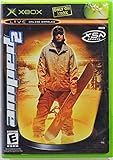
Amped 2 - Xbox | $69.99 | Buy on Amazon |
| 2 |

|
Mafia 2 - Xbox 360 | $15.48 | Buy on Amazon |
| 3 |

|
The Art of S.T.A.L.K.E.R. 2: Heart of Chornobyl | $31.19 | Buy on Amazon |
| 4 |

|
Halo 2 - Xbox | $36.95 | Buy on Amazon |
| 5 |

|
The Crew 2 - Xbox one | $8.99 | Buy on Amazon |
Those sensitivity values are settings, not measured latency results. GSC did not publish a percentage reduction in input lag, crash frequency, or save loss.
The save-erasure issue
Neowin’s contemporaneous Patch 1.0.3 report described a problem in which save files could go missing after a reboot. That is the basis for describing the update as addressing a save-erasure bug. The surfaced official announcement does not provide the exact wording of a save fix, so the reboot detail should be attributed to the report rather than presented as a direct GSC quotation.
Do these 3 things before closing this tab:
1Clear out junk files and repair common Windows errors2Scan for outdated or missing drivers - takes under a minute3Repair Windows errors before they cause bigger problems#1 Best Overall
- Amped 2 offers a freestyle snowboarding experience with a large and varied trick library. You'll explore vast areas of wide-open, real mountains packed with terrain parks. Play head-to-head with friends in the various multiplayer modes. When you're ready to take it to the next level, connect to Xbox Live to check rankings and challenge the world's best virtual riders. Travel the globe, and pull sick tricks in front of sponsors, photographers, and fans. The latest snowboarding magazines or videos
What changed for keyboard and mouse
GSC said: “According to your feedback, we adjusted following parameters/values to decrease input lag on keyboard+mouse input:” The listed changes disabled mouse smoothing and mouse acceleration by default, set camera sensitivity to 25%, and set aim sensitivity to 15%.
The announcement describes adjustments for keyboard-and-mouse input; it does not claim a controller input-lag fix. Nor does it provide a measured before-and-after latency result.
Rank #2
Crash fixes in the notes
Patch 1.0.3 listed multiple fixes for both ACCESS_VIOLATION_ERROR and LowLevelFatalError crashes. The announcement identifies these crash categories but does not quantify how often they occurred or how much the fixes reduced crashes.
Why later Patch 1.2 notes matter
GSC’s later Patch 1.2 notes separately listed a fix for save backups that could be missing after game saves were lost. They also listed an input-lag fix for the specific combination of VSync enabled with FidelityFX Frame Interpolation. These are later, separately described issues—not additional Patch 1.0.3 changes. Their appearance in Patch 1.2 means it would be inaccurate to say that 1.0.3 permanently eliminated every save or input problem.
Recommended Free Tools
Rank #3
Original rollout
When GSC announced Patch 1.0.3 on December 3, 2024, it said the update was live on PC via Steam, Epic Games Store, and GOG, with Xbox and Microsoft Store availability to follow. The Steam Community announcement listing records the announcement. This describes the historical rollout, not current platform availability.
Quick Recap
Best Value
- The Crew 2 - Xbox one
Rank #4
- Master Chief can now wield two weapons at once, board Covenant vehicles and steal Covenant weapons like the incredible double energy sword
- Lead an all-new unit of super-soldiers, the ODST -- tougher, badder and deadlier versions of your old comrades
- New enemies, allies and surprises around every corner - intense combat action with enhanced AI and real-time lighting
- Immense single-player action with maassive landscapes and huge cities to explore and defend - destructible and interactive environments
- Take the action online with your Xbox Live and switch sides, to become a Covenant Elite!
Product prices and availability are accurate as of the date/time indicated and are subject to change. Any price and availability information displayed on Amazon at the time of purchase will apply.




