Do these 3 things before closing this tab:
1Scan for outdated or missing drivers - takes under a minute2Clear out junk files and repair common Windows errors3Fix the driver behind crashes, sound loss and screen glitchesValve introduced native Apple Silicon support for the Steam Client and Steam Helper apps in a Steam Client Beta update in June 2025. That is a client-level change, not a conversion of Steam’s game catalog: whether a game runs on an M-series Mac still depends on the game and its supporting software. The cited announcement confirms the beta, but does not establish whether native support reached Steam’s stable channel by August 16, 2026.
What Valve made native
Valve’s June 2025 beta announcement said the Steam Client and Steam Helper apps run natively on Apple Silicon. In plain terms, those client processes can run as Apple Silicon software instead of relying on Rosetta 2 to translate an Intel build.
Steam is only one layer in the chain. A game has its own executable, graphics code, launcher, and sometimes anti-cheat or other middleware. Valve’s note did not say those components—or every game in the Steam catalog—had become Apple Silicon-native.
What the beta changes—and what it does not
Before the beta, Steam for macOS was generally described as an Intel application running through Rosetta 2 on M-series Macs. Rosetta made the client usable; removing that translation layer may help Steam itself start or feel more responsive, and could reduce some client-side overhead. Coverage described smoother navigation and faster loading, but no standardized benchmark figures establish a particular speed, battery, CPU, or temperature gain. See Thurrott’s report and Tom’s Hardware’s coverage.
Free tools Windows power users keep installed
One-click scans. No signup required.
#1 Best Overall

- AN AMAZING MAC AT A SURPRISING PRICE — With an incredibly portable and durable aluminum design, up to 16 hours of battery life,* and the A18 Pro chip, MacBook Neo is ready to go wherever school takes you.
- FOUR STUNNING COLORS. ONE DURABLE DESIGN — Choose from four beautiful colors — Silver, Blush, Citrus, or Indigo — each with a color-coordinated keyboard. And MacBook Neo is made with a durable recycled aluminum enclosure that helps it reach 60 percent recycled content by weight — the most ever in any Apple product.*
- FLY THROUGH EVERYDAY ASSIGNMENTS — Whether you’re cramming for finals, using Apple Intelligence* to summarize class notes, creating presentations, or even playing the latest Apple Arcade game,* MacBook Neo delivers the performance and AI capabilities you need to get things done.
- UP TO 16 HOURS OF BATTERY LIFE — MacBook Neo delivers all day battery life, so you can power through from early morning classes to late night study sessions without worrying about plugging in.
- A VIBRANT 13-INCH DISPLAY* — The gorgeous Liquid Retina display on MacBook Neo supports 1 billion colors, so photos and videos pop and text is crisp for easy reading.
The distinction matters when choosing a game or diagnosing a problem:
| Game or component | Effect of native Steam |
|---|---|
| Apple Silicon-native Mac game | Steam can manage it natively, but the game’s performance primarily depends on its own engine and graphics code. No frame-rate increase is guaranteed by the client change. |
| Intel-only Mac game | The game may still use Rosetta 2 even when Steam does not. |
| Windows-only game | Native Steam for macOS does not make the game playable on macOS. It may require a separate compatibility tool, virtual machine, or cloud-streaming service, and results vary by title. |
| 32-bit Mac game | A native Steam client does not restore support for 32-bit software on modern macOS. |
| Launcher, anti-cheat, or middleware | These components retain their own compatibility requirements. A publisher’s unsupported anti-cheat or launcher is not fixed by a native Steam client. |
In short: native Steam means the launcher is native; it does not mean the game is native. Workshop downloads may work in Steam while a particular mod remains incompatible with the Mac version of its game.
Rank #2
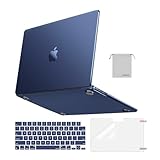
- Seamlessly Closes & Compatibility: Designed to be compatible with MacBook Air 15 case 2026 2025 2024 2023 release (M5 A3448, M4 A3241, M3 A3114, M2 A2941). Please kindly check the model number ""Axxxx"" on the back of the laptop before your purchase, make sure you choose the exact same model number as the listing title stated ""A3448"" or ""A3241"" or ""A3114"" or ""A2941"" that compatible with MacBook Air 15 in case
- Matched to Laptop Color Midnight - Compatible with MacBook Air case 15 inch: Precision-crafted with a matte finish that mirrors the original color, so your case blends in, not stands out. The advanced engineering material actively reduces fingerprints and oils, keeping your laptop looking clean and pristine, day after day. It's the closest thing to wearing nothing at all
- Anti-Fingerprints & Crack-Resistant - Compatible with MacBook Air M5 15 inch case: Featuring engineering polymers, this matte case naturally resists cracks and daily wear while its smooth texture prevents fingerprints and smudges. The secure fit holds your laptop firmly without pressure marks, protection that lasts
- Ultra-thin & Everyday Protective - Compatible with MacBook Air 15 Hard Shell Case: Complete defense at a mere 9.9oz, our hard shell case guards your laptop without adding any bulk. Our case hugs every curve for a flawlessly flush fit. The top and bottom covers fit securely into place with a gentle push-no tools, no hassle. Stays firmly mounted during daily use, yet releases easily when removal is needed
- Easily Installation - Compatible with MacBook Air M4 15 inch case: Our case is engineered to be installed and removed easily, requiring no tools. This 4-in-1 kit includes 1 crack-resistant hard case; 1 spill-proof keyboard cover that keep keys clean and dry; a clear screen protector that guards against scratches and 1 small storage bag. This protective hard shell case cover with raised feet prevents overheating, keeping your laptop cool and firmly during long work, travel or everyday use
How to opt into the Steam Client Beta
The beta enrollment path reported in June 2025 uses the existing Steam installation; it does not require reinstalling Steam. Labels can vary as Steam’s interface changes. The reported route is documented by Tom’s Guide, with similar steps in TechRadar’s coverage.
- Open Steam on your Mac.
- Choose Steam > Preferences. If your version uses the newer label, open Settings instead.
- Select Interface.
- Find Client Beta Participation and select Steam Beta Update.
- Restart Steam when prompted and let it download and install the update.
A beta offers early access, but it can also introduce bugs or conflicts with overlays, controllers, cloud saves, or third-party tools. If you rely on a stable setup and do not need early access, waiting for a stable-channel release is the lower-risk choice.
Rank #3

- Check Your Model: Designed exclusively for MacBook Pro 14-inch (2026 2025–2021, M5 / M4 / M3 / M2 / M1 Pro/Max) models (A3434 / A3112 / A3185 / A3401 / A2918 / A2992 / A2779 / A2442). Precision-molded to fit snugly without gaps or bulk, ensuring the lid closes smoothly and all ports remain fully accessible. Please confirm your model number before purchase
- Reinforced Corner Drop Protection: Upgraded soft + hard TPU bumper corners absorb everyday bumps and minor drops without cracking over time. Reinforced edges protect the most vulnerable back corners—ideal for daily use at desks, in backpacks, and during travel
- Scratch-Resistant Matte Finish: Features a frosted matte hard shell that resists scratches, fingerprints, and smudges. Customers love the sleek, premium feel and color accuracy—designed to closely match original MacBook finishes, including Space Black, without looking cheap or plastic. Protection without too bulk
- Easy Snap-On Installation: Clip-on design allows the top and bottom covers to snap on effortlessly—no tools, no hassle. Stays secure during everyday use while remaining easy to remove when needed. Does not interfere with screen opening, closing, or hinge movement
- Everyday Protection for Work, Travel & Daily Carry: Vented bottom panel with raised rubber feet improves airflow and heat dissipation, keeping your MacBook cool and stable. This protective and reliable case is made for frequent business travelers, on-the-go users, and busy professionals. It's a practical and appreciated gift for family members who frequently work from planes, hotels, and cafes while keeping your laptop looking like new, day after day
How to check whether Steam is running natively
On macOS, Activity Monitor can identify whether a process is Apple Silicon-native or Intel. After switching builds, check Steam itself and its related helper processes, not just one entry; the process list can contain several Steam-related items.
- Open Activity Monitor.
- Search for Steam.
- Show or inspect the Kind column.
- Look at the main Steam process and Steam Helper entries: Apple indicates a native Apple Silicon process, while Intel indicates an Intel process.
If a separate component still appears as Intel, that does not by itself prove that the main client failed to update. A launcher, installer, updater, or other helper may have its own architecture.
Rank #4

- Precise Fit for MacBook Air 13 inch Case: Designed only for MacBook Air 13 inch M5 M4 M3 M2 2026 2025 2024 2023 2022, models A3449 A3240 A3113 A2681. Micro 3D cutouts align with ports, vents, and hinges for easy access and full edge-to-edge coverage. Not compatible with MacBook Neo 13 inch 2026 A3404
- Ultra-Slim Case with Visible Logo: Made from high-density polycarbonate, this MacBook Air 13.6 inch hard shell case keeps your laptop slim, lightweight, and easy to carry. The translucent Midnight Clear finish lets the device logo show through while adding a clean, understated, premium look
- Scratch-Resistant Daily Protection: Reinforced PC material helps protect your laptop from scratches, scuffs, cracks, and daily wear. The secure snap-on design stays firmly in place, making this MacBook Air 13 inch cover ideal for commuting, travel, school, office, and everyday use
- Midnight Clear, True-to-Color Finish: Designed to complement the MacBook Air 13.6 inch Midnight color, this matte case uses optical color-matching technology to create a sleek, original-looking finish while helping reduce fingerprints and surface scratches
- Slim Protection with Heat Dissipation: Built with 1:1 hinge vent cutouts for smooth airflow and reliable cooling. This lightweight MacBook Air 13.6 inch laptop case adds protective coverage without bulk, keeping your device comfortable for daily work, study, and travel
Why Rosetta may still be needed
A native Steam client does not eliminate Rosetta from a Mac gaming setup. An Intel-only Mac game, an older game component, or a third-party launcher or middleware tool may still depend on it. A Rosetta installation prompt after changing Steam builds can therefore come from something launched by Steam rather than from Steam’s main process.
Contemporaneous 2025 coverage discussed Apple’s plans to reduce Rosetta’s role in future macOS releases, but that does not establish Rosetta’s exact availability or behavior on every macOS version in use now. Do not assume that Rosetta has been removed or that all older games will stop working; check guidance for the specific macOS release and software involved. See TechRadar’s 2025 report.
Best Value
- AN AMAZING MAC AT A SURPRISING PRICE — With an incredibly portable and durable aluminum design, up to 16 hours of battery life,* and the A18 Pro chip, MacBook Neo is ready to go wherever school takes you.
- FOUR STUNNING COLORS. ONE DURABLE DESIGN — Choose from four beautiful colors — Silver, Blush, Citrus, or Indigo — each with a color-coordinated keyboard. And MacBook Neo is made with a durable recycled aluminum enclosure that helps it reach 60 percent recycled content by weight — the most ever in any Apple product.*
- FLY THROUGH EVERYDAY ASSIGNMENTS — Whether you’re cramming for finals, using Apple Intelligence* to summarize class notes, creating presentations, or even playing the latest Apple Arcade game,* MacBook Neo delivers the performance and AI capabilities you need to get things done.
- UP TO 16 HOURS OF BATTERY LIFE — MacBook Neo delivers all day battery life, so you can power through from early morning classes to late night study sessions without worrying about plugging in.
- A VIBRANT 13-INCH DISPLAY* — The gorgeous Liquid Retina display on MacBook Neo supports 1 billion colors, so photos and videos pop and text is crisp for easy reading.
What this means for Mac gaming
A native client is useful infrastructure: Steam’s store, library, downloads, and other client functions have a better Apple Silicon foundation. It is also a positive sign that Valve is maintaining its Mac client. But it does not establish that publishers will port more games, that anti-cheat vendors will support macOS, or that the Mac catalog will match Windows coverage. For a buying decision, the key question remains whether the specific games you want have Mac versions that work on your Mac and macOS release.
Quick Recap
Product prices and availability are accurate as of the date/time indicated and are subject to change. Any price and availability information displayed on Amazon at the time of purchase will apply.




