If TimeShift crashes, freezes, or will not start on your PC, work through the checks below in order and test the game after each change. The game was released in 2007, and its published Windows XP/Vista requirements are historical—not a guarantee that it will run on current Windows versions. No current compatibility matrix or universally reliable fix is established.
Before troubleshooting: identify when TimeShift crashes
First note whether the game fails immediately, closes while loading, or crashes after you have started playing. That detail helps distinguish a launch problem from a mid-game failure. Restart the PC, launch the game once, and record the point of failure and any exact error message.
| # | Preview | Product | Price | |
|---|---|---|---|---|
| 1 |
|
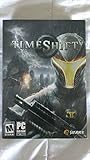
Timeshift - PC | $24.99 | Buy on Amazon |
| 2 |

|
Timeshift | $29.64 | Buy on Amazon |
| 3 |

|
Vivendi Universal Timeshift | $68.34 | Buy on Amazon |
| 4 |

|
CoderMindz Game for AI Learners! NBC Featured: First Ever Board Game for Boys and Girls Age 6+.... | $36.11 | Buy on Amazon |
TimeShift was released on October 30, 2007. Steam lists Windows XP/Vista, a Pentium 4 2.0 GHz equivalent, 1 GB RAM, DirectX 9.0c-compatible graphics, and 8 GB of free disk space as minimum requirements. These are the game’s original requirements, not modern Windows support guidance. Steam’s separate client policy has required Windows 10 or later since January 1, 2024; that policy applies to the Steam client and does not mean the game was updated for Windows 10 or 11. Steam’s TimeShift listing provides the product and requirements details.
Try these troubleshooting steps in order
1. Restart and classify the crash
Restart Windows, then launch TimeShift again without changing any settings. Record whether the crash is immediate, occurs during loading, or happens during play. If an error appears, capture its exact wording rather than paraphrasing it.
Do these 3 things before closing this tab:
1Repair Windows errors before they cause bigger problems2Scan for outdated or missing drivers - takes under a minute3Clear out junk files and repair common Windows errors#1 Best Overall
2. Check the installation and available space
Confirm that the game is still installed in the location your library expects, that the drive is accessible, and that it has free space. If you use Steam, open Library, right-click TimeShift, select Properties, then Installed Files and Verify integrity of game files. Let Steam complete the check before launching again. Use this built-in check instead of downloading replacement executables from an unknown site.
3. Check the graphics adapter and driver
Make sure the game is using the intended graphics adapter, particularly if the PC has both integrated and dedicated graphics. If the installed graphics driver is outdated or appears to be malfunctioning, get the current driver from the GPU maker and restart Windows after installation. Steam’s listing points to current DirectX drivers, and users have reported graphics-driver compatibility errors in the community hub; those reports are anecdotal and do not establish one cause or a guaranteed fix. TimeShift’s Steam Community Hub contains user reports, not official compatibility findings.
Rank #2
- Timeshift
- game_computer
4. Temporarily turn off overlays and capture tools
Disable overlays, recording, or capture tools that might hook into the game, then try again. Change only one tool at a time so you can identify whether it affects the crash, and restore it if nothing changes. This is a general diagnostic check, not a documented TimeShift-specific remedy.
5. Test a reversible compatibility setting only if relevant
If the failure appears connected to Windows compatibility, try one compatibility setting at a time and note the original setting so you can undo it. Test the game after each change. The available TimeShift sources do not identify a specific Windows compatibility mode as a proven fix, so avoid treating any setting as a guaranteed solution.
The Tool Desk
Outbyte PC Repair FREERepair Windows errors before they cause bigger problemsFix Now →Outbyte Driver Updater FREEFix the driver behind crashes, sound loss and screen glitchesFind Drivers →Rank #3
6. For startup or loading crashes, consider the reported CPU-core issue cautiously
A Steam community guide reports that CPU-core and Hyper-Threading issues can cause startup or loading crashes and describes a pre-patched executable for game version 1.2. This is community guidance, not an official Steam or Activision fix. The proposed change involves replacing a game file, so it carries greater security and trust risk than verifying files or changing a reversible setting. Do not download an executable from an unverified mirror. The community guide on CPU-core and Hyper-Threading issues describes the report.
7. Treat old version 1.2 patch advice as unverified
A separate community guide says a DVD release had update 1.2 and suggests it may help launch problems, but comments disagree about whether its guide or download works. That evidence does not establish that the patch is available, safe, or appropriate for your copy. Prefer updates delivered through your store or library, or a trusted source tied to original media; do not rely on the guide’s external file links. The community guide discussing version 1.2 includes the conflicting user feedback.
Rank #4
- HIGH QUALITY - The future is here and it's ready to play! Coder Mindz is the only board game and STEM toy, that teaches Coding and Artificial Intelligence concepts using a fun gameplay.
- EASY PLAY - Use it at home, in school, coding clubs, Montessori, STEM clubs, boys girls scout, summer clubs, tutoring, after school, day care, maker space, hackathons and for Girls who code!
- YOUNG INVENTOR - Created by Samaira, a 9 year old girl and covered by over 100 Media and News, including TIME, NBC TODAY Show, Business Insider, Yahoo Finance, NBC Bay Area, Sony, Mercury News and many more. Her first game is now used in over 600 schools worldwide.
- FIRST EVER AI GAME and FREE CURRICULUM - The only game that introduces kids to many AI concepts. Teaches Image Recognition, Training, Inference, Data, Adaptive Learning, Autonomous and more. Also teaches Coding concepts like Loops, Functions, Conditionals and Algorithm writing and more. FREE CURRICULUM available to download on website (limited time only)
- THINK AI - Artificial Intelligence is a big and emerging branch. The “Intelligence” in machines is programmed by “Training”. Once trained the machines “Infer” and start behaving “Autonomously”. Training involves Back-propagation which is Retraining or Fine Tuning. Using bots and code card this game sneakily introduces all those concepts which form foundation of today’s AI world. Learning Coding and AI concept helps you connect with real coding and AI.
8. Gather diagnostic details if it still crashes
If none of the checks changes the result, record your Windows version, CPU, GPU, graphics-driver version, exact error text, and whether the crash occurs at startup, during loading, or in-game. Steam’s listing links to the available support route; include these details when contacting support so the failure can be described precisely. Open the Steam listing and its support links.
Independent reader supportYour contribution helps us test, update, and keep practical guides available for everyone.What the evidence does—and does not—establish
The clearest game-specific lead is the community report about CPU cores or Hyper-Threading and startup/loading crashes. Reports of graphics-driver errors are also user anecdotes. Neither proves how common a problem is or that a proposed change will fix it for every PC. The other checks above are cautious, general troubleshooting steps rather than fixes verified specifically for TimeShift. The available sources do not establish reliable compatibility across current Windows 10 and 11 configurations.
Outdated Drivers Are Slowing You Down
One free scan finds every outdated or missing driver and matches the right update for your exact hardware.Free scan · exact hardware matchPC Slower Than It Used to Be?
A free scan shows the junk files, broken settings and background clutter dragging Windows down - then fixes them in one click.Free scan · Windows 10 & 11Quick Recap
Product prices and availability are accurate as of the date/time indicated and are subject to change. Any price and availability information displayed on Amazon at the time of purchase will apply.




