In MENACE, a strong start comes from matching your squad and route to the mission, then spending Action Points without giving the enemy easy turns. Before deployment, check mission conditions and supply limits; in combat, use cover and attack previews before committing a squad.
What should you do before your first operation?
MENACE’s strategic layer asks you to choose factions and operations. An operation links several missions through branching paths, with different objectives, challenges and rewards. Read the mission details before accepting a route: difficulty, conditions, objectives and rewards all affect what you need to bring. Abandoning an accepted operation reduces your standing with the faction involved. See the official Beginner’s Guide for the campaign systems.
| # | Preview | Product | Price | |
|---|---|---|---|---|
| 1 |
|
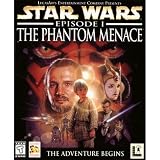
Star Wars Episode 1: The Phantom Menace - PC | $48.50 | Buy on Amazon |
| 2 |

|
Renegade Game Studios Monsters Menace the World - Kaiju Strategy Board Game | $50.08 | Buy on Amazon |
| 3 |

|
A Date with Danger: Amazing Hidden Object Games (4 Pack) | $7.99 | Buy on Amazon |
| 4 |

|
X2: The Threat - PC | $4.49 | Buy on Amazon |
| 5 |

|
Star Wars Episode 1: Racer - PC | $10.79 | Buy on Amazon |
Prepare for the mission you selected
Check objectives, time of day, weather and available intel in the preparation screen. Poor visibility can slow squads and reduce their field of vision; nighttime substantially reduces line of sight. Use the deployment area to position squads toward objectives or with known enemy types in mind.
Check the mission’s supply limit before finalizing your force. Larger infantry squads cost more supplies, and a force that exceeds the cap cannot simply deploy unchanged. Reduce squad size or revise equipment in preparation rather than building a favorite roster and discovering too late that it does not fit. The mission preparation guide covers deployment constraints.
#1 Best Overall
How should you configure squads?
There is no single best loadout for every operation. Start with the objective and available intel, then weigh supply cost, weapon roles, protection and utility. The Beginner’s Guide describes the relevant equipment systems, but the right trade-offs depend on the mission.
- Weapons: Compare range, damage and rate of fire. Rate of fire can matter for suppression, while a weapon’s range and damage help determine which targets it suits.
- Special weapons: An LMG, RPG or sniper rifle is carried by the squad leader and typically has limited uses per battle. Treat it as a scarce option for situations where its role matters.
- Armor: Armor types protect against different threats. Armor loses durability when stopping bullets, and some choices affect accessory capacity.
- Accessories: Choose tools for the mission, such as grenades, magazine pouches, explosives or reconnaissance drones, rather than filling slots without a purpose.
Account for leaders and vehicles
Squad leaders have attributes and perk trees; promotions unlock perks. Vehicles use a separate configuration system: a pilot leader needs a vehicle assigned and must be added to the mission. Vehicle weapon slots take heavy or light modular weapons, with accessories available as well. These options do not mean every mission requires a vehicle; select one only when it suits the operation and deployment constraints.
Rank #2
- Control Iconic Monsters: Command legendary creatures like Chupacoloso, Nessie, and Konk to wreak global destruction and accumulate Infamy points in this competitive strategy experience
- Tactical Miniatures Gameplay: Deploy your military faction to strategically oppose rival monsters with depth and cunning decision-making that rewards clever tactics
- Stunning Visual Components: Experience highly detailed miniatures and award-winning artwork that bring epic kaiju-scale battles and apocalyptic destruction to vivid life
- Two to Four Player Strategy: Engage two to four adult gamers aged fourteen and up in intense ninety-minute competitive sessions perfect for game night domination
- Deep Replayability Value: Play as seven unique monsters with fresh strategic combinations each game, ensuring endless competitive variety and memorable victories
How do you avoid losing a squad early?
Each squad has Action Points (AP) for movement, equipment and attacks, and the interface shows the cost of each action. You choose the order in which squads act, but once a squad starts acting, it remains committed until it spends its AP or ends its turn. Ending the turn gives up that squad’s remaining AP until the next round.
Plan a squad’s sequence before using its first action. Moving too far forward can leave it exposed, and overextending can allow several enemy squads to attack before you can react. Keep options open: consider whether the squad can reach useful cover, attack, or complete an objective before spending AP on a less urgent action. The official tactical combat guide explains AP, turns and combat actions.
Windows Errors? Fix Them Before They Spread
Repair common Windows errors and clear accumulated junk for a smoother, more stable PC - no reinstall needed.Free scan · no reinstallOutdated Drivers Are Slowing You Down
One free scan finds every outdated or missing driver and matches the right update for your exact hardware.Free scan · exact hardware matchRank #3
- Amazing Hidden Object Games 4 Pack A Date with Danger Mystery & Romance Thrilling Mysteries, Romantic Stories, Hours of Fun!
- Love Story: Letters from the Past – Track down touching letters and help Mary unravel this timeless love story.
- Abyss: The Wraths of Eden – Uncover the shocking truth about the conflict that destroyed this mysterious city at the bottom of the sea.
- The Travels of Marco Polo – Sail the seas as explorer Marco Polo to find adventure, riches, and true love!
- Detective Quest: The Crystal Slipper – Can you find the mysterious woman who vanished? Put your detective skills to the test.
How should you use cover and attack previews?
Cover is directional: a building may protect one side while leaving another exposed. Cover can also block line of sight, so a protected position may restrict your firing line. Vehicles can use cover too, with the same need to weigh protection against where they can shoot.
Before firing, inspect the attack preview for accuracy, armor penetration and suppression potential. Those details help you decide whether the shot is worth its AP and whether the target is a better use of the squad’s action than moving or using equipment. The strongest choice depends on the target, weapon and tactical situation; do not treat one preview stat as a universal rule.
Rank #4
- State-of-the-art graphics engine utilizing all the latest Direct X capabilities
- Large dynamic universe to explore, packed with thousands of objects
- Build your own empire as a trader, bounty hunter, pirate, or miner
- Heart-thumping, freeform storyline with dozens of interlinked missions
- Over 70 ships to buy and fly; employ a myriad of offensive weaponry
What campaign resources and systems should you watch?
Successful primary and secondary objectives generate promotion points. Authority is tied to squad discipline and can also be spent on hiring and some events. Faction standing can unlock Impetus upgrades. These systems make mission results and faction choices matter beyond the immediate battle.
The Black Market inventory changes after each operation, so check it as the campaign progresses. The official guide says there is no incentive to overpay when trading items. For the broader campaign systems, see the Beginner’s Guide.
Best Value
What should you know about MENACE’s current Early Access status?
MENACE entered Early Access on 5 February 2026. Its Steam listing continues to label it Early Access and warns that the game is incomplete and may change. The listing’s description, accessed 8 October 2026, states that the current game has 50 unique procedurally generated mission types across three biomes/planets and four enemy factions; those are storefront figures for that snapshot, not guarantees about later builds. The developer says it plans additional planets, biomes, missions, squad leaders, equipment, events, character interactions and the full story for the full version. Expect mechanics and content to evolve as updates arrive.
Quick Recap
Product prices and availability are accurate as of the date/time indicated and are subject to change. Any price and availability information displayed on Amazon at the time of purchase will apply.



