Do these 3 things before closing this tab:
1Repair Windows errors before they cause bigger problems2Fix the driver behind crashes, sound loss and screen glitches3Clear out junk files and repair common Windows errorstobii.eyex.client.dll is a native Tobii EyeX client library supplied by the game or application that uses eye tracking. If Windows says tobii.eyex.client.dll is missing, not found, or could not be loaded, repair that program first rather than downloading a replacement DLL.
What this file actually does
tobii.eyex.client.dll is commonly written as Tobii.EyeX.Client.dll. It belongs to the older Tobii EyeX software development ecosystem, where the library lets a compatible game, Unity application, mod, or developer-built program communicate with Tobii eye-tracking software.
It is not a Windows system file. The application normally keeps its own copy beside the program executable, sometimes alongside the Tobii EyeX Engine or other application files. Different programs can contain different builds of the same filename, including different 32-bit and 64-bit versions.
That is why copying a file from another game, from System32, or from a DLL download sites page is unsafe. The replacement may have the wrong architecture, version, dependencies, or even an untrusted origin.
Crashes, No Sound, or Screen Glitches?
Random freezes, missing sound and display glitches usually trace back to one bad driver. Find and replace yours safely.Free scan · under a minutePC Slower Than It Used to Be?
A free scan shows the junk files, broken settings and background clutter dragging Windows down - then fixes them in one click.Free scan · Windows 10 & 11#1 Best Overall

- WORKS IN ALL LIGHT CONDITIONS - Our eye and head tracking technology makes your favorite games more immersive whether you are in a pitch black room or in bright daylight.
- HEAD AND EYE TRACKING IN ONE DEVICE - Tobii Eye Tracker 5 tracks both head and eye movements for more immersive PC gaming experiences. Compatible with Windows 10 and Windows 11
- 170+ ENHANCED GAMES - Celebrated by players for bringing game changing features to Star Citizen, Microsoft Flight Simulator, War Thunder, Euro Truck Simulator, and 170+ other game titles.
- NO WEARABLES NEEDED - Say goodbye to devices that require you to wear trackers on a hat and enjoy the freedom in game and outside of it.
- WINDOWS HELLO - Tobii Eye Tracker 5 is compatible with Windows Hello and uses biometric data to make your device safer.
The file also depends on the Microsoft Visual C++ runtime associated with version 110, which corresponds to Visual C++ 2012. Therefore, “the specified module could not be found” can appear even when Tobii.EyeX.Client.dll is visibly present. Windows may actually be unable to load one of that DLL’s dependencies.
Causes and symptoms
| What you see | Most likely cause | Correct direction |
|---|---|---|
| “The program can’t start because tobii.eyex.client.dll is missing” | Incomplete, damaged, or quarantined application file | Verify or reinstall the affected program |
| “The specified module could not be found” | A dependency, often a Visual C++ runtime, is missing | Repair the app, then install the matching VC++ package |
“Not designed to run on Windows” or 0xc000007b |
Wrong architecture, corrupted binary, or incompatible dependency | Restore the application’s own copy and check x86/x64 requirements |
BadImageFormatException |
A native DLL was loaded by the wrong architecture or treated as a managed .NET assembly | Match the application architecture and use the vendor’s files |
| Unity reports that the client access library could not be loaded, but the game starts | Optional eye tracking failed during startup | Treat it as a warning unless the game’s features or launch are affected |
| The error began after antivirus activity | The DLL may have been quarantined or removed | Check Protection history before reinstalling |
| The error started after an update or failed installation | The application bundle may be incomplete | Run the launcher’s repair or file verification |
Fix the affected game or application first
This is the highest-probability repair because the DLL is normally distributed with the program that needs it.
1. Check Windows Security quarantine
Before reinstalling, check whether antivirus software removed the file.
- Open Start and search for Windows Security.
- Select Virus & threat protection.
- Under Current threats, select Protection history.
- Look for an event involving the affected game or application.
- Expand the event and inspect the original file path, detection name, and source.
- Restore or allow the file only if you can verify that it came from the program’s official installer and the application path is legitimate.
Microsoft warns that restoring a quarantined file can expose the computer if the file is genuinely malicious. If the detection is uncertain, do not restore it manually. Update the security definitions, contact the application vendor, and reinstall the program from its official source instead.
After restoring a verified file, launch the application. If it starts normally, add an appropriate exclusion only after confirming the application and installer are trustworthy. If the file is quarantined again, stop and investigate rather than repeatedly restoring it.
2. Verify the installation through its launcher
For a Steam game:
- Open Steam.
- Select Library.
- Right-click the affected game and choose Properties.
- Select Installed Files.
- Choose Verify integrity of game files.
- Wait for Steam to replace missing or damaged files.
- Start the game again from Steam.
Other launchers may call this Verify, Repair, Scan and repair, or Validate files. Use that function from the launcher that installed the program. Do not manually place the DLL in a Windows folder.
A successful verification normally reports that files were checked or reacquired. If the error returns immediately, continue with a runtime repair rather than copying a DLL from another installation.
Rank #2

- COMPLETE BUNDLE - Includes Tobii Eye Tracker 5, a protective carry case, and an additional mounting kit for flexibility and convenience.
- HEAD AND EYE TRACKING IN ONE DEVICE - The Tobii Eye Tracker 5 is the only device that can track both your head and eyes at the same time for more immersive experiences.
- WORKS IN ALL LIGHT CONDITIONS - Our eye and head tracking technology makes your favorite games more immersive whether you are in a pitch black room or in bright daylight.
- CUSTOMIZABLE MOUNTING OPTIONS - The additional mounting kit allows you to create another eye tracker-ready setup on a second monitor. Perfect for users who move between locations—just take the tracker with you, and seamlessly switch between different screens without any hassle.
- PORTABLE AND DURABLE CASE - Safeguard your eye tracker during travel or storage with a compact carry case.
3. Reinstall the application if verification fails
If verification does not restore the file:
- Back up saves, profiles, or mod files if the application stores them outside its normal cloud-sync location.
- Uninstall the affected program from Settings → Apps → Installed apps on Windows 11, or Settings → Apps → Apps & features on Windows 10.
- Restart Windows.
- Download the application again from its official launcher or vendor.
- Install it to its normal location.
- Start it before adding mods or third-party plugins.
If the problem began after installing a mod, remove the mod and test the unmodified application. EyeX client files bundled with a mod or older Unity title must match that program’s architecture and expected SDK build.
Recommended Free Tools
Reinstallation worked if the program launches without the DLL message and the affected eye-tracking feature initializes. If the application launches but eye tracking remains unavailable, the remaining issue may be the old EyeX environment rather than the missing file itself.
Install or repair Visual C++ 2012
Tobii’s native client library depends on the Microsoft Visual C++ runtime version 110. Use Microsoft’s official Visual C++ 2012 Update 4 download, not a package from a DLL catalog.
- Determine whether the affected program is 32-bit or 64-bit. Older games and many Unity applications are 32-bit even on 64-bit Windows.
- Download the Visual C++ 2012 Update 4 redistributable matching the application.
- Run the installer.
- Choose Repair if it is already installed. Otherwise choose Install.
- Restart Windows.
- Launch the affected program again.
A 32-bit application generally needs the x86 redistributable, even on 64-bit Windows. A 64-bit application needs the x64 package. Microsoft’s supported Visual C++ redistributable guidance explains why the runtime architecture must match the application, not merely Windows.
Older applications can require both packages because different components may use different architectures. Installing VC++ 2012 will not recreate a DLL that the game installer failed to supply, so return to application verification if the named file is genuinely absent.
Success means the program gets past the load error. If the same message remains, check the application directory for the vendor-supplied DLL and continue with architecture diagnosis.
Check 32-bit and 64-bit compatibility
A mismatched DLL can produce “not designed to run on Windows,” 0xc000007b, or BadImageFormatException.
Rank #3

- Immersive In-Game Head Tracking — Converts natural head movements into camera control for ultra-realistic gameplay in flight, racing, and combat simulators..
- Precision Tracking with TrackClip PRO — Attaches to hats or visors and reflects infrared signals for accurate, low-latency tracking—even in low-light environments.
- True 6DOF Motion Capture — Tracks yaw, pitch, roll, and movement across X, Y, and Z axes for full 3D control in supported games and simulation software.
- Customizable Software Profiles — Fine-tune tracking speed, motion curves, and dead zones, or select from preset profiles for plug-and-play setup.
- Stable Mounting on Most Monitors — Magnetic base and adjustable legs ensure secure installation on nearly any screen, with quick setup and removal.
Do not replace the application’s file with a file copied from another game. Instead:
- Open the application’s installation folder.
- Confirm whether
Tobii.EyeX.Client.dllis present beside the executable or in the vendor’s documented subfolder. - Check whether the program has separate
x86,x64,Win32, orMonofolders. - Restore the complete folder through the launcher rather than replacing individual files.
- If the program is a .NET application or mod, confirm that its native DLL is being loaded by the correct 32-bit or 64-bit host.
A dependency-analysis utility can help identify which native library is missing, but use it for diagnosis only. Do not download every dependency it lists from unrelated websites. If it identifies a Visual C++ runtime, repair the official Microsoft package. If it identifies an application file, reinstall the application.
Repair Windows components only when broader problems exist
DISM and SFC do not recreate a third-party Tobii DLL. They are useful when Windows itself is showing corruption, failed updates, damaged system components, or multiple unrelated errors.
- Open Start and type Command Prompt.
- Right-click Command Prompt and select Run as administrator.
- Run:
DISM.exe /Online /Cleanup-image /Restorehealth
- Wait for it to complete.
- Then run:
sfc /scannow
- Restart Windows and test the application.
Microsoft recommends running DISM before SFC. The official System File Checker instructions explain the process.
If SFC reports repaired files and the application now starts, Windows corruption was contributing to the failure. If both commands complete successfully but the Tobii error remains, stop repeating them and repair the application bundle instead.
When manually hunting through Windows components and repeating DISM/SFC does not show what changed, Outbyte PC Repair can scan for broader Windows issues; its free scan shows what it finds, while repair requires the full version. For this file, reinstalling the affected game or application remains the definitive fix when its own DLL is missing.
Check drivers and optional Windows features
Eye-tracking software can also fail when the related device software or USB driver is damaged, although that does not replace the need to restore the application-local DLL.
Update the eye-tracking or USB device driver
- Right-click Start and open Device Manager.
- Expand categories such as Human Interface Devices, Cameras, Universal Serial Bus controllers, or any Tobii-related category.
- Right-click the relevant device and select Properties.
- Open the Driver tab and note the provider and status.
- Use the device vendor’s official installer for an update or repair.
- Restart Windows and test the application.
Do not uninstall a working device driver merely because the DLL error appears. The application may need an old EyeX-compatible environment that a current driver does not provide.
Rank #4
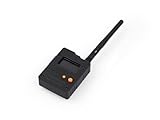
- Ready-to-Use 3D-Printed Enclosure: The L1 Pro comes with a rugged, lightweight 3D-printed enclosure designed for immediate use—no additional assembly needed. Whether handheld or clipped onto gear, it’s built for adventure in any environment.
- Pre-flashed with Meshtastic firmware: Ready to use out of the box with pre-installed Meshtastic firmware for seamless setup.
- Triple Power Supply Options: Equipped with a built-in 2000 mAh battery, Type-C fast charging, and solar input support, enabling flexible deployment in diverse environments—perfect for outdoor and mobile use.
- High Expandability: Fully compatible with the Grove ecosystem, and includes PTH headers and an SWD debugging interface for custom hardware expansion and advanced development.
If identifying the correct device and matching driver manually is taking longer than the application repair itself, Outbyte Driver Updater can scan for outdated drivers; its free scan identifies what needs attention, while installation requires the full version. It is optional, and the application’s bundled DLL remains the primary repair.
Check Windows Features only for an application-specific requirement
Do not enable random Windows features to fix this filename. If the program’s documentation specifically requires a Windows component:
The Tool Desk
Outbyte PC Repair FREERepair Windows errors before they cause bigger problemsFix Now →Outbyte Driver Updater FREEFix the driver behind crashes, sound loss and screen glitchesFind Drivers →- Open Control Panel.
- Select Programs → Turn Windows features on or off.
- Enable only the documented feature.
- Select OK and restart if prompted.
Windows Features will not install Tobii.EyeX.Client.dll or substitute for Visual C++ 2012.
Do not use regsvr32 for this file
regsvr32 is intended for DLLs that provide COM registration entry points such as DllRegisterServer. The Tobii file is a native application client library, not a routine COM component.
Running commands such as these is therefore not a normal fix:
regsvr32 tobii.eyex.client.dll
regsvr32 /i tobii.eyex.client.dll
They can produce another error without repairing the application. Use Microsoft’s regsvr32 documentation to identify the narrow cases where registration is appropriate. Do not put this DLL in C:WindowsSystem32 or C:WindowsSysWOW64.
Quick wins for a faster PC:
Fix the driver behind crashes, sound loss and screen glitchesFind Drivers →Repair Windows errors before they cause bigger problemsFix Now →If the error began after an update or cleanup
Use the timing to choose the repair:
- After a game update: run the launcher’s verification function.
- After antivirus activity: inspect Protection history and verify the original path before restoring anything.
- After a cleanup utility: reinstall the affected application and its VC++ runtime.
- After a failed installation: uninstall, restart, and perform a clean installation.
- After a driver or Windows update: use System Restore if several unrelated programs also fail, then reinstall the application if necessary.
EyeX is an older SDK ecosystem. Current Tobii software is not guaranteed to provide binary compatibility with an application built for EyeX. If an old game requires that environment, use the application vendor’s supported build or an archived installer from a trustworthy vendor source. Do not assume that installing a newer Tobii product will replace the old client library.
Frequently asked questions
Is tobii.eyex.client.dll a Windows file?
No. It is an application-local Tobii EyeX client library. The program that uses it should normally supply it.
Best Value

- What does it include? - This kit includes extra mounts for your Tobii Eye Tracker 5 and Tobii Eye Tracker 4C.
- Made for various shapes - The Flex Mount places underneath your curved, flat, ultrawide, or thin-bezel screen.
- Your preference matters - For built-in screens or to place your tracker directly on the front of your screen bezel, use the Metal Plate Mount.
- Catch your right angle - We all have different postures and heights. Therefore our positioning in front of a screen will vary. Use the Flex Mount to put the tracker at the right angle.
Should I download the DLL from a search result?
No. Random DLL sites can provide malware, the wrong architecture, a mismatched version, or a file with missing dependencies. Repair the affected program and use Microsoft’s official Visual C++ package instead.
Why does Windows say a module is missing when the DLL is present?
The named file may depend on another native DLL that is absent or damaged. The Visual C++ 2012 runtime is a documented dependency, but the application installation can also be incomplete.
What’s actually slowing this PC down?
Pick the symptom - the matching free tool is one click away.
Do I need both x86 and x64 Visual C++ packages?
Install the package matching the application. A 32-bit game on 64-bit Windows needs x86. Older software may require both when separate components use different architectures.
Is a Unity warning always a launch failure?
No. Some Unity applications probe for optional eye tracking and log a failure while continuing to run. If the program starts and only eye tracking is unavailable, a system-wide DLL repair may not be necessary.
Will SFC repair this DLL?
No. SFC repairs protected Windows components. It will not recreate a third-party Tobii file removed from a game or application directory.
Can I register the DLL with regsvr32?
Generally no. This is a native client library, not a DLL that normally requires COM registration. Restore it through the application installer instead.
Free tools Windows power users keep installed
One-click scans. No signup required.
Quick Recap
Product prices and availability are accurate as of the date/time indicated and are subject to change. Any price and availability information displayed on Amazon at the time of purchase will apply.




