Quick wins for a faster PC:
Clear out junk files and repair common Windows errorsFree Scan →Scan for outdated or missing drivers - takes under a minuteDriver Scan →The best keyboard for osu!mania is the one that registers chords reliably and gives you comfortable, consistent lane spacing—not necessarily the one with the highest polling-rate claim. A conventional wired mechanical keyboard can be all you need. If you want adjustable actuation and rapid trigger, the Wooting 80HE is the strongest all-purpose pick in this shortlist; a dedicated keypad may make more sense if you already own a typing keyboard and mainly play mania.
Quick comparison: five good osu!mania setups
| Pick | Best for | Layout and switch technology | Rapid trigger and polling | Price information | Main drawback |
|---|---|---|---|---|---|
| Wooting 80HE | One premium board for mania and general gaming | 80%; Hall effect | Rapid trigger; manufacturer states 8 kHz polling | Current price not stated on the cited product page | Premium features may be unnecessary, especially for beginners |
| Wooting 60HE family, including 60HE v2 | Compact premium setup and maximum desk space | 60%; Hall effect | Per-key rapid trigger and adjustable actuation | Current price not stated on the cited product pages | No dedicated arrow, navigation, or function keys |
| Razer Huntsman V3 Pro TKL | Mainstream-brand TKL with optical rapid trigger | TKL; Razer Analog Optical Switches Gen-2 | Standard model: 1,000 Hz polling, according to Razer; a separate 8 kHz model is sold | Standard black TKL was listed at $159.99 US on August 16, 2026; storefront prices and promotions can change | Not Hall effect; full software features require Razer Synapse |
| SteelSeries Apex Pro TKL Gen 3 | Feature-rich Hall-effect board from a major gaming brand | TKL; OmniPoint Hall-effect technology for the relevant Apex Pro models | Rapid trigger on compatible models; verify exact generation and connection version | Current price not stated for this exact configuration | Family specifications vary, and the software feature set may be more than mania requires |
| Sayodevice CM51+ or comparable dedicated keypad | Players who already own a regular keyboard and want a purpose-built mania layout | Dedicated keypad; current exact switch and key-count details not confirmed | Community discussion describes rapid-trigger-style features; current official specifications not confirmed | Current price not confirmed | Not an all-purpose keyboard; support and specifications may vary by revision |
Product specifications are not the same as proof of better scores. These recommendations are based on the fit between each product’s stated features and common mania setups, not on comparative hands-on testing.
What matters most in an osu!mania keyboard?
- Reliable simultaneous input: Chords require multiple keys to register together. Look for dependable rollover and test the keys you plan to bind; avoid assuming every board handles every combination equally well.
- Consistent key return: Repeated taps and alternating patterns depend on a key resetting predictably. The feel and rebound of a switch matter more than a marketing label.
- Comfortable lane placement: Choose a row of keys that lets your hands stay relaxed. For 7K in particular, spacing and posture can matter more than whether the keyboard is called 60%, 75%, or TKL.
- Stable connection and sensible latency: Prefer a reliable wired connection for competitive play unless the exact wireless implementation has been verified for your needs. Polling rate is only one part of the input pipeline; it does not by itself establish end-to-end latency.
- Useful software and support: If you want adjustable actuation, check whether profiles, firmware, and settings are straightforward and whether settings can be stored onboard. Also consider warranty, replaceable parts, noise, and whether you need the board for ordinary typing.
osu!mania supports different lane counts, and players bind lanes to keys that suit their hands. A commonly used two-key setup is Z/X or K1/K2; players can rebind controls rather than treating the defaults as mandatory. See a guide to osu! keyboard and keypad layouts.
Best overall: Wooting 80HE
The Wooting 80HE is the strongest one-board recommendation here for players who want adjustable Hall-effect input in a layout that retains more surrounding keys than a 60% board. Wooting lists configurable actuation from 0.1 mm to 4 mm, rapid trigger, and a true 8 kHz polling mode. Those are manufacturer specifications, not evidence that the keyboard will improve an individual player’s accuracy or score. See Wooting’s 80HE specifications.
Rank #3

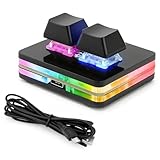
- USB-Type-C: Fast network delivers pro-grade performance with flexibility and freedom from cords. More wider range of applications. This keyboard is programmable, it support Macro function. And it can be set as any hot key or short cut that meet your need.
- 6 Key Mini Keyboard: The mini gaming keyboard is compatible with Windows, Linux, Mac OS, Android and iOS system. Please set up in Windows or Mac OS firstly, then you can freely use it in different device.
- Programmable Macro Keyboard: Custom mini keypad is widely used in video games, office work, PPT, sheet music page turning, equipment image capture, factory machine control, piano keyboard test and other occasions.
- Our 6 key mini keypad is built for durability: ABS construction and keys that can endure up to 50 million strokes. Mechanical switches make every word you type bouncy
- Type C to USB Nylon Braided Cable: You can use it connect the keyboard to your computer. Also charge the keyboard by using this cable.
Who it suits
- Players who want one premium keyboard for osu!mania and other games.
- 7K players who prefer extra keys around their lane bindings.
- People who value per-key tuning and profile management.
What to consider
It costs more than a basic wired mechanical board, takes more desk space than a 60%, and has features a beginner may not need. Start with moderate actuation rather than assuming the most sensitive setting is best.
Best compact premium pick: Wooting 60HE family
The Wooting 60HE family is a compact Hall-effect option for players who want to free desk space or position their hands centrally. Wooting documents per-key rapid trigger and adjustable actuation for its Hall-effect keyboards, while PC Gamer’s 2026 review covers the 60HE v2 as a premium option alongside other Hall-effect boards. See the Wooting 60HE module and Wooting’s rapid-trigger setup guidance.
Who it suits
- Players who want a compact board and do not need a full set of dedicated keys.
- 4K players seeking a simple, centered lane area.
- Players who want Wooting’s software ecosystem in a smaller format.
What to consider
A 60% layout omits dedicated arrow, navigation, and function keys, which can be inconvenient for work or school. It can also feel cramped for some 7K bindings. Choose it because the compact layout suits your hands and desk, not because smaller automatically means better for mania. Read PC Gamer’s 2026 60HE v2 review.
Best mainstream optical alternative: Razer Huntsman V3 Pro TKL
The standard Huntsman V3 Pro TKL uses Razer Analog Optical Switches Gen-2, not Hall-effect switches. Razer lists adjustable actuation, rapid-trigger mode, onboard profile storage, N-key rollover, anti-ghosting, and 1,000 Hz polling for this model. Check Razer’s product specifications.
Recommended Free Tools
Who it suits
- Players who prefer a familiar large-brand product and TKL layout.
- People who want physical controls and onboard adjustment.
- Buyers who find the standard model at a price that makes sense locally.
What to consider
Razer Synapse is needed for the full software feature set. Do not confuse the standard 1,000 Hz TKL with the separately listed 8 kHz model; they are different products. The US storefront listed the standard black TKL at $159.99 on August 16, 2026, down from a listed original price of $219.99; treat that as a dated storefront observation, not a permanent price. Razer lists its keyboard models separately.
Best feature-rich Hall-effect alternative: SteelSeries Apex Pro TKL Gen 3
The Apex Pro line uses OmniPoint Hall-effect technology on compatible models and offers adjustable actuation and rapid trigger. SteelSeries describes rapid trigger as configurable active and reset points that move with key travel rather than staying at fixed points; its stated 0.1–4 mm range applies to compatible boards. Read SteelSeries’ explanation of rapid trigger and check its Hall-effect keyboard range.
Rank #4

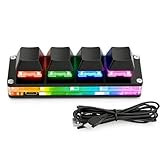
- 1. With 12 Cherry Red Speed Switches.
- 2. HID Standard Keyboard, Plug and Play without driver.
- 3. Compatible With Windows, Linux, MacOS, Android, Raspberry and it's easy to use for everyone.
- 4. The function of custom keypad: Shortcut keys, Multi-step operation, Multi-key in one, Copy and Paste, Cut, Undo, Redo, Select all, Play, Pause, Volume, Switch song, Forward, Backward, Custom script, etc.
- 5. Each button can be set to a different function mode without affecting each other.
Who it suits
- Players who want Hall-effect features from an established gaming peripheral brand.
- Users who like TKL and want a keyboard for general gaming as well as mania.
- People who value a feature-rich companion app and hardware controls.
What to consider
“Apex Pro” is a product family, not one uniform specification. Confirm the exact generation, wired or wireless version, and switch configuration before buying. Features aimed at other games, such as Snap Tap, should not be assumed to provide an osu!mania advantage.
Best purpose-built option: Sayodevice CM51+ or a comparable keypad
If you already own a good everyday keyboard and mainly play mania, a dedicated keypad can be the most practical upgrade. It uses less space, lets you place the lanes independently, and avoids paying for keys you will not use. Community discussion identifies the Sayodevice CM51+ as a rhythm-game option, but current key count, switch type, polling rate, price, firmware, and warranty are not established by the cited community source. Check the current official listing and support terms before ordering; do not rely on unverified specifications. Visit Sayodevice’s official site and see the community discussion.
Who it suits
- Players who have a separate typing keyboard and want a dedicated 4K or 7K position.
- People with limited desk space or a preference for centered lane placement.
What to consider
A keypad is not a replacement for an all-purpose keyboard. Confirm its current layout, configuration process, service options, and compatibility with your intended bindings before purchase.
Choose by lane count, layout, and use case
For 4K
A compact 60% or 65% board is usually enough, and a four- or five-key keypad can make a clean, centered setup. Dedicated arrow or function keys are not necessary if the board is mainly for mania.
For 7K
A 65%, 75%, or TKL layout may suit players who want more keys around their bindings. A dedicated seven-key keypad can provide a consistent lane area. A 60% board is not automatically unsuitable: many players rebind around its center. Test the hand position before deciding.
By budget and purpose
- Under about $75: Consider a dependable conventional wired mechanical keyboard or a budget keypad if one is available locally. This is a broad buying band, not a verified current price for a specific model.
- Midrange: Compare conventional mechanical boards with lower-cost Hall-effect options based on layout, switch feel, and support rather than feature count.
- Premium: Wooting, Razer, and SteelSeries offer adjustable-input options; pick by layout, software preference, and the exact model rather than assuming premium equals faster.
- Dedicated setup: If you already own a regular keyboard, a keypad may deliver better value for purpose than replacing a board that still works.
For broader gaming-keyboard comparisons, see PC Gamer’s gaming-keyboard guide and Tom’s Guide’s mechanical-keyboard picks; their general-use priorities may differ from the lane placement and repeated-input needs discussed here.
The Tool Desk
Outbyte PC Repair FREEClear out junk files and repair common Windows errorsFree Scan →Outbyte Driver Updater FREEScan for outdated or missing drivers - takes under a minuteDriver Scan →Best Value

- 【SayoDevice O3C Keyboard】This keyboard with 3 Hall magnetic linear switches, 1 knob, 1 screen! TYPE-C,USB 2.0 high-speed 8000HZ.
- 【Custom Screen】With 0.96 inch IPS color screen,160*80 Resolution, Visible key range and button counting, Support custom animations.
- 【Custom Keys And Knob】The Keys and knob can also be set with any key or ctrl/alt/shift + any keys.
- 【Custom Switches】Professional Game magnetic swithes, Rapid Trigger, 0~4.000mm Custom trigger release.
- 【Replaceable Switches】3 Swithes available, Supports any hall magnetic switches, Hot-swappable, With a simple click for calibration.
Do you need Hall effect or rapid trigger?
No. A conventional mechanical keyboard can work well if it registers simultaneous presses reliably, has consistent rebound, uses a comfortable layout, and connects stably. Rapid trigger is optional: it lets compatible switches re-arm based on key movement rather than requiring a fixed traditional reset point. SteelSeries describes its implementation as configurable active and reset points; Wooting says per-key rapid trigger is available on its Hall-effect keyboards. Neither feature is a requirement for osu!mania. Wooting explains its rapid-trigger support.
Hall-effect versus conventional mechanical
| Type | Potential advantages | Trade-offs |
|---|---|---|
| Hall effect | Adjustable actuation, rapid-trigger behavior on supported models, and often per-key profiles | Usually costs more; feel and software vary; very sensitive settings can cause accidental inputs; switch compatibility may be limited |
| Conventional mechanical | Broad choice of feel and sound, familiar customization, and often lower cost | Usually lacks adjustable actuation and rapid trigger |
| Optical, as in the Razer model above | Can offer adjustable actuation and rapid-trigger features without being Hall effect | Do not treat it as Hall-effect hardware; implementation and software depend on the exact model |
Switch preference is personal: prioritize consistency, rebound, resistance, sound, and control over claims that one switch category is universally superior.
Configure actuation and rapid trigger carefully
- Connect directly: Plug the keyboard into the computer rather than an unreliable hub, and begin in wired mode if available.
- Check the input first: Use a neutral keyboard tester to verify that each lane key registers and that intended chords arrive together.
- Bind comfortable keys: In osu!mania, select a symmetric arrangement that suits your hands. Do not assume default bindings are ideal.
- Start conservatively: On adjustable boards, try roughly 1.0–2.0 mm actuation as a starting range, not a universal optimum. Begin with moderate rapid-trigger sensitivity, not the minimum.
- Practice and tune one setting at a time: Test chords, trills, jacks, and repeated notes in a practice map. If repeated taps feel sluggish, adjust gradually; if notes trigger accidentally, increase actuation depth or reduce sensitivity.
- Keep a known-good profile: Save a default or reliable profile and, if supported, use separate profiles for mania and ordinary typing.
Wooting lists a 0.1–4 mm actuation range for the 80HE, and SteelSeries lists a 0.1–4 mm rapid-trigger range on compatible models. These are available settings, not recommendations for every player. Wooting’s 80HE specifications and SteelSeries’ rapid-trigger explanation describe their respective ranges.
Troubleshoot missed or accidental inputs
If inputs are missed
- Check whether the problem also appears in a keyboard tester, not only in osu!.
- Try another USB cable and port, then check firmware and configuration software.
- Review per-key actuation and rapid-trigger settings.
- Check whether the simultaneous key combination exceeds the board’s actual rollover behavior.
- If using wireless, test wired mode and check battery-saving behavior.
- Test the keyboard on another computer. If one key or socket still fails, inspect for debris or a faulty switch/socket and contact the manufacturer or seller.
If keys trigger accidentally
- Increase actuation depth or reduce rapid-trigger sensitivity.
- Check whether resting fingers are moving the keys and disable overlapping profiles or macros.
- Return to default settings, and disable analog or advanced features you do not need.
- If the behavior persists, check for debris, a damaged switch, or calibration problems.
Common claims to treat cautiously
“A faster keyboard will make me better”
A dependable, comfortable keyboard can remove an equipment problem. It cannot replace reading, timing, finger control, stamina, or practice.
PC Slower Than It Used to Be?
A free scan shows the junk files, broken settings and background clutter dragging Windows down - then fixes them in one click.Free scan · Windows 10 & 11Outdated Drivers Are Slowing You Down
One free scan finds every outdated or missing driver and matches the right update for your exact hardware.Free scan · exact hardware match“8 kHz is always better”
Polling rate is only one element in the input chain, alongside switch sensing, scan rate, firmware, operating-system scheduling, game input handling, and display latency. A stable 1 kHz wired board may be a better choice than an unstable board advertising a higher rate. The standard and 8 kHz Razer TKL models are separately listed, so check the exact product rather than generalizing across the family. See Razer’s separate keyboard listings.
“Rapid trigger is cheating”
Do not assume that every tournament or platform treats hardware features the same way. Check the rules of the specific event you enter, particularly for rapid-trigger settings, macros, automation, or input manipulation. No universal competitive-legality claim follows from a keyboard’s product specifications.
“Wireless is unusable”
That is too absolute. Wireless may be adequate for ordinary play, but implementation and latency vary by model; for a conservative competitive setup, use a verified mode and prefer wired connectivity when uncertain.
Quick Recap
Product prices and availability are accurate as of the date/time indicated and are subject to change. Any price and availability information displayed on Amazon at the time of purchase will apply.
What’s actually slowing this PC down?
Pick the symptom - the matching free tool is one click away.




