What’s actually slowing this PC down?
Pick the symptom - the matching free tool is one click away.
Tower of Fantasy crashes have no single confirmed cause that the developer or platform stores have published. The official guidance points to three things: whether your device meets the published requirements, whether your game build is current, and whether clearing the cache and restarting fixes the problem. If it doesn’t, the developer asks for screenshots and detailed device information through its support channel. Work through the checks below in order, and record what you see before you contact support.
What the official sources actually say
Three kinds of official material bear on this problem: the Steam store requirements for the PC version, the Apple App Store listing for iOS, and developer replies on store pages. None of them diagnoses a specific cause. The developer’s most direct statement, posted as a reply on the App Store listing, is: “Please keep in mind that such issues can be related to the specifications of your device.” The reply is posted from the Tower of Fantasy developer account and does not name an individual, so treat it as the studio’s position rather than a personal one. It recommends checking the minimum requirements and contacting support if the device already meets them.
Player reviews on the App Store and Google Play describe the same symptoms in different words: crashes after login, failures to load in after the tutorial, and general performance trouble. Those reviews are useful for recognizing the problem, but they cannot show how common crashes are or what causes them.
Step 1: Record the details before you change anything
Support teams can act on a report only when it includes the specifics. Write down the following before you start troubleshooting:
Crashes, No Sound, or Screen Glitches?
Random freezes, missing sound and display glitches usually trace back to one bad driver. Find and replace yours safely.Free scan · under a minuteWindows Errors? Fix Them Before They Spread
Repair common Windows errors and clear accumulated junk for a smoother, more stable PC - no reinstall needed.Free scan · no reinstall#1 Best Overall
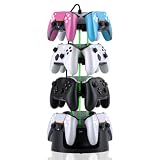
- Adjustable Modular 2-4 Tier Controller Stand – Customize your gaming setup with a flexible tower design. Use 2 tiers for compact desks or stack all 4 tiers to display up to 12 controllers. Tool-free assembly lets you expand or reduce storage anytime.
- Heavy-Duty Metal Base for Rock-Solid Stability – A reinforced weighted steel base keeps your controller tower balanced and secure, even when fully loaded. Designed for long-term daily use while maintaining a premium gaming setup look.
- Charging Ready with 3-Port USB Hub – Keep your controllers organized and powered at the same time. Includes charging cables and an integrated USB hub to reduce desktop cable clutter and keep your gaming station clean.
- Universal Controller & Headset Compatibility – Compatible with PlayStation, Xbox, and Nintendo Switch Pro controllers. The secure holder arms help prevent slipping while also supporting many gaming headsets and accessories.
- 360° Rotation + 9 RGB Lighting Modes – Smooth rotation gives instant access to every controller from any angle, while dynamic RGB effects transform your gaming room, streaming setup, or desk into an immersive display.
- The platform: Steam on Windows PC, iPhone or iPad, or Android device.
- The exact device model and, on PC, the processor, graphics card, RAM, and Windows version.
- The operating system version (iOS version on Apple devices, Android version on Android).
- The game version shown in the game or on the store page.
- Where the crash happens: at launch, at login, during loading, after the tutorial, or during gameplay.
- Any error message or code, and whether it appears every time or only occasionally.
Screenshots of the crash or error screen are the material the developer asks for, so capture them if you can.
Step 2: Confirm your build is current
Make sure the installed game is up to date before you compare hardware. The most recent announcement in the Steam news feed that we checked is for version 6.3, dated September 14, 2026. Compare your installed version against the latest announcement on the store page for your platform. An older build does not mean an update caused the crash, and nothing in the official material links version 6.3 to crashes, so an update check is a basic hygiene step rather than a diagnosis.
Step 3: Check your platform against the published requirements
PC (Steam)
The Steam store page lists the following specifications for Tower of Fantasy. Check them against your PC, not against your memory of its specs.
Rank #2

- Comfort & Convenience: Ergonomic design with rubberized grips and silent buttons for long gaming sessions. Smart charging dock with 1000mAh battery for effortless charging.
- Hall Effect Sticks & Triggers: Anti-drift Hall Effect sticks with 5 million cycles durability for precise control. Hall Effect triggers with trigger stops and hair trigger mode for smooth, responsive input.
- Tri-Mode Connectivity: Works with PC, Switch, Android, and iOS via Bluetooth, wired, and wireless dongle. Easily switch between modes for seamless multi-platform gaming.
- 1000Hz Polling Rate: Ultra-low latency with 1000Hz polling rate for instant input response, ideal for competitive gaming. (Supports Wired and 2.4Ghz Connections)
- Full Customization: Programmable back buttons, customizable RGB lighting, detachable faceplate, and swappable ABXY layout for personalized gaming.
| Component | Minimum (as listed on Steam) | Recommended (as listed on Steam) |
|---|---|---|
| Operating system | 64-bit OS, Windows 8.1 | Windows 10 64-bit |
| Processor | 64-bit processor, Intel Core i5 or equivalent | Intel Core i7 |
| Memory (RAM) | 8 GB | 16 GB |
| Graphics | NVIDIA GeForce GT 1030 | NVIDIA GeForce GT 1060 6GB |
| DirectX | Version 11 | Version 12 |
| Internet | Broadband | Broadband |
| Available storage | 90 GB | 90 GB |
These are the store’s published figures and can change, so check the live Steam page before you rely on them. Meeting the minimum tells you the game should be able to run; it does not guarantee stable performance. A PC that falls below the recommended column may still run the game, but the listing doesn’t say how it will behave, and it does not establish a particular component as the cause of any crash.
Recommended Free Tools
iOS (iPhone and iPad)
The US App Store listing requires iOS 15.0 or later. Confirm your device’s version in the Settings app under General and then About (or Software Update, depending on your iOS version). Meeting the threshold means the device is not blocked by the OS requirement, but it is not a guarantee of crash-free play on every device that qualifies. If you are on iOS 15.0 or later and still crash, move on to the mobile steps below.
Android
The Google Play listing shows the game as available on Android and includes user reports of performance problems. The official material we could check does not state a minimum Android version or device list in the same form as the Steam and iOS listings, so check the requirements shown on the Google Play page for your region and device before drawing conclusions.
Rank #3

- TENSE TEAMWORK – Work together to defend Castle Bravehold as monsters attack from all sides; trade cards, coordinate plans, and keep at least one tower standing to survive the siege as a united team.
- EDGE-OF-YOUR-SEAT EXPERIENCE – Face plagues, boulders, and boss monsters that disrupt your plans and force strategic choices; each turn adds suspense for both new and experienced players.
- CHOOSE YOUR CHALLENGE – Enjoy four modes: Co-op, Solo, Master Slayer competitive mode, and Overlord where one player controls the monsters; each option offers unique tension and replay value.
- TOWER DEFENSE THRILLS – Featuring 3D towers, vibrant monster tokens, and an illustrated board, this 45-minute adventure blends accessibility with satisfying strategic depth for 1–6 players.
- HEARTHSIDE HARMONY – Bring friends and family together with an easy-to-learn game that blends teamwork, excitement, and warm table energy; ideal for mixed-experience groups and repeat play.
Step 4: Try the developer’s mobile fix
The developer’s published guidance for crashes on mobile is to clear the device cache and restart the device. Follow it in this order:
- Clear the game’s cache as described in the developer’s reply. The reply does not give a menu path, so use the storage or cache option your device provides for the app.
- Restart the phone or tablet completely, rather than only closing the game.
- Launch the game again and note whether the crash still happens at the same point you recorded in Step 1.
If the crash continues after this, the developer’s next step is to contact support, covered below. The developer’s reply does not promise that cache clearing will fix the problem; it is a standard first check.
Step 5: Contact support with the right information
If the device meets the published requirements and the crash persists, contact the game’s official support. A developer reply on the App Store listing gives the support address [email protected] and asks players to send screenshots of the issue and detailed device information. That reply is an older public response, so confirm the current address in the game’s support section or on the official Steam support page before you send anything. Include the details you recorded in Step 1, and attach the screenshots.
Rank #4

- Strategy game
- Beginners to advanced players
- It is a Dice tower Game
- High level of interaction
- Playing time: 120 minutes
For PC players, the Steam support page for Tower of Fantasy is the relevant route for gameplay or technical issues.
What the evidence does not establish
Several things are not established by the official material, and you should not assume them:
- No published crash rate or independent study of Tower of Fantasy crashes was found, so there is no way to say how many players are affected.
- Store reviews show that people experience crashes, but they cannot identify the cause of any given crash.
- No official source recommends a specific driver rollback, antivirus exception, registry edit, or hardware upgrade as a fix. Those steps are not part of the developer’s guidance, so do not treat them as confirmed solutions.
- The App Store and Steam requirements do not show that a new phone, PC, graphics card, or memory kit is needed. Buying hardware for a crash that has not been diagnosed is not supported by the evidence.
Why this order matters
The checks run from cheapest to most involved. Confirming the build and requirements takes minutes and rules out the most common mismatches. Clearing the cache and restarting is a low-risk step that the developer itself recommends. Support is the right next step only when those checks fail, and a complete report with device details and screenshots gives the support team the best chance of identifying a device-specific problem.
Best Value
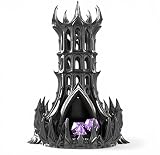
- [COMMAND THE BATTLEFIELD] Bring the presence of a towering shadow citadel to your table. This dice tower transforms every roll into a cinematic moment, perfect for immersive DnD and tabletop RPG sessions.
- [SMOOTH, CONTROLLED ROLLS] Engineered for consistent dice flow and fair results. Drop your dice into the tower and watch them roll cleanly through the structure before exiting at the base.
- [INTRICATE GOTHIC DESIGN] Featuring sharp spires, arched windows, and flowing dark architecture, this tower is crafted to stand out as both a functional tool and a striking display piece.
- [BUILT FOR LASTING PLAY] Designed for durability and repeated use across countless campaigns. A reliable addition to any game table setup.
- [A GIFT THAT STANDS OUT] Perfect for DnD players, dungeon masters, and fantasy collectors. A unique gift that instantly elevates any tabletop experience.
Keep notes of each step you take and the result. If support replies, the record shows which checks you have already completed, which saves time for both you and the support team.
The crash may be tied to your device, your game build, or something the official guidance does not cover. The official material does not settle which one applies, so the steps above are a way to narrow it down rather than a guaranteed fix.
Quick Recap
Use this checklist when you start:
- Installed build is current and matches the latest announcement on your platform’s store page.
- PC: specifications compared with the Steam listing; iOS: version 15.0 or later; Android: requirements checked on Google Play.
- Cache cleared and device restarted, and the crash point noted again.
- Screenshots and device details collected and sent to the official support address listed on the store page or in the game.
Product prices and availability are accurate as of the date/time indicated and are subject to change. Any price and availability information displayed on Amazon at the time of purchase will apply.




