Recommended Free Tools
tpprnuichs.dll is a ThinPrint TP Output Gateway printer-driver component, not a Windows system DLL or a Visual C++ Redistributable file. If Windows says tpprnuichs.dll is missing, not found, or could not be loaded, repair the ThinPrint Engine or Output Gateway installation that supplied the printer driver.
Do not download a replacement DLL from a random file archive or copy it into System32. That can introduce malware, the wrong architecture, an incorrect language resource, or a version that still cannot load its required dependencies.
What is tpprnuichs.dll?
ThinPrint’s TP Output Gateway is a virtual printer driver used in remote-desktop, print-server, and virtualized Windows environments. It passes print data to a native printer driver on another machine.
The chs ending indicates Simplified Chinese localization. ThinPrint documents CHS as one of the languages supported by Output Gateway. The file is therefore best understood as a localized Output Gateway printer-driver user-interface resource, rather than a general-purpose Windows library.
What’s actually slowing this PC down?
Pick the symptom - the matching free tool is one click away.
#1 Best Overall

- HIGHLIGHTS
- 100% free of charge for private use with no ads, and no in-app purchases
- Direct printing to Wi-Fi network printers is now really easy using the app
- Print to almost all Wi-Fi printer models
- Full compatibility – works with any printer
Public historical file records identify a matching 64-bit build as version 7.15.297.20, approximately 75.5 KB, published by ThinPrint AG. Treat those details as identification clues, not a guarantee of the current file installed by every ThinPrint release. A current 32-bit build of this exact filename has not been reliably established.
The exact executable that displays the error is not publicly confirmed. The message may appear when a printer connection, print-management component, remote-desktop session, or ThinPrint-related application starts. It is not evidence that a particular game or Visual C++ package installed the file.
Fix 1: Repair or reinstall ThinPrint Engine
Time needed: 10–20 minutes, plus a restart
This is the most likely solution. ThinPrint documents Output Gateway as part of ThinPrint Engine on applicable workstations and remote desktops.
- Close the program, remote-desktop session, and any open documents.
- Open Settings with Windows + I.
- Select Apps → Installed apps.
- Search for ThinPrint, ThinPrint Engine, Output Gateway, Desktop Agent, or a similarly named company component.
- Select the entry and choose Modify, Change, or Repair if available.
- Complete the repair wizard.
- Restart Windows.
- Retry the printer action or application that produced the error.
If there is no repair option, uninstall only the damaged ThinPrint component after confirming that your organization does not manage it centrally. Restart Windows, then obtain the matching installer from ThinPrint’s official Download Center or from your company’s administrator.
ThinPrint packages can use names such as:
Setup_ThinPrint_13_Complete_x64.exeSetup_ThinPrintEngine_x64.exeThinPrint Engine 1x.msi- Desktop Agent packages in older installations
Do not choose an installer solely because its filename looks similar. The correct package depends on the ThinPrint generation, Windows version, license or entitlement, and whether the machine is a workstation, print server, or remote desktop host.
After installation, restart again even if the wizard does not insist on it. Then check whether the ThinPrint printer or remote print mapping is available.
Fix 2: Reinstall the affected ThinPrint printer driver
Time needed: 10–25 minutes
If the error appears when one printer is mapped, the driver installation may be incomplete even though ThinPrint Engine itself remains installed.
Rank #2

- Free App control: The [Fun Print] application is always free for users, no need to subscribe to any paid services. Massive of free templates in the app. You can print photos, diaries, memos, shopping lists, study/meeting notes, work plans, forms, emojis,QR codes, text, to-do lists, web pages and other DIY ideas you want! The inkless portable printer can bring more fun and happiness to daily life which is an excellent choice to give to your family or friends
- 8 Rolls of Printing Thermal Paper: Mini printer equipped with 8 rolls of thermal printing paper (5 rolls of thermal paper + 3 rolls of adhesive colorful thermal paper) sized 57*25mm (width X diameter).
- 203dpi Clear Printing: JEPEErbz mini pocket printer has a cute look and small size, specially designed for kids. More importantly, compared with similar mini sticker printer, it can be printed more clearly on black and white images which protects children's eyes while learning and playing. Additionally, the high-definition image duration for 10 years is also surprising!
- Mini Bluetooth Inkless Printer: Bluetooth 4.0 connection. System for Android 4.0 and IOS8.0 or above. JEPEErbz mini portable printer is an inkless printer, you don’t need to buy any ink or toner.
- Wireless Printing : Our mini portable printer for iphone is built-in 1200mAh rechargeable battery which is longer lasting use for one week. The inkless portable printer is wireless for travel - lower cost and compact size - must be a good travel partner!
- Press Windows + R.
- Enter
printmanagement.mscand press Enter. - Expand Print Servers → your computer → Drivers.
- Identify the affected ThinPrint or Output Gateway driver.
- If the console allows it, right-click the driver and select Remove Driver Package.
- Confirm the removal, then restart Windows.
- Reinstall ThinPrint Engine or the printer-driver package supplied by your administrator.
- Recreate or remap the printer only after the driver installation finishes.
- Print a test page.
Some editions of Windows do not include Print Management. In that case:
- Open Settings → Bluetooth & devices → Printers & scanners.
- Select the affected printer.
- Choose Remove.
- Open Device Manager by right-clicking Start.
- Expand Print queues and Printers.
- Remove only the clearly identified affected ThinPrint device or driver.
- Restart and run the official ThinPrint installer again.
Do not delete unrelated printer drivers merely because they have similar names. If the printer is administered by a business, ask the administrator to repair the driver on the print server or remote-desktop host as well as on the client.
If manually comparing a long list of printer and chipset drivers is taking too long, Outbyte Driver Updater can scan for outdated drivers and show what it identifies; its full-version repair and installation features are optional, and reinstalling the ThinPrint package remains the definitive fix for this file.
Fix 3: Check Windows Security quarantine
Time needed: 5–10 minutes
Antivirus software may remove a legitimate file after a detection, leaving the ThinPrint installation incomplete.
- Open Start and search for Windows Security.
- Select Virus & threat protection.
- Choose Protection history.
- Review recent events for a ThinPrint file, printer driver, or
tpprnuichs.dll. - Open the event and note the detection name and original file path.
- Do not restore the file merely because its filename looks familiar.
- Verify that it came from an installed ThinPrint package and that the installer or file has a valid publisher signature.
- If your administrator confirms it is a false positive, use the available Restore or Allow on device action.
- Repair ThinPrint again afterward and restart Windows.
Microsoft notes that Protection History retains events for a limited period. If the event is gone, check your organization’s endpoint-security console or antivirus logs.
Quick wins for a faster PC:
Scan for outdated or missing drivers - takes under a minuteDriver Scan →Clear out junk files and repair common Windows errorsFree Scan →Never disable antivirus globally to make a printer work. If Windows Security repeatedly removes the file, contact the administrator or ThinPrint support with the detection name and file path before creating an exclusion.
Fix 4: Check for an incomplete language or architecture installation
Time needed: 10–20 minutes
A copied English resource is not automatically interchangeable with the CHS resource. Likewise, a 64-bit process cannot use a 32-bit replacement.
Check the application named in the error:
- Right-click its shortcut and select Properties.
- Open the Details tab and record the product information.
- If the program provides an About or diagnostic screen, record whether it is x86 or x64.
- Check whether the ThinPrint installation matches that architecture.
- Repair the complete ThinPrint package rather than replacing only one DLL.
- If the error affects one user, sign in with another profile and test the same printer.
ThinPrint documents language settings under these registry locations:
Rank #3

- Portable Printer: This lightweight iDPRT MT610 Pro thermal printer weighs only 1.1 lbs (500g) and measuring 10.2 x 2.2 x 1.8 inches, Its compact design fits easily into backpacks, the small printer is perfect for travel, office, school and home use, easily print your documents or your child's homework even when you're on the go
- Advanced Inkless Technology: Enjoy fast, high-definition printing at 300 DPI resolution. This inkless printer requires no ink, toner, or ribbons—producing US letter/A4 prints in just 4-6 seconds(Note: Only thermal paper print is supported). Upgrade now to start a new efficient and convenient printing experience
- Universal Device Compatibility: This Bluetooth printer connects seamlessly via Bluetooth or USB. It is compatible with phones (iOS, Android) and laptops (macOS, Windows, Linux, Chrome OS). The "HerePrint" app makes mobile printing effortless (download from the App Store or Google Play)
- Large Capacity Battery: This portable thermal printer equipped with a 2000mAh rechargeable battery, supports up to 4 hours of continuous printing or 240 pages on a single charge, making it perfect for use at home or even in your car. Reliable, convenient, and always ready when you need it
- Easy to Use: The iDPRT MT610 Pro wireless portable printer offers both Bluetooth and USB connectivity for flexible printing. Phone printing can connect via Bluetooth, download the "HerePrint" app from the App Store or Google Play, power on the portable inkless printer, enable Bluetooth on your mobile device, and pair the MT610 Pro through the app. PC printing just connect via USB cable, install the driver from the iDPRT website, and start printing
HKEY_LOCAL_MACHINESoftwareThinPrintLangHKEY_CURRENT_USERSoftwareThinPrintLang
Do not edit either location casually. Record the existing value first, and let the official installer or administrator correct language resources. A profile-specific failure can indicate a changed language setting or incomplete per-user configuration rather than a damaged Windows installation.
Fix 5: Install pending Windows updates and restart
Time needed: 10–30 minutes
Updates can repair printing subsystems and installer prerequisites, although they will not normally replace a third-party ThinPrint DLL.
- Open Settings → Windows Update.
- Select Check for updates.
- Install available updates.
- Restart when requested.
- Run the ThinPrint repair again.
- Test the affected printer or session.
If the error began immediately after a ThinPrint update, do not assume that Windows Update is the cause. The update may have exposed an incomplete driver or language installation. Repairing the matching ThinPrint generation is still the primary action.
Fix 6: Run DISM and System File Checker
Time needed: 15–45 minutes
Use these commands when Windows itself has servicing corruption, update failures, or damaged protected components. They are not a guaranteed way to restore tpprnuichs.dll, because the file belongs to ThinPrint rather than Windows.
- Open Start and type
Command Prompt. - Right-click Command Prompt.
- Select Run as administrator.
- Run:
DISM /Online /Cleanup-Image /RestoreHealth
- Wait for DISM to finish.
- Run:
sfc /scannow
- Restart Windows.
- Retry the ThinPrint repair and test the printer.
If DISM reports that it cannot find source files, install pending updates and consult Microsoft’s Windows servicing guidance rather than downloading system files from an archive. If SFC reports that it repaired files, restart and test again. If it reports that it could not repair some files, the ThinPrint installer is still the correct source for this particular DLL.
If repeated manual DISM and SFC runs leave you unsure what changed, Outbyte PC Repair can provide a scan showing the issues it identifies; its full-version repair is optional, and repairing or reinstalling ThinPrint remains the definitive fix for a missing vendor file.
Why regsvr32 usually does not fix this error
regsvr32 is intended for self-registering COM, OLE, or ActiveX DLLs. A ThinPrint printer-driver UI resource is not automatically a COM server.
Running this command against it is therefore normally irrelevant:
Rank #4

- 【Portable & Efficient】OFFNOVA portable printer is compact, making it easy to carry in your backpack, briefcase, or handbag. Suitable for business trips, car, and other mobile scenarios, print anytime and anywhere.
- 【Compatibility & Easy Connection】OFFNOVA inkless thermal printer connects seamlessly to Android, iOS, Windows, and macOS devices. Use 'XlifePro' app for instant setup. Easily print txt, pdf, excel, and word files, and even scan documents.
- 【High-Capacity Battery for Extended Printing】This travel printer can print up to 730 A4 pages on a single charge. Enjoy 6 hours of uninterrupted printing. Recharge via USB in just 2 hours. Perfect for printing on-the-go. A must-have for businessmen and students.
- 【Versatile Printing】Print A5, A4, and US Letter sizes. The portable printer easily adjusts widths with its adjustable buckle. Perfect for contracts, checklists, and study materials. Flexible and convenient printing for all tasks.
- 【Cost-Effective & Eco-Friendly】OFFNOVA thermal printer uses advanced thermal printing, eliminating expensive ink, toner, and ribbons. Each package includes printer, US Letter thermal paper roll, manual, adapter, Type-C cable, and storage bag. Perfect for basic documents at home, office, and school.
regsvr32 tpprnuichs.dll
It may produce an error such as a missing entry point or an invalid module message. That does not prove Windows is missing a registration. Use regsvr32 only when the software vendor explicitly identifies a DLL as a self-registering component and provides the correct command and architecture.
Free tools Windows power users keep installed
One-click scans. No signup required.
Do not copy the DLL into System32
C:WindowsSystem32 and C:WindowsSysWOW64 are not general-purpose repair folders. Copying tpprnuichs.dll there can:
- leave the printer driver pointing to the wrong location;
- create a 32-bit and 64-bit mismatch;
- omit dependent modules;
- break servicing or future ThinPrint updates;
- place an unsigned or modified file in a protected Windows directory.
The correct location may be inside the Windows print-driver store or a spool-driver directory. Let ThinPrint’s installer place the file where its driver expects it.
What probably caused the error?
The likely causes, in order, are:
| Cause | Appropriate response |
|---|---|
| ThinPrint Engine or Output Gateway was removed or damaged | Repair or reinstall the matching official package |
| A ThinPrint update completed incompletely | Restart, then repair the same ThinPrint generation |
| A mapped printer references an absent localized resource | Repair the driver and recreate the printer mapping |
| Windows Security quarantined the file | Verify the detection, then restore only a trusted file |
| Architecture or language resources do not match | Reinstall the complete matching package |
| Windows servicing or disk corruption | Run DISM, then SFC, and retry ThinPrint repair |
| A profile or registry language setting changed | Test another profile and have the administrator verify ThinPrint settings |
The exact program that triggers the loader message is not established. Look at the dialog title and the executable path if Windows provides one. A remote-desktop client, print spooler action, printer configuration utility, or ThinPrint service may be the immediate trigger.
If the error persists
Collect this information before removing more drivers or changing the registry:
- The complete error message.
- The executable or service named in the dialog.
- The full path where Windows expected
tpprnuichs.dll. - ThinPrint Engine, Output Gateway, or Desktop Agent version.
- Whether the installation is x86 or x64.
- The Windows edition and build.
- Any recent ThinPrint update, printer remapping, profile change, or antivirus event.
- The Windows Security detection name, if applicable.
- Relevant entries from Event Viewer → Windows Logs → Application and System.
- Print-service or remote-desktop logs supplied by the administrator.
Use that information when contacting the administrator or ThinPrint support. It is much more useful than reporting only that “a DLL is missing.”
FAQ
Is tpprnuichs.dll a Windows file?
No. It is associated with ThinPrint TP Output Gateway printer-driver software, not a core Windows component.
Best Value
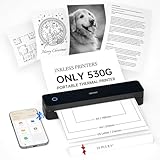
- Lightweight Thermal Printer: Weighing only 1.1 pounds (500g), this portable wireless printer is significantly lighter than traditional printers with its sleek minimalist design. The compact size slides easily into any briefcase or backpack, offering true " print anywhere " freedom for mobile professionals
- Inkless Printing Technology: This advanced bluetooth printer utilizes thermal technology, no ink cartridges needed! With a resolution of 203 DPI, clear printing and high speed—completing a US Letter/A4 page in just 4-6 seconds. ( Note: Supports black-and-white printing exclusively and requires thermal paper. )
- Long-Lasting Battery: This compact printer features a built-in 2000mAh rechargeable battery, capable of printing up to 240 sheets (approx. 4 hours of continuous use). The small printer for professionals - print contracts, documents and files effortlessly at home, office or in a vehicle
- Wireless Bluetooth Printer: This mobile small printer supports bluetooth wireless connection, and is compatible with multi-platform devices such as iOS, Android, Windows and Mac. Users can download the dedicated companion application "Hereprint" through the App Store or Google Play. The app supports direct printing of multiple file formats such as PDF, Word, Excel, etc. It is simple and convenient to operate and is an ideal choice for business people and mobile office users
- How to Print on Smartphone:(1) Download the free "HerePrint" app from App Store or Google Play ; (2) Long-press to power on MT610, enable Bluetooth and tap '+' in app to connect ; (3) Select your file and print
Is it part of Visual C++ Redistributable?
No reliable evidence supports that theory. Microsoft’s redistributables use packages such as vc_redist.x86.exe, vc_redist.x64.exe, and vc_redist.arm64.exe; they do not provide this ThinPrint-named localization file.
Why does the filename end in chs?
CHS refers to Simplified Chinese. ThinPrint lists CHS among the supported Output Gateway interface languages.
Do these 3 things before closing this tab:
1Clear out junk files and repair common Windows errors2Fix the driver behind crashes, sound loss and screen glitches3Repair Windows errors before they cause bigger problemsShould I download tpprnuichs.dll separately?
No. A standalone download may be malicious, unsigned, the wrong architecture, the wrong language, or the wrong version. Repair the ThinPrint installation from its official installer instead.
Can SFC restore it?
Usually not directly. SFC repairs protected Windows files. It may help with related Windows corruption, but a missing ThinPrint file requires ThinPrint repair or reinstallation.
Is the 7.15.297.20 file version guaranteed?
No. It is a historical publicly indexed 64-bit build. It should not be treated as the current version for every ThinPrint installation.
What if the message says “The specified module could not be found”?
That wording can mean a dependency of tpprnuichs.dll is missing, not necessarily the DLL itself. Repair the complete ThinPrint package and inspect the originating executable and event logs.
The Tool Desk
Outbyte Driver Updater FREEFix the driver behind crashes, sound loss and screen glitchesFind Drivers →Outbyte PC Repair FREEClear out junk files and repair common Windows errorsFree Scan →Quick Recap
Product prices and availability are accurate as of the date/time indicated and are subject to change. Any price and availability information displayed on Amazon at the time of purchase will apply.




