
Recommended early order: buy Focus Bat Swarm, then Batarang Combo, Carbon Fiber Tips, and Scatterang. This sequence comes from Digital Citizen’s guide and is a practical recommendation rather than an official ranking or a result from controlled testing. It favors Batman’s reliable availability and the Batarang’s crowd-control utility.
Waynetech Chips upgrade character-specific gadgets at Gadget Workbenches. They are separate from Skill Bricks, which purchase universally applicable Skills. Understanding that split, unlocking the benches, and collecting enough Chips matters as much as choosing the first gadget.
| # | Preview | Product | Price | |
|---|---|---|---|---|
| 1 |
|
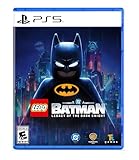
LEGO Batman: Legacy of the Dark Knight - PlayStation 5 | $59.99 | Buy on Amazon |
| 2 |
|
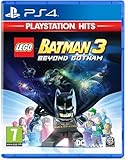
Lego Batman 3: Beyond Gotham - PlayStation Hits (PS4) | $16.99 | Buy on Amazon |
| 3 |
|
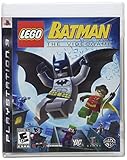
Lego Batman: The Video Game | $33.90 | Buy on Amazon |
| 4 |

|
Lego Batman | $29.98 | Buy on Amazon |
As an Amazon Associate I earn from qualifying purchases.
The recommended first four upgrades
| Order | Upgrade | What it does | Why it is useful early |
|---|---|---|---|
| 1 | Focus Bat Swarm | Damages and distracts nearby enemies while you aim. | It gives Batman a way to control a group without abandoning his current target. |
| 2 | Batarang Combo | Lets Batman throw more Batarangs consecutively. | More throws make it easier to pressure several enemies and create openings. |
| 3 | Carbon Fiber Tips | The guide describes the upgraded tips as stunning enemies faster. | Faster stuns shorten the time enemies can interrupt attacks or objectives. |
| 4 | Scatterang | Throws multiple Batarangs at once. | It broadens the gadget’s coverage when enemies are spread around Batman. |
The order is not mathematically proven to be optimal. The reviewed guide does not publish damage tests, exact Chip costs, or a controlled comparison against every other character’s gadget tree. Treat it as a strong default for a first playthrough, then adjust when a mission or your preferred character makes another tool more valuable.
How Waynetech Chips differ from Skill Bricks
Waynetech upgrades are character-specific gadget improvements. You spend Waynetech Chips at a Gadget Workbench to change how Batman’s Batarangs, or another character’s signature tool, behaves.
#1 Best Overall
- Main Story - Bruce Wayne’s journey from origin to legend as he trains with The League of Shadows, becomes the hero of Gotham City, and forges a new family of allies with Jim Gordon, Catwoman, Robin, Nightwing, and Batgirl. Confront an ever-growing threat from across Batman’s Rogues Gallery as you face The Joker, The Penguin, Mr. Freeze, Poison Ivy, Bane, and more
- 7 Playable Characters - Batman, Jim Gordon, Robin, Nightwing, Batgirl, Catwoman, and Talia al Ghul each bring unique skills and signature gadgets as you uncover crimes, complete challenges, and explore an immersive Gotham City full of secrets and surprises
- 100 Suits - Inspired by Batman’s 86-year legacy, you’ll find an array of Batsuits alongside individual outfits for every playable character
- 20+ Vehicles - A range of Batmobiles and Batcycles to drive around Gotham City's open world in style. Including iconic rides like the legendary Tumbler
- 250+ Batcave Props & Trophies - Customize and display a wide range of items to personalize your Batcave and celebrate your achievements
Skills are a separate progression system. The GameFAQs walkthrough and GamesRadar’s guide describe Skills as broadly applicable abilities purchased with Skill Bricks, including Gold Skill Bricks. A Skill purchase does not consume a Waynetech Chip, and a gadget upgrade does not unlock a general Skill. Check which currency and menu the game is showing before confirming a purchase.
- Use Waynetech Chips for a specific character’s gadget tree.
- Use Skill Bricks for general Skills that apply more widely.
- Do not assume that a large Skill-Brick balance lets you buy a Waynetech upgrade; the currencies are not interchangeable.
When Gadget Workbenches become available
Game Informer reports that Gadget Workbenches unlock during the Chapter One mission Spelunking, after the Iceberg Lounge sequence. Before that point, you can collect items and progress through missions, but the dedicated gadget-upgrade interface is not yet available.
After the unlock, benches are available between missions in the open world. The Batcave is one location, and Bat-Mite’s stores provide additional access. Walk up to a bench and open the gadget-upgrade menu to see the character, available nodes, current Chip balance, and any displayed prerequisites. The game’s own menu is the authority for the exact price and unlock conditions; the published guides do not provide a complete cost table.
Do these 3 things before closing this tab:
1Repair Windows errors before they cause bigger problems2Fix the driver behind crashes, sound loss and screen glitches3Clear out junk files and repair common Windows errors- Play through Chapter One until the Iceberg Lounge portion is complete.
- Finish or exit Spelunking far enough for the Gadget Workbench unlock notification and interface to appear.
- Visit a bench in the Batcave, Bat-Mite’s store, or another available open-world location.
- Select Batman’s gadget tree and inspect the first available Batarang node.
- Confirm the Chip cost and any prerequisite shown in the menu before spending.
Why the Batarang path is a sensible default
Digital Citizen’s recommendation is built on two practical assumptions: Batman is consistently available, and the Batarang helps manage groups. Those are useful criteria for an early purchase because an upgrade has more value when you can use it in many missions rather than only in a narrow character segment.
The Batarang sequence also creates a control loop. A stun gives you time to attack, attacks help rebuild Focus, and Focus Bat Swarm can then damage or distract nearby enemies while you keep aiming. The guide specifically describes stunning nearby enemies with Batarangs, following with attacks to rebuild Focus, and returning to Focus Bat Swarm when the meter is ready.
That loop is a play-style benefit, not a measured damage claim. Nothing in the available evidence establishes that these four purchases produce the highest possible score, fastest completion time, or best damage-per-Chip result. They are recommended because they improve a tool you can repeatedly bring into combat and because crowd control reduces the pressure of multi-enemy encounters.
Upgrade-by-upgrade advice
1. Focus Bat Swarm
Focus Bat Swarm is the first purchase in the suggested sequence. While Batman is aiming, the swarm can damage and distract enemies near the target. That combination lets you keep pressure on a priority enemy while nearby opponents are occupied or taking damage.
PC Slower Than It Used to Be?
A free scan shows the junk files, broken settings and background clutter dragging Windows down - then fixes them in one click.Free scan · Windows 10 & 11Outdated Drivers Are Slowing You Down
One free scan finds every outdated or missing driver and matches the right update for your exact hardware.Free scan · exact hardware matchUse it when a group is closing in, when an enemy is protecting an interactable object, or when you need a short window to line up another throw. It is less about a single large hit than about keeping several threats from acting at once. Because the guide does not report a numerical radius, duration, or damage value, rely on the in-game preview and your own encounter experience for those details.
Rank #2
- Robust roster of DC Comics heroes and villians - Play and unlock more than 150 characters with amazing powers and abilities, including members of the Justice League, and BIG LEGO Figures such as Cyborg, Solomon Grundy and more.
- exciting space combat - For the first time ever, battle with Batman and his allies in outer space and the various Lantern worlds including Zamaron and Odym.
- hack computer terminals - Enter a virtual world to escape mazes, battle in arenas, and race to find the code.
- Bat-tastic Gadget wheel - With a simple press of a button, choose and upgrade select character's suits and abilities.
- variety of iconic locales - Visit the Hall of Justice, the Batcave, and the Justice League Watchtower to access shops, trophy rooms, and the hero and vehicle customisers
2. Batarang Combo
Batarang Combo increases the number of Batarangs Batman can throw in succession. The extra throws are useful when several enemies need to be staggered quickly or when one target recovers before you can safely close the distance.
Do not treat the upgrade as a requirement to empty every throw at one target. A practical pattern is to tag the nearest threats first, then reserve a throw for an enemy entering the fight. The added sequence length gives you more options; it does not remove the need to watch enemy reactions, cover, and Batman’s Focus meter.
3. Carbon Fiber Tips
The guide says Carbon Fiber Tips help stun enemies faster. A quicker stun is valuable when you are trying to interrupt an attack, create room around an objective, or start the attack-and-Focus loop before a crowd surrounds Batman.
What’s actually slowing this PC down?
Pick the symptom - the matching free tool is one click away.
Because “faster” is not accompanied by a published frame count or test conditions, avoid assuming a universal one-hit threshold. Some enemies, encounters, or difficulty settings may still require multiple hits or a different tactic. Check whether the target shows the expected stun response and change position if the group is closing from another direction.
4. Scatterang
Scatterang lets Batman throw multiple Batarangs at once. It is the broadest of the four recommendations: instead of extending one throw sequence or improving stun timing, it distributes the gadget’s effect across several targets.
Scatterang is especially useful when enemies are fanned out rather than stacked together. In a duel, the earlier upgrades may provide more immediate value because there are fewer targets to cover. In a room with several weaker enemies, the simultaneous throws can make the opening volley more efficient. The source material does not establish an exact projectile count or damage split, so use the upgrade description shown at the bench for those specifics.
How to choose a different character’s gadget instead
The Batarang order is a default, not a rule. If you spend most of a chapter controlling another character, that character’s gadget may return more value during the missions you are actually playing. A gadget that solves an exploration barrier or a recurring combat problem can be a better personal investment than an upgrade you rarely equip.
Quick wins for a faster PC:
Repair Windows errors before they cause bigger problemsFix Now →Fix the driver behind crashes, sound loss and screen glitchesFind Drivers →Use this four-question check before committing Chips:
Rank #3
- Play as Batman, Robin or more than 12 dastardly villains -- all in super-fun LEGO form
- Master special superhero power-suits and new moves, along with the weapons unique for each character
- Build and drive Lego versions of favorite vehicles like the Batmobile, Batboat and the Batwing
- Customize characters, build and transform game environments, and challenge yourself with multi-layered collectibles and rewards
- Designed for standard two-player, drop-in/out cooperative play
- Availability: How often can you play the character in the next missions, free-roam activities, and replays?
- Crowd control: Does the upgrade stun, distract, separate, or otherwise reduce the number of enemies acting at once?
- Exploration value: Does it open routes, reach collectibles, or interact with objects outside combat as well as improving attacks?
- Cost and prerequisites: What price and dependency does the Workbench menu show right now?
The reviewed sources support the Batarang’s crowd-control advantages but do not provide a numerical comparison of every character’s complete tree. If your preferred character’s tool is central to your missions, choosing that path is a reasonable adaptation rather than a mistake.
How to use the upgrades in a fight
Opening a crowded encounter
- Identify the nearest attacker and any enemy about to interrupt an objective.
- Aim a Batarang at a priority target and use Focus Bat Swarm if nearby enemies are entering range.
- Use the additional throws from Batarang Combo to tag other threats instead of waiting for one target to recover.
- Close in on a stunned enemy for attacks that rebuild Focus.
- Return to the gadget when Focus Bat Swarm is available, keeping Batman moving so the group cannot surround him.
Handling a spread-out group
Scatterang is most useful when the enemies are separated by enough distance that a single-target sequence leaves the others free to act. Aim toward the densest part of the group, then reposition rather than standing still to repeat the same throw. If one enemy is about to attack, prioritize that threat even if another target would make a more visually impressive spread.
Using the stun window
Carbon Fiber Tips are intended to shorten the time needed to stun. Use that window to finish a vulnerable enemy, move to a safer side of the room, or interact with the objective that brought the enemies in. A stun is a tactical opening, not a guarantee that the entire encounter is safe; keep checking for off-screen attackers.
The Tool Desk
Outbyte PC Repair FREERepair Windows errors before they cause bigger problemsFix Now →Outbyte Driver Updater FREEFix the driver behind crashes, sound loss and screen glitchesFind Drivers →Where Waynetech Chips come from
Waynetech Chips are found in caches in levels and around Gotham. GameFAQs describes marked W boxes in Gotham and caches in most main missions beginning with the fourth mission. Game Informer likewise reports caches in levels and the open world, with some side activities awarding Chips as well.
The timing matters: you can encounter collectibles before you have a bench, but you cannot apply the upgrades until the Chapter One unlock. Once the benches are active, revisit earlier areas and inspect the map for marked boxes or activities you skipped.
- Main missions: Search for caches as you progress, particularly from the fourth main mission onward as described by the GameFAQs walkthrough.
- Gotham free roam: Look for marked W boxes and other cache locations in the open world.
- Side activities: Some activities award Chips in addition to their normal rewards.
- Replays: Use the Batcomputer to replay missions and recover missed collectibles.
Planning purchases when costs are unclear
Exact comparative prices are not established in the available guides. The safest approach is to open the Workbench before farming a particular cache route, note the displayed cost and prerequisite for the next node, and then decide whether the improvement solves a problem you are currently facing.
Do not spend a Chip merely because a node is available. If the next mission uses Batman heavily, the Batarang sequence is easier to justify. If the next objective is exploration with another character, hold the currency until you can inspect that character’s tree. The game’s menu may also require earlier nodes, so a later upgrade such as Scatterang can represent a larger total investment than its standalone description suggests.
Keeping a small reserve is useful when you are close to a prerequisite or when a newly unlocked character becomes central to the next chapter. There is no evidence of a refund system in the reviewed material, so confirm the purchase prompt rather than assuming you can undo it.
Rank #4
- Play as Batman, Robin or more than 12 dastardly villains -- all in super-fun LEGO form
- Master special superhero power-suits and new moves, along with the weapons unique for each character
- Build and drive Lego versions of favorite vehicles like the Batmobile, Batboat and the Batwing
- Customize characters, build and transform game environments, and challenge yourself with multi-layered collectibles and rewards
- Designed for standard two-player, drop-in/out cooperative play
Recovering missed caches
If a recommended upgrade is still locked by an insufficient Chip balance, do not restart the campaign. Open the Batcomputer and replay missions with incomplete collectibles. Replays are specifically described as a way to recover missed items, and the open world remains another source of caches and side-activity rewards.
- Open the Batcomputer between missions.
- Select a completed mission with an uncollected cache or collectible marker.
- Replay it and search the route again, including side rooms and areas reached after combat.
- Return to a Gadget Workbench and verify the Chip balance before buying.
If a marker does not appear, check whether the activity has been completed, whether the correct character is available for the route, and whether the cache belongs to a later mission section. The guides do not document a universal cache-reset bug or a guaranteed location for every item, so use the mission’s own collectible indicators rather than relying on a fixed route from another version.
Common mistakes
Confusing a Skill Brick with a Waynetech Chip
The two currencies serve different systems. If the Workbench shows no funds even though your Skill-Brick total is high, that is expected; you need Waynetech Chips from caches or qualifying activities.
Expecting an official “best” ranking
The four-upgrade order is guide advice. No developer or publisher ranking establishing Focus Bat Swarm, Batarang Combo, Carbon Fiber Tips, and Scatterang as the universally best sequence is documented in the reviewed material.
Buying for a character you rarely use
An excellent gadget has little practical value if the next several missions keep you in another character’s role. Recheck availability and mission demands before each purchase.
Assuming a cosmetic unlock supplies Chips
Physical LEGO DC Batman sets have associated in-game rewards, but the documented rewards are cosmetic or vehicle-related, not Waynetech currency. The standard Batmobile from the relevant vehicle sets can also be earned in-game; the gold vehicle variant is the set-exclusive reward described by the WB Games FAQ.
Do you need to buy anything to unlock Waynetech upgrades?
No. The WB Games Support FAQ, accessed October 13, 2026, states: “No, LEGO Batman: Legacy of the Dark Knight does not have in-game microtransactions requiring real money.” Waynetech progression comes from Chips found through play.
WB Games lists physical editions for PlayStation 5 and Xbox Series X|S, but buying a physical copy is not a requirement for a particular upgrade. The publisher also lists four LEGO DC Batman sets with in-game unlocks: the Batman Logo set grants a gold character Batsuit, while three Batmobile sets grant their corresponding standard vehicle and gold variant. Those rewards are optional and do not replace cache hunting or Skill-Brick progression.
What this recommendation does—and does not—promise
Following the sequence gives Batman earlier access to distraction, additional throws, quicker stated stun behavior, and multi-target coverage. It does not guarantee the fastest campaign route, the highest score, or the lowest total Chip expenditure, because the available guides do not publish controlled tests or a complete cross-character cost analysis.
Use the order as a starting point: unlock the Gadget Workbench in Spelunking, collect Chips from missions and Gotham, buy the first Batarang node that fits the menu’s prerequisites, and reassess when your mission lineup changes. Players who prefer another character can apply the same decision criteria—availability, crowd control, exploration usefulness, and displayed cost—to that character’s gadget tree.
Quick Recap
Product prices and availability are accurate as of the date/time indicated and are subject to change. Any price and availability information displayed on Amazon at the time of purchase will apply.
Free tools Windows power users keep installed
One-click scans. No signup required.

