RPCS3 does not normally update PS3 games automatically like a modern PC launcher. To update a legally obtained game, identify its exact title ID and region, obtain the matching update package from a lawful source, install the .pkg file through RPCS3, and verify the resulting game version.
The most important rule is simple: do not choose an update by title name alone. The same game may have different packages for North America, Europe, Japan, digital releases, bundles, and other editions.
As an Amazon Associate I earn from qualifying purchases.
What you need before updating
- A working installation of RPCS3.
- The correct PS3 firmware installed in RPCS3.
- A legally obtained disc dump or digital game that RPCS3 supports.
- The game’s exact title ID and region.
- Enough free storage for the package and temporary extraction.
- A backup of your save data and, if you have customized settings, your RPCS3 configuration.
RPCS3 is free and open source. Its project site and compatibility pages explicitly recommend using games acquired legitimately through your own discs or PlayStation Store purchases and do not condone piracy. Do not use unofficial “ROM,” ISO, or update-download sites.
Quick wins for a faster PC:
Clear out junk files and repair common Windows errorsFree Scan →Fix the driver behind crashes, sound loss and screen glitchesFind Drivers →Game update, emulator update, firmware, DLC, and patches: what is the difference?
| Item | What it changes | Typical form | How it is installed |
|---|---|---|---|
| RPCS3 update | The emulator itself | A new RPCS3 build | RPCS3’s download or update process |
| PS3 firmware | System software required by the emulator | Firmware package | RPCS3’s firmware installer |
| Official game update | A patch for one PS3 title | .pkg |
File → Install Packages/Raps/Edats, or the equivalent label in your build |
| DLC | Additional game content | Package and sometimes license files | Package installer plus title-specific setup |
| RPCS3 game patch | Emulator behavior or configuration | Patch or configuration data | Patch manager or per-game configuration |
| Shader/cache data | Generated runtime data | Cache files | Created by RPCS3 during use |
An RPCS3 update may improve compatibility, stability, or performance, but it does not install an official patch for your game. Likewise, installing a game update will not repair missing firmware or automatically fix an RPCS3 graphics problem.
#1 Best Overall

- 【Enhanced Your Experience】The KAIGERR 2025 newest laptop is equipped with the powerful AMD Ryzen 7 processor (8C/16T, up to 4.3GHz), delivering superior performance and responsiveness. This upgraded hardware ensures smooth browse, fast loading times, and high-quality visuals. It provides an immersive, lag-free creative experience that brings your favorite titles to life.
- 【15.6" High-Definition IPS Screen】With its wide color gamut and high refresh rate, this laptop delivers smoother visuals and sharper detail, offering a more vivid and accurate representation than standard displays. This enhanced clarity brings a stunning and immersive visual experience, making every scene more dynamic.
- 【Upgradeable Storage Capacity】This ryzen laptop computer comes with 16GB of DDR4 RAM and a 512GB M.2 NVMe SSD, ensuring faster response times and ample storage for your files. The dual-channel DDR4 memory can be upgraded to 64GB (2x32GB), while the NVMe/NGFF SSD supports expansion up to 2TB. With this level of upgradeability, you'll have more than enough space to store all your favorite videos/files and handle even the most demanding tasks with ease.
- 【Extensive & Premium Connectivity】Designed for ultra-fast running, KAIGERR AMD Ryzen 7 Laptop is equipped with webcam × 1, USB 3.2 × 2, HDMI × 1, Type_C (full function) × 1, 3.5mm audio/microphone × 1, TF card holder × 1, Type_C DC jack × 1. Enjoy higher speeds with Wi-Fi 6, compatible with the 802.11ax standard and up to 3x faster than Wi-Fi 5.
- 【KAIGERR: Quality Laptops, Exceptional Support.】Enjoy peace of mind with unlimited technical support and 12 months of repair for all customers, with our team always ready to help. If you have any questions or concerns, feel free to reach out to us—we’re here to help.
1. Find the exact title ID
A title ID is more reliable than the commercial game name. Common prefixes include:
BLUS— commonly associated with North American disc releases.BLES— commonly associated with European or PAL disc releases.BLJM— commonly associated with Japanese disc releases.NPUB,NPEB,NPJB, and related prefixes — commonly used for digital, regional, demo, or other PlayStation Network releases.
These prefixes are useful clues, not absolute rules. Use the complete ID shown by RPCS3, such as BLES00372, rather than assuming that every release of a game uses the same update.
To identify it, check the game list in RPCS3, open the game’s right-click information menu, and compare the displayed ID with the game folder or package metadata. Then search for that exact ID in the RPCS3 compatibility database.
Free tools Windows power users keep installed
One-click scans. No signup required.
2. Check the RPCS3 compatibility entry
Search by the game title or title ID. In the database, selecting a game ID leads to its forum thread, while selecting the game title leads to its wiki page. Use both when available:
- Confirm that the ID matches your installation.
- Check the reported compatibility status and known issues.
- Review the wiki for game-specific setup advice.
- Open the forum thread for updates, regressions, and configuration notes.
- Look for update version, package size, and patchset information for your region.
The database records updates separately for different IDs. For example, one game can have distinct records for IDs such as BLES00372, BLJM60063, and BLUS30196. Even when the title is identical, the package may not be interchangeable. The database may also show that no update is available for a particular ID.
Rank #2

- 【Enhanced Your Experience】The KAIGERR 2026 LX15PRO newest laptop is equipped with the powerful AMD Ryzen 7 5825U processor (8C/16T, up to 4.5GHz), delivering superior performance and responsiveness.
- 【15.6" High-Definition IPS Screen】With its wide color gamut and high refresh rate, this laptop delivers smoother visuals and sharper detail, offering a more vivid and accurate representation than standard displays.
- 【1TB Large Capacity】This ryzen laptop computer comes with 16GB of DDR4 RAM and a 1TB M.2 NVMe SSD, ensuring faster response times and ample storage for your files. The dual-channel DDR4 memory can be upgraded to 64GB (2x32GB), while the NVMe/NGFF SSD supports expansion up to 2TB.
- 【Extensive & Premium Connectivity】Designed for ultra-fast running, KAIGERR AMD Ryzen 7 Laptop is equipped with webcam × 1, USB 3.2 × 2, HDMI × 1, Type_C (full function) × 1, 3.5mm audio/microphone × 1, TF card holder × 1, Type_C DC jack × 1. Enjoy higher speeds with Wi-Fi 6, compatible with the 802.11ax standard and up to 3x faster than Wi-Fi 5.
- 【KAIGERR: Quality Laptops, Exceptional Support.】Enjoy peace of mind with unlimited technical support and 12 months of repair for all customers, with our team always ready to help. If you have any questions or concerns, feel free to reach out to us—we’re here to help.
Compatibility statuses include Playable, Ingame, Intro, Loadable, and Nothing. An update can fix an original-console bug without changing the emulator’s status. “Playable” is not a promise of identical performance on every CPU, GPU, operating system, or configuration.
3. Obtain the matching update lawfully
Prefer an official PlayStation or publisher-provided source where available, or a lawful backup made from content you own. Use RPCS3’s compatibility entry, wiki, and forum thread to identify the expected version and package—not as a reason to download copyrighted material from an unauthorized repository.
Do these 3 things before closing this tab:
1Scan for outdated or missing drivers - takes under a minute2Repair Windows errors before they cause bigger problems3Fix the driver behind crashes, sound loss and screen glitchesBefore installing, confirm:
- Exact title ID.
- Matching region.
- Matching disc or digital format.
- Matching edition, bundle, or release.
- Correct package type.
- Required installation order.
- Whether the update is cumulative or incremental.
Do not assume that the newest-looking package is correct, that every update is cumulative, or that a small .pkg file is automatically authentic or legal.
4. Install the game update in RPCS3
Standard .pkg installation
- Close the game if it is running.
- Launch RPCS3.
- Open File → Install Packages/Raps/Edats. Menu wording can vary between RPCS3 builds and operating systems.
- Browse to the update’s
.pkgfile and select it. - Wait for RPCS3 to finish installing the package.
- Return to the game list. Restart RPCS3 if the title information does not refresh immediately.
- Launch the game and verify its version from the title screen, options menu, or in-game system information.
Install one update at a time when diagnosing a problem. Some games use cumulative packages; others require an earlier update before a later incremental package. Follow the instructions for your exact title ID rather than installing every package you find.
Batch installation
Some builds may allow multiple packages to be selected together. This is convenient for a known-good set of packages, but it makes troubleshooting harder. For a first installation, a digital title with license requirements, or a suspected bad package, use one-at-a-time installation.
Rank #3
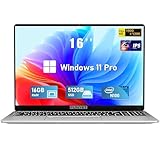
- Smooth Power for Work & Play: Tackle tasks smoothly with the 12th Gen Intel Celeron N100 processor (up to 3.4 GHz), which handles your daily work and entertainment without lag.
- Vibrant 16" FHD Display: See more on the vibrant 16 inch FHD (1920x1200) IPS screen, featuring ultra-narrow bezels and a 90% screen-to-body ratio for an engaging viewing experience.
- Multitask & Store It All: Switch between apps easily with 16GB of RAM and save everything fast on the 1TB SSD, from large files to your favorite software.
- Backlit Keyboard & Fingerprint Unlocking: The backlit keyboard allows for accurate typing in any lighting, while fingerprint unlock provides quick and secure access to your device with just one touch.
- Windows 11 Pro and Office 365: Benefit from the business-grade security and efficiency of Windows 11 Pro, with Office 365(life time) pre-installed to jumpstart your productivity right away.
5. Verify that the update worked
Package acceptance alone does not prove that the update matches the game or changed the running version. Verify it using as many of these methods as the title supports:
- Read the version number on the title screen.
- Check the game’s options or system-information menu.
- Inspect RPCS3’s game information or installed-content display if your build provides one.
- Compare the installed version with the compatibility entry’s record.
- Test the save, controller input, audio, graphics, and the section that previously failed.
Version and package metadata can differ by region. The RPCS3 database, for example, lists version 01.20 for multiple regional entries of Valkyria Chronicles, while package sizes and patchset information differ. Treat the record for your exact ID as authoritative.
Updates, DLC, RAP, and EDAT files
These files are related but not interchangeable:
- A game package contains the base digital title or installed content.
- A game update package patches a particular title.
- A DLC package adds content and may require a compatible game update.
- A RAP file is license material used by some digital content.
- An EDAT is encrypted or licensed content data used by some titles.
A common installation order is:
- Base game.
- Official game update.
- DLC or additional content.
- Required RAP or EDAT license files.
- Game-specific RPCS3 patches or configuration changes.
This is a general workflow, not a universal rule. Digital games, demos, DLC, and region-specific releases may require different arrangements. Use RPCS3’s official setup documentation and the game’s compatibility resources for legally obtained content.
Independent reader supportYour contribution helps us test, update, and keep practical guides available for everyone.When an update fails
RPCS3 reports an installation error
- Confirm that the file is a valid package from a lawful source.
- Check the exact title ID and region.
- Make sure the base game is installed and closed.
- Check available disk space, including temporary extraction space.
- Try installing the package again by itself.
The package installs but the version does not change
Possible causes include a different title ID, another edition, an incremental package missing its prerequisite, stale game-list metadata, or a version number that is displayed only inside the game. Restart RPCS3, check the in-game version, and compare the package with the exact compatibility entry.
The game shows a black screen or crashes after updating
- Confirm that the base game launches without the update.
- Disable custom RPCS3 patches temporarily.
- Check the title’s wiki and forum thread for update-specific regressions.
- Retry with the correctly matched package.
- Only then consider testing another RPCS3 build if game-specific evidence recommends it.
- Restore your pre-update backup if the update is confirmed as the trigger.
Do not begin by deleting all RPCS3 configuration data. That can remove useful settings and make the original cause harder to identify. Clear or rebuild relevant caches only after backing them up and only when the game’s documentation points to a cache-related problem.
What’s actually slowing this PC down?
Pick the symptom - the matching free tool is one click away.
Rank #4

- EFFICIENT PERFORMANCE: KAIGERR light gaming laptop featuring the latest AMD Ryzen R2544 Processor (boasting 3.7GHz high-frequency). Outperforming the Celeron N5095/N100/N97/N95, it delivers robust multitasking capabilities. The laptop computer has an integrated UHD graphics card clocked at up to 1200MHz for stronger graphics processing performance. KAIGERR laptop is designed to elevate your computing experience
- POWERFUL CONFIGURATION: Featuring 16GB of DDR4 RAM and a speedy 512GB M.2 SSD, this light gaming offers a 50% performance boost compared to DDR3-equipped machines and ensures seamless system operation while accommodating your personal files. Support expand your storage with a 128GB TF card, and enjoy the convenience of a pre-installed operating system. The 512 GB SSD can be replaced with a maximum SSD of 2TB to provide you with ample space to record and store your files
- 16.0 INCH VISUAL TREAT: Immerse yourself in a traditional laptop computer experience with an innovative thin-bezel display, offering more screen real estate for immersive viewing. The colors of the 16 inch traditional light gaming are fuller, more vivid, and concise, the details on the screen are clearer, and the viewing angle is wide. It will create extraordinary visual effects for you
- LONG BATTERY LIFE: Take KAIGERR light gaming laptops with you anywhere without bringing the power adaptor. Its 54.72Wh long battery life gives you the flexibility to work or play anywhere for long time. The long battery life and reliable performance make your life and work more secure
- QUALITY SUPPORT: Enjoy peace of mind with unlimited technical support and 12 months of repair for all customers, with our team always ready to help. Close other background programs before running games to ensure smoother performance
DLC is missing
Check the DLC’s title ID, region, edition, required update, and license files. A package can install successfully while remaining unusable if its license material is absent or mismatched.
The game requires a RAP or EDAT
Some digital games and protected content require legally obtained license material. The update package does not replace that license. Follow RPCS3’s official setup guidance and use files associated with your own legitimately acquired content; do not obtain license files from unauthorized download sources.
Performance does not improve
An official game update may fix a gameplay or loading bug without affecting shader compilation stutter, SPU emulation, GPU drivers, resolution scaling, VSync, frame pacing, CPU limits, or RPCS3-specific rendering defects. Consult the game’s compatibility entry before changing advanced settings.
Online functionality remains unavailable
A newer game version does not restore discontinued PlayStation Network services or guarantee that a title’s servers still operate. The compatibility database distinguishes online-only games and applications; check the title-specific information rather than treating an update as an online-play fix.
Should you always install the latest update?
No. The latest official patch often includes bug fixes and may be required by DLC, but it can also introduce a regression or make a compatibility problem harder to isolate. Staying on the original version is useful when testing a compatibility report or determining whether an update caused a failure, although it leaves original bugs and missing fixes in place.
The safest approach is to make one change at a time: test the base game, install the matching official update, verify the version, and then add DLC or emulator patches. Keep a rollback copy so you can compare configurations instead of guessing.
Legal and safety considerations
Use your own legally obtained games, firmware, updates, and licenses. Avoid sites offering copyrighted games, updates, RAP files, or “RPCS3 optimizers.” A paid utility is not required to install an update, and the official RPCS3 resources—its main site, Quickstart and compatibility resources, wiki, forum, and GitHub links—are the appropriate starting points.
Quick Recap
RPCS3 game-update checklist
- Identify the complete title ID.
- Confirm region, edition, and media type.
- Review the matching RPCS3 compatibility entry, wiki, and forum thread.
- Use a lawful update package.
- Back up saves and configuration.
- Install through File → Install Packages/Raps/Edats.
- Install sequential packages only when the title-specific documentation requires them.
- Verify the version in the game or RPCS3.
- Test the game before adding DLC or custom patches.
- Keep a rollback path if the update causes a regression.
Product prices and availability are accurate as of the date/time indicated and are subject to change. Any price and availability information displayed on Amazon at the time of purchase will apply.
The Tool Desk
Outbyte PC Repair FREEClear out junk files and repair common Windows errorsFree Scan →Outbyte Driver Updater FREEFix the driver behind crashes, sound loss and screen glitchesFind Drivers →



