What’s actually slowing this PC down?
Pick the symptom - the matching free tool is one click away.
vboxoglfeedbackspu.dll is a VirtualBox Guest Additions component, not a Windows system file. If Windows says it is missing, cannot be loaded, or is incompatible, repair Guest Additions inside the affected Windows virtual machine before trying general Windows repairs.
The file is associated with VirtualBox’s legacy OpenGL graphics components. Its description is “VirtualBox crOpenGL ICD.” The safest fix is to reinstall a matching Guest Additions package from Oracle inside the guest.

As an Amazon Associate I earn from qualifying purchases.
Fix 1: Reinstall VirtualBox Guest Additions
Time needed: 10–20 minutes
First establish where the error appears:
- The host is the physical Windows computer running VirtualBox.
- The guest is the Windows 10 or Windows 11 virtual machine.
-
Guest Additions must be repaired inside the guest. Reinstalling only the host application may not restore this DLL.
Quick wins for a faster PC:
Clear out junk files and repair common Windows errorsFree Scan →Fix the driver behind crashes, sound loss and screen glitchesFind Drivers →Special offer. See more information about Outbyte and uninstall instructions. Please review EULA and Privacy policy. -
Shut down the affected virtual machine.
- Update or repair VirtualBox on the host if its installation is damaged.
- Start the Windows guest.
- In the VirtualBox window, select Devices.
- Choose Insert Guest Additions CD Image….
- If Guest Additions are already installed, choose Devices → Upgrade Guest Additions… instead.
- Open the mounted virtual CD in File Explorer.
- Run
VBoxWindowsAdditions.exe. - Approve the Oracle drivers and continue through setup.
- Restart the guest when prompted.
After Windows restarts, launch the program that produced the error. A successful repair normally restores the related OpenGL component set rather than just one DLL.
#1 Best Overall

- Number of Processors Supported: 1
- Number of Processors Installed: 1
- Processor Type: Ryzen Threadripper PRO
- Processor Model: 7975WX
- Processor Core: Dotriaconta-core (32 Core)
If the virtual CD image is unavailable, download the official VBoxGuestAdditions_<version>.iso from Oracle’s VirtualBox download area. Mount that ISO through the VM’s optical-drive settings, then run VBoxWindowsAdditions.exe.
Do not assume that every current VirtualBox release still contains this legacy filename. The official Guest Additions ISO for the VirtualBox branch installed on the host is authoritative.
Fix 2: Match the guest’s architecture and VirtualBox version
Time needed: 15–30 minutes
A 32-bit DLL cannot replace the 64-bit component required by a 64-bit installation, and files from unrelated Guest Additions releases can cause compatibility errors.
Check the guest architecture:
- Open Settings.
- Select System → About.
- Look at System type.
- Record whether Windows is 32-bit or 64-bit.
Then check the VirtualBox branch on the host:
- Open VirtualBox.
- Select Help → About VirtualBox.
- Note the installed version.
- Use the matching Guest Additions ISO, or a newer ISO that is supported by that host version.
If Guest Additions appear partially installed:
- In the guest, open Settings → Apps → Installed apps.
- Search for Oracle VM VirtualBox Guest Additions.
- Select the entry and choose Uninstall, if available.
- Restart Windows.
- Insert the matching Guest Additions ISO again.
- Run
VBoxWindowsAdditions.exe. - Restart a second time.
Historical public records include both 32-bit and 64-bit builds of this filename, but those records are not a complete current version list. Do not select a replacement based only on a version table or file size.
Fix 3: Check antivirus quarantine and the file path
Time needed: 5–15 minutes
Security software may quarantine a Guest Additions file after an update or after restoring an old virtual machine snapshot.
Rank #2
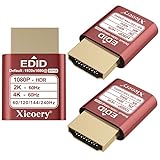
- 🚚080P HDR-Ready EDID for Accurate Color and Tone Mapping Features a refined EDID profile centered around 1920×1080@60Hz with HDR metadata support, enabling richer color depth, improved contrast handling and enhanced dynamic range—critical for modern GPUs, rendering tasks and video workflows
- 🚚True HDR Metadata Emulation (10-bit/12-bit Color Depth Signals) Transmits HDR-related EDID information including extended color depth, BT.2020 color space flags and EOTF curves. Ensures the system outputs accurate HDR tone mapping even without a real monitor. A major upgrade compared to non-HDR dummy plugs.
- 🚚Headless Ghost Mode for Stable GPU Behavior Acts as a virtual HDR display, preventing GPU downclocking, black screens, resolution limits and incorrect color profiles during remote access. Essential for servers, cloud PCs, virtual machines and rack-mounted GPU nodes.
- 🚚Supports High Refresh Rates up to 240Hz Enhanced EDID library covers multiple refresh rates—60Hz, 75Hz, 119Hz, 120Hz, 144Hz and 240Hz—suitable for game streaming, KVM switching, industrial visualization and multi-display emulation.
- 🚚Extensive HDR-Compatible Resolution Set Includes resolutions from 4096×2160 down to 800×600. Ensures compatibility with modern graphics cards, older display controllers and professional computing environments.
- Open your antivirus or endpoint-security application.
- Open Quarantine, History, or Protection history.
- Search for
vboxoglfeedbackspu.dlland related VirtualBox files. - Check the recorded file path.
- Restore the file only if it is clearly inside the legitimate VirtualBox Guest Additions installation directory.
- Rescan the system.
- Reinstall Guest Additions if other related files are also missing.
Do not disable antivirus protection to install an unverified DLL. If the file is in a temporary download folder, an unrelated game folder, or an unexpected Windows directory, leave it isolated until it has been verified and scanned.
Fix 4: Update the virtual graphics drivers
Time needed: 10–25 minutes
A host graphics-driver update can affect VirtualBox 3D acceleration, although it does not justify downloading a replacement DLL.
On the host:
- Right-click Start and select Device Manager.
- Expand Display adapters.
- Right-click the physical graphics adapter.
- Select Update driver.
- Choose Search automatically for drivers.
- Restart Windows if a driver is installed.
Inside the guest:
- Open Device Manager.
- Expand Display adapters.
- Check for warning icons.
- Right-click the VirtualBox display adapter.
- Choose Uninstall device only if you are deliberately repairing Guest Additions.
- Restart the guest.
- Reinstall Guest Additions using the official ISO.
Outbyte Driver Updater can scan for stale drivers when manually checking several hardware vendors is impractical; its free scan identifies issues, while driver installation is handled by the full version. Reinstalling Guest Additions remains the definitive fix when this specific file belongs to that package.
If the problem began immediately after enabling 3D acceleration, open the VM’s Settings → Display and test with Enable 3D Acceleration turned off. This is a diagnostic step, not a replacement for repairing Guest Additions.
Fix 5: Check whether the named DLL is really the missing dependency
Time needed: 10–30 minutes
The message “The specified module could not be found” does not always mean the named file itself is absent. Windows may be unable to load a dependent DLL or graphics component.
Use PowerShell to search without changing anything:
Rank #3
Get-ChildItem -Path C: -Filter vboxoglfeedbackspu.dll -File -Recurse -ErrorAction SilentlyContinue
If the command finds the file:
- Note its complete path.
- Confirm that it belongs to the Guest Additions installation rather than a random download.
- Check whether the error names a particular application or executable.
- Review Event Viewer → Windows Logs → Application for entries at the same time.
- Repair or reinstall the application that is calling the outdated VirtualBox path.
A file can exist and still fail because it belongs to the wrong architecture, has missing dependencies, or is being loaded from an obsolete directory.
Fix 6: Repair Windows components only when Windows itself is damaged
Time needed: 20–45 minutes
SFC and DISM do not recreate a third-party VirtualBox DLL. They are appropriate when other Windows components are also failing, system files are corrupted, or several unrelated applications show loading errors.
- Right-click Start.
- Select Terminal (Admin) or Command Prompt (Admin).
- Run:
DISM.exe /Online /Cleanup-Image /RestoreHealth
- Wait for it to complete.
- Then run:
sfc /scannow
- Restart Windows.
- Test the affected guest or application again.
Microsoft recommends running DISM before SFC. See Microsoft’s System File Checker instructions and DISM repair guidance.
Repeating these commands will not repair an incomplete Guest Additions installation.
Outbyte PC Repair can reduce the manual work of checking broad Windows component problems: its free scan shows detected issues, while repairs are performed by the full version. It is not required, and reinstalling Guest Additions remains the correct fix for this VirtualBox-specific file.
Do not copy the DLL or register it
Downloading vboxoglfeedbackspu.dll from a random DLL website is risky. The file may contain malware, have the wrong architecture, belong to an incompatible VirtualBox release, or fail because another dependency is missing.
Rank #4

- SINGLE SOCKET MOTHERBOARD:Server Motherboard supports E5 2400 and E5 2400 v2 series processors on a single 1356 platform, providing robust multi-core computing power. The X79/C602 chipset ensures stability and efficiency in data processing.
- OUTSTANDING EXPANSION CAPABILITY:Featuring multiple PCIe 3.0 x16 slots, D6 Server Motherboard accommodates multiple graphics cards or high-speed expansion cards, ideal for demanding professional workloads like rendering and simulation, plus U.2 for NVMe upgrades.
- POWERFUL MEMORY AND STORAGE SUPPORT:Supports up to 8 channel DDR3 memory with a maximum capacity of 64GB, facilitating virtual machine operations and large data processing needs. Dual gigabit LAN ensures reliable network connectivity for efficiency.
- HIGH STABILITY:Computer Motherboard is expertly designed for excellent heat dissipation, maintaining stability during prolonged high-load operations. Its BIOS features a fast recognition mechanism for hardware compatibility improvement.
- REMOTE MANAGEMENT FUNCTION:Incorporating the ASPEED AST2300 remote management chip allows for seamless system monitoring, rebooting, and file transfer over the network, enhancing operational management and administrative efficiency.
Do not copy it into:
C:WindowsSystem32C:WindowsSysWOW64- A game folder
- An unrelated application directory
The correct source is the official VirtualBox Guest Additions ISO supplied for the host’s VirtualBox branch.
regsvr32 is also normally irrelevant. Microsoft documents it for DLLs that provide COM self-registration functions such as DllRegisterServer. A graphics and OpenGL support DLL is not made usable by registering it. Running commands such as these is therefore not a normal repair:
PC Slower Than It Used to Be?
A free scan shows the junk files, broken settings and background clutter dragging Windows down - then fixes them in one click.Free scan · Windows 10 & 11Outdated Drivers Are Slowing You Down
One free scan finds every outdated or missing driver and matches the right update for your exact hardware.Free scan · exact hardware matchregsvr32 vboxoglfeedbackspu.dll
Causes of the error
| Likely cause | Correct response |
|---|---|
| Incomplete or corrupted Guest Additions installation | Reinstall Guest Additions from the official ISO |
| 32-bit/64-bit mismatch | Match the package to the guest architecture |
| VirtualBox upgrade left stale files | Remove and reinstall Guest Additions |
| Antivirus quarantine | Verify the path, restore only legitimate files, then reinstall |
| Old shortcut or application path | Identify the calling executable and repair that application |
| Snapshot or virtual disk damage | Test another guest or restore a known-good snapshot |
| Missing dependency | Inspect Event Viewer and the complete load chain |
| Broader Windows corruption | Run DISM, then SFC |
The problem may begin after upgrading VirtualBox, restoring a snapshot, removing an old VM, cleaning the disk, reinstalling Guest Additions, or changing antivirus policy. It may also be caused by a program that still points to an old VirtualBox directory.
Independent reader supportYour contribution helps us test, update, and keep practical guides available for everyone.If Guest Additions repair does not work
Test whether the problem is limited to one virtual machine:
- Start another Windows guest, if available.
- Install the same Guest Additions package.
- Check whether the error appears there.
- If only one VM fails, inspect its snapshot history, virtual disk health, user profile, and application configuration.
- If necessary, create a clean test VM and install the affected application again.
Use Windows System Restore only when the failure follows a recent system change and an appropriate restore point exists. Do not use it as a substitute for reinstalling Guest Additions.
Best Value

- 🚚080P HDR-Ready EDID for Accurate Color and Tone Mapping Features a refined EDID profile centered around 1920×1080@60Hz with HDR metadata support, enabling richer color depth, improved contrast handling and enhanced dynamic range—critical for modern GPUs, rendering tasks and video workflows
- 🚚True HDR Metadata Emulation (10-bit/12-bit Color Depth Signals) Transmits HDR-related EDID information including extended color depth, BT.2020 color space flags and EOTF curves. Ensures the system outputs accurate HDR tone mapping even without a real monitor. A major upgrade compared to non-HDR dummy plugs.
- 🚚Headless Ghost Mode for Stable GPU Behavior Acts as a virtual HDR display, preventing GPU downclocking, black screens, resolution limits and incorrect color profiles during remote access. Essential for servers, cloud PCs, virtual machines and rack-mounted GPU nodes.
- 🚚Supports High Refresh Rates up to 240Hz Enhanced EDID library covers multiple refresh rates—60Hz, 75Hz, 119Hz, 120Hz, 144Hz and 240Hz—suitable for game streaming, KVM switching, industrial visualization and multi-display emulation.
- 🚚Extensive HDR-Compatible Resolution Set Includes resolutions from 4096×2160 down to 800×600. Ensures compatibility with modern graphics cards, older display controllers and professional computing environments.
FAQ
Is vboxoglfeedbackspu.dll part of Windows?
No. It is associated with Oracle VirtualBox Guest Additions and legacy OpenGL components.
Recommended Free Tools
Does the host or guest need the repair?
Usually the Windows guest that displays the error. Guest Additions are installed inside the virtual machine, while the VirtualBox application itself is installed on the host.
Should I download the DLL by itself?
No. Install or repair the complete Guest Additions package from Oracle.
Should I use regsvr32?
Normally no. This is not a typical COM self-registering DLL.
What if reinstalling Guest Additions still fails?
Check architecture, antivirus quarantine, the exact executable named by the error, Event Viewer, graphics drivers, and the VM snapshot or disk. The named DLL may exist while one of its dependencies is missing.
Will SFC or DISM restore the file?
No. They repair Windows components, not third-party VirtualBox files. Use them only when there is evidence of broader Windows corruption.
Quick Recap
Product prices and availability are accurate as of the date/time indicated and are subject to change. Any price and availability information displayed on Amazon at the time of purchase will apply.




