Quick wins for a faster PC:
Fix the driver behind crashes, sound loss and screen glitchesFind Drivers →Repair Windows errors before they cause bigger problemsFix Now →Scan for outdated or missing drivers - takes under a minuteDriver Scan →“Voice FAQ” is not one universal product. It can mean gaming voice chat, a spoken AI assistant, Windows hands-free control, a business phone service, programmable VoIP, or an AI agent that answers customer questions by telephone. The right fix depends on which one you are using.
If you are here for gaming, start with FACEIT Voice or the troubleshooting section. If you want to speak with an AI, see ChatGPT Voice. Windows users should jump to Windows Voice Access. This guide also covers privacy, transcripts, voice-cloning scams, accessibility, and developer-level SIP problems. Information and volatile product details were checked against the linked documentation on August 10, 2026; plans, regions, account types, app versions, and rollout status can change.
As an Amazon Associate I earn from qualifying purchases.
What does “voice” mean?
Voice is an interface, not a single capability. Several different technologies can be involved in a voice product, and they can fail at different points. NIST distinguishes automatic speech recognition, speaker recognition, diarization, speech-activity detection, language recognition, keyword spotting, and speech-to-speech translation rather than treating them as one feature.
#1 Best Overall

- Digital Stereo Sound: Fine-tuned drivers provide enhanced digital audio for music, calls, meetings and more
- Rotating Noise Canceling Mic: Minimizes unwanted background noise for clear conversations; the rotating boom arm can be tucked out of the way when you’re not using it
- Handy In-line Controls: Simple in-line controls on the headset cable let you adjust the volume or mute calls without disruption
- Plug-and-Play USB Computer Headset: Simply plug the USB-A connector into your computer and you’re ready to talk or listen without the need to install software
- Padded Comfort: Comfortable headphones with adjustable headband features swivel-mounted, leatherette ear cushions for hours of comfort and is easy to clean
| Meaning | What it does | Typical question |
|---|---|---|
| Voice conversation | Lets you speak with an AI assistant and hear a spoken reply. | “How do I start Voice?” |
| Dictation | Converts speech into text that you can edit and send or save. | “Why is my transcript wrong?” |
| Voice access | Uses spoken commands to control a computer and enter text. | “Can I operate my PC hands-free?” |
| Voice chat | Connects human players or participants in real time. | “How do I join my party?” |
| Cloud telephony | Provides numbers, calling, SMS where supported, voicemail, and forwarding. | “Can I port our business number?” |
| Programmable VoIP | Lets developers build call routing, SIP, recording, transcription, and other phone features. | “Why is there one-way audio?” |
| AI voice FAQ agent | Answers customer questions over the telephone using approved business information. | “Can a bot safely answer policy questions?” |
| Voice biometrics or cloning | Attempts to identify a speaker or generate speech that sounds like someone. | “Can a familiar voice prove identity?” |
Important distinction: a system can hear speech correctly but retrieve the wrong information, generate an incorrect answer, or route the call incorrectly. “It sounds natural” does not mean “it is accurate.”
Which Voice FAQ do you need?
| If your goal is… | Start here |
|---|---|
| Talk to an AI | ChatGPT Voice or the documentation for your particular voice assistant. |
| Control a Windows PC by speaking | Windows Voice Access. |
| Get a business telephone number | Google Voice or another cloud-telephony provider. |
| Speak with gaming teammates | FACEIT Voice or the voice-chat system built into your game or platform. |
| Build calling into software | Programmable Voice and VoIP documentation. |
| Automate customer questions by phone | AI voice FAQ agents. |
| Understand recordings, transcripts, or cloned voices | Privacy and voice safety. |
When asking for support, identify the product, device and operating system, country, browser or app version, account type, and subscription or workspace plan. Also say whether the problem concerns microphone input, playback, transcription, account access, routing, or privacy. Those details prevent you from following instructions for the wrong “Voice.”
ChatGPT Voice FAQ
What is ChatGPT Voice?
ChatGPT Voice is a spoken conversation mode inside a ChatGPT chat. You speak into a microphone, ChatGPT responds aloud, and the text conversation remains visible. It is different from dictation: OpenAI describes Voice as live back-and-forth conversation, while Dictation is intended to record a prompt, transcribe it, let you review or edit the text, and then send it.
How do I start Voice on an iPhone or Android device?
- Open the ChatGPT app.
- Select the Voice icon in the message bar.
- Allow microphone access if the app requests it.
- Choose a preferred voice the first time you use the feature.
- Start speaking.
- Use the microphone control to mute or unmute yourself.
- Use the exit control to end the conversation.
The exact icon or layout can change with the app version and account rollout. If the Voice icon is missing, check that you are using the official, updated app and that Voice is available for your plan, region, workspace, and account.
How do I start Voice on the web?
- Go to ChatGPT.com.
- Select the Voice icon in the prompt window.
- Allow microphone access in the browser when prompted.
- Speak normally.
- Use the microphone control to mute or unmute.
- Select the exit control to finish.
What are Live, Advanced, and Standard Voice?
OpenAI’s current help page lists three Voice experiences:
- Live: the current natural back-and-forth experience. OpenAI says it can use web search and memory where those features are available and can work with text and images in the same chat.
- Advanced: the previous real-time Voice experience. Eligible mobile subscribers can use video and screen sharing there.
- Standard: turn-by-turn Voice that transcribes speech before generating a response.
Live does not initially provide video or screen sharing; those remain available to eligible mobile subscribers using Advanced. Only one Voice conversation can run at a time. OpenAI documents a maximum of up to two hours for one Live conversation, subject to other usage limits. Availability is rolling out and may vary by plan, region, workspace, and app version, so the official Voice documentation is the authority for your account.
Why can’t I find ChatGPT Voice?
Check the following in order:
- Update the ChatGPT mobile app or try the supported web experience.
- Look for the Voice icon in the message bar or prompt window rather than in the general settings.
- Check microphone permission in your operating system or browser.
- Confirm whether you are signed into a personal, business, or education workspace with different feature controls.
- Check plan and regional availability.
- Close any existing Voice conversation; only one can run at a time.
- Try another microphone or browser to separate an account problem from an audio-device problem.
Are ChatGPT Voice recordings and transcripts stored?
Do not assume that all Voice modes have the same retention policy. OpenAI’s current documentation says:
Outdated Drivers Are Slowing You Down
One free scan finds every outdated or missing driver and matches the right update for your exact hardware.Free scan · exact hardware matchWindows Errors? Fix Them Before They Spread
Repair common Windows errors and clear accumulated junk for a smoother, more stable PC - no reinstall needed.Free scan · no reinstall- Audio clips from Live and Advanced Voice conversations are stored with the transcript in chat history for 30 days.
- When a chat is deleted, associated audio and video clips are also deleted within 30 days, subject to stated security, safety, legal, or prior model-training exceptions.
- Standard Voice audio is deleted after transcription unless you have chosen to share audio for model training.
- The transcript is added to the chat after a Voice conversation ends.
Review the current OpenAI Voice data controls before discussing confidential information. A privacy statement for one Voice mode should not be generalized to every other voice product.
Are ChatGPT Voice transcripts exact?
No. OpenAI warns that Voice transcripts may not be verbatim, particularly with overlapping speech, background noise, or rapid conversation. Accents, microphone quality, language selection, Bluetooth headset behavior, and speaker overlap can also affect recognition. Treat the transcript as a useful record, not as a guaranteed word-for-word legal or medical record.
ChatGPT can also make mistakes in its spoken answers. Independently verify important, current, location-specific, or time-sensitive information instead of relying on fluent delivery.
Windows Voice Access FAQ
What is Windows Voice Access?
Windows Voice Access is a Windows 11 accessibility feature for controlling the PC, interacting with apps, editing text, and dictating. It is not the same thing as a conversational AI assistant and is not merely a microphone-to-text tool.
What’s actually slowing this PC down?
Pick the symptom - the matching free tool is one click away.
How do I turn on Voice Access?
- Open Settings.
- Go to Accessibility → Speech.
- Start Voice Access.
- Alternatively, search for Voice Access from the Start menu.
- Choose or confirm the microphone.
- Download the required speech files or language files if Windows prompts you.
Voice Access is available in Windows 11 version 22H2 and later. After the required speech model is available, Microsoft says it can work without an internet connection.
Rank #2

- Digital Stereo Sound: Fine-tuned drivers provide enhanced digital audio for calls, meetings, music, and more
- Rotating Noise-Canceling Mic: Minimizes unwanted background noise for clear conversations; the rotating boom arm can be tucked out of the way when not in use
- Handy Inline Controls: Simple inline controls on the headset cable let you adjust the volume or mute calls without disruption
- USB-C Plug-and-Play: Simply plug the USB-C cable into your computer, including MacBook Neo laptops, and you're ready to talk or listen without installing software.
- Padded Comfort: Comfortable USB C headphones with adjustable headband feature swivel-mounted, leatherette ear cushions for hours of comfort
What is the difference between Voice Access and Voice Typing?
| Feature | Voice Access | Voice Typing |
|---|---|---|
| Primary purpose | Controls Windows, interacts with apps, edits text, and dictates. | Primarily dictates into an active text field. |
| How it starts | Can be started at any time. | Requires a text field; press Windows logo key + H. |
| Windows versions | Windows 11, version 22H2 and later. | Windows 10 and Windows 11. |
Microsoft lists Voice Access language availability on the cited FAQ as English, Spanish, French, and German. Confirm the current list on Microsoft’s page because language support can change.
Can Voice Access work at sign-in or during setup?
Microsoft says Voice Access can be used at the Windows sign-in screen beginning with Windows 11 version 23H2. It can also be used during new-PC setup beginning with version 23H2, but an internet connection is initially required to download the preferred language.
What accessibility edge cases matter?
- Multi-display support is available.
- Screen-reader users can set up and navigate Voice Access, but Microsoft identifies limitations involving the Voice Access guide, click commands, number overlays, and grid overlays.
- Without headphones, screen-reader audio can be picked up by the Voice Access microphone and cause unwanted commands or behavior.
- A headset, lower speaker volume, or a separate microphone can help reduce feedback and accidental recognition.
Voice control is not automatically the most accessible option. Some people will do better with keyboard controls, switch access, captions, a screen reader, text input, relay, or human assistance.
Do these 3 things before closing this tab:
1Scan for outdated or missing drivers - takes under a minute2Repair Windows errors before they cause bigger problems3Fix the driver behind crashes, sound loss and screen glitchesGoogle Voice FAQ for Workspace administrators
What is Google Voice?
Google Voice for Google Workspace is a cloud telephone service. Depending on the edition and market, it can provide local telephone numbers, calling, supported text messaging, voicemail, forwarding to mobile or landline numbers, and access through smartphones and computers.
Is Google Voice available everywhere?
No. Availability depends on the subscription and country:
- Google Voice is available as an add-on subscription to Google Workspace editions.
- Standalone Voice Starter subscriptions are listed as available only in the United States.
- The cited administrator FAQ says Google Voice SMS is currently supported only in the United States.
- SMS and MMS are not supported for SIP Link numbers.
- SIP Link may be available in countries where first-party calling is not available.
- Number porting into Voice is not currently supported in Canada according to the cited administrator FAQ.
Do not turn the U.S. SMS statement into a universal claim about every Google Voice configuration. First-party Voice, SIP Link, subscription type, and market have different capabilities. Check Google’s supported countries and SIP Link information before buying or designing around the service.
Can Google Voice use desk phones?
Paid Voice subscriptions support listed Poly models, including Poly EDGE B10, B20, and B30; Poly OBi 300 and 302; and Poly VVX 150, 250, 350, and 450 OBi Edition models. Compatibility and availability should be checked against Google’s current administrator documentation before purchasing hardware.
Recommended Free Tools
Can an existing business number be ported?
Existing business numbers can be ported into Google Voice when the geography and number are eligible. If the business later stops using Voice, numbers can be ported to another carrier. The cited Google page says porting a Voice number to another Google service, such as Google Fi or Google Fiber, is not currently supported. Canada has the specific inbound-porting limitation noted above.
What should an administrator configure for emergency calling?
Enter an emergency-service address for each user. Google says the user’s service address is sent to emergency services when an emergency number is called. Keep addresses current, especially for remote or hybrid workers, and verify the local emergency-calling requirements for every country and site where the service is used.
Must a Google Workspace super administrator manage Voice?
No. Google says non-super-admin users can be granted privileges to manage Voice. Use delegated administration where appropriate and limit access to number assignment, routing, billing, emergency addresses, and other sensitive controls according to the organization’s policy.
FACEIT Voice FAQ for gamers
What is FACEIT Voice?
FACEIT Voice is a party voice-chat feature for FACEIT users. FACEIT’s documentation was published October 30, 2023 and marked updated October 30, 2024; it describes Voice as being rolled out through beta access. Because that rollout note is older than the date of this guide, verify current access in your FACEIT account rather than assuming every account has the feature.
Free tools Windows power users keep installed
One-click scans. No signup required.
How do I join a FACEIT Voice chat?
- Create a party by clicking the plus symbol in a lobby, or select View party in the top navigation.
- Invite your teammates or other participants.
- Select Join voice.
- To mute a party member, select that person’s name and choose the speaker icon.
During the documented rollout, the party leader needed Voice access for the party to use the feature. If Join voice does not appear, check the party leader’s account, current rollout status, browser or client, and microphone permissions.
Which FACEIT Voice profile should I use?
- Baseline: balances clarity and performance latency.
- Clarity: prioritizes audio clarity.
- Performance: prioritizes lower latency for competitive communication.
Open the Voice settings menu to choose the output device, microphone, volume, and hotkeys. Start with Baseline, then try Clarity if teammates cannot understand you or Performance if latency is the greater problem.
Rank #3

- Wireframe headset fits securely for active speakers and vocal performers
- Permanently charged electret condenser cartridge delivers detailed, crisp vocals
- Unidirectional cardioid polar pattern rejects unwanted noise for improved sound quality and higher gain-before-feedback
- Flexible gooseneck design and discrete adjustment capabilities optimize microphone positioning for further source isolation
- TA4F (TQG) connector seamlessly integrates with Shure wireless body packs
How does FACEIT push-to-talk work?
In a browser, push-to-talk works while the FACEIT browser tab is focused. System-wide push-to-talk requires the FACEIT client. If the hotkey appears configured but does nothing, bring the browser tab into focus or use the client for system-wide behavior.
Why does my Bluetooth headset sound worse on a Mac?
FACEIT says macOS users with Bluetooth headsets may hear degraded music and system-audio quality while the microphone is active because the headset can switch to a lower-quality telephony mode. Try a wired headset, a separate microphone, or a different audio device when game audio quality matters.
Does FACEIT record or transcribe Voice?
FACEIT says its Voice data is not recorded, transcribed, or stored by FACEIT, and that Minerva anti-toxicity software is not enabled for Voice. FACEIT also says it uses the FACEIT User ID, IP address, saved Voice settings, and usage data when Voice is enabled. These are statements about FACEIT’s own service, not a general rule for every gaming voice platform, game publisher, browser, operating system, or network provider.
Programmable Voice and VoIP FAQ
For developers, “Voice FAQ” often refers to a collection of technical problems rather than a consumer feature. Bandwidth’s Voice FAQ collection covers call failures, SIP responses, transcription, recording, conferencing, spam labeling, codecs, N11 services, and related topics.
What causes one-way or no audio?
Do not begin with generic advice such as reinstalling the app. Inspect the SIP signaling, SDP negotiation, NAT behavior, firewall rules, and RTP packets. Bandwidth identifies these common causes:
- The media IP address in the SIP
INVITEor200 OKmust be a public IP address when connecting to the Bandwidth network. - SDP should not contain
a=sendonly,a=receiveonly, ora=inactivewhen two-way audio is expected. - The endpoints must negotiate compatible audio codecs.
- The RTP audio stream must use the media IP address and port negotiated in SIP.
- Symmetric NAT may need to be configured.
- The PBX must not wait to receive media before sending its own audio.
Capture a sanitized SIP/SDP exchange and verify RTP flow in both directions. Never publish phone numbers, authentication values, public IPs, or personal data in a support post without removing sensitive information. See Bandwidth’s one-way-audio troubleshooting guide for the documented diagnostic path.
What does SIP 503 Service Unavailable mean?
A SIP 503 Service Unavailable response does not always mean your entire application is down. Bandwidth says that, in its Least Cost Routing context, a 503 can mean the selected route is unavailable at the quoted rate and that the caller should advance routing to the next available carrier. Check the context, retry policy, carrier response, and route failover rather than treating every 503 identically. See the Bandwidth SIP 503 FAQ.
Which codecs does Bandwidth support?
On the cited support page, Bandwidth lists:
- United States: G.711 μ-law/PCMU, G.729a, and iLBC, with different listed packetization defaults.
- United Kingdom: G.711 A-law/PCMA and G.729a.
Codec availability and packetization are regional and provider-specific. Confirm that the codec offered in SDP is supported by both sides and that packetization settings are compatible. See Bandwidth’s current codec list.
How should phone numbers be formatted?
Bandwidth’s Call Assure documentation requires phone numbers in E.164 format, such as +19195551212. Normalize numbers before routing, comparison, storage, and failover; a locally formatted number can be interpreted incorrectly by a carrier or application.
What are N11 services and why do they matter?
Bandwidth lists supported N11 services in the United States and Canada, including 211, 311, 411, 511, 711, 811, 911, and 988. The meaning and availability of some codes differ between the United States and Canada. Emergency calling, directory assistance, relay services, public information lines, and other short codes should be tested against the provider’s current regional documentation rather than assumed to work like ordinary numbers.
What is carrier redundancy?
Bandwidth describes Call Assure as a U.S. toll-free disaster-recovery service that reroutes traffic during qualifying core-network outages. Redundancy should also include monitoring, tested carrier failover, accurate E.164 formatting, emergency-call planning, and a known fallback when the primary telephony provider or knowledge base is unavailable. A backup route that has never been tested is not a dependable recovery plan. See the Call Assure FAQ.
AI voice agents that answer customer FAQs
What is an AI voice FAQ agent?
An AI voice FAQ agent answers customer questions by telephone. It generally needs to recognize the caller’s intent, retrieve an answer from approved information, ask clarifying questions, speak naturally, handle interruptions, and transfer difficult or sensitive requests to a person.
Rank #4
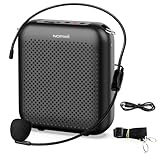
- Effective for Teaching - With a 10-watt output power,the portable voice amplifier with wired headset microphone make your voice louder and travel further, helping students listen more clearly and attentively. Its lightweight and portable design makes it a favorite among teachers, fitness instructors, tour guides, promotion events
- Loud and Clear Sound - 3-inch speakers plus a booster circuit makes the voice amplifier crystal clear sound with good sound quality, effectively saving the teacher's throat. Designed for educators, Trusted by Professionals. Teacher must haves
- Teach Without Ear-Piercing Feedback - The Voice Amplifier utilizes advanced frequency shifting technology to supress feedback effectively. To ensure optimal performance, maintain a distance of 20 cm between the microphone and the amplifier to avoid any feedback issues
- Long-Lasting Battery - Choose between the 2000 mAh and 4000 mAh battery options to match your usage needs. Both provide dependable power for teaching, presentations, and outdoor activities, reducing the need for frequent recharging. USB-C rechargeable for quick and convenient charging. Charging cable is not included
- Simple and Practical, Teacher-Centric Design - Only 2 steps: 1.Turn on the amplifier; 2.Plug the microphone into the MIC port of the amplifier. Now, it's ready. Unlike buttons, the analog dial offers finer volume increments. Ultra-lightweight with clip-on belt strap – teach hands-free
Some vendors market capabilities including natural-language FAQ handling, clarifying questions, sending links by SMS, transferring information to an agent desktop, and integrating with CRMs, knowledge bases, contact-center systems, and telephony providers. PolyAI describes these capabilities, but vendor descriptions are not independent performance evaluations.
What should a safe voice FAQ agent do?
- Ground answers: use an approved, versioned knowledge base rather than unrestricted web content.
- Ask for clarification: do not guess when the caller’s request is ambiguous.
- Refuse unsupported claims: say it does not know when the answer is outside the approved material.
- Escalate: transfer sensitive, high-value, emotional, regulated, or unresolved matters to a human.
- Pass context: provide the agent with the transcript, identified intent, collected details, and reason for transfer.
- Handle barge-in: allow the caller to interrupt naturally instead of forcing them to wait through a long response.
- Control freshness: propagate price, policy, eligibility, and product changes quickly and visibly.
- Log responsibly: retain enough information for quality review while minimizing unnecessary personal data.
What should a business test before deployment?
| Criterion | Questions to ask |
|---|---|
| Answer grounding | Does every answer come from approved content, and can the system show which source version was used? |
| Staleness control | How quickly do policy, pricing, and product changes reach production? |
| No-answer behavior | Does it say “I don’t know” or escalate instead of inventing an answer? |
| Human transfer | Does the human receive the transcript and context, or must the customer start over? |
| Latency | What is the measured response time under realistic production load? |
| Barge-in | Can callers interrupt without causing duplicated or contradictory responses? |
| Accessibility | How does it perform with accents, speech differences, hearing needs, and alternative channels? |
| Privacy and compliance | What are the recording, retention, consent, deletion, redaction, and access controls? |
| Security | How are payment details, health data, authentication information, and other PII protected? |
| Observability | Can the team inspect failed intents, low-confidence calls, repeat calls, transfers, and errors? |
| Resilience | What happens if the language model, telephony provider, CRM, or knowledge base fails? |
| Cost | Is pricing based on minutes, calls, resolutions, seats, tokens, transfers, or several of these? |
| Independent testing | Can the buyer run representative calls before accepting vendor performance claims? |
NIST’s AI Risk Management Framework emphasizes validity, reliability, safety, security, privacy, transparency, fairness, ongoing measurement, and human intervention when a system cannot detect or correct an error. A natural voice is not a safety control.
The Tool Desk
Outbyte Driver Updater FREEFix the driver behind crashes, sound loss and screen glitchesFind Drivers →Outbyte PC Repair FREEClear out junk files and repair common Windows errorsFree Scan →Should a business choose an AI agent or traditional IVR?
A highly open-ended generative agent can feel more natural and handle varied wording, but it creates more opportunities for unsupported answers. A tightly scripted IVR is less flexible but easier to audit and predict. A strong production design often combines grounded answers, constrained actions, explicit no-answer behavior, and human escalation.
Do not repeat vendor-reported figures as industry benchmarks. For example, figures shown on a vendor page for call-volume reduction, customer satisfaction, or language coverage need methodology, sample size, baseline, timeframe, and independent verification before they can support a purchasing decision.
Independent reader supportYour contribution helps us test, update, and keep practical guides available for everyone.Privacy, accessibility, and voice safety
Does voice mean a recording is being kept?
There is no universal answer. A product may process audio locally, stream it to a cloud service, store raw recordings, retain transcripts, keep temporary clips, use data for service improvement if you opt in, or collect metadata without retaining the original audio. Read the product-specific privacy and data-control documentation.
The difference is visible in the examples above: OpenAI documents different audio-retention behavior for ChatGPT Voice modes, while FACEIT says its own Voice data is not recorded, transcribed, or stored by FACEIT. Neither statement should be generalized to every other product.
The FTC recommends learning when an assistant is listening, reviewing privacy settings, deleting old recordings, checking connected accounts, and using strong account security controls. Also check the microphone indicator and operating-system permission list. A microphone permission is not proof that the service stores audio, and the absence of a stored recording does not mean no metadata was processed.
Is voice more accessible than typing?
It can be, but not for everyone. Hands-free control can help people with some motor, visual, or fatigue-related needs. Other users may need captions, text chat, keyboard controls, switch access, screen readers, relay services, speech-to-speech support, or additional time. The ADA’s effective-communication guidance recognizes voice, text, captioning, relay, screen-reader, and speech-to-speech technologies as possible aids depending on the individual and situation.
Offer a text fallback for every important interaction. A voice-only support process can exclude people in noisy environments, people who cannot speak reliably, people who need a transcript, or anyone who cannot safely talk aloud.
Can a familiar voice prove someone’s identity?
No. The FTC warns that scammers can use a short audio clip to clone a loved one’s voice. Treat an urgent request for money, gift cards, cryptocurrency, passwords, or authentication codes as unverified even if the voice sounds exact.
Quick wins for a faster PC:
Clear out junk files and repair common Windows errorsFree Scan →Fix the driver behind crashes, sound loss and screen glitchesFind Drivers →- Call the person back using a phone number you already know, not the number supplied in the urgent message.
- Confirm through a second channel.
- Establish a family or business verification phrase where appropriate.
- Be careful about publicly available recordings that make voice cloning easier.
See the FTC’s family-emergency scam guidance and its AI voice-cloning advice.
What about call recording consent?
Do not apply one universal legal rule. Recording-consent, biometric-data, call-monitoring, disclosure, and deletion obligations can vary by jurisdiction, industry, call direction, and purpose. Businesses should obtain current legal advice for the locations and data involved.
Best Value

- 2.4G Wireless MIC Headset System Set: Only for Mic Jack, not Aux Jack, otherwise it doesn't work.Built-in high sensitivity 360° omnidirectional professionalmicrophone, empty area transmission to 160 Feet (50m) Plug and Play / Stable Frequency / High Sensitivity / Stable Signal / Low Delay / Low Radiation / Anti-howling /No Interference.It is a portable Karaoke equipment.Excludes Amp&Not applicable for Phone PC and Laptop. No Bluetooth capability.
- Cordless Microphone Plug and Play: Please turn on the power switch of the transmitter and receiver, and the red light will flash for about 2 seconds. After successful matching, the red light stops and stays on, indicating that it is connected. It can be used directly after plugging into the device.
- Widely compatible with multiple scenarios: Receiver plug 3.5mm 1/8'' & 6.35mm 1/4'' microphone, which is very suitable for tour guides/fitness coaches/yoga teachers/classroom teachers/singing/conferences/speech/online podcasts/outdoor live broadcasts/yoga coaches/dance coaches/promotions/games/loudspeakers/voice amplifiers/PA systems/etc.
- Dual-head USB rechargeable microphone: The transmitter and receiver have built-in 400 mAh rechargeable lithium-ion batteries. The dual-head USB charging function can charge the transmitter and receiver at the same time. It only takes 1-2 hours to fully charge. It uses the latest low-power chip. The microphone can be used for about 8-10 hours after it is fully charged.
- Head MIC and Handheld Mic: The headset microphone is detachable and portable, and easy to install. Take off the headset and it becomes a handheld microphone, which gives you another way to use the microphone.Wireless Head MIC and Handheld Mic 2 in 1.
In a 2026 FTC matter, the agency alleged that companies misrepresented an “active listening” advertising service and stated that mandatory terms did not constitute opt-in consent for the alleged voice-data use. That is an attributed FTC enforcement and settlement context, not a universal court holding that resolves every consent question. See the FTC announcement.
Voice troubleshooting by symptom
I cannot find the Voice feature
- Confirm the exact product: ChatGPT, FACEIT, Windows, Google Voice, a game, or a developer platform.
- Check the device, operating-system version, browser or app version, country, account type, and plan.
- Update the app or client.
- Check whether the feature is still in beta or being rolled out gradually.
- Verify workspace or administrator controls.
- Look in the product’s current official help page rather than an old screenshot.
The app cannot hear me
- Confirm microphone permission for the app or browser.
- Confirm the intended input device is selected.
- Test the microphone in another application.
- Disconnect and reconnect the headset.
- Try the built-in or a wired microphone.
- Check whether another application has exclusive microphone access.
- Restart the app or browser and test again.
- Use headphones to prevent speaker audio from feeding back into the microphone.
I can speak, but I hear no reply
Check the selected output device, system volume, application volume, mute state, Bluetooth connection, and whether audio is being sent to a monitor or a different headset. Test playback outside the application. On macOS, remember that Bluetooth headsets may switch profiles when their microphone is active, reducing audio quality.
What’s actually slowing this PC down?
Pick the symptom - the matching free tool is one click away.
The transcript is wrong
Move closer to the microphone, reduce background noise, avoid overlapping speech, slow down slightly, select the correct language, and test a wired microphone. If you need an exact record, review and correct the transcript manually or use a service designed and evaluated for that purpose. ChatGPT specifically warns that Voice transcripts may differ from the conversation.
There is one-way audio in a VoIP call
Inspect SIP, SDP, and RTP rather than only restarting the client. Verify the public media IP, SDP direction attributes, negotiated codec, RTP port, NAT configuration, and whether the PBX sends media without waiting for inbound media. Compare the negotiated address and port with the packets actually observed on the network. The Bandwidth diagnostic guide covers these failure modes.
The call fails with SIP 503
Record the response context, route, carrier, destination, and retry behavior. In Bandwidth’s Least Cost Routing explanation, 503 can indicate that the selected route is unavailable at the quoted rate and that routing should advance to another carrier. It does not automatically identify the root cause of every 503.
The voice sounds robotic or keeps interrupting
Separate the layers: the speech recognizer may be mishearing you, the dialogue system may be responding too slowly, the text-to-speech system may be producing poor audio, or the network may be causing gaps. Test with a different microphone, connection, language, voice profile, or client. For an AI agent, measure interruption handling, response latency, and barge-in behavior with representative calls rather than judging one demonstration.
Do these 3 things before closing this tab:
1Clear out junk files and repair common Windows errors2Scan for outdated or missing drivers - takes under a minute3Repair Windows errors before they cause bigger problemsAn AI voice agent answers outside its FAQ
Stop it from improvising. Restrict retrieval to approved content, require an explicit uncertainty response, ask a clarifying question, and transfer to a human when the matter is sensitive or unresolved. Review the transcript and update the knowledge base only after checking the source. A confident but unsupported answer is a quality and safety failure.
When voice is not the best option
- Use text chat when accuracy, citations, privacy, or searchability matters.
- Use dictation when the goal is converting speech into editable text.
- Use captions or transcripts when later review or hearing access matters.
- Use keyboard or switch controls when speech recognition is unreliable or speaking aloud is unsafe.
- Use a human agent for sensitive, high-value, ambiguous, regulated, or emotionally complex requests.
- Use traditional IVR when predictable and auditable routing matters more than natural conversation.
- Use a redundant carrier or trunk when business telephony availability is critical.
- Use relay or speech-to-speech services when a person’s speech or hearing needs require them.
What to include when asking for help
A useful support report includes:
- Exact product and feature name.
- Device, operating system, and version.
- App, browser, client, PBX, or SDK version.
- Country and, for business services, the relevant number type or region.
- Personal, business, education, or administrator account type.
- Subscription, workspace, or beta-access status.
- The exact error message and when it appears.
- Whether the failure affects microphone input, playback, transcription, account access, routing, recording, or privacy.
- Whether every call fails or only one destination, carrier, party, or device.
- A sanitized SIP/SDP trace and packet details for VoIP issues, with credentials and personal data removed.
Frequently Asked Questions
Is “Voice FAQ” the name of one app?
No. It is an ambiguous label used for unrelated products and technologies, including ChatGPT Voice, Windows Voice Access, Google Voice, FACEIT Voice, programmable VoIP, and AI telephone agents. Identify the product before following setup instructions.
Is gaming voice chat recorded automatically?
There is no universal answer. FACEIT says its Voice data is not recorded, transcribed, or stored by FACEIT, while other games, platforms, operating systems, or third-party chat tools may have different policies. Read the specific service’s privacy documentation.
Why does voice work for my friend but not for me?
Feature access can depend on account type, plan, country, beta rollout, workspace settings, app version, operating system, party-leader permissions, and microphone access. Compare those details before treating it as an audio-device problem.
The Tool Desk
Outbyte PC Repair FREEClear out junk files and repair common Windows errorsFree Scan →Outbyte Driver Updater FREEScan for outdated or missing drivers - takes under a minuteDriver Scan →Can I trust an AI voice agent for important decisions?
Not without verification and appropriate human oversight. Voice systems can mishear the caller, retrieve stale information, generate unsupported answers, or route incorrectly. High-risk requests should use an approved source or a human agent.
What is the fastest fix for one-way VoIP audio?
Inspect the SIP/SDP negotiation and RTP path: verify a public media IP, active two-way SDP direction, compatible codecs, negotiated RTP ports, NAT behavior, and PBX media timing. Generic microphone troubleshooting applies to apps, not necessarily to SIP media failures.
The Bottom Line
Bottom line: “Voice FAQ” only becomes useful after you name the product and the layer that is failing. Gamers should verify party access, input/output devices, push-to-talk behavior, and Bluetooth limitations. Consumers should distinguish live conversation from dictation and check retention settings. Developers should inspect SIP, SDP, RTP, codecs, NAT, and routing. Businesses should require grounded answers, explicit uncertainty, human escalation, privacy controls, and independent testing. A natural-sounding voice is never proof of accuracy, privacy, or identity.
Quick Recap
Product prices and availability are accurate as of the date/time indicated and are subject to change. Any price and availability information displayed on Amazon at the time of purchase will apply.




