Do these 3 things before closing this tab:
1Fix the driver behind crashes, sound loss and screen glitches2Clear out junk files and repair common Windows errors3Scan for outdated or missing drivers - takes under a minuteIn The Elder Scrolls Online (ESO), “stacking” means multiple effects contributing at the same time—but the rule depends on the effect. Duplicate copies of the same named Major or Minor buff do not stack; a Major and Minor version can coexist. Status effects and XP consumables use separate rules, so check the exact effect rather than assuming two sources combine.
How named buffs and debuffs stack
For ordinary named buffs and debuffs, compare the effect names and whether each is Major or Minor. ESO Hub’s combat reference says duplicate copies of the same named Major or Minor effect do not stack as additional effects. For example, two sources of Major Resolve do not give you two Major Resolve buffs.

- Same name and same rank: duplicate copies do not stack as extra effects.
- Major and Minor versions: these can coexist. Major Resolve and Minor Resolve are an example.
- Different named effects: they can coexist, subject to the rules for those specific effects.
That means the source alone is not the test: two different skills can grant the same named effect, while one skill may grant an effect distinct from another skill’s. ESO Hub also describes the longest-duration effect of a kind replacing an existing one when applied. Treat that as a general reference, not a guarantee about every proc or mechanic; the exact interaction can depend on the effect.
For reference, ESO Hub lists Major Protection as reducing damage taken by 10% and Minor Vulnerability as increasing damage taken by 5%. These are the stated values for those individual effects, not a combined stacking formula.
#1 Best Overall
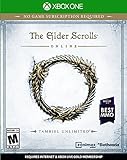
- Unlimited Adventures, No Subscription Required
- The Fight for Tamriel Begins: Three alliances vie for control of the Empire. As these powers battle for supremacy, darker forces move to destroy the world.
- Play the Way You Like: Battle, craft, fish, steal, siege, or explore. The choice is yours to make in a persistent Elder Scrolls world.
- A Multiplayer RPG: Adventure alone, quest with friends, or join an army of hundreds in epic PVP battles.
- Tell Your Own Story: Discover the secrets of Tamriel as you quest to regain your lost soul and save the world from Oblivion.
Status effects can have their own stack limits
Not every effect follows the Major/Minor buff rule. ESO Hub’s status-effect reference says Hemorrhaging is a bleed that lasts four seconds and can stack up to three times, with damage increasing per stack. This is a specific rule for Hemorrhaging—not evidence that every damage-over-time effect stacks the same way.
When checking another status effect, look for its documented stack cap and whether repeated applications add a stack, refresh duration, or behave differently. Do not infer a universal damage formula from the Hemorrhaging example.
Rank #2

- Save Morrowind: Stop a meteor from crashing into Vivec City by helping a demi-god regain his lost powers.
- Become the Warden: Harness the nature-based magic of an all-new class with a War Bear battle companion at your side.
- Partner with an Assassin: Aid a legendary elite member of the Morag Tong who will guide you through deadly political intrigue.
- Fight Together in PvP Battlegrounds: Take the battle to the Ashlands with new 4v4v4 player vs. player combat set in competitive arena-style environments.
XP consumables do not stack with each other
XP-boosting consumables have a separate rule from combat buffs. According to official ESO Support, only one XP-boosting consumable can be active at a time. Crown Experience Scrolls and Psijic Ambrosia do not stack with each other or with another copy of themselves.
The consumable bonus can still combine with other XP sources listed by Support, including ESO Plus, Rings of Mara, owning enemy keeps, or grouping. So “XP bonuses stack” is too broad: distinguish one consumable from the other listed sources.
Rank #3
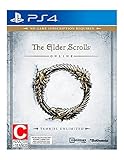
- Unlimited Adventures, No Subscription Required
- The Fight for Tamriel Begins: Three alliances vie for control of the Empire. As these powers battle for supremacy, darker forces move to destroy the world.
- Play the Way You Like: Battle, craft, fish, steal, siege, or explore. The choice is yours to make in a persistent Elder Scrolls world.
- A Multiplayer RPG: Adventure alone, quest with friends, or join an army of hundreds in epic PVP battles.
- Tell Your Own Story: Discover the secrets of Tamriel as you quest to regain your lost soul and save the world from Oblivion.
How to check your active effects in game
Bethesda Support describes buff and debuff tracking options under Settings → Combat. Use that menu to configure trackers for your own effects and debuffs on targets, then inspect what is active while testing a build or group setup. The tracker can help identify the effect name; it does not establish every interaction rule for every ability or game mode.
Independent reader supportYour contribution helps us test, update, and keep practical guides available for everyone.A quick way to evaluate two effects
- Read both effect names. For named buffs and debuffs, check whether the names match.
- Check the category. Determine whether they are the same Major or Minor effect, a Major/Minor pair, or distinct names.
- Identify the effect family. A named buff, status effect, XP consumable, and damage-over-time effect may each follow different rules.
- Look for the specific behavior. Confirm whether the effect contributes simultaneously, is replaced, refreshes its duration, or has a capped number of stacks.
- Verify in game where useful. Check the tooltip and active-effect tracker, and consult a current effect-specific reference for interactions the general rule does not cover.
The available general references do not establish the exact current interaction of every ability, gear set, shield, heal-over-time, or PvP rule. For those cases, rely on the specific effect’s current tooltip and effect-specific documentation rather than applying one stacking rule to all of ESO.
Quick Recap
Rank #4
Product prices and availability are accurate as of the date/time indicated and are subject to change. Any price and availability information displayed on Amazon at the time of purchase will apply.



