What’s actually slowing this PC down?
Pick the symptom - the matching free tool is one click away.
The command is /locate, used with the structure category and a village identifier. Type /locate structure and let the autocomplete list show the village names your game accepts. The identifier depends on your edition and version, so the autocomplete list, not a copied command, is the reliable source.
The command and its syntax
Minecraft’s official command guide, “How to Use Commands in Minecraft” (published September 22, 2023), gives the general pattern /locate <category> <thing> and describes the command as finding the nearest structure or biome. Its example is /locate structure minecraft:stronghold. For villages, the category is structure, and the second argument is a village structure identifier.
| # | Preview | Product | Price | |
|---|---|---|---|---|
| 1 |

|
Minecraft Explorer's Pack – Xbox One | $85.99 | Buy on Amazon |
| 2 |

|
Minecraft: Story Mode - Season Disc - Xbox 360 (Renewed) | $18.30 | Buy on Amazon |
| 3 |
|
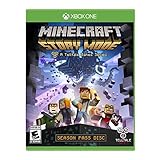
Minecraft: Story Mode - Season Disc - Xbox One (Renewed) | $28.97 | Buy on Amazon |
| 4 |

|
Minecraft - Nintendo Switch | $29.83 | Buy on Amazon |
Finding a village step by step
- Open the chat or command input in your game.
- Type
/locateand follow the category autocomplete. Choosestructure. - Choose a village identifier from the suggestions. Java Edition 1.18.2 release notes use
village_desertas an example of the form. Press Enter to submit. - Read the coordinates in the reply and travel there. Minecraft Education’s “Coding with Minecraft 8: Arrays” student workbook uses the same workflow: locate a structure, then use its coordinates to travel or to save the location.
How the argument differs by edition and version
The structure argument has changed over time, so the same village may require different wording in different builds. The table below lists only what each source states.
| Source | Edition or version covered | Structure argument | What it establishes |
|---|---|---|---|
| Minecraft, “How to Use Commands in Minecraft” (September 22, 2023) | General command guide; edition-specific village list not stated | /locate structure minecraft:stronghold as the example |
General /locate syntax; no complete village list |
| Minecraft Java Edition 1.18.2 release notes | Java Edition 1.18.2 | Namespaced configured-structure ID, with village_desert as an example; tags may be prefixed with # |
The argument changed to namespaced IDs in this version |
| Minecraft Education Support, “locate command” (April 26, 2023) | Minecraft Education; version not stated | Not stated | Causes of failed searches; dungeons are not among the listed locate options |
| Minecraft Education student workbook, “Coding with Minecraft 8: Arrays” | Minecraft Education; version not stated | Not stated | Using a located structure’s coordinates for travel or saving |
| Bedrock Edition | Not stated by these sources | Not stated | No village identifiers established |
A command copied from a tutorial written for a different release may fail. When a typed name is rejected, use the identifier the autocomplete suggests for your build.
#1 Best Overall
- This game includes: Minecraft base game and Explorers Pack, which consists of: Chinese Mythology Mashup, Natural Texture Pack, Biome Settlers Skin Pack, Battle and Beasts Skin Pack, and Campfire Tales Skin Pack
- New features - Loads of new features for Xbox players like infinite worlds, recipe book and marketplace
- Play cross-platform - Now connect with players across Windows 10, Xbox One, virtual reality and mobile devices today, and Nintendo Switch soon
- Massive multiplayer servers - Easily find massive multiplayer servers and play with thousands, right from within the game
Turning on commands first
If /locate does nothing or is unavailable, the world or server is blocking commands. Check the following:
- Java Edition single-player: enable commands when you create the world, or later in the world options.
- Bedrock Edition single-player: turn on the “Allow Cheats” setting.
- Multiplayer: you need sufficient permission on the server or in the world. Ask the host or operator to grant it.
When the search finds nothing useful
- Flat worlds: Minecraft Education Support’s April 26, 2023 response says a structure search can fail if the world is flat.
- Wrong dimension: the same response says the searched structure may belong to another dimension. Move to the dimension where that structure generates, then search again.
- Unlisted names: dungeons are not in the listed locate options in Minecraft Education, so a search for one will not work there.
- Rejected identifier: use the suggestion the game offers for your version rather than a name from another release.
What the sources do and do not establish
Minecraft’s official documentation confirms the /locate syntax and the Java 1.18.2 change to namespaced structure IDs. It does not give a complete list of village identifiers for Java, Bedrock, or Education side by side. The sources cited here date from 2021 to 2023, and Minecraft updates can change command arguments, so treat the in-game autocomplete on your current build as authoritative.
Quick Recap
Rank #4
- Minecraft is a game about placing blocks and going on adventures
- Explore randomly generated worlds and build amazing things from the simplest of homes to the grandest of castles
- Play in creative mode with unlimited resources or mine deep into the world in survival mode, crafting weapons and armor to fend off the dangerous mobs
- Play on the go in handheld or tabletop modes
- Includes Super Mario Mash-Up, Natural Texture Pack, Biome Settlers Skin Pack, Battle & Beasts Skin Pack, Campfire Tales Skin Pack; Compatible with Nintendo Switch only
Rank #3
- Created by award-winning adventure game powerhouse Telltale Games, in partnership with Minecraft creators, Mojang
- Featuring the voices of Patton Oswalt (Ratatouille, Agents of S.H.I.E.L.D), Brian Posehn (The Sarah Silverman Program, Mission Hill), Ashley Johnson (The Last of Us, Tales from the Borderlands), Scott Porter (Friday Night Lights, X-Men)
- Dave Fennoy (The Walking Dead: A Telltale Games Series, Batman: Arkham Knight), Martha Plimpton (The Goonies, Raising Hope), Corey Feldman (The Goonies, Stand by Me), Billy West (Futurama, Adventure Time), Paul Reubens (Tron: Uprising, Pee-Wee's Playhouse)
- You will drive the story through the decisions you make: what you say to people (and how you say it), and what you choose to do in moments of thrilling action will make this YOUR story
Rank #2
- Created by award-winning adventure game powerhouse Telltale Games, in partnership with Minecraft creators, Mojang
- Featuring the voices of Patton Oswalt (Ratatouille, Agents of S.H.I.E.L.D), Brian Posehn (The Sarah Silverman Program, Mission Hill), Ashley Johnson (The Last of Us, Tales from the Borderlands), Scott Porter (Friday Night Lights, X-Men)
- Dave Fennoy (The Walking Dead: A Telltale Games Series, Batman: Arkham Knight), Martha Plimpton (The Goonies, Raising Hope), Corey Feldman (The Goonies, Stand by Me), Billy West (Futurama, Adventure Time), Paul Reubens (Tron: Uprising, Pee-Wee's Playhouse)
- You will drive the story through the decisions you make: what you say to people (and how you say it), and what you choose to do in moments of thrilling action will make this YOUR story
Product prices and availability are accurate as of the date/time indicated and are subject to change. Any price and availability information displayed on Amazon at the time of purchase will apply.



