Press M to open Litematica’s main menu by default. To view or change its keybinds, press M + C to open the config menu, then select Hotkeys.
Default Litematica hotkeys
These are Litematica’s default shortcuts; your active bindings may differ if you or another configuration changed them. The project’s official FAQ describes how to access and configure the mod’s keybinds.

| Action | Default hotkey |
|---|---|
| Open the main menu | M |
| Open the config menu | M + C |
| Toggle schematic rendering | M + G |
| Open Schematic Placements | M + P |
| Open Schematic Verifier | M + V |
| Open Material List | M + L |
| Open the configuration screen for the selected placement | Numpad Minus |
Where to find and change the hotkeys
- Press M + C to open Litematica’s config menu.
- Select the Hotkeys tab to inspect or change bindings.
Litematica uses malilib’s custom keybind system rather than Minecraft’s vanilla Controls system, so its hotkeys do not appear in the vanilla Controls menu. If you use Fabric’s Mod Menu, you can also open a mod’s configuration menu by clicking its gear button in the mod list.
Quick Recap
Best Value

- Minecraft Coloring Book Set for Kids, Boys Ages 4-8 - Bundle with Minecraft Coloring Pages, Activities, Games Plus Minecraft Stickers, Jumbo Crayons | Minecraft Activity Book Set
- This Minecraft coloring book set comes with 1 Minecraft coloring and activity books filled with 32 coloring pages featuring games, puzzles, mazes, activities and more. This Minecraft coloring set also includes 4 jumbo crayons and exclusive Mincraft stickers!
- This Minecraft coloring book set for kids is the perfect activity for at home or on the go coloring creativity. Color alongside favorite characters and scenes from the hit video game including Alex, Steve, Enderman, Ender Dragons, Creepers and more.
- Sure to be a hit with Mincraft fans of all ages, this coloring book set is great to give as a gift to the Minecraft fan in your life.
- Officially licensed Minecraft coloring and activity book set for kids also includes bonus Decade West exclusive Rex-Man door hanger.
Rank #3
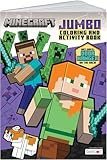
- AUTHENTIC MINECRAFT: Officially licensed Minecraft coloring book featuring iconic characters, blocks, and scenes from the popular game
- CREATIVE CONTENT: 80 pages of pixel art designs and activities that bring the Minecraft world to life through coloring
- PIXEL ART FOCUS: Detailed pixel-style illustrations that stay true to the game's distinctive blocky aesthetic
- EDUCATIONAL VALUE: With a variety of coloring pages and activities, this book helps develop fine motor skills and creativity.
- JUMBO FORMAT: Large-format pages provide plenty of space for coloring and creative expression
Rank #2
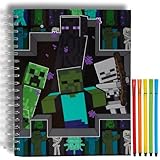
- MINECRAFT SKETCHBOOK SET – Includes a large 10 x 8 inch spiral-bound sketchbook with 86 blank pages and 5 washable markers, featuring exciting Minecraft artwork with Creepers, Endermen, and Skeletons.
- PLENTY OF SPACE TO CREATE – Blank pages are perfect for drawing, coloring, doodling, designing Minecraft builds, writing stories, comic strips, journals, and other creative projects.
- SPIRAL BOUND FOR EASY DRAWING – Durable spiral binding allows pages to lay flat for comfortable sketching at home, in the classroom, while traveling, or during family road trips.
- SCREEN-FREE CREATIVE FUN – Encourages imagination, creativity, fine motor skills, and artistic expression while giving kids a fun hands-on activity inspired by one of their favorite video games.
- OFFICIALLY LICENSED MINECRAFT PRODUCT – A fun gift for birthdays, holidays, Christmas, Easter baskets, back-to-school, classroom rewards, or any occasion for Minecraft fans, artists, and young gamers.
#1 Best Overall

- AUTHENTIC MINECRAFT: Officially licensed Minecraft coloring book featuring iconic characters, blocks, and scenes from the popular game
- CREATIVE CONTENT: 80 pages of pixel art designs and activities that bring the Minecraft world to life through coloring
- PIXEL ART FOCUS: Detailed pixel-style illustrations that stay true to the game's distinctive blocky aesthetic
- EDUCATIONAL VALUE: With a variety of coloring pages and activities, this book helps develop fine motor skills and creativity.
- JUMBO FORMAT: Large-format pages provide plenty of space for coloring and creative expression
If the M shortcut does not work
- Check the active binding. Open the config menu and inspect the Hotkeys tab; a user-configured binding may no longer be the default.
- Check your keyboard layout. The key reported for a shortcut can differ with a non-QWERTY layout. The Litematica FAQ gives the comma key as an example of the key corresponding to M on AZERTY.
Product prices and availability are accurate as of the date/time indicated and are subject to change. Any price and availability information displayed on Amazon at the time of purchase will apply.



