Windows Errors? Fix Them Before They Spread
Repair common Windows errors and clear accumulated junk for a smoother, more stable PC - no reinstall needed.Free scan · no reinstallOutdated Drivers Are Slowing You Down
One free scan finds every outdated or missing driver and matches the right update for your exact hardware.Free scan · exact hardware matchThe Sega Saturn used a collection of specialized processors rather than relying on one all-purpose chip: two SH-2 CPUs handled main processing, VDP1 and VDP2 split graphics work, and a separate sound block handled audio. That division gave developers distinct tools for building a game, but made coordination between them part of the job.
The main processors: two SH-2 CPUs and a system controller
Sega’s Saturn overview manual lists two 32-bit SH-2 RISC processors, each running at 28.6 MHz. They were not simply assigned fixed roles such as “2D CPU” and “3D CPU.” Sega’s dual-CPU guidance instead describes a master-and-slave arrangement in which developers had to coordinate communication and timing between the processors.

As an Amazon Associate I earn from qualifying purchases.
The System Control Unit (SCU) helped manage that work. Sega says it controls the A-bus, B-bus, and CPU bus, and functions as a coprocessor for the main CPU. It also provides DMA and DSP functions. The System Manager & Peripheral Control (SMPC) handled system reset management and external-device interfaces, including controllers.
What’s actually slowing this PC down?
Pick the symptom - the matching free tool is one click away.
Using both CPUs required synchronization
The two SH-2s did not automatically divide a game’s workload. Sega’s STN-28 dual-CPU guidance describes master/slave communication using the SH-2 free-running timer’s input-capture signal. It also discusses interrupt behavior during horizontal and vertical blanking. These details illustrate the programming challenge: developers needed to arrange communication and account for when interrupts occurred.
#1 Best Overall

- The best hit chronicle series aims to bring you back in time to that first experience of products that made an impact
- The Sega Saturn celebrates its 25th anniversary In 2019, and brought the fun of various arcade games to homes.
- Now it comes back home to you in the form of a 2/5 scale model kit
- Product bears official Bluefin logo
Graphics: VDP1 draws, VDP2 composes
The Saturn’s graphics work was split between two video processors with different responsibilities. VDP1 drew sprites and quadrilateral graphics into a framebuffer. VDP2 rendered background and scrolling planes, handled priorities, and displayed VDP1’s output. Sega’s overview manual lists 512 KB of dedicated RAM for each video processor.
In the pipeline described by Rodrigo Copetti’s technical explainer, VDP1’s rendered image is streamed to VDP2, which combines it with its background planes. The processors therefore did not offer interchangeable ways to draw the same scene; they formed a graphics path in which each had a distinct job.
Why the graphics path could be demanding
VDP1’s quadrilateral-based drawing and the constraints around texture mapping and transparency shaped how developers built 3D scenes. Copetti describes software workarounds used to work within those limits. Those implementation details are secondary analysis of the hardware rather than specifications quoted from Sega, but they help explain why Saturn graphics programming could involve more than simply sending polygons to a single graphics chip. An archive of official Saturn documentation, including VDP manuals, is indexed by the Saturn documentation archive.
Sound and peripherals had their own hardware
Audio was not handled solely by the pair of SH-2 CPUs. Sega’s overview lists an SCSP sound processor, with PCM capability and a 22.6 MHz DSP, alongside a separate MC68EC000 16-bit sound CPU running at 11.3 MHz. The SMPC also supported the controller interface and real-time clock. In other words, the Saturn’s main CPUs, graphics processors, sound hardware, and system controller formed distinct parts of the system.
Rank #3
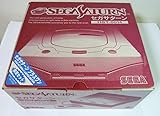
- Japanese Import Console
- Only Plays NTSC-J Region Games
What this architecture meant for Saturn games
The Saturn’s unusual character came from specialization and coordination together. Developers could work with separate processors for main computation, graphics composition, and sound, while the SCU supported bus control and data movement. But making those parts cooperate required explicit planning, especially when coordinating the SH-2s and routing graphics through VDP1 and VDP2.
- Main processing: two SH-2 CPUs in a master/slave arrangement, with communication and interrupt timing to manage.
- Graphics: VDP1 drew sprites and quadrilateral graphics; VDP2 rendered backgrounds and composed the display.
- Sound and system tasks: dedicated sound processing and a separate sound CPU, with the SMPC managing system and peripheral functions.
This is a useful way to understand the Saturn without reducing it to a single “2D” or “3D” machine: its capabilities and trade-offs came from how its specialized parts were assigned work and how well a game coordinated them.
Quick Recap
Rank #4

- Contains: Gray Dreamcast unit, modem, controller, power cable, and stereo a/v cable.
Product prices and availability are accurate as of the date/time indicated and are subject to change. Any price and availability information displayed on Amazon at the time of purchase will apply.
Free tools Windows power users keep installed
One-click scans. No signup required.




