
The “Dying Light Trainer (+35 Options)” is a third-party PC cheat utility listing for the original Dying Light. It advertises changes such as unlimited health, ammunition, items, money and experience, plus movement, time, teleportation and enemy-control functions. The listing is a description, not an independent test or safety certification, and it targets an older game build rather than every current installation.
What the Dying Light +35 trainer is
A trainer is a separate program that attempts to alter a game while it is running. It is not a setting built into Dying Light, a Steam option, a developer-supported accessibility mode or downloadable content. The page titled “Dying Light Trainer (+35 Options)” is a third-party listing that describes what its author says the utility can do.
| # | Preview | Product | Price | |
|---|---|---|---|---|
| 1 |
|
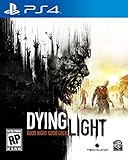
Dying Light - PlayStation 4 (Renewed) | $31.98 | Buy on Amazon |
| 2 |

|
Dying Light: The Following - Enhanced Edition - PlayStation 4 | $24.99 | Buy on Amazon |
| 3 |

|
Dying Light 2 Stay Human - Xbox Series X | $23.40 | Buy on Amazon |
As an Amazon Associate I earn from qualifying purchases.
The “+35” label indicates the advertised number of cheats or switches. The listing groups several functions together rather than publishing a complete, independently verified list of 35 separate controls. You should therefore treat the number as the listing’s marketing label, not as a guarantee that every option exists in your build or works reliably.
Nothing in the listing establishes that the program is safe, malware-free, compatible with modern patches or permitted in every mode of play. The listing provides no independent test results for its claims.
#1 Best Overall
- At night, the world undergoes a deadly transformation: the hunter becomes the hunted as the infected grow more aggressive and numerous, and something far more sinister awakens to stalk its prey
- Free Running Movement – Whether tracking prey or escaping predators, Dying Light lets players swiftly navigate the world by seamlessly leaping between buildings, grappling up walls and pouncing on unsuspecting enemies
- Dying Light is set in a vast open world, delivering expansive and varied environments, a wide variety of enemy classes and a hopeless tale of survival where resources are scarce and the infected are not the only threat
- Get up-close using a variety of light and heavy weapons including knives, bats, axes, sledgehammers and more exotic weaponry or utilize guns and other firepower to take down enemies from a distance
- Why use a wrench when you can use a wrench wrapped in electrified barb wire Dying Light's sizeable crafting system enables players to create a slew of new, more potent weapons and equipment, as well as specialized ammunition
Advertised functions, grouped by what they change
The listing describes the following categories. “Advertised effect” means the behavior claimed by the listing; it does not mean the feature has been verified.
| Category | Advertised effect | Practical consequence |
|---|---|---|
| Health | Infinite health | Your character is described as being unable to lose health while the option is active. |
| Stamina | Infinite stamina | Sprinting, climbing or other stamina-consuming actions are advertised as having no normal limit. |
| Weapons | Unbreakable weapons | Weapon durability is claimed to remain full instead of degrading. |
| Ammunition | Unlimited ammunition and no reload | The listing claims that ammunition does not run out and reload actions can be bypassed. |
| Inventory | Infinite items | Consumables or other inventory objects are advertised as staying available. |
| Throwables | Infinite throwables | Grenades or similar throwable equipment are claimed not to be consumed. |
| Money | Cash | The trainer is advertised as supplying or maintaining in-game cash. |
| Progression | Experience boosts | Experience gain is described as being increased, allowing faster level progression. |
| Movement | Speed changes | Player movement speed can reportedly be raised or altered. |
| Jumping | Super jump | The jump height is advertised as exceeding the normal game value. |
| Time effects | Bullet time | The game can reportedly be slowed while the player retains control. |
| Enemies | Enemy slowdown | Enemy movement or reactions are advertised as becoming slower. |
| World movement | Teleportation | The listing claims that the player can relocate instantly. |
| World cycle | Day/night toggling | The time of day is advertised as switchable rather than advancing normally. |
| Challenges | Stopped challenge timers | Timed challenges are claimed to stop counting down while the option is active. |
Several of these effects can change mission balance, progression and the consequences of taking damage. They may also interact unpredictably when multiple switches are enabled at once. A feature appearing in the table means only that it is mentioned by the listing; it does not establish a particular hotkey, activation order, persistence between sessions or success on a patched copy of the game.
Compatibility: the listing names original Dying Light v1.16.0
The listing includes this scope note: “This cheat tool is for the original version v1.16.0 of the game Dying Light.” That is the only explicit compatibility target supplied for the trainer. Read it as the publisher’s own version statement, not as proof that the utility currently runs.
PC Slower Than It Used to Be?
A free scan shows the junk files, broken settings and background clutter dragging Windows down - then fixes them in one click.Free scan · Windows 10 & 11Crashes, No Sound, or Screen Glitches?
Random freezes, missing sound and display glitches usually trace back to one bad driver. Find and replace yours safely.Free scan · under a minute“Original version” matters. It does not automatically include Dying Light 2, a different executable, a console edition, a remastered or otherwise modified package, or a later PC build. A trainer generally depends on the game’s memory layout and executable behavior; when a game is patched, addresses and routines can change. The listing does not state whether this utility was updated after v1.16.0 or whether it works with any later build.
If your installation reports a different version, compatibility is unconfirmed. Do not convert the v1.16.0 note into a promise that the trainer will work after an update. The responsible interpretation is narrower: the listing claims support for that original build and leaves every other build to verification.
Rank #2
- Dying Light is now bigger, better and scarier than ever before.
- Discover the untold chapter of Kyle Crane's story. Investigate a mysterious cult as you leave the quarantine zone and travel to a region bigger than all areas of the original game combined!
- Dying Light: The Following introduces the drivable dirt buggy that you can freely customize and upgrade with special weapons, attachments and decals to create your most deadly weapon yet.
- Get all the additional content ever released for Dying Light in one go;Entertainment Software Rating Board (ESRB) Content Description: Intense violence
- Content includes Be the Zombie multiplayer mode, the Cuisine&Cargo challenge missions, the Ultimate Survivor Bundle, The Bozak Horde game mode, and much more.
PC requirements and the separate Steam-client requirement
Steam’s Dying Light support page lists these historical minimum requirements for the Windows PC game:
| Requirement | Minimum stated by Steam | How to interpret it |
|---|---|---|
| Operating system | Windows 7, 8 or 8.1, 64-bit | This is the game requirement shown on the support page, not a guarantee that a current Steam client still supports those operating systems. |
| Memory | 4 GB RAM | The minimum listed for the game; a trainer may impose its own unstated compatibility constraints. |
| Storage | 40 GB free space | The stated free-space requirement for the game installation. |
| Graphics API | DirectX 11 | The game’s listed minimum graphics API. |
Steam separately states that, from January 1, 2024, the Steam client supports Windows 10 and later. That date does not rewrite Dying Light’s historical minimum specification. It means you must distinguish two questions: whether the game’s published minimums include an older Windows release, and whether the current Steam client can operate on that release. Meeting the game table alone does not answer the client-support question.
Online play, VAC and why the listing cannot prove safety
Techland support records that Valve Anti-Cheat (VAC) was enabled for Dying Light on January 29, 2016. The same support information identifies a “VAC Secure Game” setting in the game’s online options. This confirms that Dying Light has a VAC-secured online context.
It does not establish that this particular trainer will trigger a ban, and it does not establish that using it online is safe. The trainer listing contains no enforcement test, no guarantee from Techland or Valve and no information about how current detection systems respond to its code. An absence of a reported ban is not evidence of permission.
If you decide to experiment, keep the experiment to an offline, single-player context and do not enter a VAC-secured game with the trainer active. Do not infer that a switch is harmless merely because it affects movement, time or inventory instead of combat. Any process that modifies a running game can create an online-policy risk, and neither the listing nor the cited support information quantifies that risk.
Rank #3
- Includes: Dying Light 2 Stay Human and ‘Bloody Ties’ DLC. (DLC must be downloaded separately.)
- Enjoy the perks of more than 10 post-launch updates. Good luck out there, and stay human!
- VAST OPEN WORLD: Participate in the life of a city engulfed in a new dark era. Discover different paths and hidden passages, as you explore its multiple levels and locations
- CREATIVE & BRUTAL COMBAT: Take advantage of your parkour skills to tip the scales of even the most brutal encounter. Clever thinking, traps and creative weapons will be your best friends
- 2-4 PLAYER CO-OP GAMEPLAY: Play in up to four-player co-op. Host your own games or join others and see how their choices have played out differently than yours
A cautious way to evaluate a version-specific trainer
The listing does not provide a verified installation procedure, universal hotkeys or a recovery method. You can still reduce avoidable problems by treating the utility as untrusted, version-dependent software:
The Tool Desk
Outbyte Driver Updater FREEFix the driver behind crashes, sound loss and screen glitchesFind Drivers →Outbyte PC Repair FREEClear out junk files and repair common Windows errorsFree Scan →- Record your game build first. Note the version shown by your installation or update history before launching any third-party program. Compare it with the listing’s stated target rather than assuming the newest build is compatible.
- Protect your saves and configuration. Make a separate backup of save data and settings before experimenting. Keep the backup outside the game’s normal save location so a failed session cannot overwrite your only copy.
- Establish a clean baseline. Launch Dying Light without the trainer and confirm that the game starts, loads a save and behaves normally. This gives you a comparison if a later session crashes or loses progress.
- Stay out of online modes. Use an offline single-player session only. Techland’s VAC information means you should not test the utility in a VAC-secured game.
- Change one option at a time. Begin with a single advertised function, observe the result briefly and record what you changed. Simultaneous toggles make it difficult to identify which feature caused a fault.
- End the test cleanly. Turn options off before closing the game when the utility allows it, then close both programs. Recheck the game without the trainer before returning to normal play.
- Remove the variable if anything fails. If the game crashes, refuses to load or behaves abnormally, stop using the utility and return to the clean baseline and your backup. Do not keep adding switches in an attempt to repair an unknown compatibility problem.
These steps are risk controls, not a promise that the trainer will function. They also do not validate the source file itself; obtain software only from a source you trust and scan it according to your platform’s security practices.
Diagnosing common outcomes without guessing
| Observed result | Most useful interpretation | Next action |
|---|---|---|
| The game runs, but no option has an effect. | The build may not match the stated target, the option may not apply to the current mode, or the listing may be inaccurate. | Return to the clean game, verify the version and test no further than the documented target. |
| The game crashes when the trainer or a switch is activated. | A compatibility conflict is possible; no specific fix is identified in the cited information. | Disable the utility, restore your backup if needed and verify that the unmodified game works. |
| A save behaves differently after a session. | Persistent inventory, money or experience changes may have been written to the save. | Close the trainer and restore the pre-test backup rather than continuing to modify the same file. |
| You see an online or VAC-related warning. | The session has entered a context where third-party modification carries an enforcement concern. | Exit the online session and do not use the trainer in a VAC-secured game. |
| A game update arrives. | The executable may no longer match the version for which the listing was written. | Assume compatibility is unconfirmed until the listing provides a new, explicit target. |
None of these outcomes proves malicious behavior or a ban. They are practical decision points for separating a version mismatch from a normal game problem without making claims the cited information cannot support.
Who should avoid this trainer
- Players who need online access: the existence of VAC-secured play makes a third-party modification a poor fit for an online session.
- Players on a later build: the only stated target is the original v1.16.0 release, so later versions have no established support.
- Players protecting an important save: options that alter cash, experience, inventory or challenge timers can change progression and may leave a save you no longer want.
- Players seeking an official accessibility feature: this is external software, not a supported game setting.
- Players expecting a complete technical manual: the listing does not establish installation steps, hotkeys, update policy or troubleshooting coverage.
It may appeal only to someone who deliberately wants to experiment with altered mechanics in an isolated, offline copy and accepts that the advertised functions are unverified.
What the +35 label does not tell you
The label does not tell you which individual switches are present in a particular download, whether options are toggled by keyboard shortcuts or a window, whether they survive a restart, or whether they work with your edition. It also says nothing about file provenance, privacy, malware screening, customer support or online-policy compliance. Those are separate questions that the listing and the cited support pages do not answer.
Do these 3 things before closing this tab:
1Fix the driver behind crashes, sound loss and screen glitches2Repair Windows errors before they cause bigger problems3Scan for outdated or missing drivers - takes under a minuteBottom line
“Dying Light Trainer (+35 Options)” is a third-party listing for gameplay-altering software. It advertises a broad set of cheats, from infinite resources to teleportation and time control, but the listing does not provide independent verification of those features. Its compatibility statement is limited to the original Dying Light v1.16.0 build. Steam’s historical PC requirements and Techland’s VAC information provide context, not an endorsement. Treat the trainer as unverified, keep it out of VAC-secured online play, back up your saves and assume a later game build is unsupported unless the publisher states otherwise.
Quick Recap
Product prices and availability are accurate as of the date/time indicated and are subject to change. Any price and availability information displayed on Amazon at the time of purchase will apply.

