
Do these 3 things before closing this tab:
1Clear out junk files and repair common Windows errors2Fix the driver behind crashes, sound loss and screen glitches3Repair Windows errors before they cause bigger problemsA safe VR play space starts with the room, not the headset. Choose an experience that matches the space you truly have, remove anything you could strike or trip over, then draw the headset boundary inside that cleared area. For roomscale play, Meta publishes two different recommendations in separate documents: one pairs 9 ft × 9 ft of unobstructed room space with a 6 ft × 6 ft playable area, while another recommends a 6.5 ft × 6.5 ft (2 m × 2 m) play area or larger. These are guidance figures, not a universal legal minimum. If your room cannot support movement in every direction, use a stationary or seated experience when the headset and app support it.
Decide what kind of VR movement your room can support
“VR space” can mean very different things. A seated simulator, a stationary game that lets you reach and lean, and a roomscale title that expects turning and walking place different demands on the same room. Assess the activity before moving furniture or creating a boundary.
As an Amazon Associate I earn from qualifying purchases.
Seated play
You remain in a chair or another stable seat. Your legs and feet do not need a clear area for walking, but the chair must not roll into furniture, stairs, a wall, or a cable. Check that arm movements will not hit a desk, lamp, shelf, monitor, or another person. The headset, operating system, and app must each support seated use; availability varies by device and software.
Stationary play
Meta describes Stationary as a compact mode involving little movement beyond reaching or leaning. It is useful when you can stand safely but cannot walk around. Leave enough room for a comfortable stance and for the largest reach the game expects. A stationary label does not mean that every title is safe in a crowded room: a boxing, rhythm, or fitness app may still send your arms well beyond your torso.
#1 Best Overall

- [Positioning and Direction] The VR mat for virtual reality helps determine your position, and the mat has a built-in centering circle and directional arrows to help you position yourself correctly for the most comfortable VR gaming experience.
- [Double-sided Non-Slip Surface] The VR floor mat for Oculus Quest 3/Quest 3S is made of high quality PU with a soft non-slip surface. It can effectively cushion your feet and prevents your feet from slipping during movement. round mat stay in place even during intense exercise.
- [Anti-Fatigue Comfort VR Mat] The soft and flexible material adapts to the shape and weight of your feet, and you can stand on this mat for hours, minimizing foot, joint and back pain and providing you with optimal comfort.
- [Foldable Storage] Foldable design round mats, easy to store and carry, no worries about taking up too much space.
- [Use with Any VR Headset] Use this VR mat with any popular VR headset including Quest 3S/Quest 3/Quest 2/Quest Pro/PSVR2/HTC Vive. It can also be used for Apple Vision Pro. It provides a stable and comfortable range that allows you to fully enjoy your virtual reality adventure.
Roomscale play
Roomscale assumes that you can turn, reach and take steps without entering furniture or other hazards. The available floor must be genuinely usable, not merely visible through passthrough. If a sofa, coffee table, radiator, bed, pet, or open door occupies part of the intended area, that portion is not roomscale floor.
How much open space is enough?
There is no single worldwide minimum for a home VR room. The useful figures below come from separate Meta documents with different purposes, so keep their contexts distinct rather than combining them into one rule.
| Document and date | Figure | What it means |
|---|---|---|
| Meta Horizon OS Developers, “Integrate Boundary,” updated September 10, 2026 | 9 ft × 9 ft of unobstructed total space, with a 6 ft × 6 ft playable area | A roomscale setup recommendation in the boundary guidance. The larger footprint is the cleared room around the defined play area. |
| Meta Horizon OS Developers, “Head” design guidance, current in September/October 2026 search results | 6.5 ft × 6.5 ft (2 m × 2 m) or larger | A roomscale play-area recommendation. The page’s exact publication date was not shown. |
| Meta Quest tracking submission requirement, 2025 | 6.5 ft × 6.5 ft | A platform requirement that standing and roomscale apps be usable within that area; it is not a universal home-safety standard. |
Measure the clear rectangle at floor level, then check the same volume above and around it. A low table that fits outside a tape outline can still be inside your arm swing. Likewise, a wall-mounted television, ceiling fan, hanging light, plant, or open cabinet can be a collision risk even when the floor is empty.
Audit and clear the room before you put on the headset
Do this inspection with the headset off. A boundary cannot make an obstacle harmless, and you cannot reliably judge a real hazard while immersed.
- Choose the smallest honest play area. Stand where you expect to play and identify the floor that remains clear in every direction. Do not count space behind a sofa, through a doorway, over a step, or under a desk unless you can safely occupy it.
- Remove floor-level obstacles. Pick up toys, shoes, bags, controllers, charging leads, loose rugs, pet bowls and other objects that could catch a foot. Close drawers and doors that project into the area.
- Move hard-edged furniture. Relocate coffee tables, side tables, stools, desks and chairs beyond the movement envelope. Covering a corner with a blanket does not remove the underlying impact hazard.
- Check vertical reach. Extend both arms, turn your torso and make the gestures the game requires. Look for shelves, screens, lamps, ceiling fixtures, wall décor and cabinet doors at head or hand height.
- Secure what remains. Heavy furniture should not slide when brushed. Unstable lamps, stands and monitors should be moved or secured. Keep glass, sharp objects and hot drinks outside the activity area.
- Control access. Tell household members when the space is active. Keep children and pets out of the marked area; a person or animal can enter after the boundary was created and will not necessarily appear as a warning.
- Check exits and hazards beyond the play zone. The boundary should not lead toward stairs, a balcony, a fireplace, an exterior door, a kitchen, or a drop in floor level. Keep a clear path for removing the headset quickly.
- Inspect the floor again after moving items. Furniture often leaves feet, cords or debris behind. Walk the perimeter slowly in normal lighting before starting VR.
Set the headset boundary inside usable space
Use the headset’s current boundary or guardian setup after the room is clear. Menu names and controls vary by model and software version, so follow the device maker’s current consumer instructions rather than a generic button sequence.
Rank #2
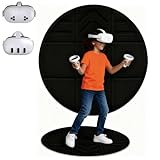
- 【Enhanced Spatial Awareness Design】Think of this large VR mat as a physical spatial perception system, ensuring you play within a safe activity area. The triangular groove design of the VR floor pad helps you better distinguish the forward direction in VR games, while the central groove quickly identifies your starting point, fully immersing you in the metaverse without being restricted by VR system boundaries.
- 【Comfortable, Non-slip, and Fatigue-Resistant】Crafted from high-quality PU+EVA material, this VR floor mat keeps you firmly in place, even during intense movements, without slipping. The soft and comfortable feel allows you to stand for extended periods without fatigue.
- 【Portable, Foldable, and Versatile】This 100cm foldable round VR mat is incredibly easy to store and carry. Suitable for a variety of settings, including home, outdoors, and arcades.
- 【Universal Round Design】With a stylish and aesthetically pleasing design, this VR floor pad is perfect for carpet and any VR headset, including Meta Quest 3S/Quest 3/Oculus Quest 2/Quest Pro/PSVR2/Apple Vision Pro/PICO/HTC VIVE, etc.
- 【Double-Sided and Versatile】Enjoy the convenience of a double-sided VR mat. Both sides are waterproof and easy to clean, offering non-slip protection on various floor surfaces.
- Put on the headset in the cleared room and select the roomscale, standing, stationary or seated mode that matches the experience.
- When prompted to define a boundary, trace only the floor you can occupy without touching furniture, walls, stairs or other hazards. Keep the outline conservative instead of stretching it to gain a few extra inches.
- Confirm the outline from several viewpoints. If the system offers a view of the drawn perimeter, check that it does not cross a doorway, table leg, rug edge or area another person uses.
- Save or confirm the boundary, then remove the headset and compare the virtual outline with the physical room. If they disagree, redraw it; do not move the virtual line through an obstacle.
- Repeat the check whenever the room changes, you play in a different location, or the headset reports that its stored boundary is unavailable or inaccurate.
Meta describes the boundary as a system that prompts users to clear the activity space and provides visual cues as they approach its edge. That makes it an orientation aid, not a collision detector. It may not warn about an object inside the defined area, a person who walks in, or a hazard the tracking system cannot identify. Never define the boundary outside usable space or through walls and furniture.
When stationary or seated play is the safer choice
A smaller room is not automatically unusable. Match the mode to the actual movement the app requests, not to its marketing label.
| Option | Clear-area demand | Typical movement to plan for | Best fit |
|---|---|---|---|
| Seated | Space for a stable chair and safe arm movement | Head and hand movement; little or no walking | Driving, flight, exploration or accessibility-focused experiences that support a seat |
| Stationary | A compact standing spot with room to reach and lean | Turning in place, reaching and limited leaning | Rooms that cannot provide a full walking area but allow a stable stance |
| Roomscale | A genuinely open rectangle with clearance around it | Turning, reaching and taking steps in multiple directions | Large, uncluttered rooms and apps designed for free movement |
Read the app’s comfort and movement settings before launching it. A title that permits stationary play may still include optional activities that require broad swings, crouching or stepping. If you cannot perform those actions without contacting something, choose another mode or another app.
Passthrough and scene features do not replace preparation
Passthrough can show the physical room while the headset is worn, and scene-understanding features may identify parts of the environment. They are useful for orientation, but they do not turn clutter into a safe surface. Meta’s safety guidance cautions that scene information is not itself a safety feature and may not warn about objects within the activity area.
For fully immersive and immersive experiences, keep a defined boundary even when passthrough is available. Boundaryless play can leave you without the visual cue that marks the edge of your intended area. Treat any warning, scan or map as supplemental information and continue to rely on the physical-room inspection.
Rank #3

- Spacial Awareness: ProxiMat provides a defined physical area, helping you maintain awareness of your position in your room while immersed in VR. This is especially useful for avoiding collisions with objects or walls.
- Stay Safe: The ProxiMat serves as a tactile boundary, preventing you from wandering too far and potentially injuring yourself or damaging nearby objects.
- Anti-Fatigue Material: The ProxiMat is made with an anti-fatigue foam, helping reduce fatigue in your legs and feet during gameplay. Standing on a ProxiMat is a lot more comfortable during extended VR sessions compared to standing on a hard floor.
- Easy To Clean: ProxiMat features a non-porous top surface, ensuring that if it becomes dirty, cleaning it is straightforward.Just use isopropyl alcohol and a rag to effectively sanitize and refresh the mat's surface.
- Versatile Use: Beyond VR, this mat can also be used for various standing activities such as yoga, stretching, or as a general anti-fatigue mat in your workspace.
People, pets and interruptions
VR safety is a moving-target problem: the room can become unsafe after you set it up. Establish a simple household rule that nobody enters the active area without speaking first. If someone needs your attention, pause the app and remove or lift the headset safely before turning toward them.
Quick wins for a faster PC:
Fix the driver behind crashes, sound loss and screen glitchesFind Drivers →Clear out junk files and repair common Windows errorsFree Scan →Scan for outdated or missing drivers - takes under a minuteDriver Scan →Pets are especially difficult to track because they can move under your hands or feet. Keep them in another room or behind a closed barrier during active play. Do not assume that a virtual boundary will recognize a small animal.
Use the headset’s pass-through or pause shortcut only as a way to regain orientation. It does not make it safe to continue swinging or walking while looking at a partial camera view. Stop, stabilize your stance, and remove the headset if you are unsure where you are.
Standalone and tethered headsets: handle cables according to the layout
The correct cable arrangement depends on whether the headset is standalone, connected to a computer, or using a battery or charging lead. There is no universal routing method for an unspecified headset. The non-negotiable rule is that a cable must not cross the area where your feet move or create a pull that can drag equipment from a desk.
- Identify every cable before play, including power, link, headphones and charging leads.
- Keep connectors and power strips outside the defined activity area where possible.
- After changing the room, walk the intended route without the headset and verify that nothing catches your ankles.
- Do not improvise a route over a doorway, stair edge or moving chair.
- Stop using the setup if a cable becomes taut, warm, damaged or detached during play.
These checks do not make a particular accessory necessary. Choose a routing method only after considering the headset type, computer location and room layout.
Rank #4

- PLAY ON THE MAT: The large 42 inch size allows you to play with both feet on the mat. Why step on and off the mat when you can stay within your improved Safety Zone. US Patent #10,350,488
- MINIMIZES ACCIDENTS: Improves VR game play by defining your play area and keeping you within a zone away from objects or walls. Using a tactile approach for your feet provides an extra level of safety and keeps you far enough from your guardian systems warnings and allows you to focus on your game and not the flashing boundary.
- KEEPS YOU CENTERED: Physical home centering button along with smaller north facing button provides a true physical presence while in Virtual Reality. Keeping you centered is key to great gaming.
- USE ALMOST ANYWHERE: At home, school, hotels, dorm rooms, VR arcades- any use that requires standing or room scale.
- USE WITH ALL VR SYSTEMS: Not limited to any one VR system! Provides all Virtual reality systems (with standing & room scale movement games) the benefit of centering, room awareness, direction, increased safety for longer & better game play.
A pre-session safety check
Run this short checklist every time the room has changed, even if the headset remembers the boundary.
- The floor is free of objects, loose coverings and exposed cables.
- Furniture, screens, lamps and wall décor are outside the movement envelope.
- Doors, drawers and windows near the area are closed or secured.
- No person, child or pet can enter unnoticed.
- The boundary sits inside the clear, usable floor and matches the current room arrangement.
- The selected app mode matches the space: seated, stationary or roomscale.
- You know how to pause, access passthrough and remove the headset.
- You feel steady and can stop immediately if you become dizzy, disoriented or uncomfortable.
Troubleshoot the most common setup failures
The boundary reaches a sofa or table
Stop the setup and redraw the boundary inside the furniture’s actual edge. If the remaining area no longer supports the app’s movement, switch to stationary or seated play or use a different room. Do not keep the larger outline just because the headset accepts it.
The room is large enough on paper but feels cramped
Recheck arm reach, turning and vertical hazards. The usable area is smaller than the floor rectangle if a swing would hit a lamp, monitor, shelf or another object. Remove more furniture or select an experience with less movement.
The headset loses or misplaces the boundary
Pause, remove the headset and inspect the physical room. Recreate the boundary using the current device instructions rather than trusting a stored outline. A boundary that was correct in one arrangement can be wrong after furniture, lighting or room location changes.
Free tools Windows power users keep installed
One-click scans. No signup required.
Passthrough shows an object that the boundary did not warn about
Treat the object as a physical hazard and stop. The boundary is not designed to identify every item inside its perimeter. Clear the object, then redraw the boundary if the available area changed.
Best Value

- Super soft: vr mat is made of long plush surface, soft and comfortable, which can support your joints and reduce the pressure on your feet, so you won't feel tired after a long time of immersion in virtual reality. And it's also excellent at absorbing sweat and preventing slippage.
- Positioning and orientation: In VR you can hardly position yourself in the direction, the vr walking platform's blank space design helps determine your position and orientation, preventing you from bumping into and destroying nearby objects while playing realidad virtual.
- Non-slip base: vr mat large has a solid non-slip base that won't slip and slide when used on carpet, hardwood, laminate or tile.
- Reduce accidents: vr mat round reduces accidents by positioning your play area and keeping you away from other objects, allowing you to focus on the game instead of the flickering borders. Enhance your game immersion for longer and better gameplay.
- Compatibility: Our vr accessories are not limited to any one VR system! Fully compatible with any virtual reality gaming system, including all VR devices, PC virtual reality accessories, psvr games, etc.
A game asks for more movement than expected
Exit or pause the title and read its movement or comfort options. Select seated or stationary play only if the app genuinely supports that mode; otherwise use a room with enough open floor. Never rely on leaning over the boundary to reach a virtual target.
What a device-specific guide would still need to verify
This general plan does not establish a universal consumer menu path, tracking limitation or tethered-cable recommendation. Those details vary by headset model, operating-system version and app. Before following model-specific instructions, verify:
- the exact headset model and software version;
- whether the title supports seated, stationary, standing and roomscale modes;
- how to create, edit and clear the boundary on that device;
- how the device handles boundary loss, passthrough and scene features;
- whether a computer link or charging cable is required; and
- the manufacturer’s current regional support instructions.
Meta’s platform documentation distinguishes seated play from standing and roomscale modes, and its Quest tracking requirement is aimed at app usability within a specified area. Neither document turns that platform requirement into a guarantee for every home, game or user.
What’s actually slowing this PC down?
Pick the symptom - the matching free tool is one click away.
Example decisions for three common rooms
Open living room
If a central rectangle can remain clear after the coffee table and chairs are moved, roomscale may be appropriate. Measure the remaining floor, inspect the television wall and ceiling fixtures, then draw a boundary that leaves a buffer before the furniture. Keep the room closed to pets and passing family members during play.
Bedroom with a bed and desk
If the bed and desk leave only a narrow strip, do not stretch a roomscale outline across them. A seated title at the desk or a stationary experience in the clear strip may fit, provided the chair and arm reach are safe. Close drawers and move desk objects before starting.
Small apartment or shared room
Choose seated or stationary software and schedule sessions when the area is not being used by others. Marking a temporary clear spot can help household members recognize it, but a mark does not replace the headset boundary or the physical inspection.
Keep the setup safe over time
Room safety is a maintenance task. Recheck the area after cleaning, rearranging furniture, adding a seasonal decoration, bringing in a new pet, or changing from a standalone to a tethered configuration. Review the app’s movement settings when installing a new title. If your available space changes, erase and recreate the boundary rather than assuming the old one still fits.
The practical standard is simple: clear what you can actually occupy, choose the least demanding mode that fits, and keep the virtual boundary inside that reality. The headset can help you recognize the edge, but only the physical room determines whether the space is safe.
Quick Recap
Product prices and availability are accurate as of the date/time indicated and are subject to change. Any price and availability information displayed on Amazon at the time of purchase will apply.

